U.S. Digital Passport Photo Size 2026: Complete Technical Guide
Table of contents:
- The Core Rule: Square Aspect Ratio and Pixel Dimensions
- US Digital Passport Photo File Size by Program
- Accepted File Formats: What Each Program Allows
- Color Profile and Metadata Requirements
- sRGB Is Mandatory
- Compression Rules
- Biometric and Composition Requirements
- USCIS Immigration Forms: Major Policy Change Effective December 2025
- Travel.State.Gov Upload Validator: What It Checks
- Program Comparison: All Digital Photo Size Requirements at a Glance
- Using PhotoGov for Correct Digital Passport Photo Size and Format
- Official Government Sources
- Frequently Asked Questions
The US digital passport photo size is defined in pixels and kilobytes. The size of all submitted photos must be 600x600 to 1200x1200 pixels, with file size under 240 KB for Diversity Visa Lottery entries, and 54 KB-10 MB for passport renewals. Besides dimensions and format, the ravel.State.Gov’s automated validation system also checks color space, metadata, biometrics, and a range of other parameters when you upload your digital photo. This Guide covers every technical requirement for each submission type, sourced directly from the Department of State (DOS) guidelines and verified by our compliance team.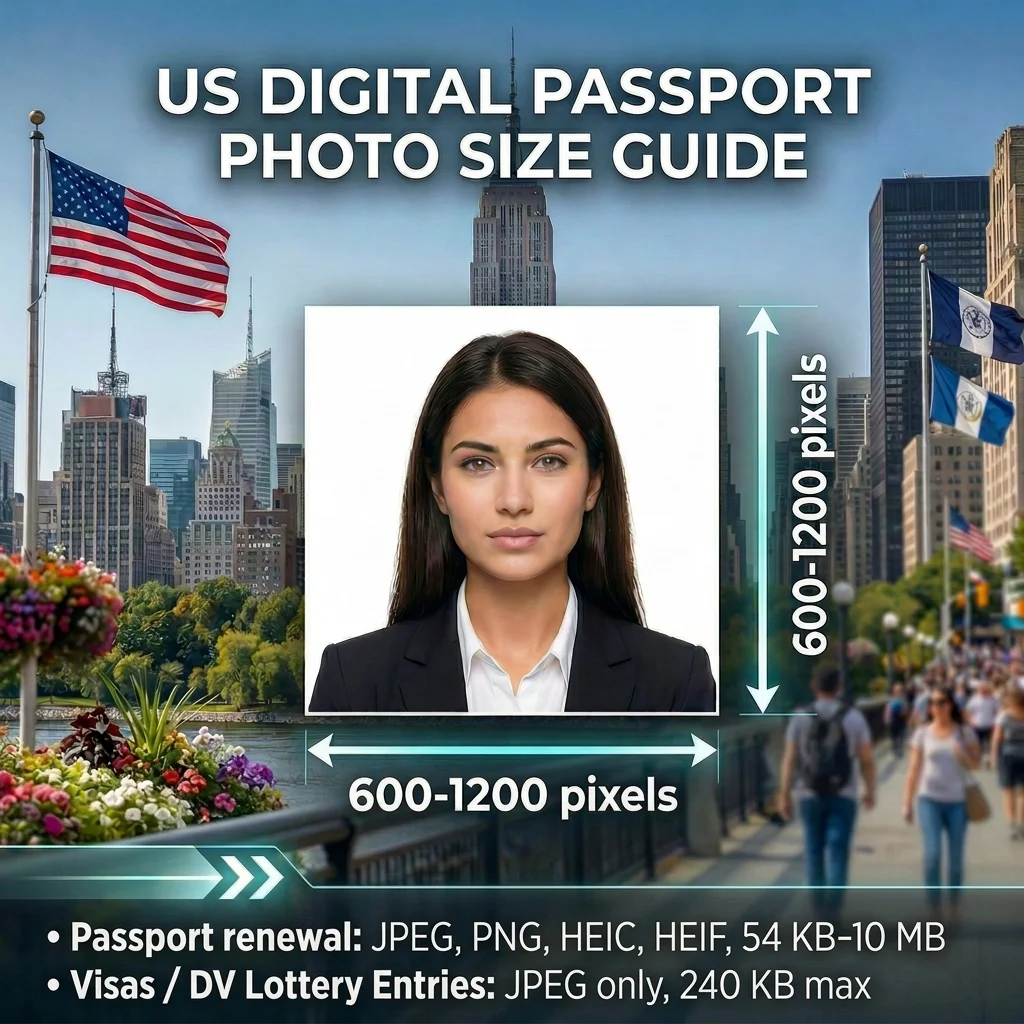 Source: DOS Visas DOS Passports
The Core Rule: Square Aspect Ratio and Pixel Dimensions
The U.S. government accepts digital photo submissions across three separate programs: online passport renewal via Travel.State.Gov, nonimmigrant visa applications, and the Diversity Visa (DV) Lottery. Every U.S. government digital photo submission requires a 1:1 aspect ratio — the height of the image must equal its width. The specific pixel requirements are:
Minimum: 600 × 600 pixels
Maximum: 1200 × 1200 pixels
These dimensions apply uniformly across the passport renewal portal, visa applications, and DV Lottery. An image that is 800 × 801 pixels will fail the automated aspect-ratio check. A 599 × 599-pixel image falls below the minimum and is rejected. An image larger than 1200 × 1200 pixels must be downsampled before submission.
The square crop is not a composition preference — it is a structural requirement enforced at upload by the government's image validator. Tools like PhotoGov apply these specifications automatically, cropping and resizing the source portrait to the correct pixel range before export.
US Digital Passport Photo File Size by Program
The US digital passport photo size limits are the most commonly misunderstood requirement because they differ significantly between programs. Using visa file-size rules when uploading an image for a passport renewal to Travel.State.Gov — or vice versa — will cause a failed submission.
Program | Accepted Formats | File Size Limit |
Online Passport Renewal | JPEG, PNG, HEIC, HEIF | 54 KB – 10 MB |
U.S. Visa Application (DS-160 / DS-1648) | JPEG only | ≤ 240 KB |
DV Lottery Entry | JPEG only | ≤ 240 KB |
Note the lower bound on Travel.State.Gov: files below 54 KB are also rejected, which means an aggressively compressed JPEG can fail just as easily as an oversized one. The DS-160 and DV Lottery have no lower bound — only the 240 KB ceiling applies.
PhotoGov formats the image to the correct pixel range and color profile, and selects the appropriate output format and file size automatically based on the document type selected — JPEG, PNG, or HEIF up to 10 MB for passport renewal, JPEG at ≤ 240 KB for visa and DV submissions.
Accepted File Formats: What Each Program Allows
The U.S. Department of State accepts the widest range of formats for an online passport renewal. As of 2026, the US Department's official upload page lists four file types:
JPEG / JPG — accepted for all programs
PNG — accepted for passport renewal only
HEIC — accepted for passport renewal only (default format on Apple devices)
HEIF — accepted for passport renewal only.
For DS-160 and DS-1648 visa applications, and the DV Lottery entries, only JPEG is accepted. PNG, HEIC, and HEIF are not valid for these programs regardless of image quality or pixel dimensions.
If you shoot on an iPhone and plan to submit a DS-160 or DV Lottery photo, the HEIC or HEIF file must be converted to a true JPEG before upload. The conversion must preserve valid JPEG metadata — a renamed HEIC file with corrupted headers triggers the error "File Must Be JPEG" even with a .jpg extension.
Color Profile and Metadata Requirements
 sRGB Is Mandatory
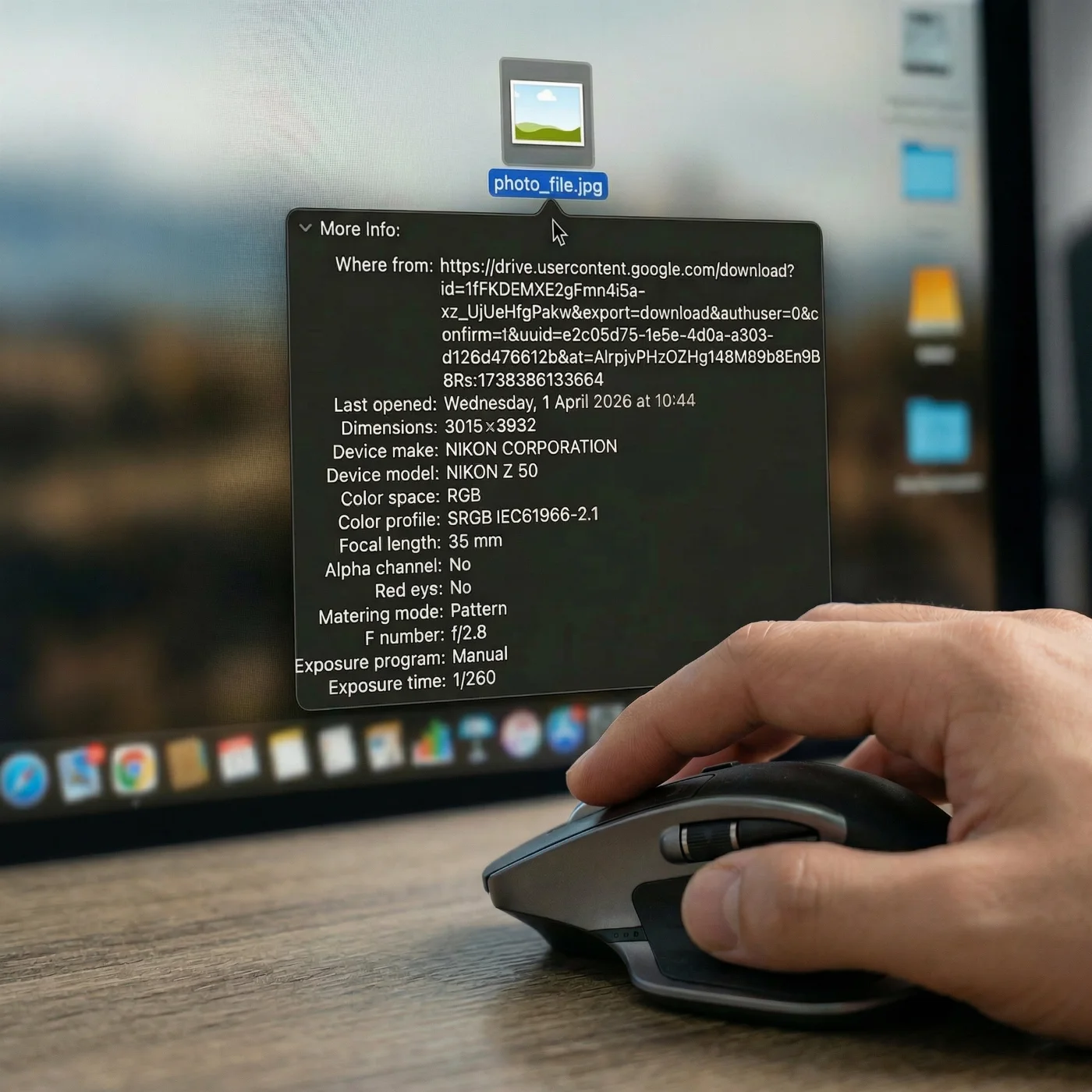
The color space embedded in the image file must be sRGB. Files encoded in AdobeRGB or Display P3 — color spaces common in professional cameras and modern iPhone Pro modes — are automatically rejected by the US Department of State’s validator. This is enforced via the ICC profile tag in the image's EXIF metadata.
Most consumer cameras and smartphone cameras produce sRGB by default. Professional photographers using AdobeRGB workflows must convert the color space — not just relabel it — before submission. The PhotoGov's compliance engine checks and corrects the ICC profile during processing, ensuring the output file carries a valid sRGB tag.
24-Bit Color Required
Photos must be full-color 24-bit images (8 bits per channel, RGB). In practice, almost all JPEG images from modern cameras and phones are 24‑bit color by default, unless they were converted to indexed or grayscale formats. Black-and-white or grayscale images are not accepted, regardless of pixel dimensions or file size.
EXIF Metadata: Why Stripped Files Get Rejected
Travel.State.Gov's validator explicitly checks for intact EXIF metadata (the “coded” data about the image, including camera model, date and time, etc.). When photo editing software or privacy-focused tools strip EXIF data, the resulting file loses:
The sRGB ICC profile tag (triggers color-space rejection)
The EXIF rotation flag (can cause the image to appear rotated or fail orientation checks)
JPEG structural integrity markers
EXIF metadata is often lost when you edit, export, compress, or upload images to certain websites and apps, because these tools may automatically strip metadata to reduce file size or protect privacy. A photo exported from social media platforms, messaging apps (WhatsApp, iMessage), or certain screenshot workflows is frequently stripped of EXIF data. These files should never be submitted directly. The image must retain its original metadata chain from capture to upload. To check if your file still contains EXIF, view the image properties on your computer (file “Properties/Details” or “Get Info”) or open it in any online EXIF viewer.
Compression Rules
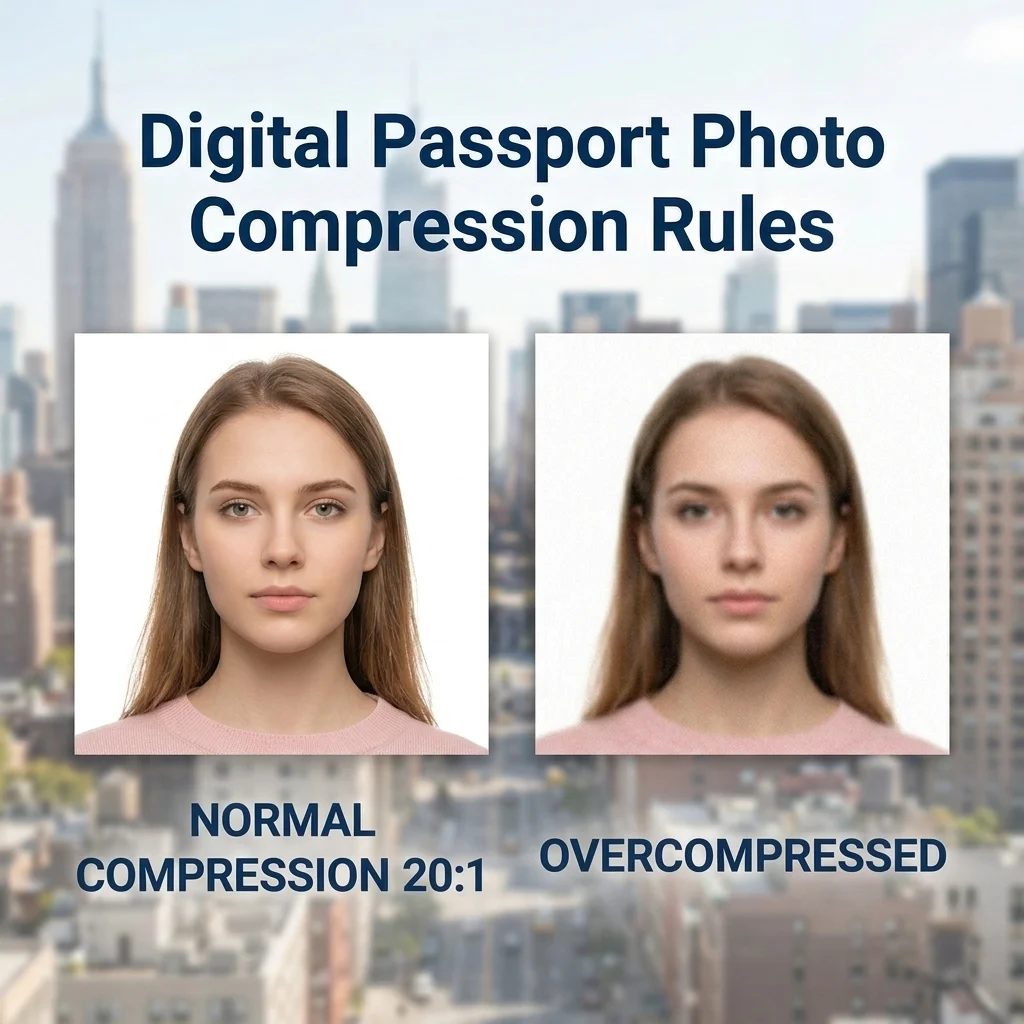 The Department of State specifies a maximum JPEG compression ratio of 20:1. In practical terms, this means you should not apply "low quality" compression settings when saving a JPEG. A 1200 × 1200 pixel, 24-bit JPEG saved at quality 8 or higher (on a 0–12 scale in tools like Photoshop or GIMP) typically stays well within this limit. Visible compression artifacts — blocking, smearing, or banding — are a reliable indicator that the 20:1 limit has been exceeded.
DPI: Only Relevant When Scanning a Printed Photo
DPI (dots per inch) is a print concept, not a screen concept. It has no meaning for a natively digital photo file submitted online. The government's online validators do not check DPI; they check pixel dimensions.
DPI becomes relevant only in one specific scenario: scanning a previously printed 2×2-inch passport photo when no digital original exists.
How to Scan a Printed Passport Photo
Start with a standard 2×2 inch (51 × 51 mm) color print.
Scan at 300 DPI (equivalent to 12 pixels per millimeter).
At 300 DPI, a 2-inch scan produces exactly 600 × 600 pixels — the minimum accepted dimension.
Crop the scan to a perfect square.
Verify the output meets all other requirements: JPEG, sRGB, file size, 24-bit color.
Scanning at 600 DPI produces a 1200 × 1200 pixel file, which is also valid and sits at the maximum. Do not scan above 600 DPI for a 2×2-inch print, as the resulting file will exceed the 1200 × 1200 pixel maximum.
See PhotoGov's guide to accepted photo formats for additional detail on converting printed photos to compliant digital files.
Biometric and Composition Requirements
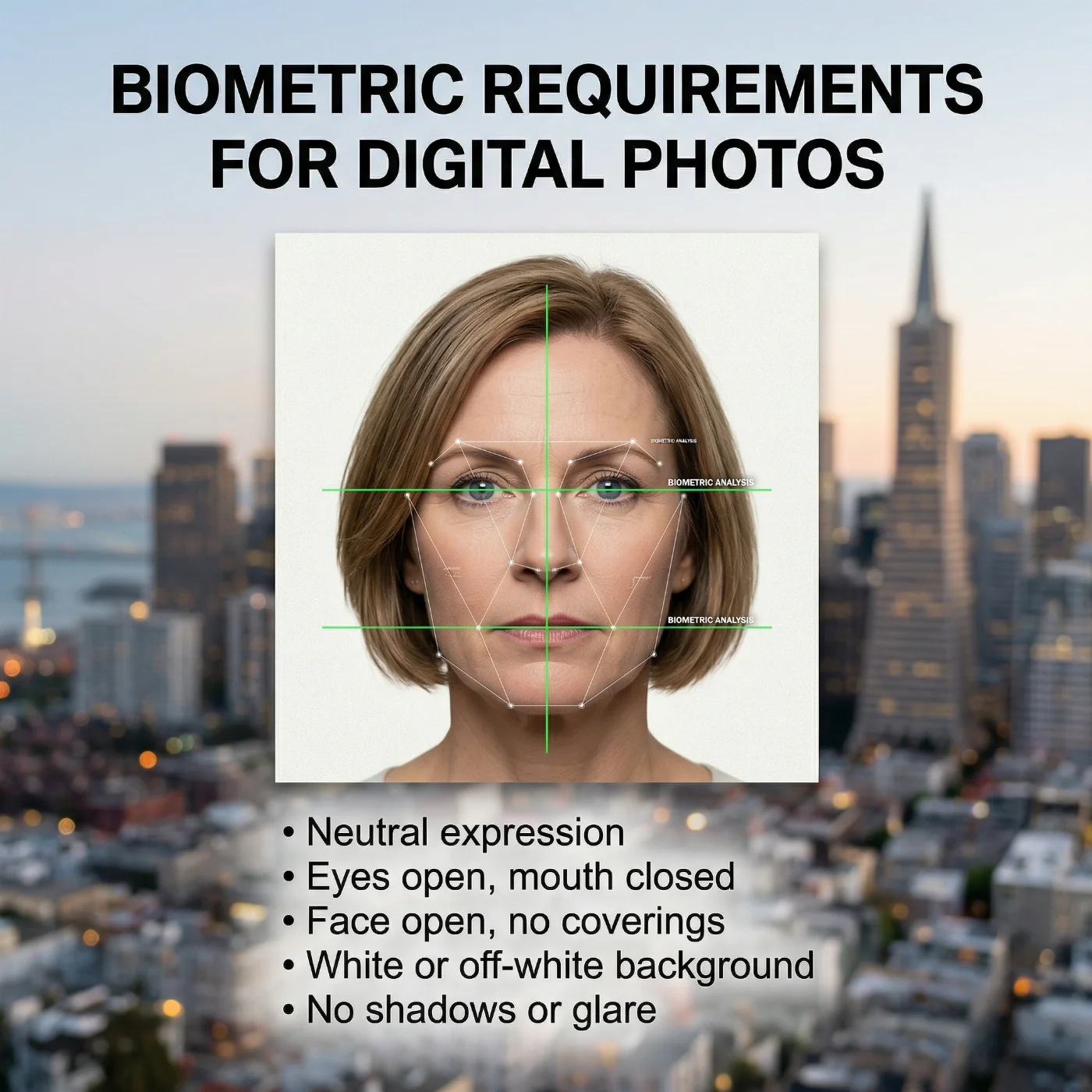 Pixel dimensions and file formats are only part of the government automated compliance process. The face-detection system also checks the biometric composition of your digital photo. A technically perfect JPEG will still be rejected if the face geometry or background does not meet requirements.
Head Size and Position
Requirement | Measurement |
Head height (chin to crown) | 1 to 1⅜ inches (25–35 mm) |
Head occupies (passport photos) | 50–69% of total image height |
Face orientation | Full face, direct camera view, no tilt |
Expression, Eyes, and Mouth
Neutral expression required
Both eyes must be open and clearly visible
Mouth must be closed (no smiling with teeth)
No glasses — this rule has been in effect since November 1, 2016; the only exception is a signed statement from a physician confirming glasses cannot be removed for medical reasons
Background
Plain white or off-white background
No shadows on the background or face
No patterns, gradients, or objects in the background
Head Coverings
No hats
Religious head coverings are permitted if worn daily as part of religious practice, but the face must remain fully visible from chin to hairline
Medical head coverings follow the same rule
Clothing and Editing
Everyday clothing; no uniforms (except religious garments worn daily)
No filters, retouching, skin smoothing, AI enhancements, or any post-processing that alters skin tone, facial features, or eye color
The photo must have been taken within the last 6 months
For a full breakdown of composition rules, refer to the official Department of State photo requirements page.
USCIS Immigration Forms: Major Policy Change Effective December 2025
Applicants filing immigration forms with U.S. Citizenship and Immigration Services (USCIS) need to be aware of a significant procedural change. Effective December 12, 2025, USCIS no longer accepts self-submitted photographs for most immigration applications, including:
Form I-485 (Adjustment of Status)
Form N-400 (Naturalization)
Form I-765 (Employment Authorization)
Form I-90 (Green Card Renewal)
Form I-131 (Travel Document)
Photos for these forms are now captured directly at USCIS Application Support Centers (ASCs) during the biometrics appointment. Applicants are no longer required to attach printed or digital photos to these petitions.
The one exception: DV Lottery applicants still submit their own digital photos through the online entry system, subject to the same 600x600–1200x1200 px, ≤ 240 KB JPEG specifications described above.
Travel.State.Gov Upload Validator: What It Checks
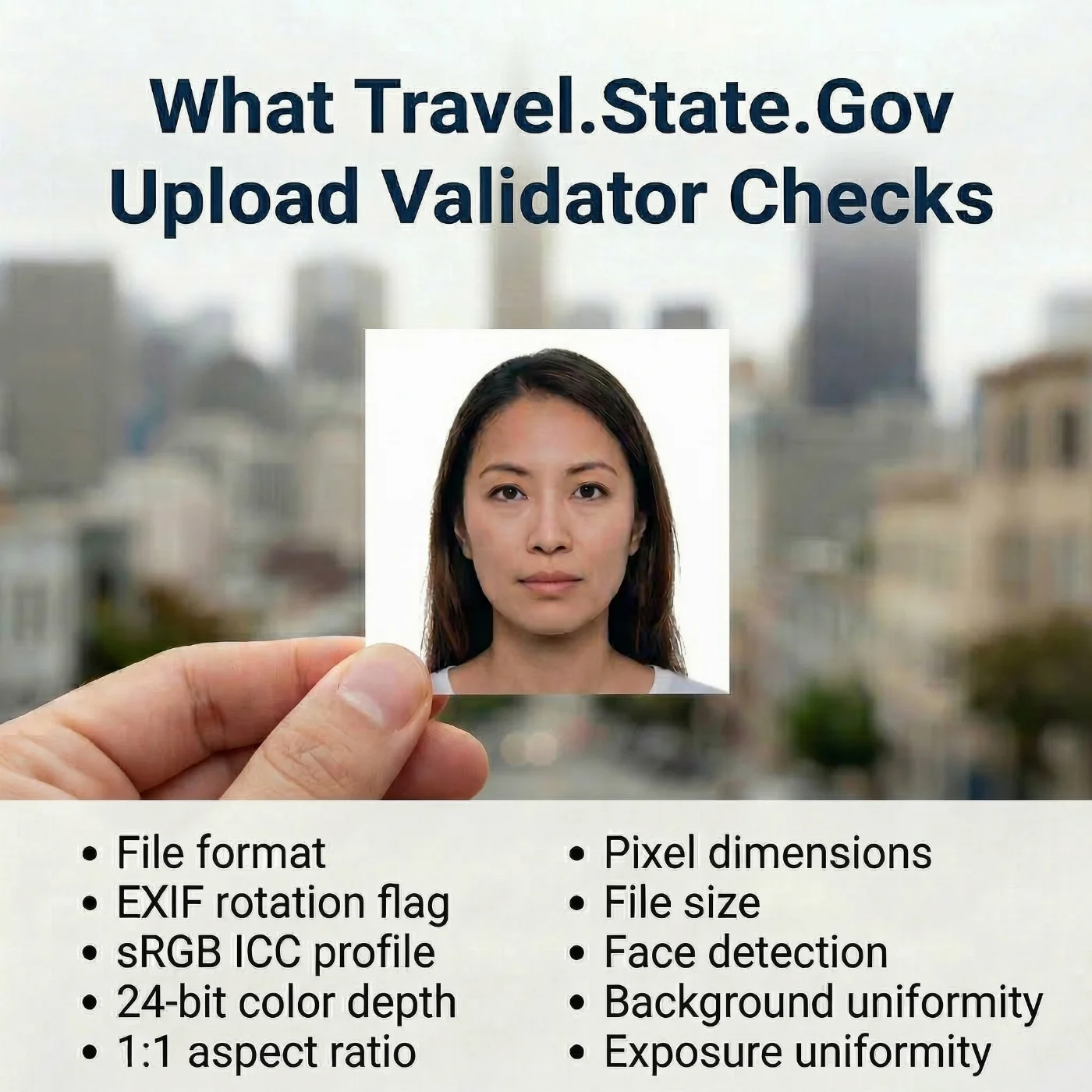
Understanding what the automated validator does helps explain why technically "good-looking" photos still fail. When you upload a photo to Travel.State.Gov for a visa application or a passport renewal, the system runs the following checks in sequence:
File format and JPEG/PNG/HEIC/HEIF structure integrity — for online passport renewals, the validator accepts JPEG, PNG, HEIC, and HEIF files and checks that the file is not corrupted; for visa and DV Lottery applications, only JPEG files are accepted
EXIF rotation flag — confirms that the orientation metadata is present or that the image is already upright
sRGB ICC profile — rejects images tagged with other color spaces (such as AdobeRGB or Display P3) or with missing color profiles
24‑bit color depth — ensures image is a standard 24‑bit sRGB photo (8 bits per channel), not an indexed‑color or grayscale file.
1:1 aspect ratio — requires an exact square crop
Pixel dimensions — checks that the image falls within the allowed 600×600 to 1200×1200 pixel range
File size — 54 KB-10 MB for passport renewal; 240 KB max for visas and DV Lottery entries
Face detection — confirms there is a forward‑facing human face
Background uniformity — looks for a plain, even background without strong shadows or objects
Exposure uniformity — rejects photos with harsh lighting, strong gradients, or heavy shadows on the face.
A failure at any stage produces a specific error message. The most common are:
"File Must Be JPEG" — PNG, HEIC, or HEIF submitted to a visa or DV portal (valid only for passport renewals), or a file converted to JPEG with corrupted metadata
"Image Does Not Meet Requirements" — usually a biometric failure (face detection, background, or exposure)
"File Size Out of Range" — below 54 KB or above 10 MB for passport renewals; above 240 KB for visas and Diversity Visa submissions.
Program Comparison: All Digital Photo Size Requirements at a Glance
Requirement | Passport Renewal | U.S. Visas (DS-160 / DS-1648) | DV Lottery |
Pixel dimensions | 600–1200 × 600–1200 px | 600–1200 × 600–1200 px | 600–1200 × 600–1200 px |
Aspect ratio | 1:1 (square) | 1:1 (square) | 1:1 (square) |
File format | JPEG, PNG, HEIC, HEIF | JPEG only | JPEG only |
File size | 54 KB – 10 MB | ≤ 240 KB | ≤ 240 KB |
Color space | sRGB | sRGB | sRGB |
Bit depth | 24-bit | 24-bit | 24-bit |
EXIF metadata | Required | Required | Required |
Head-to-frame ratio | 50–69% | 50–69% | 50–69% |
Head size (chin to crown) | 1–1⅜ in (25–35 mm) | 1–1⅜ in (25–35 mm) | 1–1⅜ in (25–35 mm) |
Max compression | 20:1 | 20:1 | 20:1 |
PNG accepted | Yes | No | No |
HEIC / HEIF accepted | Yes | No | No |
Self-submitted | Yes | Yes | Yes |
Using PhotoGov for Correct Digital Passport Photo Size and Format
PhotoGov is a software platform that converts a standard portrait into a fully compliant identification photograph by automatically applying official format and digital photo size specifications. It handles the technical layer — pixel dimensions, color space conversion, EXIF preservation, file size targeting, and format selection — so applicants do not need to manage these variables manually.
When a document type is selected, PhotoGov automatically targets the correct output specifications for passport renewal, or visa and DV Lottery submissions. The color profile, metadata, and all required data are embedded into the digital image regardless of the source camera's native color space.
For high-stakes submissions — such as naturalization applications or passport renewals with an expedited service request — PhotoGov also offers a human verification option, where a senior compliance reviewer checks the output photo against the full biometric checklist before the file is delivered.
For applicants working from a printed photo rather than a digital original, see how to scan and convert a printed passport photo for online submission.
Official Government Sources
All technical specifications in this guide are sourced from:
The US Department of State Official Website: The US Department of State — Travel
Online Passport Photo Renewal: The US Department of State — Travel
Digital Visa Photo Requirements: The US Department of State — Travel
Diversity Visa Program Requirements: The US Department of State — Travel
Frequently Asked Questions
What is the Correct Pixel Size for a U.S. Digital Passport Photo?
The accepted range is 600 × 600 pixels (minimum) to 1200 × 1200 pixels (maximum). The image must be square — height and width must be equal. This applies to all U.S. government photo submission programs: passport renewal, visa applications, and the DV Lottery.
What File Size is Required for a U.S. Passport Photo Upload?
File size requirements differ by program. Travel.State.Gov passport renewal accepts files from 54 KB to 10 MB. Visa applications (DS-160 and DS-1648) and DV Lottery submissions require files of 240 KB or smaller, with no stated lower limit. Using the wrong file size for the wrong program is one of the most common causes of rejection.
Does DPI Matter for Digital Passport Photo Submissions?
No. DPI doesn't affect a digital file submitted online. The government validator checks pixel dimensions, not DPI. DPI becomes relevant only when scanning a printed 2×2 inch passport photo — in that case, scanning at 300 DPI produces the minimum-acceptable 600 × 600-pixel output.
What File Formats are Accepted for U.S. Digital Passport Photo Submission?
Accepted formats depend on the program. For online passport renewal, JPEG, PNG, HEIC, and HEIF are accepted — all four formats are valid as of 2026. DS-160/DS-1648 visa applications and DV Lottery submissions accept JPEG only. PNG, HEIC, and HEIF submitted to the visa or DV Lottery portals are automatically rejected. Converting a HEIC or HEIF file to JPEG using a method that corrupts the metadata will trigger a "File Must Be JPEG" error even with a .jpg extension.
Why Was My Passport Photo Rejected for the Wrong Color Space?
The U.S. government requires sRGB color space, enforced via the embedded ICC profile. Photos captured or exported in AdobeRGB or Display P3 — common in mirrorless cameras and iPhone Pro Camera modes with "Pro" color settings — are automatically rejected. The color space must be explicitly converted to sRGB.
Do I Still Need to Submit Photos With USCIS Immigration Forms?
No. As of December 12, 2025, USCIS no longer accepts self-submitted photographs for most immigration forms, including I-485, N-400, I-765, I-90, and I-131. Photos for these applications are now captured at USCIS Application Support Centers during biometrics appointments. DV Lottery applicants are an exception — they still submit their own digital photos.
Can I Wear Glasses in a U.S. Digital Passport or Visa Photo?
No. Glasses have not been permitted in U.S. passport and visa photos since November 1, 2016. The only exception is a signed statement from a physician documenting a medical condition that prevents the removal of glasses. Sunglasses, tinted glasses, and colored lenses are never permitted.
Was this helpful?
21 found this helpful
Authored by:
Nathaniel K. Rowden (Compliance consultant)Approved author
Verified by Photogov experts
ICAO 9309 compliant
Based on official government sources
Helpful votes: 21
Was this helpful?
21 found this helpful