2×2 Photo Requirements in 2026: a Complete US Guide to Avoid Rejections
Table of contents:
- What Is a 2×2 Inch Photo?
- Which US Documents Require a 2×2 Photo?
- Critical: USCIS Photo Policy Change — December 12, 2025
- Universal 2×2 Photo Requirements: All US Documents
- Head Size Requirements: Passport vs. USCIS — The Key Difference
- Digital Upload Specifications by Program
- 2×2 Pixel Equivalent: What 2×2 Inches Means Digitally
- How to Take a Compliant 2×2 ID Photo at Home
- Where to Get a 2×2 Photo in the United States
- What Cannot Be Used as a 2×2 US ID Photo
- When You Need a New 2×2 Photo After an Appearance Change
- Frequently Asked Questions
- Official Government Sources
- Related guides
Planning to apply for a U.S. ID that requires a 2x2 (51×51 mm / 600 x 600-pixel) photo? Find out about this photo format — which US documents require it, universal content rules, document-specific digital upload specifications, and the critical December 2025 USCIS policy change. Information in this Guide is based strictly on travel.state.gov, uscis.gov, and other official sources. If your form asks for the smaller square instead, you can make a 1x1 picture size online with our editor.
The 2×2 inch (51×51 mm) square photo is the standard US government ID photo format, used for passports, visas, and most immigration documents. Despite the single print size, digital upload requirements differ significantly by document type — and as of December 12, 2025, USCIS no longer requires photos submitted with most immigration forms. Outside government forms the same square is used too, and the page for a resume photo 2x2 inches covers that case.
What Is a 2×2 Inch Photo?
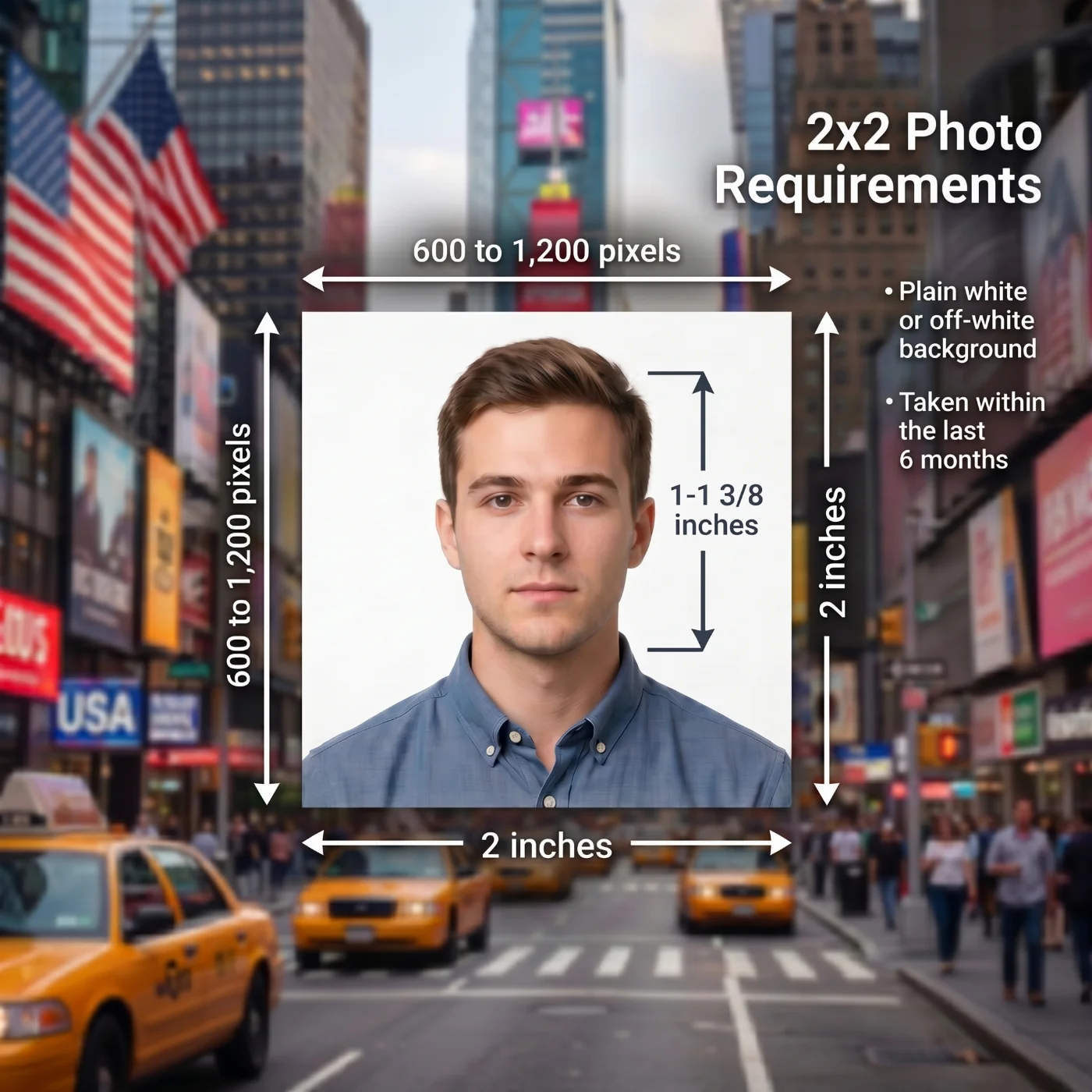
A 2×2 inch photo is a square photograph measuring exactly 2 inches wide by 2 inches tall — equivalent to 51×51 mm or 5.08×5.08 cm. It has a 1:1 aspect ratio. This is the standard format for all official US government identity document photos issued by the U.S. Department of State (passports and visas) and the US Citizenship and Immigration Services (USCIS). Both follow the official biometric standard of the International Civil Aviation Organization Document 9303, but with a country-specific 2x2-inch ID photo size. The 35x45 mm photo size is used for passports, Schengen visas, and ID cards, and our separate page prepares it from a phone shot.
The square format is specific to the United States and a small number of other countries. Within the 2×2-inch frame, your head must occupy a specific portion of the image. For US passport photos, the head must measure between 1 and 1⅜ inches (25–35 mm) from the bottom of the chin to the top of the head. For USCIS immigration documents, the head should cover 50–69% of the photo height from chin to crown. Most other countries use rectangular formats, and you can prepare a 3x4 cm photo size online on a separate page.
Which US Documents Require a 2×2 Photo?
The 2×2-inch format is required for the following US government documents. Each is administered by a different agency with its own photo submission workflow.
Document / Form | Issuing Agency & Photo Submission Method |
|---|---|
US Passport (new application or renewal by mail) | US Department of State — 1 printed 2×2 photo submitted with paper form DS-11 or DS-82 |
US Passport (online renewal) | US Department of State — digital photo uploaded at opr.travel.state.gov; no print required |
US Nonimmigrant Visa (DS-160) | US Department of State — digital photo uploaded in DS-160 form; printed photo required at interview at some embassies |
US Immigrant Visa (DS-260) | US Department of State — digital photo uploaded in DS-260 form |
Diversity Visa Lottery (DV Program) | US Department of State — digital photo uploaded at dvprogram.state.gov |
Green Card — Adjustment of Status (I-485) | USCIS — photo taken at ASC biometric appointment since December 12, 2025. Do NOT submit photos with the form. |
Naturalization (N-400) | USCIS — photo taken at ASC biometric appointment since December 12, 2025. Do NOT submit photos with the form. |
Employment Authorization (I-765 / EAD) | USCIS — photo taken at ASC biometric appointment since December 12, 2025. Do NOT submit photos with the form. |
Permanent Resident Card Renewal (I-90) | USCIS — photo taken at ASC biometric appointment since December 12, 2025. Do NOT submit photos with the form. |
Travel Document / Advance Parole (I-131) | USCIS — check current online instructions at uscis.gov; policy may vary by form version |
Certificate of Citizenship (N-600) | USCIS — photo taken at ASC since December 12, 2025. Do NOT submit photos with the form. |
Refugee Travel Document | USCIS — 2 printed 2×2 photos required. Check current form instructions at uscis.gov. |
Visa application interview (in-person at US embassy or consulate) | US Department of State — printed 2×2 photos may be required at the interview window. Check the specific embassy's requirements. |
Critical: USCIS Photo Policy Change — December 12, 2025
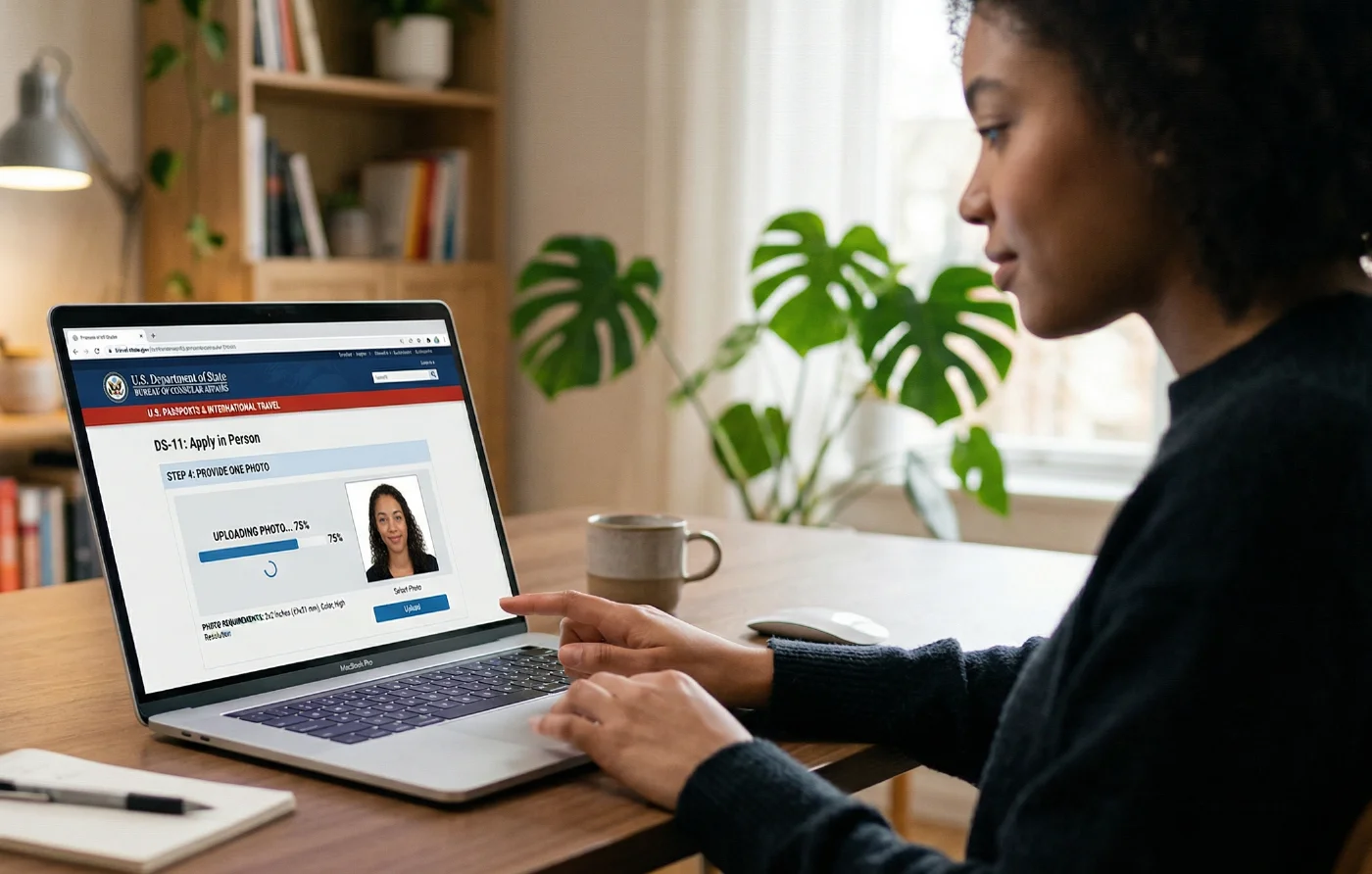
As of December 12, 2025, USCIS no longer accepts photos submitted with Form I-485, I-765, N-400, I-90, I-131, N-600, or most other forms requiring biometric processing. Many printed form instructions still say to include two passport-style photos — those instructions are outdated. Follow only the current online instructions at uscis.gov, not the printed form.
USCIS Policy Announcement PA-2025-29, effective December 12, 2025, centralized photo capture to Application Support Center (ASC) biometric appointments. When you file most USCIS forms, you will receive a biometric appointment notice. At that appointment, USCIS staff take your fingerprints, signature, and photograph using their own biometric equipment. You do not supply a photo.
If you include photos with a form that no longer requires them, USCIS will not return the photos and will not use them. Including them does not improve your application and may cause confusion.
Forms where photos are NO LONGER submitted with the form (since December 12, 2025)
Form I-485 — Adjustment of Status (Green Card)
Form N-400 — Application for Naturalization
Form I-765 — Employment Authorization Document
Form I-90 — Renewal of Permanent Resident Card
Form I-131 — Application for Travel Document (check specific instructions)
Form N-600 — Certificate of Citizenship
Forms where printed 2×2 photos may still be required
Refugee Travel Document — check current uscis.gov instructions before filing
In-person visa interviews at US embassies and consulates abroad — the embassy or consulate may request printed photos at the counter; check the specific post's requirements
Green card interview at USCIS field office — some applicants are asked to bring 2 photos
The USCIS policy change affects form submission only. The photo itself — when captured at the ASC — still follows the same 2×2 format biometric standards. The only thing that changed is who takes the photo and when.
Universal 2×2 Photo Requirements: All US Documents
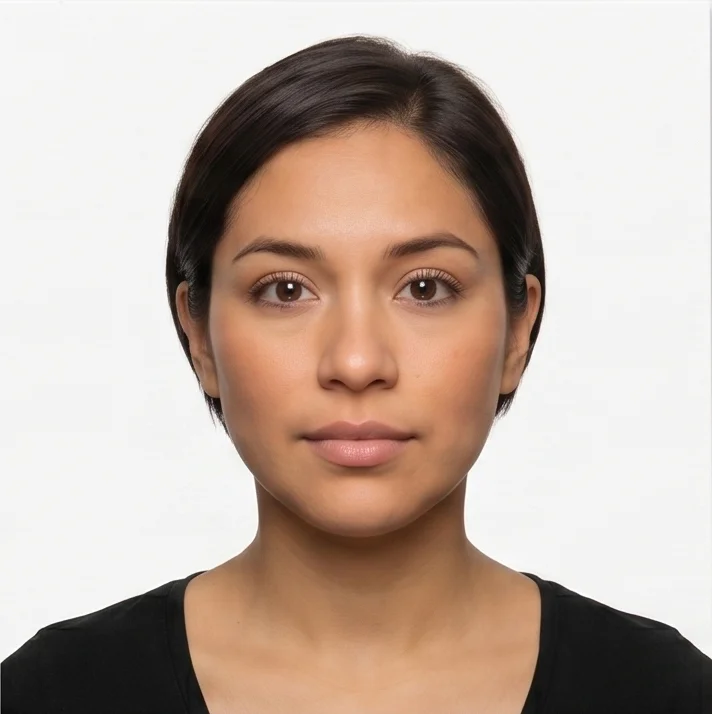
The following requirements apply to every US government 2×2 photo, regardless of which document it is for. These are not negotiable and do not vary by agency.
Requirement | Specification |
|---|---|
1. Print size | 2×2 inches (51×51 mm) — square format, 1:1 aspect ratio |
2. Color | Full color — no black-and-white photos |
3. Recency | Taken within the last 6 months, reflecting current appearance |
4. Background | Plain white or off-white — no shadows, patterns, textures, lines, or objects |
5. Head size and position | 1-1 ⅜ inches. Facing the camera directly, full face in view, no tilt or rotation |
6. Eyes | Both eyes fully open, directed at the camera, not obstructed by hair |
7. Expression | Neutral facial expression. Natural smile permitted for passports (mouth closed). Neutral required for visa applications. |
8. Glasses | Not permitted — must be removed. Medical exception: signed doctor's note. |
9. Head coverings | Not permitted. Religious exception: signed statement. Medical exception: signed doctor's note. Full face must be visible. |
10. Uniforms / camouflage | Not permitted |
11. Headphones / devices | Not permitted |
12. Face coverings / masks | Not permitted — full face must be visible |
13. Digital editing / AI | Not permitted. No filters, retouching, AI enhancement, or AI-generated images. |
14. Print quality | Matte or glossy photo-quality paper. Not photocopied, not scanned, not damaged. |
Head Size Requirements: Passport vs. USCIS — The Key Difference
The only substantive content difference between a passport photo and a USCIS immigration photo is the head size specification. Both use 2×2 inch prints, but the agencies define head coverage differently:
Agency / Document | Head Size Requirement |
|---|---|
US Passport (State Dept) | 1 to 1⅜ inches (25–35 mm) from bottom of chin to top of head |
US Visa (State Dept) | Same as passport: 1 to 1⅜ inches (25–35 mm) |
USCIS immigration documents | Head covers 50–69% of the photo height from chin to crown |
In practice, these two specifications are very similar and produce visually identical results. A photo prepared to the passport head-size standard (1 to 1⅜ inches) will generally also meet the USCIS 50–69% range. A photo where the head is too small (below 1 inch / 25mm) or too large (above 1⅜ inches / 35mm) will fail both standards.
Digital Upload Specifications by Program
When submitting a 2×2 photo digitally (for online passport renewal, visa DS-160, or other online portals), the file specifications are NOT the same across programs. Using the wrong digital format for the wrong portal is a common cause of upload failure.
Specification | Passport (online renewal) | Visa DS-160 / DS-260 | DV Lottery |
|---|---|---|---|
File format | JPG (JPEG), PNG, or HEIF (HEIC) | JPEG only | JPEG only |
File size | 54 KB – 10 MB | Max 240 KB | Max 240 KB |
Pixel dimensions | 600 x 600 to 1,200 x 1,200 px (square) | 600 x 600 to 1,200 x 1,200 px (square) | 600 x 600 to 1,200 x 1,200 px (square) |
Color depth | Full color | Full color, 24 bpp, sRGB | Full color |
Compression | Not specified | Max 20:1 ratio | Not specified |
Scanned print | Avoid — degrades quality | OK if 2×2 print, 300 DPI scan | Not recommended |
Official tool | Portal crops on upload | State Dept Photo Tool | Portal validator |
The visa digital upload limit of 240 KB is very strict. A standard phone photo is 3–10 MB is over 40 times the limit! You must compress the JPEG before uploading to DS-160. Export at quality 70–80%, and always use a reliable visa photo maker to turn your photo into the official ID image before submitting.
2×2 Pixel Equivalent: What 2×2 Inches Means Digitally
The 2×2 inch print size translates to different pixel counts depending on resolution (DPI — dots per inch):
Resolution | Pixel dimensions for a 2×2-inch print |
|---|---|
300 DPI (print standard) | 600 × 600 pixels |
600 DPI | 1,200 × 1,200 pixels |
The U.S. Department of State visa digital upload portal requires exactly 600×600 to 1,200×1,200 pixels — corresponding to a 2×2-inch print at 300 to 600 DPI. For the online passport renewal portal, the same pixel range applies: 600×600 minimum, 1,200×1,200 maximum. DPI does not matter for screen display or digital upload — only pixel count matters. A 600×600 pixel image is a 600×600 pixel image regardless of what DPI metadata is embedded in the file. What DPI metadata controls is only how the image is sized when printed. For digital submission, focus on pixel dimensions and file size, not dots per inch.
How to Take a Compliant 2×2 ID Photo at Home
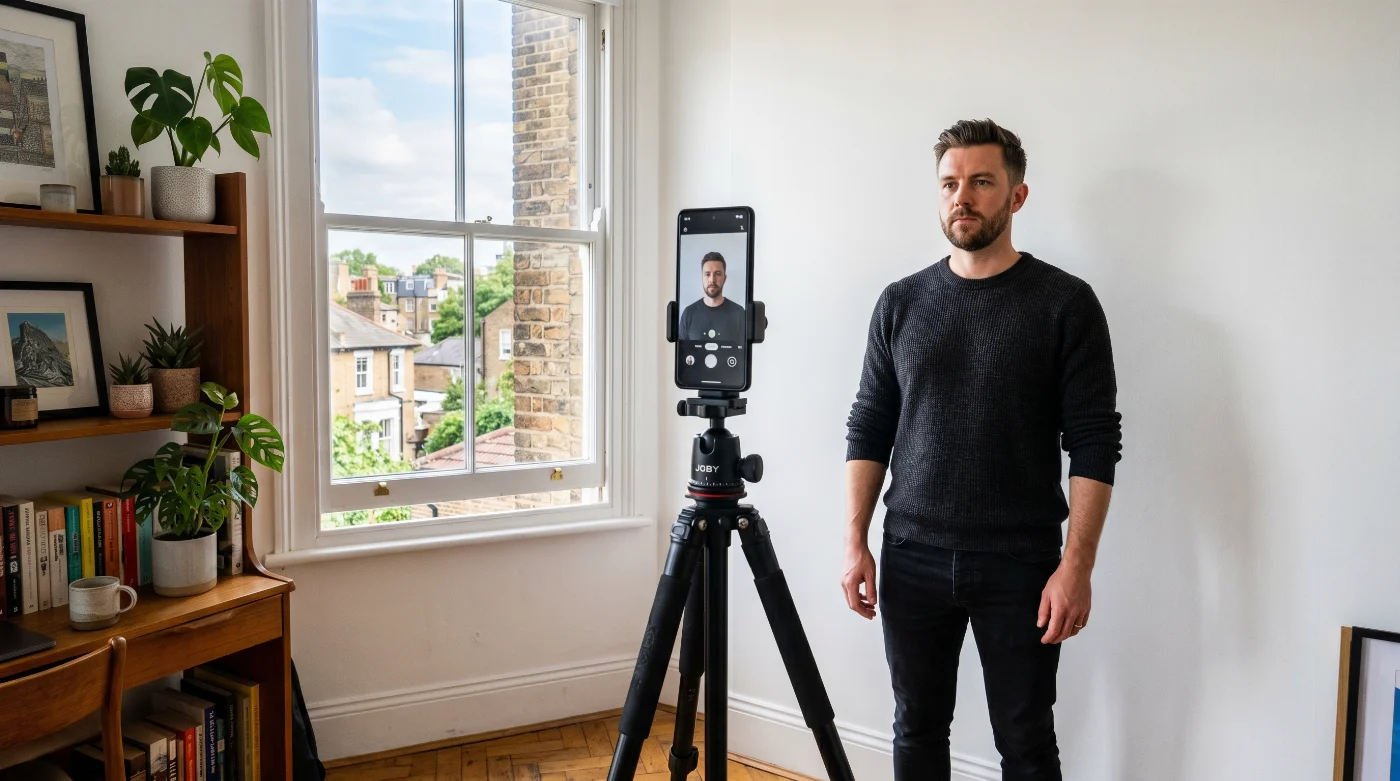
Whether you are taking the photo for a passport, visa, or any other document using the 2×2 format, the setup process is identical. The content requirements are the same; only the digital file specifications at upload differ by portal. The same setup works for other square formats: you can crop a 4x4 photo size online from the same source picture.
Setup
Find a smooth, flat white or off-white wall, or tape a sheet of white foam board or white poster paper against any surface. The background must be one solid, uniform color with no shadows or textures.
Stand 3–4 feet (1 meter) away from the background wall. This distance prevents your body from casting a shadow onto the background behind you.
Position yourself facing a large window (window in front of you, not behind) for natural, even lighting, or use two lamps at 45-degree angles on either side of your camera position. Lighting must be even on both sides of your face.
Camera Settings
Use your phone's rear camera — not the front-facing camera. Rear cameras capture at 36–48 MP without automatic AI processing. Front cameras capture at 12 MP with automatic beauty enhancement enabled by default.
Turn off all AI enhancement, Portrait mode, Beauty mode, Scene Optimizer, Smart HDR, and any skin-smoothing feature before taking the photo. These alterations will cause rejection.
Do not use digital zoom. Zoom creates pixelation. Move the camera closer instead.
Framing and Position
The bottom of the frame should be at your shoulders — at the point where your neck meets your shoulders. This gives the correct head-and-shoulders framing.
Your face should be centered in the frame. Face the camera directly — both ears at equal height, head not tilted, not rotated to the side.
Both eyes must be fully open and visible. Clear any hair from your eyes before shooting.
Remove glasses, hats, headphones, and face coverings before the photo.
Neutral expression or natural smile (mouth closed). Eyes open.
Export and File Preparation
Take the photo with your phone's rear camera. Transfer the original file by cable, AirDrop, or cloud sync — never via text message (which compresses the image).
Do not open the file in any editing app. Do not crop, filter, adjust brightness, or apply any change. Use the upload portal's built-in cropping tool for any needed adjustments.
For visa DS-160 upload (max 240 KB): export as JPEG at quality 70–75. A head-and-shoulders crop at 600×600 pixels at JPEG quality 75 produces a file of approximately 40–100 KB.
For passport online renewal upload (max 10 MB): standard JPEG export at quality 85–90 is typically well within the limit.
Verify: file is square (equal width and height), format is JPEG (or HEIF for passport portal), and file size is within the range for your specific portal.
Where to Get a 2×2 Photo in the United States
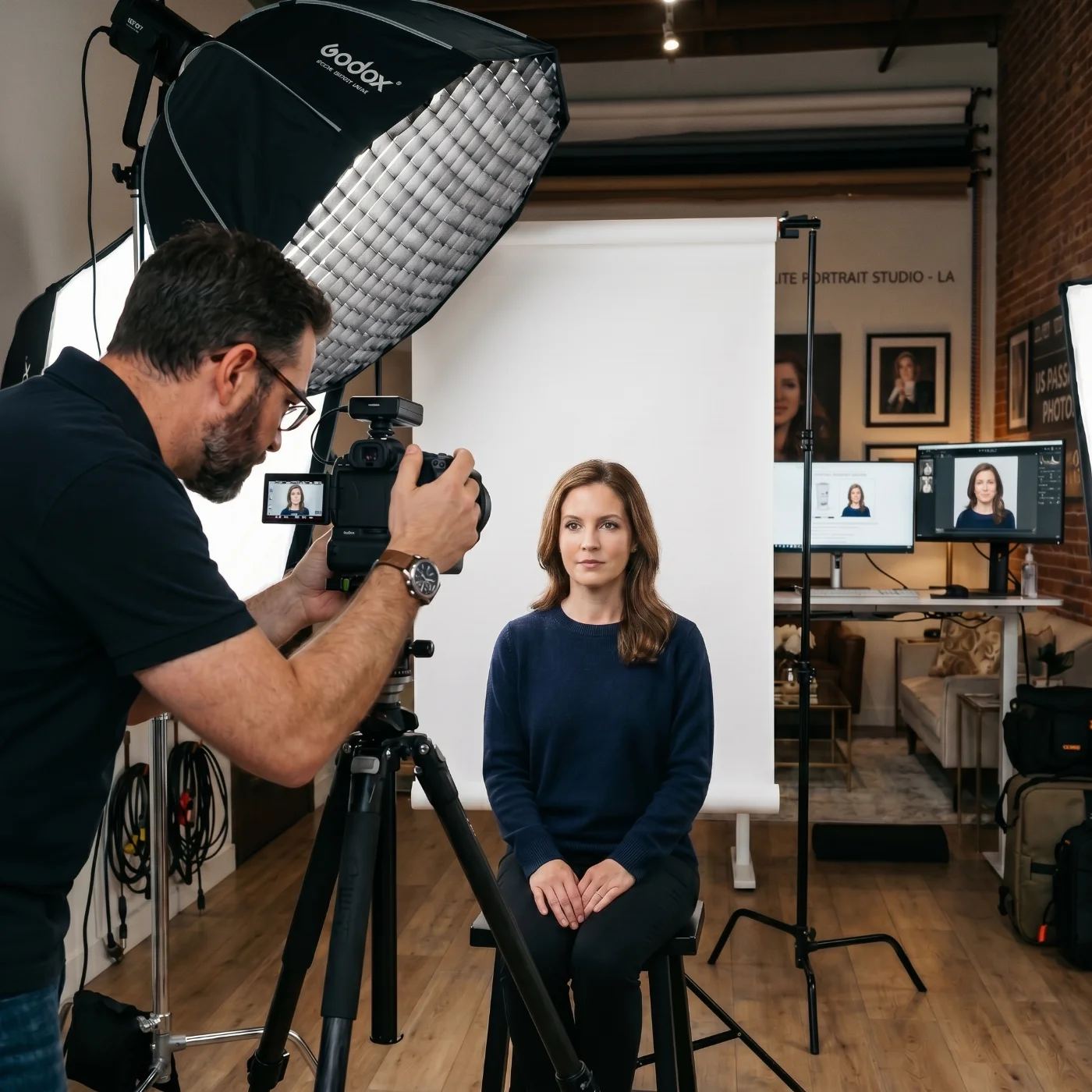
Commercial Photo Studios, Pharmacies, Post Offices
CVS, Walgreens, Walmart Photo, Costco Photo, and most FedEx Office and UPS Store locations offer passport photo services. The standard cost is $10–$20 for 2 printed photos. These services use calibrated photo equipment and trained staff. The printed photos are ready in minutes and are compliant with the US government 2×2 standards when done correctly. Always confirm the service uses a white background and takes the photo at the current session — not from a file on your phone.
Acceptance Facilities
US passport acceptance facilities (post offices, libraries, and government offices listed at iafdb.travel.state.gov) often provide photo services as part of the passport application process. Some charge separately for the photo; others include it in the application fee.
Take a Photo at Home and Use an Online Passport Photo Maker
Any modern smartphone camera produces sufficient resolution for a compliant 2×2 photo. Set your phone to the highest quality setting, disable portrait mode and all beauty or AI enhancement features, and have another person take the shot. Stand in front of a plain white wall with even natural light on your face — no shadows, no overhead lighting. Look straight at the camera with a neutral expression and both eyes fully open.
Once the photo is taken, use the PhotoGov US passport photo editor to crop, resize, and adjust the background to the official 2×2 standard. PhotoGov processes only the technical parameters of your image and does not alter your face or skin tone. An optional attire adjustment is available if your clothing does not meet formal submission requirements. For extra assurance, the Human Verification option lets a PhotoGov specialist review your photo and provide a personal compliance assessment before you submit.
If you only need to crop and check proportions, the State Department's official Photo Tool handles basic resizing to the 2×2 format. For official USCIS photo specifications, refer to the USCIS Photo Requirements page.
What Cannot Be Used as a 2×2 US ID Photo
Driver's license photo: The 2×2 format is not used for US driver's licenses. Driver's licenses use a different aspect ratio defined by each state's DMV, and the DMV takes the photo in-office. A driver's license photo cannot be used for a passport or visa application.
LinkedIn or professional headshot: Professional headshots use different framing, backgrounds (including gray and non-white), and often involve AI enhancement or retouching — all of which are prohibited for government 2×2 photos.
REAL ID photo: REAL ID uses the same in-office DMV photo process as a standard driver's license. It is not the same format as a passport photo and cannot be submitted for passport or visa applications.
Cropped group photo: Any photo where another person's shoulder, arm, or any part of another person is visible is grounds for automatic rejection.
Screenshot of another photo: Photographing a photo displayed on a screen, or screenshotting a passport photo from a website or app, produces an image of insufficient quality and is specifically prohibited.
Photo older than 6 months: The photo must reflect your current appearance. A photo more than 6 months old, or one that no longer resembles you, will be rejected.
AI-generated images: Photos created by AI image generators or AI photo services are explicitly banned by both the State Department (since 2024, expanded in 2026) and USCIS. Pixel-level forensic detection is used during review.
When You Need a New 2×2 Photo After an Appearance Change
Your 2×2 photo must match your current appearance. Minor changes — growing a beard, coloring your hair, normal aging — do not require a new passport. Major changes do. The State Department defines these thresholds:
Minor Changes — New Photo Not Required
Growing or removing a beard or mustache
Coloring or changing hairstyle
Normal aging process
Weight changes within a normal range
Major Changes — New Passport Application Required
Significant facial surgery or trauma
Adding or removing numerous large facial piercings or tattoos
Significant weight loss or gain that substantially alters facial appearance
For immigration documents, USCIS applies a similar standard — your photo must be recognizably you. If your appearance has changed significantly since your last USCIS photo on file, request updated biometrics at your next USCIS interaction.
Frequently Asked Questions
Can I Use the Same Photo for My US Passport and Visa?
No. Though the same printed 2×2 photo meets the content requirements for both, the digital upload specifications differ: the passport online renewal portal accepts files up to 10 MB in JPG/JPEG/HEIF format, while the visa DS-160 portal requires JPEG only and a maximum file size of 240 KB. Use the same original photo, but export two different digital files with different compression settings for each portal.
Is 2×2 the Same as 51×51 mm?
Yes. 2 inches = 50.8 mm, which rounds to 51 mm. The formats are functionally identical. The State Department and USCIS specify 2×2 inches (51×51 mm). A photo printed at exactly 51×51 mm is compliant.
Can I Print a 2×2 Photo at Home?
Yes, if you have a photo-quality printer and matte or glossy photo paper. Standard office paper and inkjet prints on plain paper are not acceptable — the State Department requires 'matte or glossy photo quality paper.' Most home inkjet printers on photo paper produce acceptable quality for passport and visa photos. Verify the print size is exactly 2×2 inches before submitting.
My Ds-160 Visa Photo Upload Keeps Failing. What is The Problem?
The DS-160 portal has the strictest file size limit of any US government photo portal: 240 KB maximum. Most phone photos are 3–10 MB, which is 12–40 times too large. Export your photo as a JPEG at quality 70–75 and verify the file size before attempting another upload. The image must also be square (equal width and height), in JPEG format specifically (not PNG or HEIF), and between 600×600 and 1,200×1,200 pixels.
Do I Still Need to Submit Photos With My USCIS Immigration Forms?
For most USCIS forms — including I-485, N-400, I-765, I-90, and N-600 — no. Since December 12, 2025, USCIS takes your photo at the ASC biometric appointment. Do not submit photos with these forms, even if the printed form instructions tell you to. The printed instructions have not been updated. Follow the current online instructions at uscis.gov only.
What Pixel Dimensions Should I Use for a 2×2 Photo?
For print: a 2×2 inch photo at 300 DPI = 600×600 pixels; at 600 DPI = 1,200×1,200 pixels. For digital upload: the State Department requires 600×600 to 1,200×1,200 pixels for both passport and visa portals. The image must be perfectly square — width and height must be identical. A 601×600 image will be rejected.
Can I Smile in My 2×2 ID Photo?
For US passports: yes. The State Department permits a natural smile with the mouth closed. For US visa applications (DS-160): a neutral expression is generally required or strongly preferred. For USCIS biometric photos taken at the ASC: the biometric officer will instruct you on expression — typically neutral. Check the specific agency's current guidance for each document type.
What if I Always Wear Glasses? Can I Wear Them In My 2×2 Photo?
No. Glasses have been prohibited in US government 2×2 photos since November 2016. This applies to prescription glasses, reading glasses, and all corrective eyewear. The only exception is a medical condition that physically prevents the removal of the glasses, documented by a signed physician's statement submitted with the application. Contact lenses are not glasses and are permitted.
Official Government Sources
US Passport Photo Requirements: US Department of State — Passport Photos
US Visa Digital Image Requirements: US Department of State — Digital Image Requirements for Visas
Online Passport Renewal Photo Guide: US Department of State — Uploading a Digital Photo for Online Renewal
USCIS Photo Policy: USCIS — New Photo Policy PA-2025-29
ICAO Biometric Standards: Document 9303, Part 3 — Specifications for Machine Readable Travel Documents
Related guides
Was this helpful?
66 found this helpful
Top expert
Based on official government sources
Helpful votes: 66
Was this helpful?
66 found this helpful
Service provided by Y VISION TECHNOLOGIES LLP · Stoney Works 8 Stoney Lane, London, England, SE19 3BD · Terms · Refund policy · Contact
We value your Privacy
We use cookies to enhance your browsing experience, serve personalized ads or content. By clicking “Accept All”, you consent to our use of cookies.