Digital vs Printed Passport Photos — Which One Do You Need
Table of contents:
- Why Everyone Is confused about passport photos in 2026
- The Short Answer: When to Get Printed vs Digital in 2026
- When Printed Passport Photos Are Required (U.S. Rules in 2026)
- When Is It Possible to Upload Digital Passport Photos (2026 US Digital Rules)
- Technical comparison: digital vs printed passport photos requirements
- Pros and Cons of Digital Passport Photos
- Pros and Cons of Printed Passport Photos
- Digital vs Printed Passport Photos: Side-by-Side Comparison Table
- Common Rejection Reasons: Digital vs Printed
- FAQ
- Conclusion
If you’re trying to figure out whether you need a digital or print passport photo for your next passport photo 2026 application, you’re one of many: the requirements seem to change all the time. The U.S. Department of State photo requirements are like a moving target, and not all types of passport applications are required to have the same documentation. That’s the problem most people encounter, and this guide explains it clearly.
So let's do a quick human-friendly
breakdown that's easy to catch. The last thing you need to be concerned about
when applying for a passport is if the photo needs to be in paper form, as a
JPEG, or both.
Why Everyone Is confused about passport photos in 2026
The conversion from the paper copy to the
digital file was not silent. In 2026, the growth of digital passport photo
submissions through the government’s online passport renewal process
brought everything into the 21st century — allowing you to snap a photo, upload
it and receive real-time feedback through MyTravelGov. But traditional
passport photos are still alive and kicking, and as millions don’t have access
to the online method, people are forced to use the old one: just show up, hand
over a passport photo, and you’re offrunning.
Two government agencies. Two rules.
Absolutely no clarity. That confusion leads us to the real query most everyone
is looking for:
“Do I need a printed passport photo
for my application, or can I just use a digital photo upload?”
The answer is always “how late it
depends” as to how late you apply. Not all applications are the same —
especially for DS-11 (applying in person) and DS-82 (renewals
through the mail). After you find out what form you are filling out, the rest
is easy.
The Short Answer: When to Get Printed vs Digital in 2026
And if you like to keep things simple
here’s your “to go” version — the quick, easy version. No guessing. No
confusion. Just the rules you follow in 2026.
When a Physical 2×2 photo is required (And only then)
A passport photo is mandatory whenever a
person touches your paperwork. If you’re attending an event or submitting any
paperwork in person or by mail, it needs to be printed — end of story.
When you Need a Printable Photo:
- If you must apply using form DS-11 (for any in-person application).
- If applying from a U.S. consulate.
- You're sending your passport photo through the mail for renewal.
- Minors of any age require printed photos when applying for a child passport.
- You are applying for the first time, or you need to replace a lost or stolen passport.
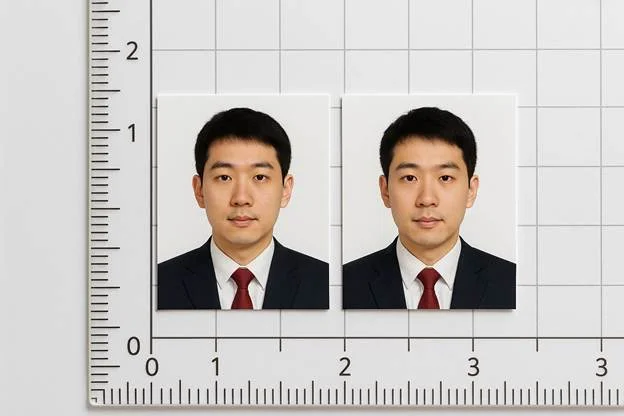
Standard 2x2 inches
Must be a physical photo print, not a digital file or screenshot.
When You Should Use a Digital Photo Instead
You can only take advantage of digital
passport photo uploading if the government’s online system informs you that
you’re eligible. This is for a small, select group of people applying.
You can upload a digital photograph if:
- You are eligible to renew online.
- You are renewing using MyTravelGov.
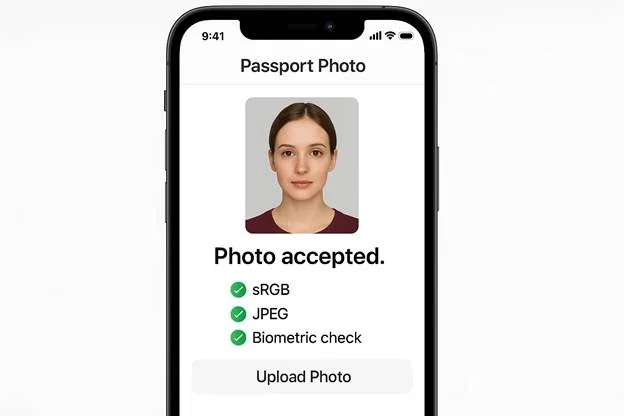
- You upload a JPEG passport photo, in which you meet all the technical requirements.
Your digital file should contain the following:
- The sRGB color space
- A perfect square aspect ratio of 1:1
- Full biometric compliance for facial detection
If your photo does not pass any one of these checks, it will be immediately rejected by the system – no exceptions.
When Printed Passport Photos Are Required (U.S. Rules in 2026)
The majority of people in 2026 still
think of printed photos as the standard. Whenever your papers make their way
through a human at the U.S. Department of State — be it at a desk, an
acceptance window, or a mailroom — you will be required to submit a printed
passport photo in the regular format of 2×2 inches.
Applying In-Person (DS-11)
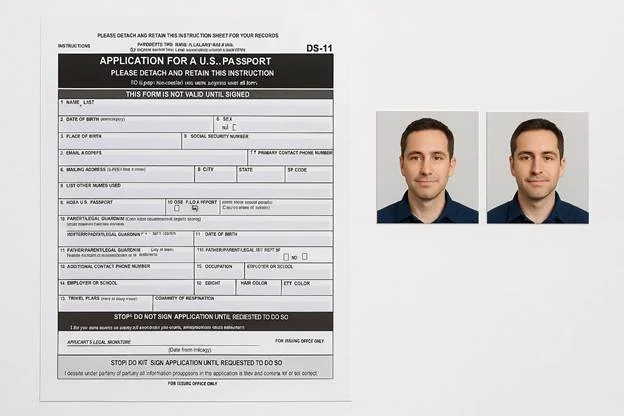
If you are applying at a location and using form DS-11, you must bring the photographs with you. This applies to new applicants, adults renewing from a child passport and those who cannot renew it online. Employees process a physical print — no uploads — and includes a check by staff, and an Allowance is for a Print Only: a check by employees, and that process is for a physical print only — no uploads.
Applications for Child Renewal and for Minors under 16 years of age
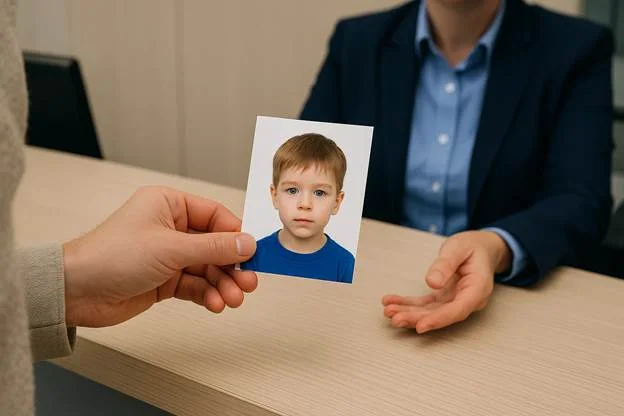
Children cannot use digital uploads. Every child’s passport photo is reviewed at an interview during an in-person application, and the presence of an acceptance agent means the use of a printed photo is required by default. This is for initial child passports, as well as renewals for children.
DS-82 Mail-In Renewals
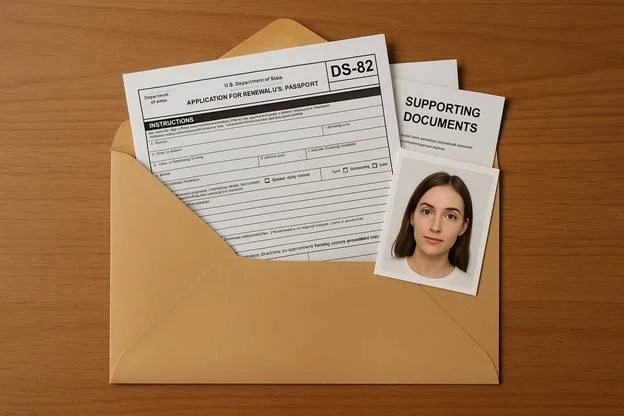
While DS-82 doesn’t have a requirement to show up in person, it still isn’t an online form. You mail an application package, and the DS-82 rules require that you attach a printed passport photo to that package. The State Department processes it by hand, if you will, and so only physical print is accepted.
Emergency or Expedited Applications
If you want to rush your travel and qualify for the fast service, you must appear in person at an office. These are held at an acceptance center, and they all require a printed photo. Emergency service is on the basic and printed photos are part of that process.
When Is It Possible to Upload Digital Passport Photos (2026 US Digital Rules)
Digital submissions are allowed, but only
in very limited situations. The U.S. Department of State is in the process of
treating online submissions as a controlled pilot environment and not all
travelers are submitting hard copy photos. Eligibility for using a digital
passport photo depends not only on whether the application uses them, but also
on whether the applicant is eligible, the applicable technical requirements,
and automated validation checks apply.
Eligibility for Online Renewal
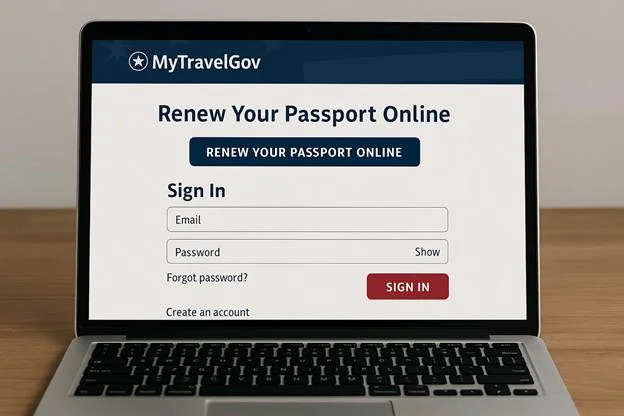
A digital passport photo is only accepted
via the online passport renewal procedure. There's nothing else that can
substitute it. You must meet certain internal eligibility requirements
within your MyTravelGov account to use a digital upload, and the system
either approves or rejects you before you even begin.
You might be able to take advantage of the online renewal system if:
- Your most recent passport is valid and undamaged.
- You are renewing a regular 10-year adult passport.
- You haven’t had any changes in your personal information.
- You are able to apply entirely online, without mailing in any paperwork.
Then you can upload your photo digitally instead of by mail.
Technical Specifications for Digital Upload
Getting eligible to test is not enough to
pass. Your photo must also comply with the requirements for digital photos
because the system immediately verifies every technical aspect. If your
submission isn’t formatted quite right, it gets rejected before a human even
looks at it.
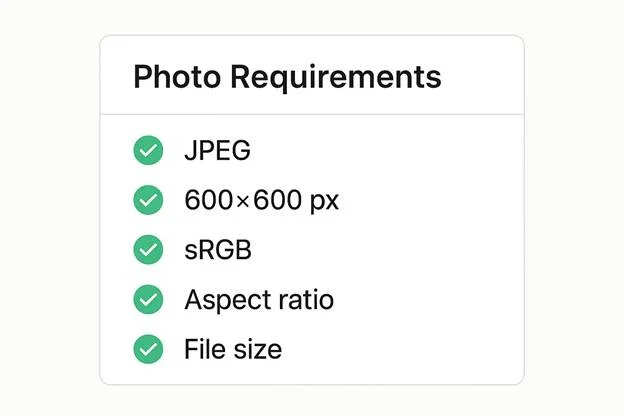
Your file must be:
- In JPEG format
- Sized exactly 600×600 pixels
- Saved in the sRGB color profile
- Square with a correct aspect ratio (1:1)
- Within the allowed file size limit (usually a few MB)
- Carrying clean, readable EXIF metadata
These ensure that the automated triangulation can read the facial features consistently.
Recurrent Digital Upload Errors
Even if a human considers the image to be
error-free, the system may throw it out. Those instant “no” replies are almost
always due to some kind of technical problem — not how you posed, or your
lighting technique, but rather issues with the metadata or file structure that
make a file submission non-compliant with the standard.
The digital upload fails for the following reasons:
- JPEG discarded due to corrupted EXIF tags
- EXIF Rotation is setting off, and the image is sideways
- The slight shading caused non-uniformity in the background
- A color cast that interferes with the detection of the color temperature
- Compression or artifacts were detected by automatic validation
The automated checks are stricter because they are for biometric consistency, not visual entertainment.
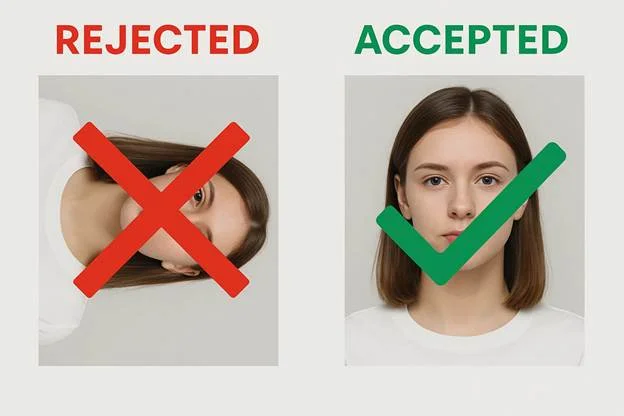
Technical comparison: digital vs printed passport photos requirements
Digital and paper passport photos are
held to the same identity requirements. But they are obtained in very different
ways. Knowing the technical difference helps you understand why some photos are
instantly approved and others are rejected although they look the same to you.
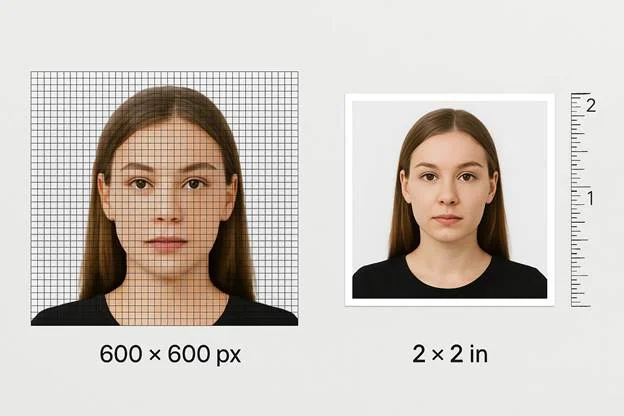
Dimensions of pixels versus prints
A digital image and a printed photo can
display the same face, but their technical makeup is fundamentally different.
When you submit a digital image, you are dealing with fixed pixel dimensions —
usually 600×600 px for U.S. passport systems. When you are submitting a
printed photograph, the requirement is for a physical 2×2 inches size.
This is so because biometric ratios, both in the digital and physical space, are defined by international standards such as ISO/IEC 19794-5 and ICAO 9303 etc. But are in fact implemented differently. Digital compliance is in pixels and aspect ratios, printed photographs in physical dimensions and DPI to resolution standards to provide adequate clarity.
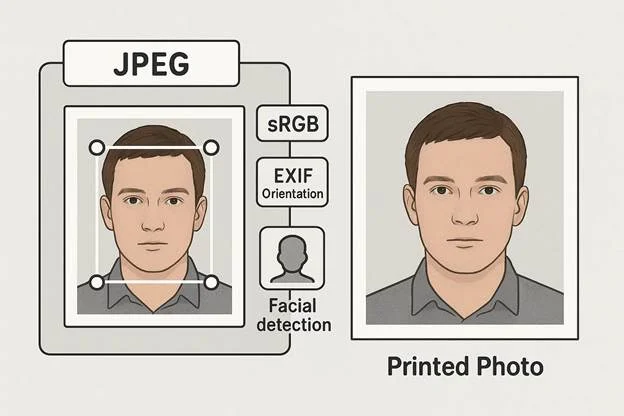
Color & Metadata Differences
Digital files require a more consistent
color and metadata structure as the systems cannot guess. sRGB: When you submit
a digital file it must be in the sRGB color space or the system will not
be able to read the tones. JPEG metadata (especially embedded EXIF
metadata) needs to be full and readable, this is because it contains
orientation, color profile and timing information which is utilized.
These elements influence face detection, which depends on the consistent processing of color and metadata. A printed photo contains none of this metadata; it relies on human evaluation, which is far more forgiving of color shifts or missing information.
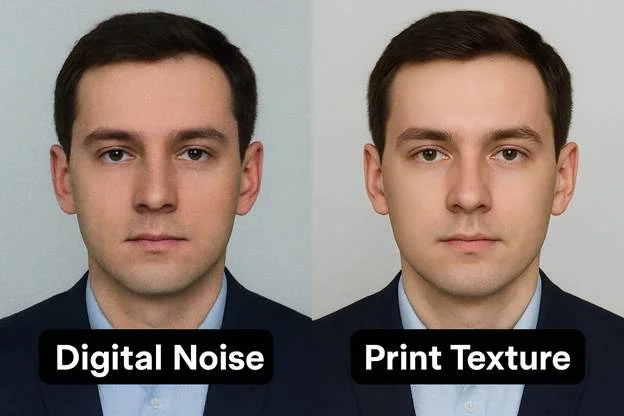
Quality & Compression Differences
Compression is the one area where your
digital and printed photos act very differently. Digital files can have
invisible compression artifacts that cause a rejection because automated
systems are looking at the image one pixel at a time. Even very slight noise or
over compression can ruin digital sharpness and cause a failed
submission.
But printed photos can mask all of this.
Ink soaks into flaws, and a human reviewer is unlikely to see what a machine
does. Still, physical prints can cause their own issues — dust, scratches, or
ink not consistent but those typically impact the images visually and are not
violations of any technical standards.
Hardware verification is automated for:
- biometric sufficiency at the pixel level
- uniformity of lighting and exposure uniformity
- consistency with the noise detection thresholds
Hard copies are exempt from these digital rules, but they still must be clear, evenly lit, and free of damage.
Pros and Cons of Digital Passport Photos
The task of digital submission that is so
easy is constrained by a rigid technical framework. If you are thinking about
uploading your photo instead of mailing it, here is what really matters in the
real world.
Benefits of digital passport photos
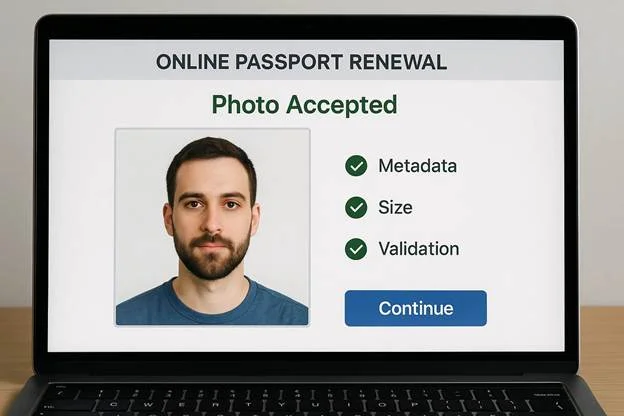
The greatest benefits of digital passport
photos are in automation. When you upload a photo, the system immediately
reviews it via an automatic validation, so there is no need to wait for
days to know if something is wrong.
Digital files also remain very
consistent. Since digital submission retains format and color without the need
for scanning or printing, your layout, brightness, and metadata alignment
will be preserved. This minimizes surprises and streamlines the whole renewal
process, making it faster and more pleasant.
What it looks like in everyday life:
- You get faster feedback on whether your photo complies.
- There is no risk of print defects or physical injuries.
- You can say your file is perfectly formatted from the beginning to the end.
- You can fix problems on the fly, no need to reprint.
Downsides of Digital Passport Photos
The convenience of the digital has a
technical caveat. A lot of users experience trouble with their digital uploads,
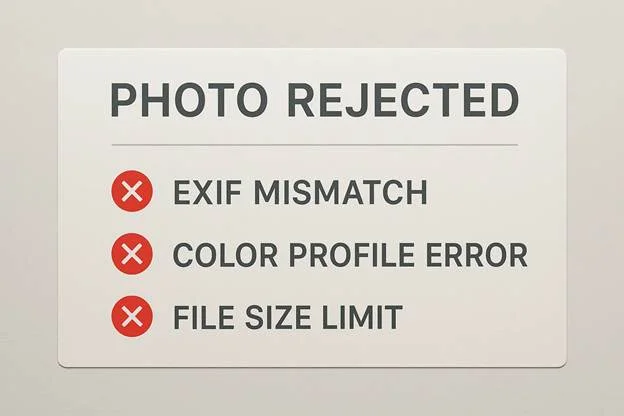
even when they feel their image is fine. The most common block is an EXIF
mismatch, wherein the orientation or other metadata fields are not what the
system is expecting.
Another common issue is sRGB
conversion. If the color profile of the file is incorrect — common with
images edited on wide-gamut displays — the system will flag it. And even if all
the formatting is correct, one file that is too large can cause the size
limit to be exceeded and an instant rejection.
Typical issues include:
- Incorrect or missing EXIF fields
- Wrong color profile or conversion errors
- Compression inconsistencies
- Oversized JPEG files
- Unexpected rejections triggered by strict digital rules
Pros and Cons of Printed Passport Photos
For decades, printed photos have been the
norm, and in 2026, they are still required for most passport applications.
Though digital files are subject to strict metadata rules, clarity, condition
and consistency are what matters when it comes to physical prints.
Advantages of Printed Passport Photos
A printed passport photo is still
acceptable in all countries. Regardless of the place of application, be it an
acceptance facility, a passport fair, or a regional agency, staff have the
capability of instant evaluation of physical prints, they do not have to
contend with software or uploading applications.
Printed photography, too, is subject to
longstanding specifications. A 2×2 inch print is standard, simple to
understand and can be found in almost every photo lab. Whether it’s matte or
glossy paper, the format is known to reviewers, and small variations in
tones or color shifts are usually less critical than they would be in an
electronic submission.
Why printed version still works well:
- Accepted for all in-person passport applications
- With no technical formatting or error messages
- Reviewers can simply look at them right away
- Widely available through retail photo services
- The format hasn’t changed in decades

Disadvantages of Printed Passport Photos
Printed images are reliable but
generating them involves physical constraints. The majority of print quality
problems are due to external factors such as dust, printing defects, or
misregistered printing on the substrate. They don't show up in digital files,
but rather in person, and can cause them to be rejected in an on-the-spot
review.
Paper defects (e.g. uneven textures, tiny wrinkles) might be present on physical prints too. If the photo is not cut exactly, the irregularity in cropping will be noticed. As well, printed copies can suffer physical damage in your bag or your envelope, unlike digital files, and possibly produce unexpected last-minute problems.
Typical drawbacks include:
- Risk of moisture, scratches, or bending
- Variability in printing quality between retail locations
- Potential trimming errors or misalignment
- No metadata or embedded color information
- Need for reprints if anything goes wrong
Digital vs Printed Passport Photos: Side-by-Side Comparison Table
If you're looking for a quick comparison
between digital and printed images, here’s the ultimate digital vs printed
passport photo showdown. This table tells you what format is suitable for each
category – DS-11 vs DS-82, online renewal and the
technical specifications such as JPEG vs print and 600×600 pixels.
Requirement / Scenario | Digital Photo Upload | Printed Photo |
Format | JPEG file | Physical print |
Technical Size | 600×600 pixels | 2×2 inches |
Application Type | Online renewal only | All in-person applications |
DS-11 vs DS-82 | Not accepted for DS-11 or DS-82 | Required for both DS-11 and DS-82 |
Use Case | Fully digital submission | Any mailed or in-person application |
Color Profile | sRGB | Determined by printer/ink; no digital profile needed |
Metadata Needed | Yes — EXIF must be intact | None |
Primary Benefits | Instant automated validation | Universal acceptance |
Primary Risks | Technical rejections (metadata, color, size) | Physical damage or print flaws |
Acceptance Method | Automated system + digital review | Human review at facility |
Common Rejection Reasons: Digital vs Printed
Digital and printed photos "go
bad" for very different reasons. One fails because of computers. The other
fails because it’s on paper.
Why Digital Passport Photos Get Rejected
An online system's rejection of a digital
passport photo is almost always because of some invisible technicality rather
than something you can see. Automated inspections read the file at the metadata
and pixel levels, so even a photo that looks perfect can fail immediately.
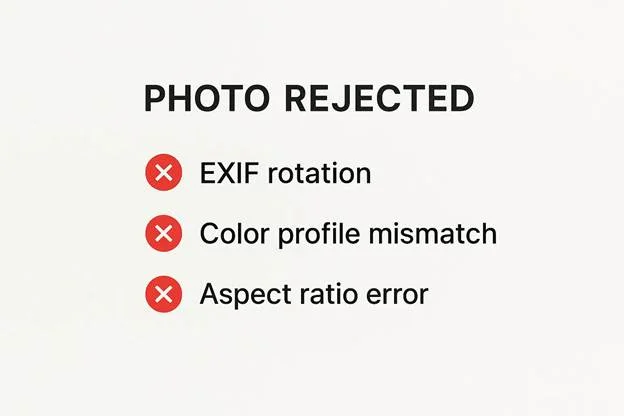
Common digital rejection triggers include:
- EXIF rotation making the image appear sideways to the system
- A color profile mismatch where the file isn’t in sRGB
- An incorrect aspect ratio (anything other than 1:1)
- Subtle background inconsistencies flagged by gradient detection algorithms
- Metadata corruption or missing fields that break validation
Why Printed Passport Photos Get Rejected
A printed photo that is rejected almost
always flunks out at in-person reviewing for some physical reason. Go to 1b and
2b because the reviewers want clarity, condition and consistency – not
metadata. If the print has defects, it is not accepted.
Typical physical rejection causes include:
- Uneven background uniformity (shadows or color shifts)
- Poor exposure consistency across the face
- Visible photo paper defects like scratches, gloss streaks, or dust
- Improper trimming or cropping errors that cut too close to the head
- Creases, bends, or handling damage
FAQ
Will I need a printed passport photo for renewal in 2026?
When renewing by way of the normal channels, yes — you do need to submit a printed passport photo, because mail-in renewals are still a paper-based process. The system will not allow you to upload digitally unless you are an eligible online renewer. The rule still applies to the paper based DS-82 process, which is not linked to any automated biometric verification.
Do I have to print my photo or can I upload a digital one?
You may only submit a digital passport photo if you are renewing your passport and the online renewal system determines that you are eligible. Digital files must adhere to stringent formatting requirements for the sRGB colour profile, which is validated by automated system prior to moving forward. If you are not approved via the MyTravelGov website, you still need to submit a printed photo.
Why is the system for online renewal taking only JPEG format and not others?
A JPEG photo is obligatory as it contains the EXIF metadata required for automated orientation, detection and validation. Other formats lack uniform metadata fields, which prevents the system from reliably verifying if a face can be detected in the image. That’s why only submissions in JPEG are allowed.
Does DPI matter for digital passport photos?
DPI doesn’t matter for a digital passport photo, as the online system is looking at strict pixel dimensions instead. DPI is for physical prints not digital files. When you file electronically, the system looks at the file's aspect ratio and the number of pixels, and not the printing resolution.
Can I scan a photo print to use it digitally?
Scanning a printout of a photo is not
allowed. A digital passport photo must be taken straight from the digital
source as scanning affects the jpeg metadata and introduces color variations
which affects the automated checks. Altering the colors causes failures during
automated validation, that's why scanned prints are rejected every single time.
Conclusion
The fundamental difference between the
two types is the follow-up step: whether it will be a digital or printed
passport photo. Printed photos remain the default for most of the applicants as
the U.S. Department of State continues to conduct the majority of
applications via in-person reviews and mail-in procedures. Digital files are
accepted only via the online renewal system, where each image must comply
with strict digital standards before submission.
Print or upload your photo, passport photo compliance is about selecting the right format for your application type. A digital upload must comply with all the technical requirements to allow for biometric verification, and a physical print must comply with the traditional requirements and must be free of any defects. In either case, MyTravelGov or an in-person officer will determine if your photo meets the requirements - so choosing the right format from the beginning helps the entire process go more smoothly.
Authored by:
Nathaniel K. RowdenApproved by Association of Visa center
On this page:
- Why Everyone Is confused about passport photos in 2026
- The Short Answer: When to Get Printed vs Digital in 2026
- When Printed Passport Photos Are Required (U.S. Rules in 2026)
- When Is It Possible to Upload Digital Passport Photos (2026 US Digital Rules)
- Technical comparison: digital vs printed passport photos requirements
- Pros and Cons of Digital Passport Photos
- Pros and Cons of Printed Passport Photos
- Digital vs Printed Passport Photos: Side-by-Side Comparison Table
- Common Rejection Reasons: Digital vs Printed
- FAQ
- Conclusion