U.S. Digital Passport Photo Rejected? 2026 Fix Checklist
Table of contents:
- Why U.S. Digital Passport Photos Get Rejected
- How the U.S. Digital Screening Process Works
- Why Automated Review Has Become Stricter
- Top 14 Reasons U.S. Digital Passport Photos Get Rejected
- 2026 U.S. Digital Passport Photo Rules to Follow to Not Get Rejected
- The 2026 U.S. Digital Photo Fix Checklist
- When to Reshoot Instead of Editing
- Run an Online Compliance Check Before Submitting Your Photo
- Frequently Asked Questions
- Related guides
This 2026 Guide covers the reasons a digital passport photo can be rejected, explains how the automated review system evaluates each requirement, and provides a precise checklist of fixes to use before resubmission. All specifications reflect 2026 U.S. Department of State standards. Our digital passport photo guide walks through preparing a compliant file before you resubmit.
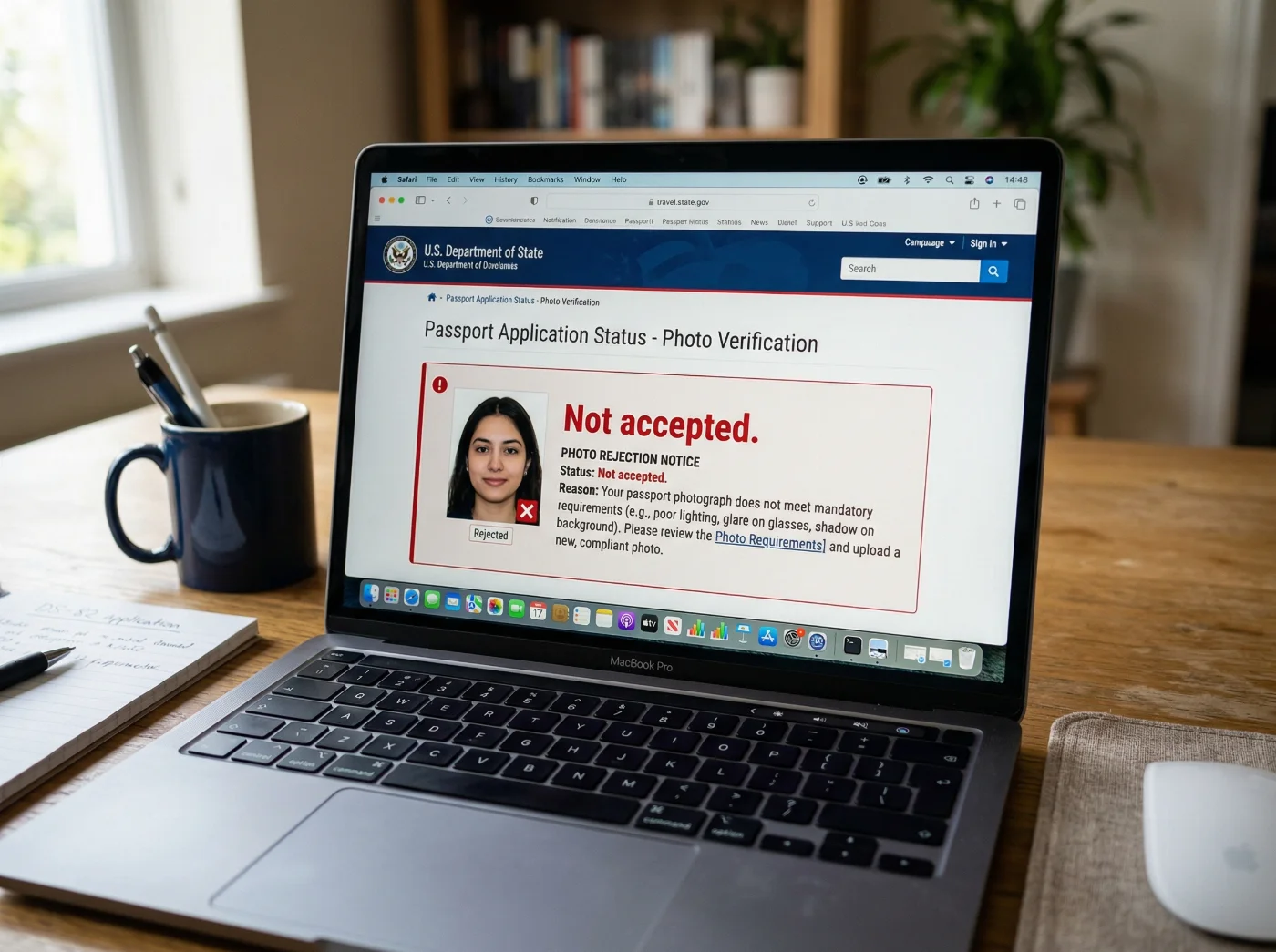
Why U.S. Digital Passport Photos Get Rejected
U.S. digital passport photo rejections follow a predictable pattern. The Department of State's online renewal portal runs every uploaded image through a layered automated validation pipeline before a human reviewer is involved.
The photo approval pipeline enforces strict technical requirements — file format, file size, exposure levels, background uniformity, and biometric alignment — and it rejects any file that falls short of any single criterion. Subtle issues that would pass a casual human inspection, such as a minor color temperature shift or a head positioned slightly outside the required size range, trigger immediate failures. To avoid rejections, use expert advice in this article to create a digital passport photo that meets the published requirements.
How the U.S. Digital Screening Process Works
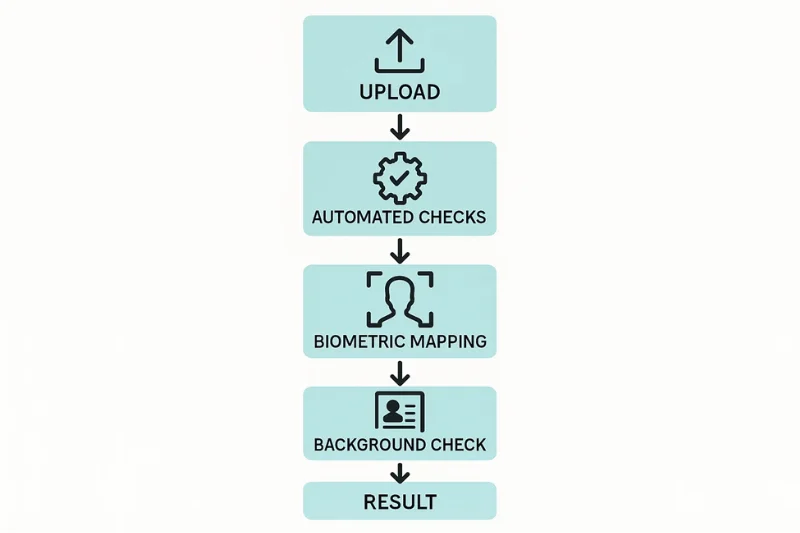
The online renewal application automatically checks your photo against basic requirements. After you submit the application, a staff member manually reviews it. If the photo does not comply, you will receive a letter or email requesting a new photo. The upload steps themselves are described in our passport renewal photo upload guide.
Automated review checks:
File format and file size
File type: JPG, JPEG, PNG, HEIC or HEIF
File size limits
Image orientation
Exposure and brightness levels
A staff member reviews every photo after you submit the application.
What the System Checks
The online renewal application automatically checks your photo against basic technical requirements. If your photo doesn't comply with the standards, you will receive a notification with recommendations for correction.
Check Type | What It Looks For | Common Failure Points |
Size | Visa forms: 600×600 px to 1200×1200 px, square. DV Lottery: exactly 600×600 px. Online renewal: not set by the Department of State | Incorrect pixel dimensions or non-square crop |
File Specs | Renewal: JPG, JPEG, PNG, HEIC, or HEIF. Visas: JPEG, sRGB. DV Lottery: JPEG | Wrong color profile, HEIC exports for visas/DV Lottery entries |
Face Landmarks | Head ratio, eye level | Head too large or too small |
Background | Plain white or off-white, no shadows | Uneven texture, patterns, or shadows |
Compression | No artifacts or pixel noise | Over-compressed image |
Why Automated Review Has Become Stricter
As more people renew passports online, the system relies much more on automated checks than human judgment. That shift has real consequences: the tolerance for “almost OK” photos is much smaller, background and lighting flaws now trigger instant rejection, off‑center or poorly cropped images are blocked, and processing artifacts from smartphone cameras are picked up reliably. Automation speeds things up, but it also removes the flexibility a human reviewer might once have used to approve a borderline photo.
Top 14 Reasons U.S. Digital Passport Photos Get Rejected
Each entry below identifies the error, explains why the system flags it, cites the specific rule it violates, and describes the type of correction required.
1. Incorrect Dimensions or Non-Square Aspect Ratio
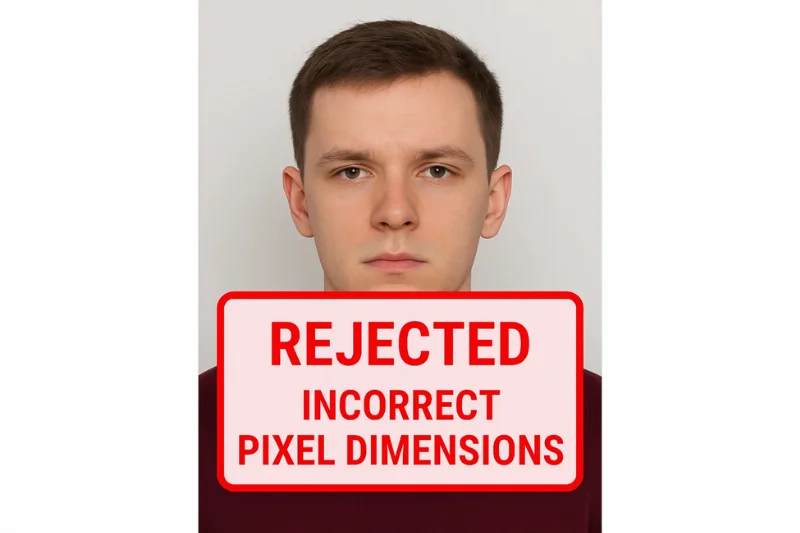
Visa forms require a square image between 600×600 and 1200×1200 pixels, and DV Lottery entries must be exactly 600×600 pixels; a file outside these limits, or with unequal width and height, is rejected at the first validation step. For online passport renewal, the U.S. Department of State does not set a pixel size; PhotoGov delivers a square JPEG of 600 × 600 pixels. The validator checks pixel dimensions first; a non-square shape misaligns the face within the biometric template and is treated as a cropping error.
Rule violated: U.S. Department of State size requirements for visa and DV Lottery photos (square, at least 600×600 pixels).
Fix: Re-crop and re-export to match the required square dimensions.
2. File Too Large or Too Small
The file must be 240 KB or smaller for visa and DV Lottery entries and 54KB-10 MB for passport renewal, while retaining sufficient quality for biometric feature extraction. Files above the limit fail during JPEG validation. Files below a practical quality threshold — typically the result of aggressive compression — lose detail at critical landmarks such as eyebrow edges and skin texture, causing biometric mapping to fail.
Rule violated: Department of State file size rule (≤ 240 KB for visas and DV Lottery submissions or 54KB-10 MB for passport renewals).
Fix: Re-export at a balanced compression setting that meets both the size ceiling and minimum quality threshold.
3. Wrong File Format or Color Profile
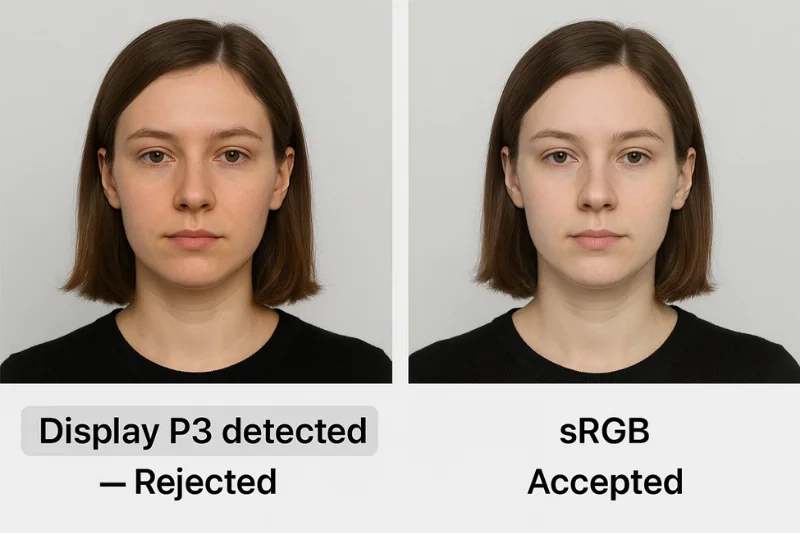
The online renewal application accepts JPG, JPEG, PNG, HEIC, and HEIF files; visa forms and DV Lottery entries accept only JPEG. Visa photos must also be in the sRGB color space, so the visa upload may reject an AdobeRGB or Display P3 file. This error commonly occurs when images are exported directly from a smartphone or editing application that defaults to a wide-gamut profile.
Rule violated: U.S. Department of State file format requirements (JPEG and sRGB for visa photos).
Fix: Re-export from the original source with the correct format and color space settings.
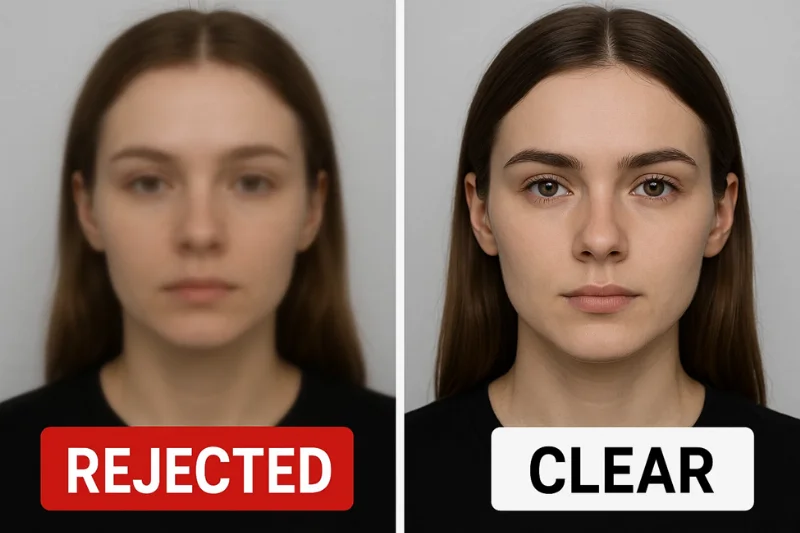
4. Blurry or Pixelated Image
Any image that is out of focus, grainy, or has been over-smoothed is rejected because the system cannot extract reliable biometric data from degraded detail. Soft focus, camera motion, or heavy digital retouching all degrade the precision of facial landmark detection. When the system cannot identify clear feature positions, the image is treated as unprocessable.
Rule violated: U.S. requirement that photos provide sufficient quality for accurate biometric reading.
Fix: Reshoot with a stable camera position, sharp focus, and adequate lighting.
5. Shadows on Face or Background
Shadows — whether on the face or behind the head — cause immediate rejection because they interfere with biometric mapping and create apparent non-uniformity in the background. If there are shadows on the face or behind the head, you need to retake the photo.
Rule violated: U.S. requirement for a plain, uniformly lit white background with no gradients.
Fix: Adjust the lighting setup or reshoot in a well-lit environment that eliminates all shadows.
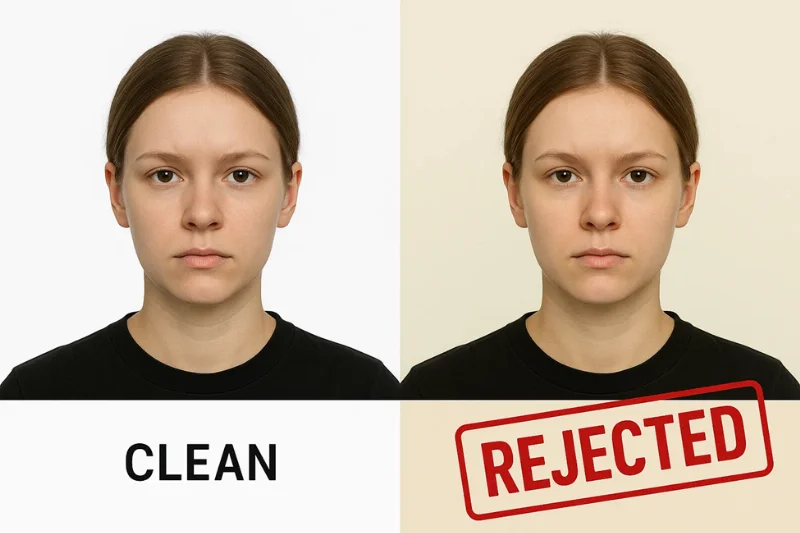
6. Non-White Background
The background must be plain white or off-white, free of shadows, textures or objects.
Rule violated: U.S. requirement for a plain white or off-white background, free of shadows, textures, or patterns.
Fix: Retake the photo against a plain, light wall without patterns or objects, then upload it to PhotoGov: the tool replaces the background with plain white.
7. Non-Neutral Facial Expression
A broad smile or an open mouth shifts facial geometry in ways that disrupt biometric symmetry and landmark consistency. These deformations are reliably detected as deviations from the expected biometric template — specifically in mouth position and jaw alignment. A neutral expression or a natural smile with the mouth closed and both eyes open meets the guidelines; open-mouth smiles showing teeth and grimaces are usually rejected. The smile rules for U.S. passport photos are set out in a separate guide, with the line between a relaxed face and a smile.
Rule violated: U.S. requirement for a neutral facial expression or a natural smile with the mouth closed and both eyes open.
Fix: Reshoot with a completely relaxed face and eyes open.
8. Incorrect Head Size
Visa forms: the head must take 50–69% of the image height. Passport photos: the head must measure 1–1⅜ inches (25–35 mm) from the bottom of the chin to the top of the head on a 2 × 2-inch photo. Online renewal sets no separate measure: center your head and shoulders, and crop the photo in the application if needed. A head outside this range cannot be matched to the U.S. biometric template. The validator flags faces that are too close to the camera, too far away, or surrounded by excessive empty space above the head.
Rule violated: U.S. Department of State head size requirements (50–69% of the image height for visa photos; 1–1⅜ inches for printed passport photos).
Fix: Re-crop or reshoot so the head fills the correct proportion of the frame.
9. Glasses or Facial Obstructions
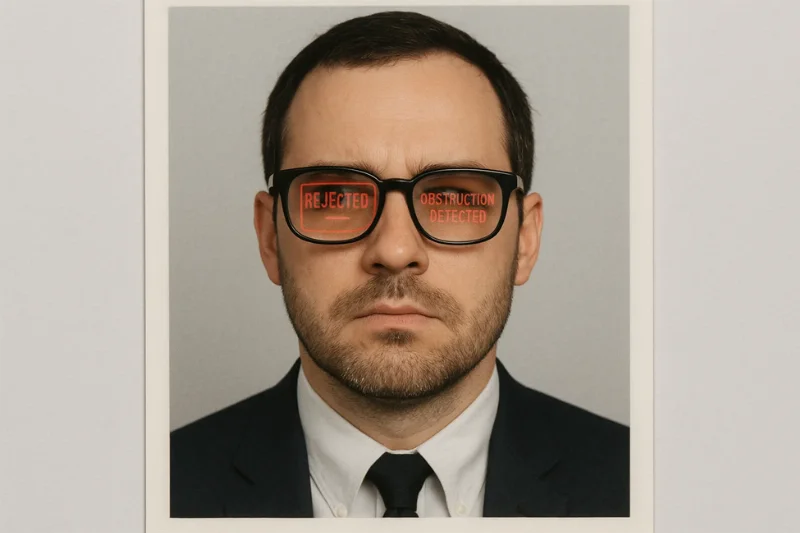
Glasses have been prohibited in U.S. passport photos since 2016. Glare on lenses, reflections, frame shadows, or any partial obscuring of the eye area degrade biometric landmark detection. The validator flags reflective surfaces, occlusion in the eye region, or any obstruction that reduces visibility of key landmarks.
Rule violated: Prohibition on glasses and facial obstructions.
Fix: Remove all eyewear and reshoot.
10. Over- or Underexposure
Overexposed and underexposed images fail because stable facial details cannot be retrieved from either extreme. Overexposure washes out feature boundaries; underexposure introduces noise that corrupts the biometric template. Brightness normalization is applied as a preprocessing step, but it cannot reconstruct lost detail or suppress noise beyond a narrow range.
Rule violated: Federal requirement for uniform, balanced lighting across the entire face.
Fix: Adjust the lighting setup or reshoot in controlled conditions.
11. Digital Alterations
Filters, smoothing tools, and AI-generated enhancements produce visual patterns that the system detects as evidence of processing. These modifications alter skin texture, suppress natural detail, and disrupt biometric consistency.
Rule violated: U.S. prohibition on digital retouching of passport photos.
Fix: Submit an unaltered photo taken without filters or editing software.
12. Hair Obscuring Eyes or Eyebrows
Hair covering one or both eyes, or obscuring the eyebrows, prevents the system from reading critical facial landmarks. Even partial occlusion above key feature regions is sufficient to disrupt landmark mapping and produce a rejection.
Rule violated: U.S. requirement that the full face be visible, including both eyes, both eyebrows, and both nostrils.
Fix: Pull hair fully away from the face and reshoot.
13. Head Tilt or Off-Axis Pose
The head must be level, centered, and facing the camera directly. Any tilt or rotation causes the system to misinterpret facial geometry because pose detection maps the face against an expected frontal orientation. Even a minor rotation disrupts the biometric alignment model.
Rule violated: U.S. policy requiring a frontal, upright head position.
Fix: Reshoot with the chin level and the head perfectly straight.
14. Incorrect Color Balance
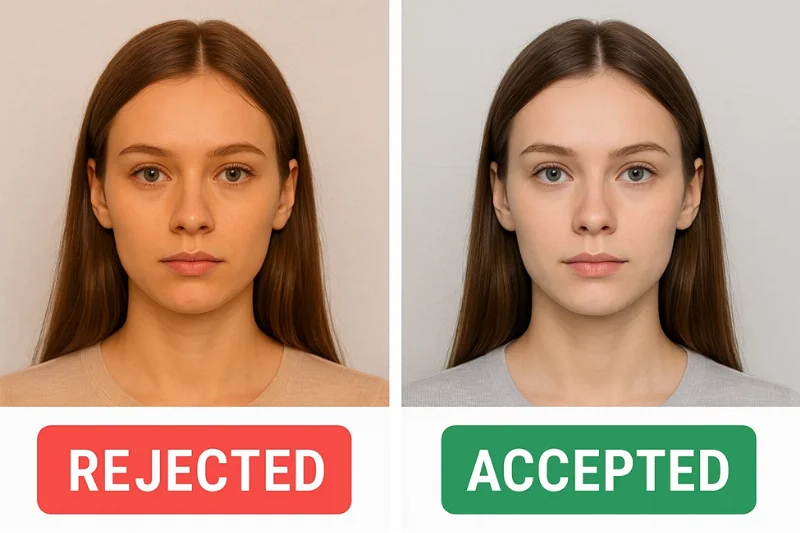
Photos with orange, blue, green, or any other color cast are rejected because the tint distorts skin tone data and introduces errors into automated analysis. Smartphone cameras routinely produce these shifts under artificial lighting. The validator flags images with abnormal color temperature or chromatic imbalance.
Rule violated: U.S. requirement for natural color rendering consistent with biometric norms.
Fix: Change your camera's white balance setting depending on the lighting and take a new photo.
2026 U.S. Digital Passport Photo Rules to Follow to Not Get Rejected
Requirement | U.S. Standard (2026) | Purpose |
Pixel Size | Visa forms: 600×600 px to 1200×1200 px, square; DV Lottery: exactly 600×600 px; online passport renewal: not set by the Department of State | Ensures sufficient resolution for facial analysis |
Aspect Ratio | 1:1 | Keeps facial landmarks in the correct position |
File Size | Up to 240 KB for visas and DV Lottery; 54 KB-10 MB for passport renewal | Prevents data loss and upload failures |
File Format | JPEG for visas and DV Lottery; JPEG, PNG, or HEIF for passport renewal | Stable processing across federal systems |
Color Profile | sRGB for visa photos; not set for online passport renewal | Standardized color rendering for identity checks |
Background | Plain white or off-white | Clean contrast for automated segmentation |
Head Height | Visa forms: 50–69% of the image height. Passport photos: 1–1⅜ inches (25–35 mm). Online renewal: not set. | Aligns the face with biometric templates |
Eye Height | Eyes centered within the U.S. mapping zone | Maintains correct landmark geometry |
Expression | Neutral or natural closed-mouth smile, eyes open | Supports consistent biometric matching |
Prohibited | Glasses, filters, shadows | Causes landmark detection failures |
Key notes on the 2026 rules:
Pixel size is set for visa forms (600×600 to 1200×1200 pixels) and DV Lottery entries (exactly 600×600 pixels). For online passport renewal, the U.S. Department of State does not set a pixel size; PhotoGov delivers a JPEG of 600 × 600 pixels. DPI is irrelevant for digital submissions and has no bearing on upload validation.
For visa photos, the head must take 50–69% of the image height, measured from the bottom of the chin to the top of the hair; passport photos use 1–1⅜ inches (25–35 mm) on a 2 × 2-inch print. A head that is too large or too small prevents the system from accurately locating biometric landmarks — chin, nose bridge, and eyes — and the image is automatically rejected.
The prohibited elements below each create occlusions or artificial alterations that prevent authentic facial geometry from being read, resulting in immediate rejection regardless of other image quality:
Glasses are not allowed. If you cannot remove your glasses for medical reasons, include a signed note from your doctor with your application.
Strong or directional shadows on the face or background
Hair covering the eyebrows or eyes
Beauty filters or skin-smoothing software
AI-generated enhancements
Overexposed or color-tinted images.
The 2026 U.S. Digital Photo Fix Checklist
Work through each step to identify the cause of rejection and prepare a corrected file before resubmission.
Step 1: Verify Pixel Dimensions
Confirm that the image is square and within the accepted resolution range. Check:
Width and height are equal
Visa forms: between 600×600 and 1200×1200 px; DV Lottery: exactly 600×600 px; online renewal: no pixel size is set
Step 2: Verify the 1:1 Crop and Head Ratio
Confirm:
The image is a perfect square
For visa photos, the head occupies 50–69% of the total image height
The face is horizontally and vertically centered
Space above the head and below the chin is balanced
Step 3: Inspect Background Uniformity
Check:
Check the background color: it must be plain white or off-white, free of shadows, textures, or objects. If it is not, upload the photo to PhotoGov to place it on a white background, or retake it against a plain, light wall.
No colored tones, patterns, or shadows anywhere in the background
No objects, shadows, or patterns behind the subject
Step 4: Verify Lighting and Shadow Absence
Confirm:
Both sides of the face are evenly lit
No dark gradients or shadows in the background
No glare, hotspots, or harsh directional lighting on the face
Step 5: Check for Blur and Noise
Examine:
Eyebrows, eyelashes, and jawline are clearly defined
No motion blur from camera shake
No high-frequency noise from low-light shooting
Step 6: Confirm No Glasses and Neutral Expression
Verify:
All eyewear has been removed, including clear or thin frames
Lips are relaxed and closed with no teeth showing
Eyes and eyebrows are fully visible and unobstructed
Step 7: Validate File Format and Color Profile
Confirm:
File extension is .JPG or .JPEG for visas and DV Lottery submissions
File extension is JPG, JPEG, PNG, or HEIF for passport renewal
For visa photos, the color profile is sRGB — not Display P3 or AdobeRGB
Skin tones appear natural under neutral lighting conditions
Step 8: Re-export Correctly
Confirm:
Final file size is 240 KB or less for visas and DV Lottery entries; 54 KB-10 MB for passport renewal
No excessive compression artifacts visible
Step 9: Run a Pre-Submission Compliance Check
Run the photo through a compliance validator before uploading to catch issues that are easy to miss manually. A good checker verifies:
Crop alignment and head size ratio
Background uniformity and shadow detection
File specifications: format, file size, resolution, aspect ratio
Biometric alignment against the U.S. template.
When to Reshoot Instead of Editing
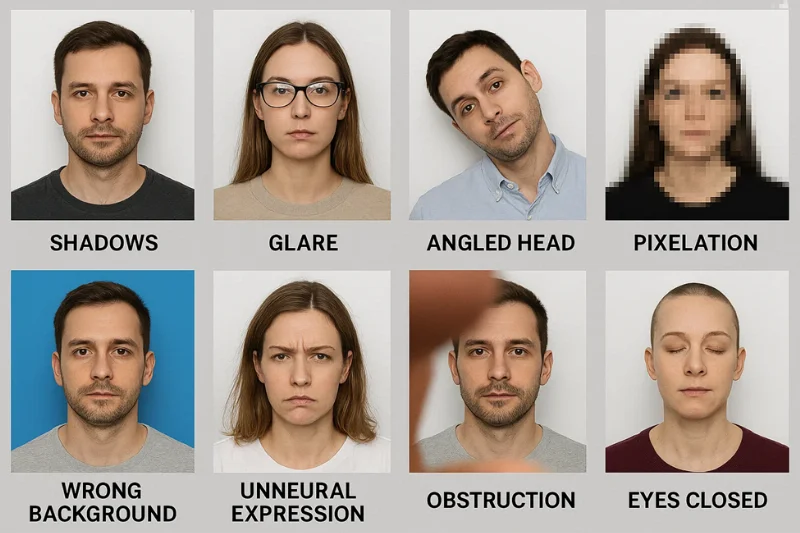
Certain defects cannot be corrected in post-processing. Trying to fix them digitally can introduce additional artifacts or violate U.S. federal standards for impermissible manipulation. These issues can’t be corrected — you’ll need to retake the photo. If you need a reshoot, the guide to making a passport photo with an iPhone covers the home setup. When reshooting, choose a plain white backdrop, ideally a white wall near a window. Shoot in daylight so your face and the background are evenly lit, with true-to-life colors and no shadows or glare.
Extreme shadows. Strong shadows on the face or background cause biometric occlusion. Digitally removing or lightening them alters the image in a way that constitutes prohibited manipulation. Reshoot if there is a strong shadow under the chin, dark areas behind the head, or harsh directional light creating gradients across the background.
Severe overexposure or underexposure. Extreme exposure can permanently destroy detail and cannot be recovered without introducing artifacts. Reshoot when bright areas are washed out, facial features are lost to overexposure, or the image is grainy from underexposure.
Glasses glare. Glasses are prohibited in U.S. passport photos, and lens glare cannot be removed in a way that appears authentic. Digitally editing the eye region constitutes image manipulation that violates federal standards. Reshoot if any light reflects from the lens surface or the eyes are even partially obscured.
Head not facing the camera directly. A head that is not perfectly straight-on is biometrically unusable. Digitally rotating or straightening the image breaks facial geometry and disrupts landmark alignment. Reshoot when the chin is significantly raised or lowered, the head tilts to either side, or the face is not looking directly at the camera.
Hair covering eyes or eyebrows. Even a small amount of hair across the eye or brow region prevents the system from reading key facial markers. Digitally editing hair away from the face is prohibited. Reshoot if either eye is obstructed, either eyebrow is fully or partially covered, or hair overlaps the upper lash line.
Pixelation or excessive noise. Low-resolution images and phone screenshots cannot be upscaled without introducing further pixelation. Attempting to smooth or denoise digitally produces manipulation flags. Reshoot when skin appears blocky, edges are jagged, or the image was captured in insufficient light.
Non-white background textures or objects. Backgrounds with patterns, gradients, curtains, or textured walls cannot be converted to true uniform white without constituting over-editing. Reshoot if objects are visible behind the subject or the wall shows texture or patterns. A plain, light wall is fine: PhotoGov replaces it with a plain white background.
Incorrect head ratio. If the head is too large or too small for the required size and there is insufficient space in the original frame to correct it by cropping alone, reshoot. Scaling the face up or down digitally warps proportions and produces biometric integrity failures.
Run an Online Compliance Check Before Submitting Your Photo
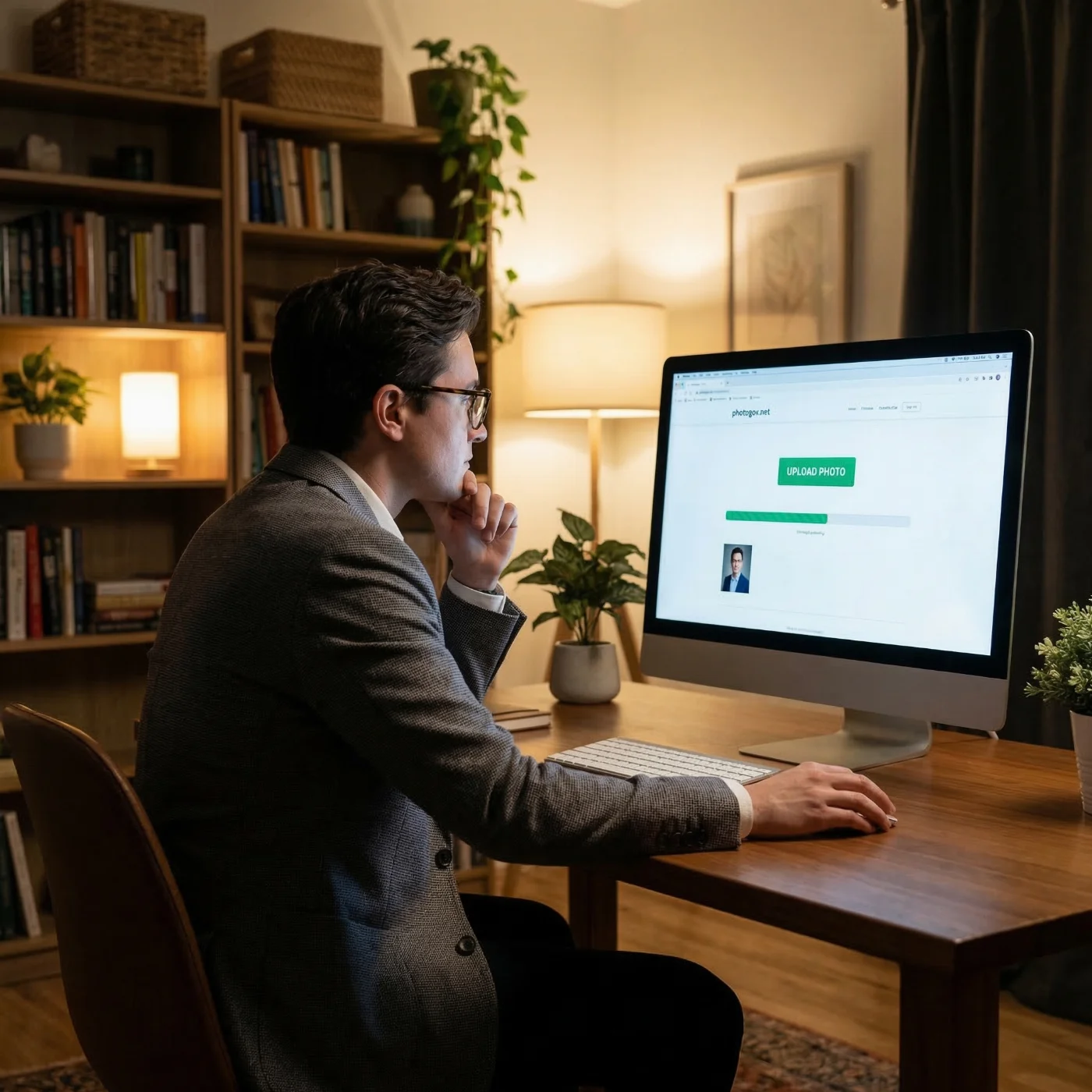 Working through the fix checklist manually reduces the risk of a failed submission, but a dedicated compliance checker catches issues that are easy to overlook — incorrect head-to-frame ratios, mild background gradients, and hidden metadata flags. A good checker mirrors the same validation categories the federal pipeline applies: file format and size, head position, background uniformity, exposure balance, and image sharpness.
Running a check before uploading can catch problems you might otherwise miss — for example, a photo with the correct dimensions but too much compression. PhotoGov is one tool built specifically for U.S. passport photo validation that covers all of these checks and provides a pre-submission preview of compliance status.
Frequently Asked Questions
Why Was my U.S. Passport Photo Rejected?
Most rejections result from one or more of the following: a file in the wrong format or outside the size limit, a background that is not plain white or off-white, head size or alignment outside the required range, or shadows, blur, and facial obstruction. The system checks each automatically, and any file that does not conform to the federal template is rejected at that step.
What Does "Face Not Centered" Mean?
"Face not centered" indicates that the face is not properly aligned within the biometric window. Common causes include positioning the head too close to an edge, an incorrect 1:1 crop, or unbalanced spacing above or below the head. The U.S. validator requires horizontal and vertical centering to ensure consistent landmark mapping across all submissions.
Does DPI Matter for U.S. Digital Passport Photos?
No. DPI is irrelevant for digital submissions. The system evaluates the file format, file size, and image quality and clarity. DPI affects printed photos only and has no bearing on digital upload validation. Our comprehensive guide on printed passport photo requirements compares them side by side with digital ones.
What File Format is Required Not to Get Rejected?
For online passport renewal, the application accepts JPG, JPEG, PNG, HEIC, and HEIF files. Visa forms require a JPEG in the sRGB color space, and DV Lottery entrants must submit a JPEG photo.
Why is My Lighting Causing My Digital Photo to be Rejected?
Lighting affects both background segmentation and facial analysis. The system flags harsh shadows, skin hotspots, dark background gradients, and overexposed or underexposed images. Correct lighting lets the face and solid white background meet U.S. visibility and uniformity requirements at the same time.
Can I Edit my Non-White Background to White?
Don't edit the background yourself in a photo editor. Upload your photo to PhotoGov: the tool places it on a plain white background. If there are shadows or glare on your face, retake the photo.
Can I Resubmit the Same Photo?
No. If your photo is rejected, you will get a letter or email asking for a new photo — fix the reason it gives before you upload again. When submitting an online passport renewal, you can crop and reposition the photo in the application. Make sure you upload a file sized between 54 KB and 10 MB. Take your photo against a plain, light wall in even lighting — PhotoGov replaces it with the plain white background the U.S. Department of State requires.
Why is My Square (1:1) Image Still Being Rejected?
A 1:1 aspect ratio is necessary, but not the only requirement. For visa photos, the system also checks whether the head occupies 50–69% of the image height, whether the face is correctly aligned within the frame, and whether the crop cuts off space above the head. An incorrectly composed square image will still fail biometric validation.
How do I Measure Head Size for U.S. Requirements?
Head size is measured as the distance from the chin to the top of the head, expressed as a percentage of the total image height. For visa photos, that measurement must fall between 50% and 69%; for printed passport photos, the head must measure 1–1⅜ inches (25–35 mm). Use a compliance checker such as PhotoGov, or measure manually: calculate the chin-to-crown distance, divide by total image height, and confirm the result is within the required range.
Should I Use Exactly 600×600 px?
It depends on the form. For DV Lottery entries, the photo must be exactly 600 × 600 pixels. Visa forms accept a square image from 600 × 600 to 1,200 × 1,200 pixels. For online passport renewal, the U.S. Department of State does not set a pixel size; PhotoGov delivers a JPEG of 600 × 600 pixels.
Related guides
Was this helpful?
35 found this helpful
Top expert
Based on official government sources
Helpful votes: 35
Was this helpful?
35 found this helpful
Service provided by Y VISION TECHNOLOGIES LLP · Stoney Works 8 Stoney Lane, London, England, SE19 3BD · Terms · Refund policy · Contact
We value your Privacy
We use cookies to enhance your browsing experience, serve personalized ads or content. By clicking “Accept All”, you consent to our use of cookies.