ICAO 9303 Explained Simply: Biometric Passport Photo Standard
Table of contents:
- Learn About ICAO Doc 9303 — the Key Biometric Passport Photo Standard
- Why do the ICAO Doc 9303 Rules Apply to Passport Photos?
- Unified International Standard, Different Country Rules
- What is ISO/IEC 39794-5 and How is It Applied in ICAO Doc 9303?
- How the Submitted Photo Is Used for Biometric Checks
- ICAO 9303 and the U.S. Passport Photo Requirements
- U.S. Passport-Size Photos and ICAO Principles
- ICAO Doc 9303-Related Photo Mistakes That Lead to Rejections
- 9-Step Checklist for Making ICAO‑Compliant Photos
- Preparing an ICAO-Ready Photo in PhotoGov
- Official Government Sources
- Frequently Asked Questions
- ICAO-Ready Photo Checklist
- Related guides
Learn About ICAO Doc 9303 — the Key Biometric Passport Photo Standard
The International Civil Aviation Organization (ICAO) is a United Nations agency based in Montreal. It sets global technical standards for passports, visas, and other machine-readable travel documents used at border controls worldwide. The ICAO Document 9303“Machine Readable Travel Documents” is the key international standard for modern passports and ePassports. The first version appeared in the 1980s, and the 2021 edition describes how travel documents should be structured, protected, read by inspection systems, and connected to biometric identity checks. Countries add their own limits on top of the ICAO baseline: US digital submissions are listed in our passport photo size standard dimensions guide.
Parts 3 and Part 9 of the Document 9303 have dedicated sections on biometric photos, explaining in detail their properties, from face proportions, eye position, head orientation, color, sharpness, and facial detail to digital file specifications, color mode, and other technicalities.
This guide translates the ICAO Doc 9303 standards into practical instructions for everyone who wants to create a technically correct ID photo — and get it accepted on the first go.
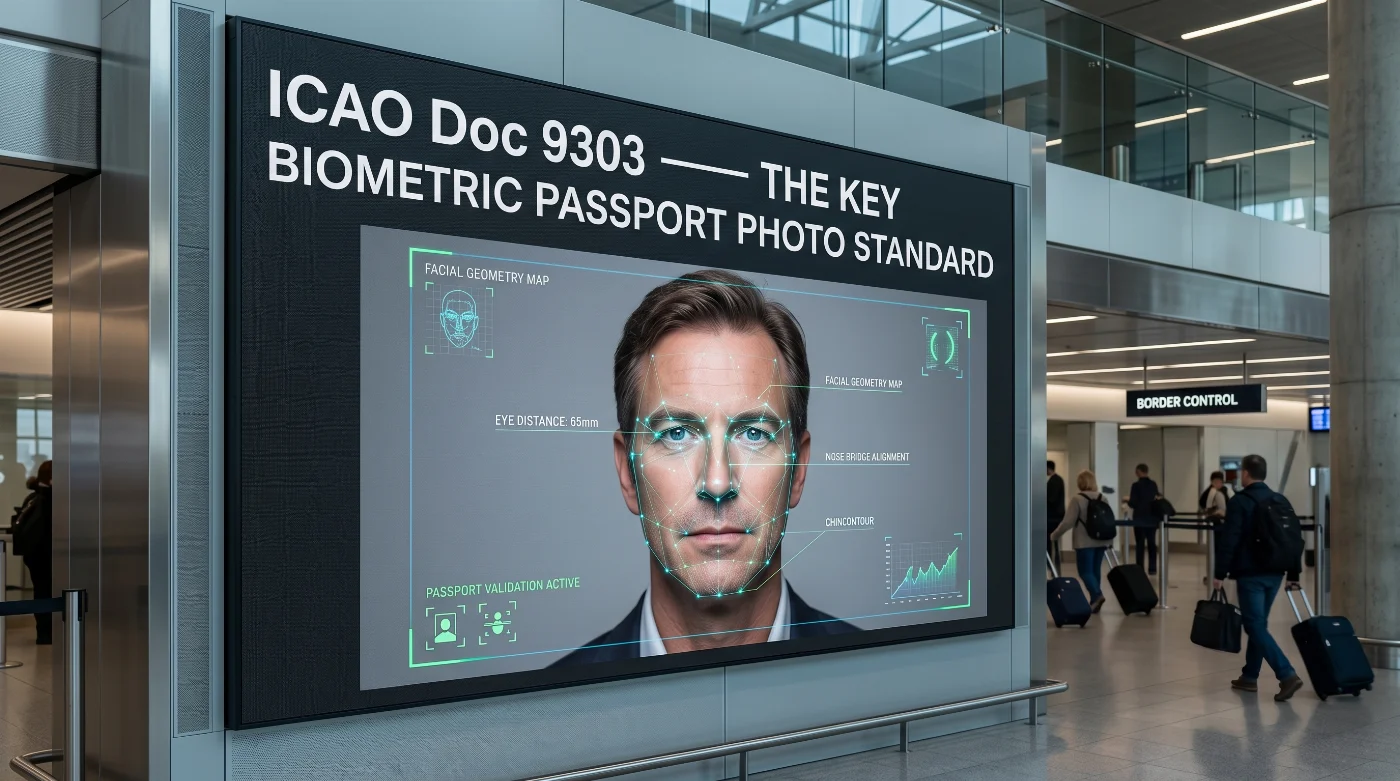
Why do the ICAO Doc 9303 Rules Apply to Passport Photos?
ICAO Doc 9303 provides governments and document issuers with a common specification for machine-readable travel documents. In the context of passport photos, it links the printed portrait on the passport page to the digital facial image stored in the ePassport chip and used by inspection systems.
When it comes to passport photos, the standard focuses on:
The face image printed in the passport’s Visual Inspection Zone (VIZ)
The digital face image stored in the ePassport chip
The link between the printed portrait and the stored digital image
The image quality needed for biometric comparison
Safeguards that protect the portrait from forgery and substitution.
ICAO Doc 9303 also defines elements such as the Machine Readable Zone (MRZ), the Visual Inspection Zone (VIZ), and the Logical Data Structure (LDS) used in ePassports; together, these describe the document system around the image.
For applicants, the main takeaway is that the photo must be clear, correctly framed, and technically suitable for the document being issued and used as a biometric reference.
Unified International Standard, Different Country Rules
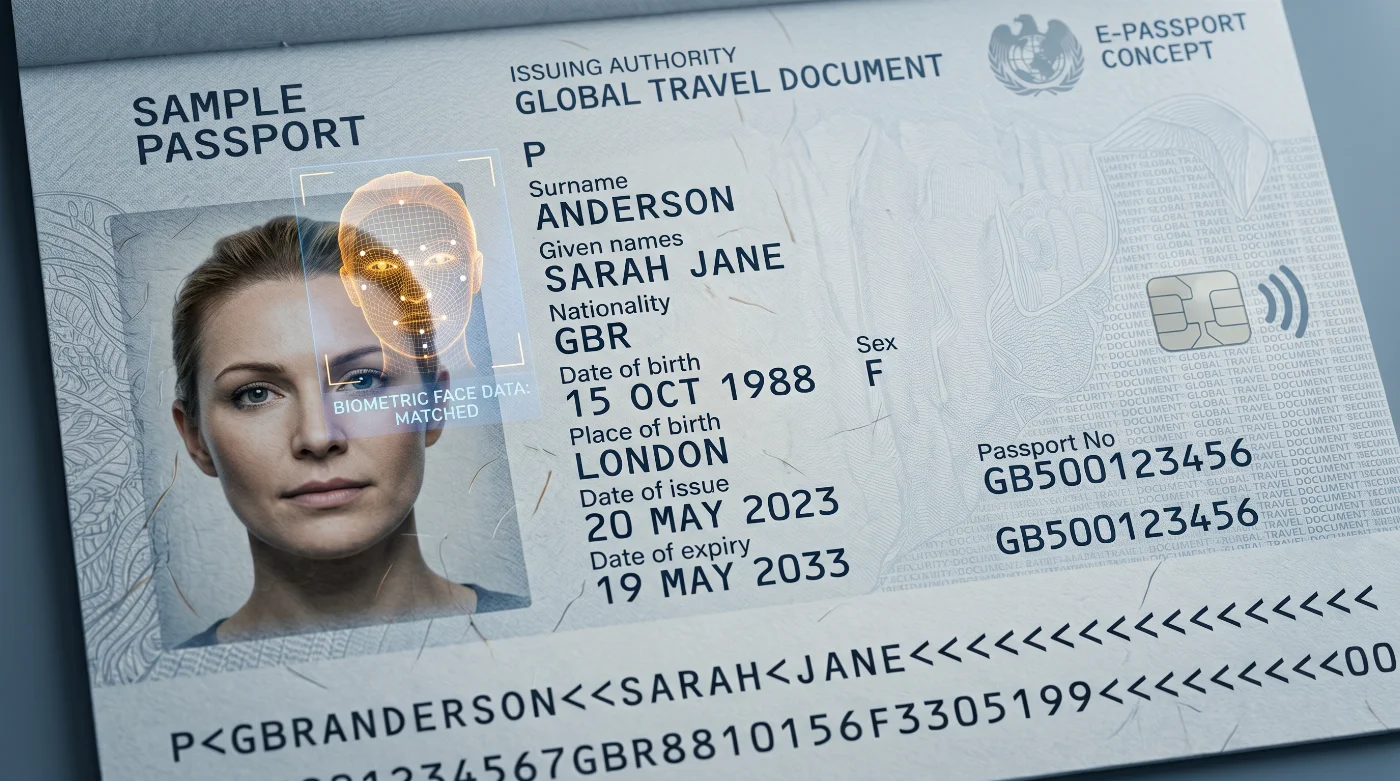
ICAO Doc 9303 sets a common biometric standard for passports and electronic travel documents. Countries implement this standard through their national passport, visa, and ID photo rules, which makes many requirements look similar while leaving room for local variations. The underlying biometric properties taken from Doc 9303 are consistent across these regulations: the face must be centered, correctly scaled, evenly lit, unobstructed, and suitable for identity verification. The required submission format depends on the issuing authority.
Country‑specific Rules for ID Photos
If a document like ICAO 9303 specifies key characteristics of a machine-readable document and a photo in it, the passport and immigration authorities around the world set their own, country-specific rules for ID photos. They often include:
Printed photo size
Digital upload format
File size limits
Accepted background color
Glasses and head covering policy
Clothing instructions
How recent must the photo be
Document‑specific crop or upload requirements
Domestic documents follow their own rules: the US drivers license photo requirements involve a fresh photo taken at the DMV.
For example, in the United States, the required printed passport photo size is 2 x 2 inches (51 x 51 mm), whereas many European issuing authorities often require a 35 x 45 mm format for ID photos.
Photo Specs for Digital Submissions
Digital submission channels add an additional layer of technical constraints. Beyond the visual properties of the face, applicants are required to supply images that comply with defined file formats, color spaces, and encoding parameters. Typical conditions include an approved file type, a specified color profile, limits on compression artifacts that could degrade facial detail, and minimum and maximum file sizes or pixel resolutions appropriate for the issuing authority’s processing pipeline.
What is ISO/IEC 39794-5 and How is It Applied in ICAO Doc 9303?
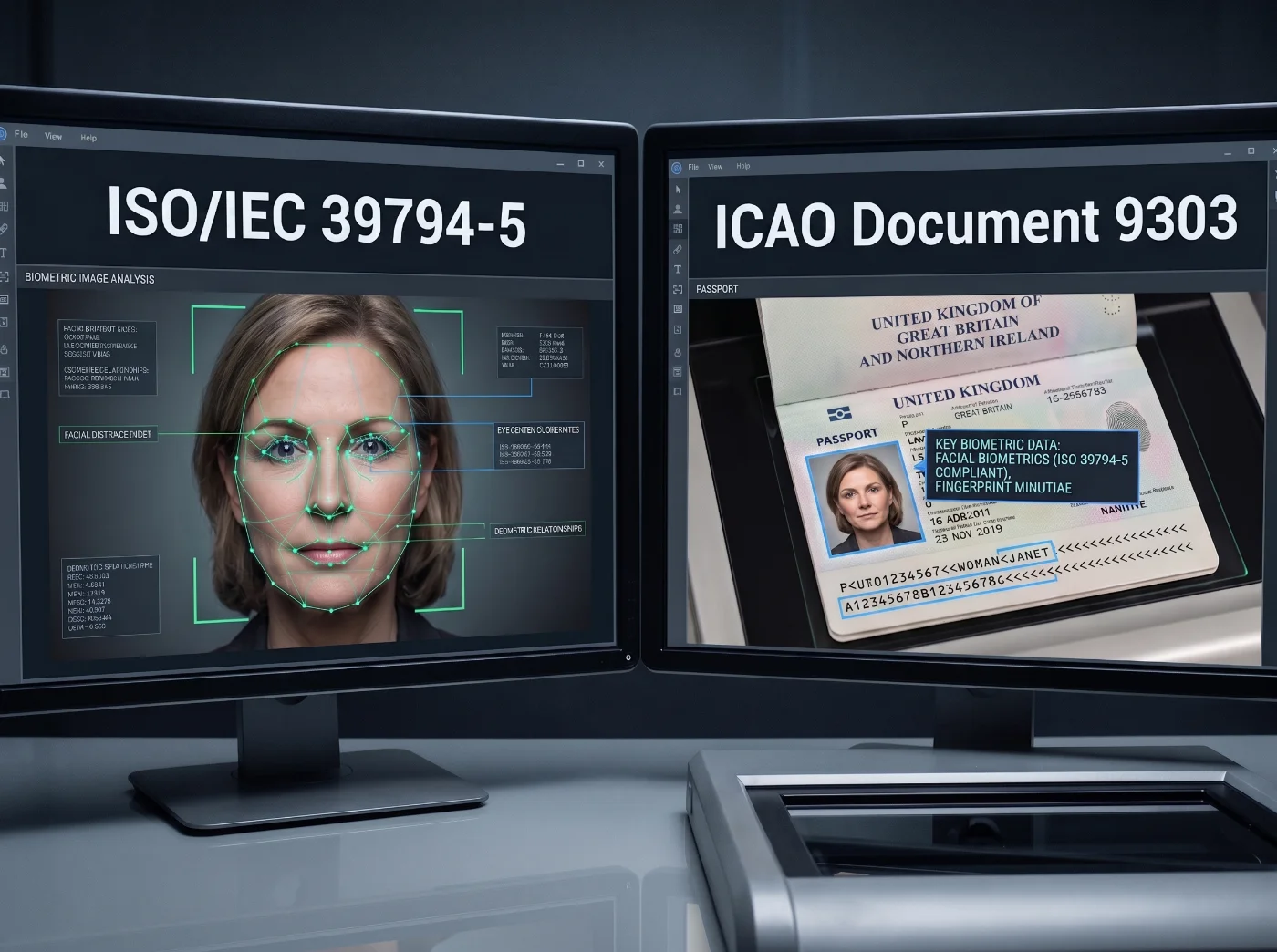
ISO/IEC 39794-5 is published jointly by the International Organization for Standardization (ISO) and the International Electrotechnical Commission (IEC). ISO/IEC 39794-5 is the current international standard for biometric face image data. Basically, ICAO specifies how a biometric portrait is used within the passport and ePassport system, while ISO/IEC 39794-5 defines how that portrait is captured, structured, and represented as biometric face image data.
In its normative annexes and application profiles for face images, the ISO/IEC face image standard covers technical properties such as:
Pose and head orientation (pose angle block, Frankfurt Horizontal alignment*)
Face geometry and eye position (inter-eye distance, head dimensions, landmark locations, eye visibility zone)
Lighting and exposure (photographic scene constraints and exposure levels that preserve usable facial detail)
Sharpness and resolution (minimum image size, spatial sampling rate, and focus needed for reliable analysis)
Color space and color accuracy (use of a defined color space, such as sRGB, and consistent skin-tone rendering)
Compression and image encoding (approved image data formats and limits on lossy compression that could degrade facial features)
Image quality suitable for recognition systems (quantifiable quality measures used to support automated face recognition)
*Frankfurt Horizontal — an anatomical reference plane running through the lower edge of the eye socket and the upper edge of the ear canal. When the head is aligned to this plane, the gaze is directed straight ahead, and ISO/IEC 39794-5 uses this alignment as the baseline for measuring head tilt, rotation, and inclination (yaw, pitch, and roll) in biometric images.
Older technical specifications may still mention ISO/IEC 19794-5, the earlier face-image standard that preceded the ISO/IEC 39794 series. In practice, both designations point to standards for biometric facial image data rather than to different use cases.
How the Submitted Photo Is Used for Biometric Checks
Biometric identity verification can be described as a sequence of steps:
A passport or ID document is presented
A camera captures the face
Key facial features are measured
A biometric template is generated from those features
The template is matched against the reference stored in the system
If the templates align, identity is confirmed.
When a passport is issued, the applicant's photo serves as the source for creating the biometric reference. The clearer the photo, the more reliable the reference — and the more accurate all future identity checks will be.
If the photo lacks detail in key areas — eyes, mouth, jawline, or overall face shape — the system has less information to work with. This makes biometric matching less reliable, even if the photo technically meets all the formal submission requirements.
Several categories of defects can reduce the biometric value of a facial image:
Optical defects — blur, motion smear, and insufficient resolution
Lighting defects — shadows, glare, overexposure, and underexposure
Geometry defects — excessive head rotation, incorrect cropping, or geometric distortion
Digital defects — strong compression artifacts, pixelation, atypical color profiles, or repeated lossy resaving
Appearance-related defects — aggressive skin smoothing, face reshaping, heavy retouching, or AI-generated alterations
Cropping and resizing can prepare a good photo for submission — but they cannot recover detail that was never there. If the original is blurry, poorly lit, or heavily edited, a new photo is the only solution. A well-lit, properly focused portrait taken at the right distance gives both the issuing authority and automated border systems the best possible basis for biometric verification.
ICAO 9303 and the U.S. Passport Photo Requirements
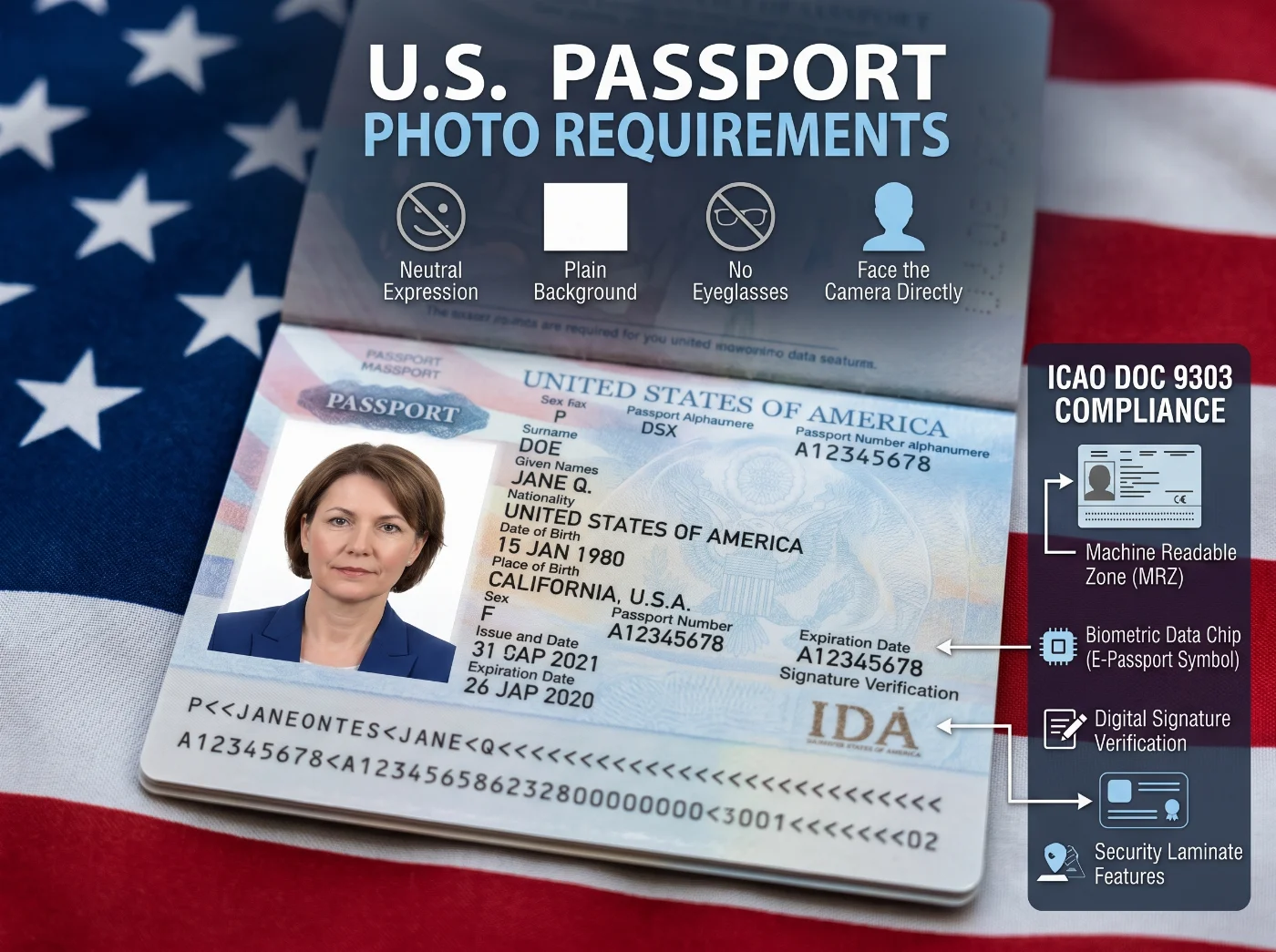
The U.S. passport system follows ICAO‑aligned biometric principles so American passports can be checked by border‑control and document‑inspection systems worldwide. The U.S. Department of State then adds national application rules that define how applicants must submit photos for passports, online passport renewal, and visa workflows.
For printed U.S. passport photos, the Department of State requires a 2 x 2 inch color photo, taken within the last six months, with the head measuring between 1 and 1 3/8 inches from the bottom of the chin to the top of the head. The photo must use a white or off‑white background, show a clear, front‑facing view of the face, and avoid filters, retouching tools, and AI‑generated changes.
These measurements and background rules are chosen so that the printed portrait can be digitised and used reliably in ICAO 9303‑compliant e‑passport systems.
For online U.S. passport renewal, the current Department of State guidance accepts JPG, JPEG, or HEIF files between 54 KB and 10 MB. For U.S. visa digital‑image workflows, the Department of State digital image requirements specify JPEG format, 24‑bit color, and sRGB color space.
U.S. Passport-Size Photos and ICAO Principles
Requirement Category | ICAO / International Biometric Principle | U.S. Implementation |
Face ratio | The face should occupy a consistent proportion of the photo so that different images can be compared reliably. | U.S. visa guidance uses 50–69% chin‑to‑crown; U.S. passport prints require a head height between 1 and 1 3/8 inches from chin to crown. |
Eye position | The eyes are primary landmarks, so their position must be stable for alignment and measurements. | The eyes must be clearly visible, looking straight at the camera, with the head correctly positioned in the frame. |
Expression | Neutral facial features make it easier to compare images and detect differences over time. | A neutral expression or a natural, relaxed expression is required under current U.S. rules. |
Background | A plain, light background helps systems separate the head and face from the surroundings. | A white or off‑white background is required for U.S. passport photos. |
Printed photo size | Each country defines the physical photo size as long as the ICAO face proportions are respected. | U.S. passport photos must be 2 x 2 inches in size. |
Digital file format | Standardised file formats ensure that inspection systems can open and process images correctly. | Online passport renewal currently accepts JPG, JPEG, or HEIF files; U.S. visa digital images must be submitted as JPEG. |
Color handling | Natural, consistent color and tonal range support reliable recognition across different systems. | U.S. visa digital images must use 24‑bit color in the sRGB color space. |
Editing | The image should represent the person’s real appearance without cosmetic digital changes. | Filters, retouching tools, and AI‑generated changes are prohibited by U.S. passport guidance. |
ICAO Doc 9303-Related Photo Mistakes That Lead to Rejections
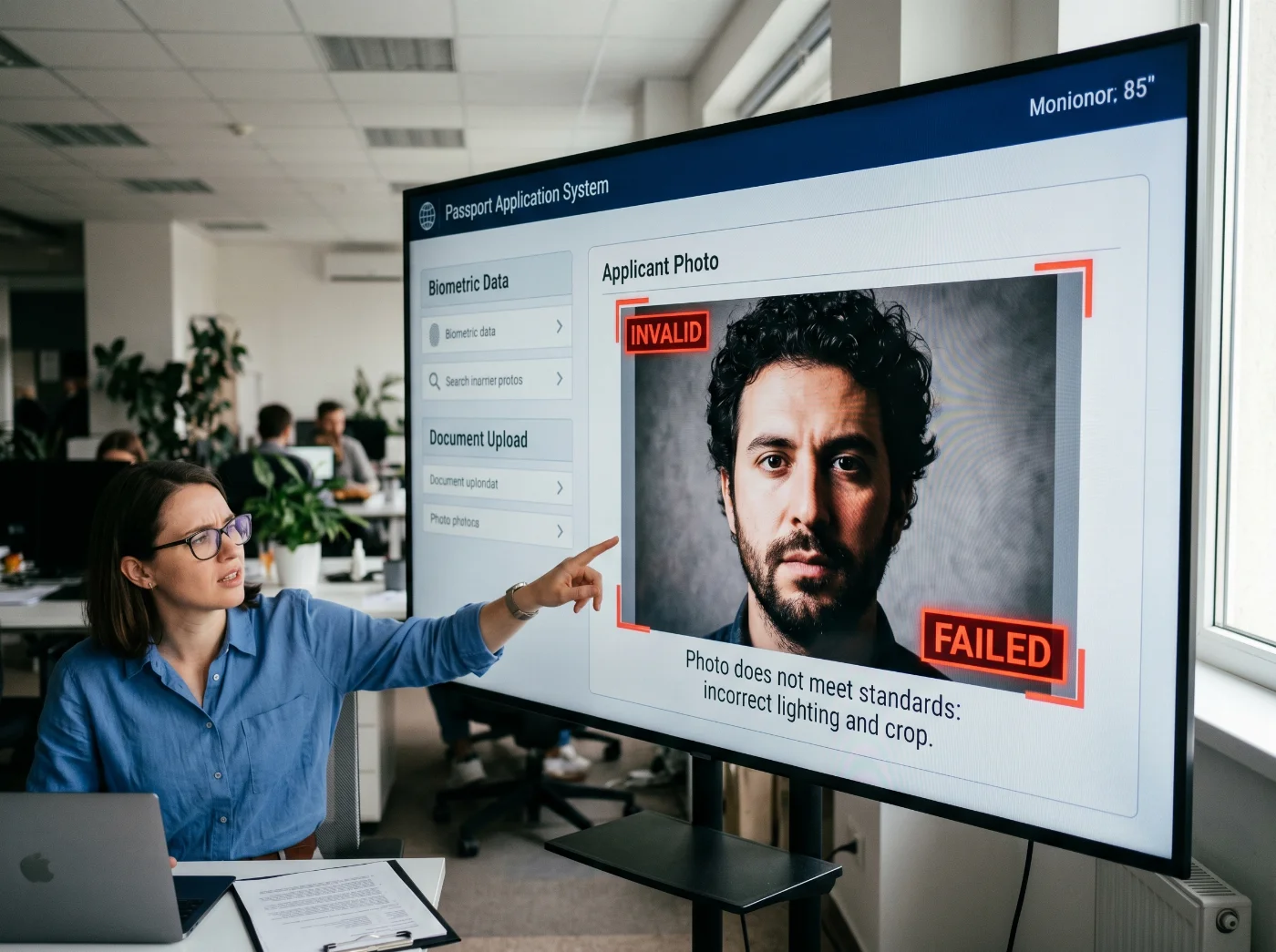
Passport and visa applications are often rejected when the photo does not provide systems with enough reliable facial information. The most common problems interfere with face detection, landmark extraction, visual inspection by officers, or digital document processing.
Face Geometry Problems
Face too small in the frame. This reduces the number of usable pixels on the face and makes landmark measurement less stable.
Face too large in the frame. This can cut off parts of the head and make it harder to compare the image with other photos.
Head cropped at the top or at the chin. Cropping removes key boundaries that systems use to locate and scale the face.
Eye line placed too high or too low in the photo. Misplaced eyes break the expected alignment that many automatic checkers rely on.
Head tilted, turned, or rotated. Off‑axis poses change the apparent shape of the face and can confuse both detectors and human reviewers.
Image stretched or squeezed instead of being properly cropped. Distortion alters facial proportions and can make biometric comparison unreliable.
Lighting and Background Problems
Uneven lighting across the face. Strong differences between light and dark areas hide detail on one side of the face.
Shadow behind the head. Background shadows can confuse head boundaries and interfere with segmentation.
Shadow across the eyes, nose, or jawline. Shadows over key landmarks reduce their visibility for both systems and officers.
Overexposed skin or background. Bright areas clip detail, removing texture that biometric systems need to analyse.
Underexposed facial detail. Dark images hide features and increase noise, especially around the eyes and mouth.
Patterned, textured, or gradient background. Complex backgrounds introduce edges, shapes, and artifacts that can interfere with face detection.
Visibility Problems
Hair covering the eyes or eyebrows. Covered eyes and brows remove landmarks that systems expect to see.
Glare on glasses. Reflections can hide the pupils and eyelids, making eye detection less reliable.
Tinted lenses that obscure the eyes. Dark or colored lenses prevent systems and officers from properly inspecting the eyes.
Frames covering the eye area. Thick frames or unusual shapes can block parts of the eyes and eyelids.
Head covering that hides facial boundaries. Scarves, hoods, or hats that cover the forehead or cheeks reduce the visible face area.
Scarf, collar, or clothing covering the lower face or chin. Hidden jawlines and chins make it harder to measure face shape and scale.
Digital Quality Problems
Blur or motion smear. Loss of sharpness removes fine detail in the eyes, skin texture, and facial edges.
Pixelation or low‑resolution upscaling. Enlarged low‑resolution images break facial detail into visible blocks instead of smooth features.
Heavy JPEG compression with visible artifacts. Compression blocks and ringing patterns add artificial texture that can confuse analysis.
Missing or incorrect sRGB color profile where required. Color mismatches can shift skin tones and make automated checks fail format validation.
Visible scan or print patterns such as halftone dots or banding. Reproduction artifacts add patterns that may be misread as facial texture or noise.
Skin smoothing, “beauty” filters, or portrait‑effects processing. These tools remove real texture, alter tonal range, and can change the apparent shape of features.
AI‑generated faces or face‑altering edits. Synthetic or heavily modified images break the link between the photo and the real person and are treated as invalid.
9-Step Checklist for Making ICAO‑Compliant Photos
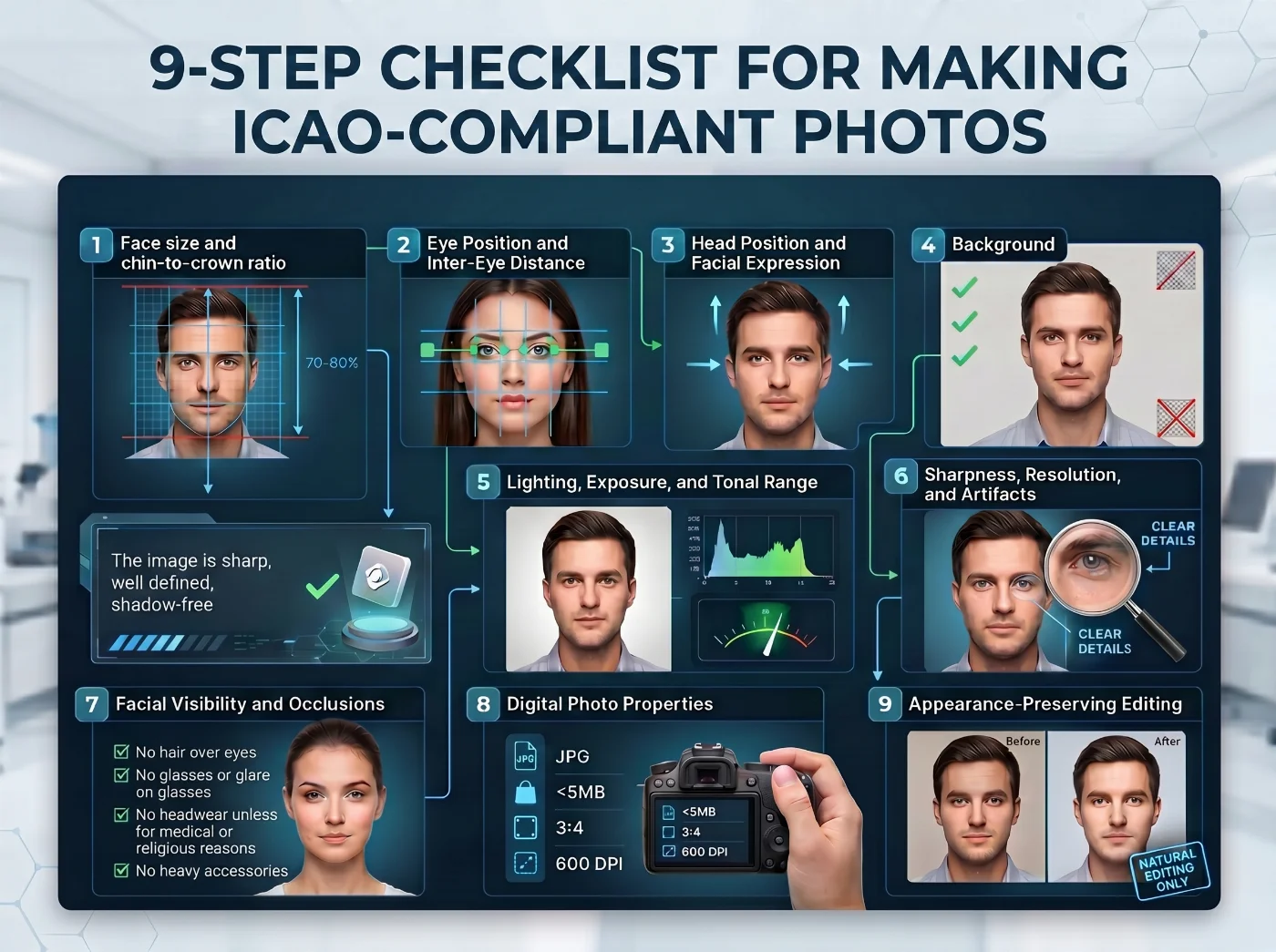
The following sections break down the main ICAO‑compliant photo requirements into practical points you can check in your own passport or visa photo.
1. Face size and chin‑to‑crown ratio
Face size controls how much usable biometric detail is present in an ID photo. The crop must include sufficient detail around the eyes, nose, mouth, jawline, and overall face outline, while keeping the head fully within the required frame.
Many ID photo specifications rely on a chin‑to‑crown measurement, defined as the vertical distance from the bottom of the chin to the top of the head, excluding hair volume where the relevant rules require it.
In U.S. visa and passport photos, this is expressed as a percentage: the head should occupy 50% to 69% of the image height, measured from the bottom of the chin to the top of the head. A physical measurement for printed photos — the head must measure 1 to 1 3/8 inches within a 2 x 2-inch image.
Cropping is the correct method for adjusting face size and position within the frame. Stretching or non-uniform resizing changes facial proportions and can make a photo unsuitable for biometric comparison.
2. Eye Position and Inter-Eye Distance
The eyes are primary reference points in face-recognition systems. They enable automated processes to align the face, estimate scale, and locate other facial landmarks with sufficient precision.
In a compliant photo, the eyes must be open, level, clearly visible, and positioned within the specified vertical zone of the image. The inter-eye distance must be large enough, in pixels, to provide adequate detail for reliable analysis; a face photographed from too far away may appear acceptable to a human viewer yet provide insufficient information in the eye region for automated checks.
Obstructions in the eye area — such as hair, glare, shadows, tinted lenses, or thick spectacle frames — introduce compliance risk because they interfere with one of the most important biometric regions of the face.
3. Head Position and Facial Expression
ICAO-aligned biometric photos require a direct posture: the applicant must face the camera directly, with shoulders square to the shot. Strong tilts or rotations of the head change the shape of the face in the image and can reduce the reliability of automated comparison.
A neutral expression maintains a consistent facial configuration. Broad smiles, open mouths, squinting, raised eyebrows, and other pronounced expressions shift facial features and may compromise the biometric analysis; therefore, they are prohibited in biometric ID photos.
4. Background
A uniform light background gives passport systems a clean outline around the head, hair, shoulders, and face. White, off-white, and light gray backgrounds are commonly accepted because they reduce visual interference.
Shadows, patterns, textures, objects, gradients, color transitions, and background effects can make the head harder to detect, reduce the contrast between the face and the background, and create artifacts that degrade automated processing.
5. Lighting, Exposure, and Tonal Range
Lighting should reveal the face evenly and preserve natural skin tones. A compliant photo shows both sides of the face, the eye area, the nose, the mouth, the chin, and fine details such as moles, wrinkles, scars, and facial contours.
Poor exposure makes the image less useful for biometric checks: deep shadows hide facial landmarks, blown highlights remove skin detail, and strong side lighting changes the shape of the face as recorded in the photo. Glare can obscure the eyes or flatten facial texture.
ICAO materials also address saturation and tonal range because biometric images need usable detail in both light and dark areas. Heavy contrast adjustments, whitening, smoothing, color grading, or aggressive exposure correction can make the image less reliable for biometric analysis, even when the face looks acceptable to the border, consular, or immigration officers.
6. Sharpness, Resolution, and Artifacts
The image must preserve fine facial detail. Blur, motion smear, noise, pixelation, posterization, compression blocks, visible scan patterns, and moiré artifacts can make it harder for systems to detect and measure the face accurately.
Printed-photo workflows need extra care because printing and scanning can introduce additional quality loss. Guidance based on ICAO materials warns against repeated print–scan cycles; once a submitted photo is scanned, the remaining production steps should stay digital.
For printed submissions, the portrait should be clean, undamaged, and printed on photo-quality paper with a smooth, even surface. Scratches, folds, ink marks, rough paper texture, and visible dot patterns can interfere with scanning and automated face recognition, and may also distract human reviewers — border, consular, passport office representatives.
7. Facial Visibility and Occlusions
A biometric photo needs clear visibility of the main facial areas: eyes, eyebrows, nose, mouth, chin, jawline, and face outline.
Common occlusion risks include:
Hair covering the eyes or eyebrows;
Glasses glare or tinted lenses;
Frames blocking the eye area;
Hats or head coverings hiding the face outline;
Scarves, collars, or clothing covering the lower face;
Shadows crossing the eyes, nose, mouth, or jawline.
Religious or medical head coverings can be accepted under national rules, as long as the full face remains visible from the bottom of the chin to the top of the forehead and from one side of the face to the other.
8. Digital Photo Properties
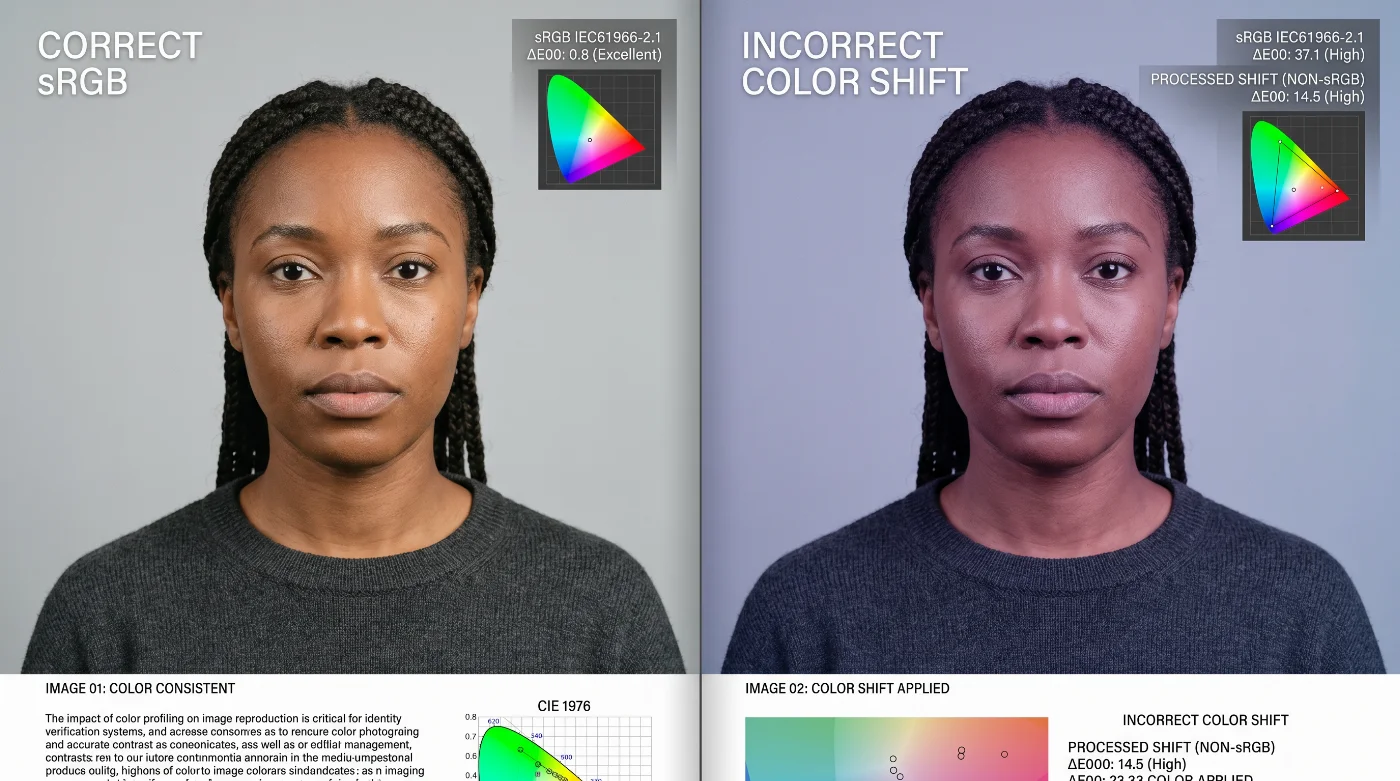
Digital photo properties are as important as the visible composition of the image. Passport offices and online application systems process uploaded photos automatically, and small technical errors can lead to rejection even when the photo looks acceptable on a phone screen.
The file needs to preserve facial geometry, natural color, sharpness, and compression quality throughout upload, storage, document production, and inspection. To support this, most authorities require photos to be submitted as standard JPEG files in the sRGB color space, with sufficient resolution for the document type and moderate compression that avoids visible artifacts.
Many systems do not accept newer or less common formats such as HEIC, HEIF, or WebP, and some reject PNG files with transparency. Some portals will silently convert non‑standard files to JPEG, which can add extra compression and reduce quality.
Color space and device settings also matter. Photos captured or exported in wide‑gamut spaces such as Display P3 may display correctly on a phone but shift when converted to sRGB for document production, especially if color management is inconsistent.
File format, color space, compression level, and metadata all affect how the image is read by automated systems. Some authorities specify limits on file size, pixel dimensions, and bit depth, and may require that orientation tags, embedded filters, or “portrait mode” effects are not used.
Camera and app settings can introduce hidden processing such as skin smoothing, HDR compositing, or tonal mapping. These features may improve appearance for casual use but can alter facial texture, tonal range, and geometry in ways that reduce the reliability of biometric checks.
JPEG Baseline
JPEG Baseline, also called non-progressive JPEG, is widely used in identity systems because passport readers and inspection systems can decode it consistently. Its main value is reliable processing across different software and hardware environments.
Compression should preserve facial detail. Visible blocks, smeared edges, loss of detail around the eyes, or flattened skin texture indicate excessive compression.
sRGB IEC 61966-2-1
sRGB IEC 61966-2-1 is the standard color space used by most digital cameras and many government upload systems. It gives devices and inspection systems a common way to interpret color.
For biometric photos, sRGB helps preserve natural skin tones and consistent exposure. A file with an unusual or missing color profile can shift warmer, cooler, darker, or more saturated after upload or processing, which makes the same face appear differently across systems.
9. Appearance-Preserving Editing
Cropping, resizing, and format conversion can be acceptable when they preserve the applicant’s appearance. Edits that alter the face create compliance risk. This includes beauty filters, skin smoothing, face reshaping, artificial sharpening, eye enhancement, background effects, and AI-generated changes.
Preparing an ICAO-Ready Photo in PhotoGov
ICAO 9303 sets the international rules for how biometric travel photos should work, and each passport or visa authority adds its own sizes, formats, and submission instructions. PhotoGov connects these layers so that you do not have to interpret technical standards yourself.
When you upload a photo to PhotoGov, you choose the document you need — for example, a U.S. passport, a Schengen visa, or a national ID card. Behind the scenes, PhotoGov applies ICAO 9303 biometric rules together with the specific photo instructions for your chosen document, adjusting face size, crop, background, lighting, sharpness, and color so your image stays within the required range for that application.
The issuing authority (such as a passport, visa, or ID office) still makes the final decision on your application, and no service can guarantee acceptance in every individual case.
Official Government Sources
ICAO 9303, 8th Edition, 2021: International Civil Aviation Organization — Doc 9303, Machine Readable Travel Documents
SO/IEC 19794‑5: Information technology — Biometric data interchange formats — Part 5: Face image data
U.S. Passport Photo Requirements: U.S. Department of State — Passport Photos
Frequently Asked Questions
What is ICAO Doc 9303, and How Does It Apply to Passport Photos?
ICAO Doc 9303 is the international standard for machine-readable travel documents such as passports and ePassports. It applies to passport photos because the facial image is one of the core identity features stored and checked in these documents.
The same portrait can be printed on the passport page, stored electronically in the chip, reviewed during the application process, and compared at border control. For applicants, this means the photo must work as biometric identity data: the face needs to be the correct size, in a direct pose, with visible eyes, even lighting, natural color, and enough sharp detail for reliable inspection.
What is ISO/IEC 39794-5, and Why is it Mentioned With ICAO 9303?
ISO/IEC 39794-5 is the current international standard for biometric face image data. It is created by ISO and IEC, the international standards organizations that define technical rules for many identity and imaging systems.
ICAO Doc 9303 uses this standard for the detailed properties of the face image. ICAO explains how the passport system uses the image; ISO/IEC 39794-5 explains how the image should be captured, measured, encoded, and assessed. Older materials may mention ISO/IEC 19794-5, which served the same face-image role before the newer ISO/IEC 39794 series.
Which Photo Rules Come from ICAO, and Which Are Set by Passport Offices?
ICAO defines the international biometric standard for the facial image and the travel document system. It sets the basis for how the portrait should support visual inspection, ePassport storage, and biometric comparison.
The passport office or issuing authority defines the submission rules for a specific document. These can include photo size, upload format, background color, file size, glasses policy, clothing instructions, head covering rules, and how recent the photo must be. A photo must satisfy both layers: the biometric image principles and the country-specific application rules.
Does ICAO 9303 Decide the Exact Size of My Passport Photo?
No. The issuing country decides the physical application size. ICAO 9303 defines the biometric principles behind the photo instead: correct face scale, front-facing pose, sharp image quality, natural color, and suitability for identity verification.
This is why passport photo sizes vary by country. The United States requires 2 x 2-inch printed passport photos, while many other countries use formats such as 35 x 45 mm. The document format changes, but the biometric goal stays the same.
Why Does the Face Need a Specific Size in the Photo?
Face size controls the amount of usable biometric detail. A face photographed too far away loses detail around the eyes, nose, mouth, and face outline. A face cropped too closely can remove the chin, crown, jawline, or other areas needed for review.
This is why many systems check chin-to-crown height and eye position. These measurements help confirm that the face sits in the correct part of the image and has enough resolution for biometric comparison.
Why do Automatic Face Recognition Systems Check the Eyes so Carefully?
The eyes are major alignment points in face-recognition systems. Clear, level, unobstructed eyes help the system estimate head position, scale the face, and locate other facial landmarks.
This is also why glare, tinted lenses, heavy frames, hair, and shadows around the eyes create rejection risk. Even when the rest of the photo looks good, an unclear eye area can make the facial image less useful for biometric checks.
Why Do sRGB and JPEG Matter in ICAO-Compliant Photos?
sRGB keeps color interpretation consistent across devices and upload systems. Without a standard color space, the same file can display with different skin tones, contrast, or brightness after upload or processing.
JPEG Baseline helps inspection systems decode the image reliably. It is widely supported in identity-document workflows, and it preserves enough facial detail when compression is controlled. Excessive JPEG compression, however, can create blocks and smearing around important facial areas.
How do U.S. Passport Photo Rules Relate to ICAO 9303?
U.S. passport photo rules apply ICAO-style biometric principles and add national submission requirements. For printed U.S. passport photos, the Department of State requires a 2 x 2 inch color photo with a 1 to 1 3/8 inch head height, a white or off-white background, recent capture, and appearance-preserving editing only.
Digital U.S. workflows add file-level rules. Online passport renewal currently accepts JPG, JPEG, or HEIF within the stated file size range. U.S. visa digital-image requirements specify JPEG format, 24-bit color, and sRGB color space.
Who Makes the Final Decision on Biometric Photo Acceptance?
The issuing government authority makes the final decision. Automated tools can check many technical requirements, including crop, background, face position, file type, and image quality, but the official reviewer or application system controls acceptance.
Passport offices, embassies, consulates, and online application systems can request a new photo when the image fails their rules. This is why the safest approach is to meet both the biometric image requirements and the exact country-specific submission instructions before applying.
Why Does ICAO 9303 Require a Neutral Expression for ID Photos?
Because the standard is built around how your face looks in a relaxed, resting state. A neutral expression keeps the geometry of your cheeks, mouth, and eyes stable from one photo to the next, so automated systems and human officers can match the same person reliably over many years. Smiles, raised eyebrows, or an open mouth lift the cheeks, change the mouth corners, and alter the eye shape enough that the same person can look like a different face to recognition software.
Is ICAO 9303 Mandatory for U.S. Passports?
Yes. U.S. passports and passport cards are designed to fully conform to ICAO 9303 for their machine‑readable and biometric data. The 2 × 2 inch photo format is a U.S.‑specific submission requirement layered on top of that; the underlying rules for head size, positioning, expression, and background follow ICAO 9303.
How Recent Does a Passport Photo Have to Be, According to ICAO 9303?
ICAO Doc 9303 specifies that a submitted portrait should have been captured within the last six months before application. The U.S. Department of State follows this directly, requiring that your passport photo be taken within the last six months, so that changes in hair, weight, facial hair, or age do not cause problems at the border.
How to Avoid an ICAO 9303-Related Photo Rejection?
To avoid rejection, make sure your photo follows these ICAO 9303 rules:
The head must face the camera straight on, with no tilt, and the face must be centered and sized within the range required by the issuing authority — for U.S. visa photos, the head should occupy 50–69% of the image height (chin to crown); for U.S. printed passport photos, 1 to 1 3/8 inches in a 2 x 2-inch print.
The eyes must be open, clearly visible, looking directly at the camera, and positioned within the allowed band in the upper half of the image.
The expression must be neutral, with the mouth closed, no visible teeth, and no exaggerated smile or frown.
The background must be plain, light, and uniform, with no patterns, corners, furniture, or other objects behind the head.
The lighting must be even, with no harsh shadows on the face or behind the head, and no bright hotspots or very dark areas.
The whole face must be visible, with no hair, headwear, or accessories hiding the eyes, eyebrows, or main facial contours, unless specifically allowed by the issuing authority.
Glasses, if allowed, must not have tinted lenses, glare, or strong shadows, and must not obscure the eyes.
The image must be sharp and in focus, with natural skin tones, no red‑eye, no motion blur, and no beauty filters or heavy editing that changes how the face looks.
The file you submit must meet the technical requirements set by the authority, including format, color space, resolution, and file size, so that automated systems can process it correctly.
How to Create an ICAO 9303-Compliant Photo at Home?
To create an ICAO 9303-compliant photo at home, create a simple setup and follow the official framing rules:
Use a plain, light, uniform background with no patterns, corners, doors, furniture, or other people visible.
Make sure the lighting is even from the front, with no harsh shadows on your face or behind your head, and no bright hotspots or very dark areas.
Keep your head straight, facing the camera, with the face centered and sized within the range required by the issuing authority — for U.S. visa photos, the head should occupy 50–69% of the photo height (chin to crown).
Keep a neutral expression: mouth closed, no visible teeth, no exaggerated smile, and no raised eyebrows or frown.
Keep the whole face visible: no hair over the eyes or eyebrows, no headwear or accessories that hide the facial contours, unless specifically allowed for religious reasons.
Avoid glasses if possible; if the country allows them and you must wear them, make sure there is no glare, tint, or shadow on the lenses, and the eyes are clearly visible.
Check that the photo is sharp and in focus, without motion blur or noise, and do not use beauty filters or heavy editing that changes skin texture, face shape, or eye size.
Export or save the image in the exact format, color space, resolution, and file size required by the authority you are applying to, typically as a high‑quality JPEG in sRGB.
Is there a Checklist I Can Use for Making ICAO 9303-Compliant ID Photos?
You can use the checklist below to make an ICAO 9303-compliant ID photo:
ICAO-Ready Photo Checklist
Face and Framing
Face centered in the image.
Chin and the top of the head clearly visible within the frame.
Head size matches the required range for the selected document and follows ICAO face-ratio guidance.
Eye line placed within the permitted area of the image.
Image cropped to fit the frame instead of being stretched or squeezed.
Pose and Expression
Camera-facing, front-on pose.
Head level, not tilted or turned.
Eyes open and fully visible.
Neutral or naturally relaxed expression.
Mouth closed when required by the issuing authority.
Background and Lighting
Plain light background that contrasts with the head and hair.
Background free of shadows, objects, gradients, patterns, or texture.
Even lighting across the face with no strong shadows.
Natural-looking skin tones.
Facial details clearly visible, including eyes, nose, mouth, and contours.
Image Quality
Image in sharp focus with fine detail preserved.
Resolution meets or exceeds the minimum for the selected document.
No visible grain, pixelation, or strong compression blocks.
Original appearance preserved without smoothing, filters, retouching, or AI changes.
Natural color and exposure without heavy editing or extreme contrast.
Digital File
File type matches the issuing authority’s requirement.
JPEG Baseline is used when required by the authority.
The sRGB color space is used when required and recommended.
Correct compression level: facial details are preserved and unaltered.
First-generation or minimally processed file, not a screenshot or a scanned reprint.
Related guides
Was this helpful?
94 found this helpful
Top expert
Based on official government sources
Helpful votes: 94
Was this helpful?
94 found this helpful
Service provided by Y VISION TECHNOLOGIES LLP · Stoney Works 8 Stoney Lane, London, England, SE19 3BD · Terms · Refund policy · Contact
We value your Privacy
We use cookies to enhance your browsing experience, serve personalized ads or content. By clicking “Accept All”, you consent to our use of cookies.