How to Renew Your U.S. Passport Online: Eligibility, Steps and Photo
Table of contents:
- Quick Answer: Online U.S. Passport Renewal
- Online Passport Renewal Requirements: Who Qualifies
- The Only Official Passport Renewal Portal: opr.travel.state.gov
- What You Need and How the Online Application Works
- Online Passport Renewal Fees
- What Happens to Your Old Passport: Keep It, Do Not Mail It
- Digital Photo Rules: Automated Portal Check and Employee Review
- Renewing Online vs. Renewing by Mail
- Frequently Asked Questions
- Official Government Sources
Need to renew your adult U.S. passport without printing paper forms or standing in line at the post office? The U.S. Department of State's Online Passport Renewal system allows you to upload a digital photo, pay by card, and keep your expiring passport at home while your new book or card is processed.
This guide covers the eligibility rules to renew your passport online, step-by-step filing instructions, digital photo checks, and how the online portal compares with mailing Form DS-82.
Quick Answer: Online U.S. Passport Renewal
Online U.S. passport renewal is available to citizens aged 25 and older living in a U.S. state or territory whose undamaged 10-year passport expires within 1 year or expired less than 5 years ago
The applicant must not have had a name or sex change and no international travel for at least 6 weeks.
The passport holder files the application directly at opr.travel.state.gov using a digital color photo and a credit or debit card.
The old passport is canceled immediately upon submission (you don’t need to mail it in).
Routine processing takes around 4 to 6 weeks, and fees are $130 for a passport book, $30 for a card, or $160 for both.
Fees and processing times checked against travel.state.gov on November 13, 2026.
Online Passport Renewal Requirements: Who Qualifies
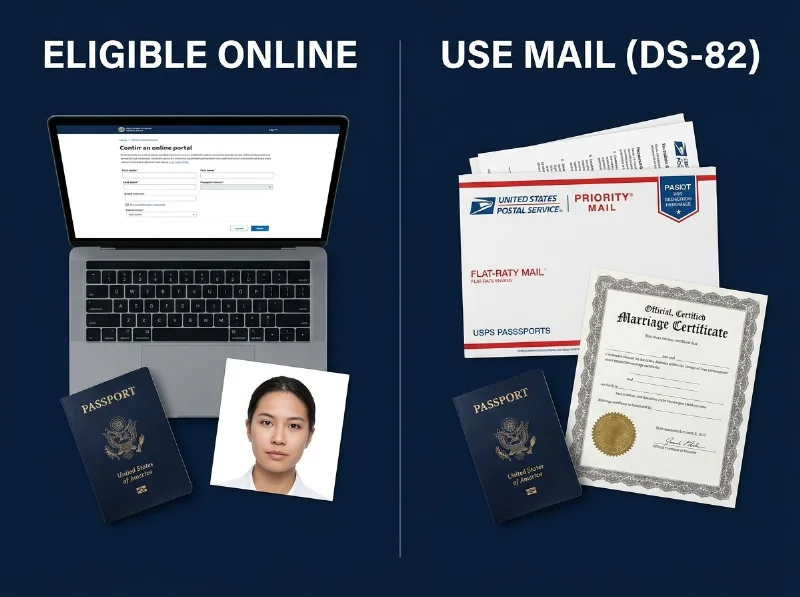
To qualify for an online U.S. passport renewal, you must meet all eight online passport renewal requirements in the table below. If even one condition doesn't match your situation — such as being under age 25, changing your legal name, or switching between a passport book and a passport card — check the right-hand column or review other ways to renew a U.S. passport.
Requirement | Rule to Renew Online (opr.travel.state.gov) | Alternative If You Do Not Qualify |
|---|---|---|
1. Document Type Match | Renew the exact document you currently hold (book for book, card for card, or both if you hold both); you cannot switch from a card to a book or from a book to a card online | Renew by mail on Form DS-82 and enclose your current book or card |
2. Previous Passport Term | The passport you are renewing is (or was) valid for a full 10 years | Apply in person using Form DS-11 |
3. Expiration Window | Your 10-year passport expires within 1 year or expired less than 5 years ago | If more than 1 year of validity remains or it was issued within the last 15 years, mail Form DS-82; if issued over 15 years ago, use Form DS-11 |
4. Applicant Age | Age 25 or older | Adults aged 16 to 24 holding a 10-year passport: mail Form DS-82; children under 16 apply in person with Form DS-11 |
5. Personal Information | Not changing personal details such as your name or sex | Mail Form DS-82 with a certified legal name change document, or use Form DS-5504 / Form DS-11 |
6. Travel Window and Speed | Not traveling for at least 6 weeks from the submission date; online renewals cannot be expedited at checkout | Mail Form DS-82 with the $60 expedited fee (2–3 weeks), or book an agency appointment if traveling within 14 days |
7. Current Location | Physically located in a U.S. state or territory when submitting the application | In Canada, mail Form DS-82; in another country, contact the nearest U.S. embassy or consulate |
8. Possession and Condition | In your possession, not damaged or mutilated, and never reported lost or stolen | Apply in person at an acceptance facility using Form DS-11 |
The Only Official Passport Renewal Portal: opr.travel.state.gov
When looking up where to renew U.S. passport online, keep in mind that the only official, authorized address is opr.travel.state.gov, accessed through your personal MyTravelGov account.
Federal rules require every applicant to complete their own online submission — you cannot use a third-party courier or have someone else submit the application on your behalf. Commercial visa agencies cannot file an online renewal for you (and there is no passport renewal online USPS counter service), while PhotoGov prepares only your digital photo file so you can upload it yourself during your MyTravelGov online passport renewal session.
What You Need and How the Online Application Works
Once your MyTravelGov account is set up, the U.S. Department of State estimates you can complete the passport renewal form online in as little as 10 minutes. Have what you need for passport renewal online ready before you begin — if you step away and come back later, your session may expire, and you will have to start over from the beginning:
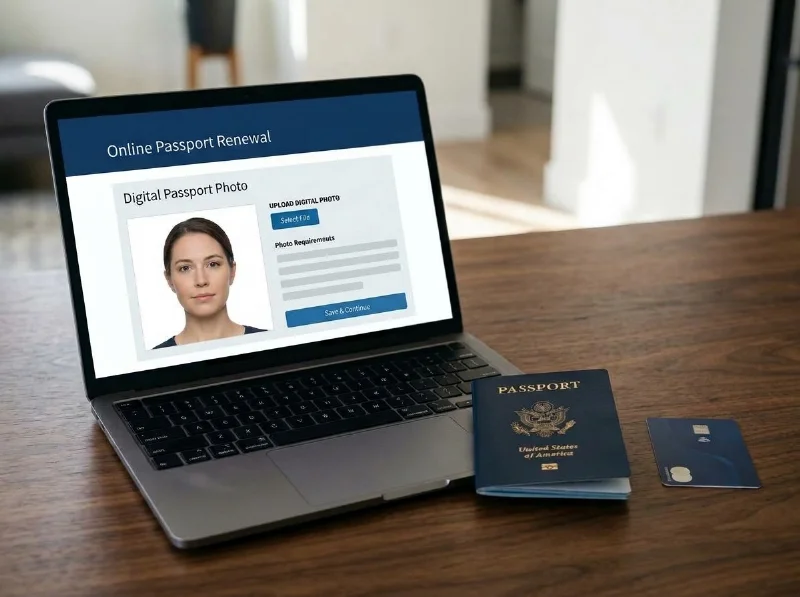
Your most recent U.S. passport book and/or card: Keep the physical document beside you to enter the passport number, issue date, and expiration date.
An original digital color photo: Save a color JPG, JPEG, PNG, HEIC, or HEIF file (between 54 KB and 10 MB) on the computer or phone you are using.
A credit or debit card: Online renewal fees are paid by card at checkout.
Current passport renewal online time is around 4 to 6 weeks, matching routine mail-in processing. Although you cannot pay to expedite an online renewal at checkout, if your international travel plans change after you apply, you can contact the Department of State to request expedited service (+$60) or 1–3-day return delivery (+$26.87) of your completed passport book.
Online Passport Renewal Fees
Filing online costs the exact same government application fee as renewing by mail on Form DS-82, with no $35 facility acceptance fee. You pay $130 to renew an adult passport book, $30 to renew a passport card, or $160 to renew both together, and you can add $26.87 at checkout for optional 1–3 day return delivery of a completed passport book (passport cards always ship via USPS First Class Mail).
Your photo cost is separate from government fees: at PhotoGov, a U.S. digital passport photo costs $6.90; see our Pricing page for current rates.
What Happens to Your Old Passport: Keep It, Do Not Mail It
One major convenience of the online system is that you do not mail in the passport you are renewing — you keep it at home.
However, do not plan to travel on that document while waiting for your new book or card to arrive. The U.S. Department of State cancels (invalidates) the passport you are renewing immediately after you submit your online application, and a canceled passport cannot be used for international travel.
Digital Photo Rules: Automated Portal Check and Employee Review
When uploading your portrait to the online portal, make sure your file meets the following federal rules:
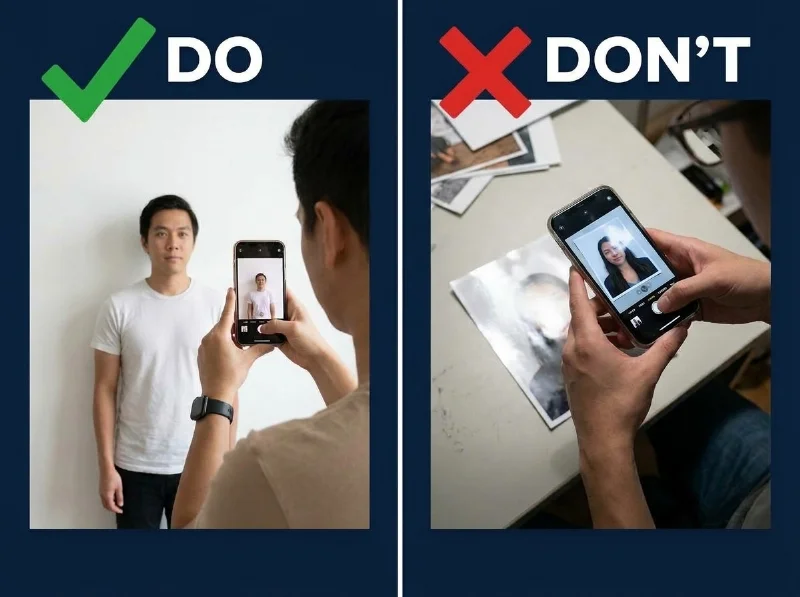
Format, file size, and framing: Upload a color photo taken within the last 6 months in JPG, JPEG, PNG, HEIC, or HEIF format between 54 KB and 10 MB, with the bottom edge of the frame reaching your shoulders where they connect to your arms. Never take a picture of a printed photo or scan a paper print.
Do not send the file via text message: If a friend or family member takes your picture on their phone, do not transfer the image by SMS or messaging app — text messaging compresses the file and degrades image quality.
Two-stage review (portal tool first, human reviewer second): You can reposition or crop your photo inside the application, and the portal's built-in photo tool checks basic technical parameters right away, alerting you if something needs to change. Passing that upload screen is only the first check: a Department of State employee reviews every photo after the agency receives your application. If the reviewer flags an issue, the agency sends a letter or email asking for a replacement photo, and you must respond within 90 days of the notice date.
In a Department of State survey of online renewal applicants published in the Federal Register on August 28, 2026, only 34% (2,060,234 applicants) reported that they obtained their passport photo from a post office or other professional photo service.
To prepare a digital passport photo for online renewal at home, take your photo against a plain, light wall in even lighting — PhotoGov replaces it with the plain white background the U.S. Department of State requires. PhotoGov prepares your photo as a ready square JPEG that you upload to your application, and its passport photo checker tests size, head proportions, background, and lighting before you download. Add Human Verification if you want a compliance specialist to review the photo as well. Keep in mind that the final acceptance of the photo is at the sole discretion of a Department of State officer. For a closer look at technical specs and upload screens, see our digital passport photo requirements and a walkthrough on how to upload your photo to the online renewal application.
Renewing Online vs. Renewing by Mail
When weighing renew passport online vs. mail, both channels charge $130 for a book ($30 for a card) and quote 4–6 weeks for routine processing. Renewing online eliminates up to 2 weeks of outbound USPS mail transit, lets you pay by card instead of writing a check, and lets you keep your expiring passport instead of mailing it away.
By contrast, you must renew by mail with the DS-82 form if you are aged 16 to 24, if your passport has more than 1 year of remaining validity or expired between 5 and 15 years ago, if you are changing your legal name, if you are switching between a book and a card, or if you need 2–3 week expedited processing upfront.
On August 28, 2026, the Department of State published a Proposed Rule in the Federal Register to open online passport renewal to applicants whose passports have more than 1 year of remaining validity and to qualified U.S. citizens living abroad; that rule is not yet in effect.
Frequently Asked Questions
Can My U.S. Passport Be Renewed Online?
Yes, you can renew your passport online at opr.travel.state.gov if you are age 25 or older, live in a U.S. state or territory, hold an undamaged 10-year passport expiring within 1 year or expired less than 5 years ago, have no name or sex change, and are not traveling for 6 weeks.
Is It Faster to Renew a Passport Online or by Mail?
Routine processing takes 4 to 6 weeks for both channels, but renewing online is faster overall because your submission arrives immediately — saving up to 2 weeks of outbound USPS mail transit. For 2- to 3-week expedited processing upfront, you must renew by mail.
Do I Need to Submit My Old Passport When Renewing Online?
No, do not mail in your old passport when you renew online — keep it at home. However, the Department of State cancels and invalidates your old passport immediately after you submit your online application, so it can no longer be used for international travel while you wait.
What Documents Do I Need to Renew My Passport Online?
You need only your most recent 10-year U.S. passport in hand (to enter its number and dates), an original color digital photo file (54 KB to 10 MB in JPG, JPEG, PNG, HEIC, or HEIF format), and a credit or debit card.
Can I Switch From a Passport Card to a Book When Renewing Online?
No, you cannot switch from a passport card to a passport book — or from a book to a card — online. The online portal only renews the document type you already hold (or lets you add the second document while keeping the first). To switch from a card to a book, or from a book to a card, apply by mail using Form DS-82 instead.
What Happens If My Digital Photo Is Rejected After I Apply Online?
Passing the portal's automated photo tool at upload is only the first check; a Department of State employee reviews every photo after your application arrives. If the employee flags an issue with your photo, the agency sends an email or letter placing your application on hold, and you have 90 days to submit a new photo.
Official Government Sources
Checked against the U.S. Department of State online renewal standards · Last checked: November 13, 2026
Renew Your Passport Online: U.S. Department of State
Online Passport Renewal Portal — What to Expect: U.S. Department of State
Uploading a Digital Photo for Online Renewal: U.S. Department of State
Passports: Expanding Online Passport Renewal Overseas (Proposed Rule, Aug 28, 2026): Federal Register
U.S. Passport Photo Requirements: U.S. Department of State
Was this helpful?
48 found this helpful
Top expert
Based on official government sources
Helpful votes: 48
Was this helpful?
48 found this helpful
Service provided by Y VISION TECHNOLOGIES LLP · Stoney Works 8 Stoney Lane, London, England, SE19 3BD · Terms · Refund policy · Contact
We value your Privacy
We use cookies to enhance your browsing experience, serve personalized ads or content. By clicking “Accept All”, you consent to our use of cookies.