The Best Passport Photo Maker in 2026: Independent Real-Life Test Results
Table of contents:
- Why a Reliable Passport Photo Maker is Important
- How We Tested: 5 Key Process & Quality Assessment Criteria
- Who We Tested: How We Chose Passport Photo Makers
- 7 Tested Passport Photo Makers: Scores and Overall Test Results
- 1. PhotoGov · photogov.net · 9.6/10
- 2. Visafoto · visafoto.com · 8.0/10
- 3. Passport Photo Genie · passportphotogenie.com · 7.9/10
- 4. PhotoAiD · photoaid.com · 7.8/10
- 5. ePassportPhoto · epassportphoto.com · 7.7/10
- 6. Passport Photo Online · passport-photo.online · 7.1/10
- 7. IDPhoto4You · idphoto4you.com · 5.0/10
- Watch Out! A Major Issue We’ve Encountered
- Practical Summary: Which Passport Photo Maker Suits You Best
We tested 7 popular passport photo makers so you don't spend $25 on a photo that gets rejected. PhotoGov ranked first overall, scoring 9.6 out of 10 across 10 quality and compliance parameters — from biometric accuracy and alignment with government standards to ease of use and value for money. It stands out with extra services like outfit change and human verification. Visafoto with 8.0 came second for its sharp output and reliable background removal, and Passport Photo Genie (7.9) took third place. Phone apps are covered separately on our best passport photo apps compared page.
Why a Reliable Passport Photo Maker is Important
A passport photo maker is an online service that lets you instantly create an official passport, visa, or other ID photo by uploading a selfie. A rejected photo can delay the entire application — which, in some cases, means missed travel dates, legal complications, and significant processing setbacks.
Reliability, technical accuracy, and full compliance with government standards are the core requirements we expect of any online photo provider, with the added benefit of saving time and money by avoiding a professional studio visit.
To find the best passport photo maker in 2026, we tested 7 popular services against one of the world's strictest benchmarks — the U.S. passport photo specification by the U.S. Department of State, where even small deviations in background color, aspect ratio, face height, eye-line position, or any digital alteration lead to rejection.
The results revealed a compliance gap that can cost a user a rejected application. Let's dive into the test itself.
How We Tested: 5 Key Process & Quality Assessment Criteria
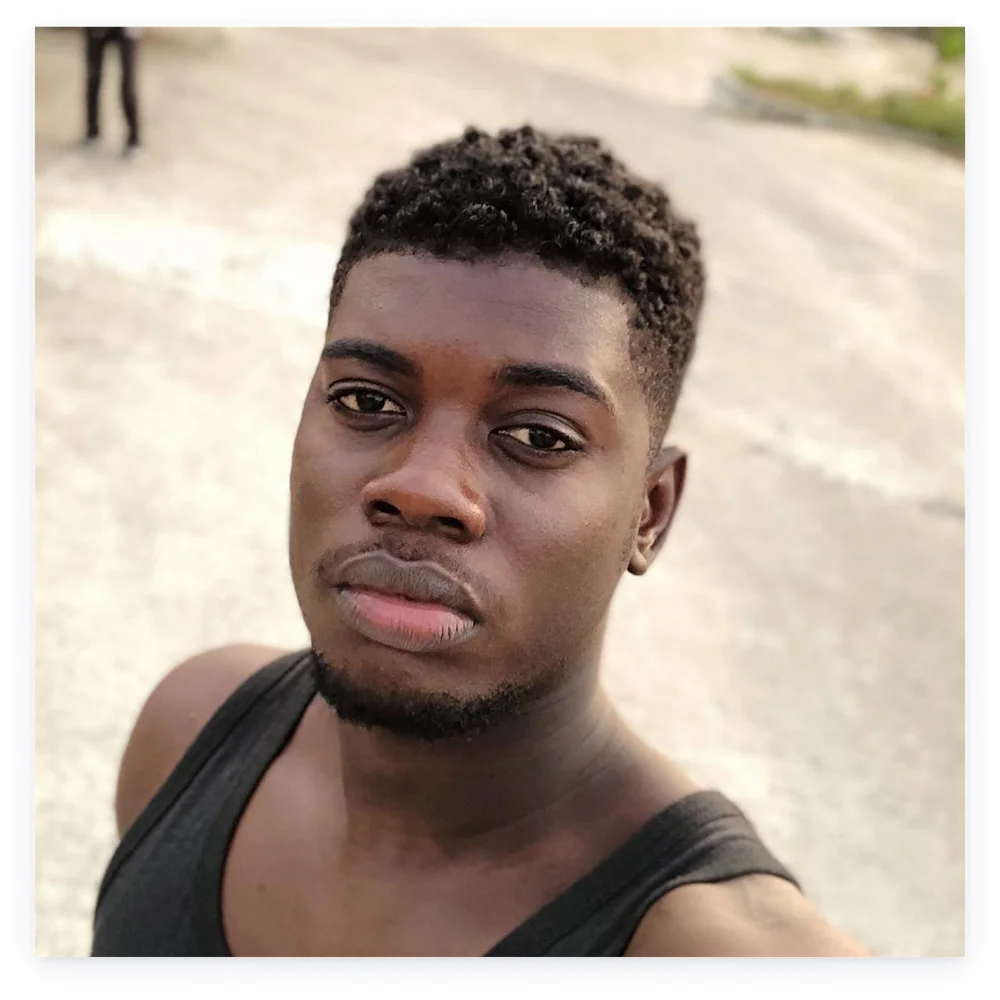
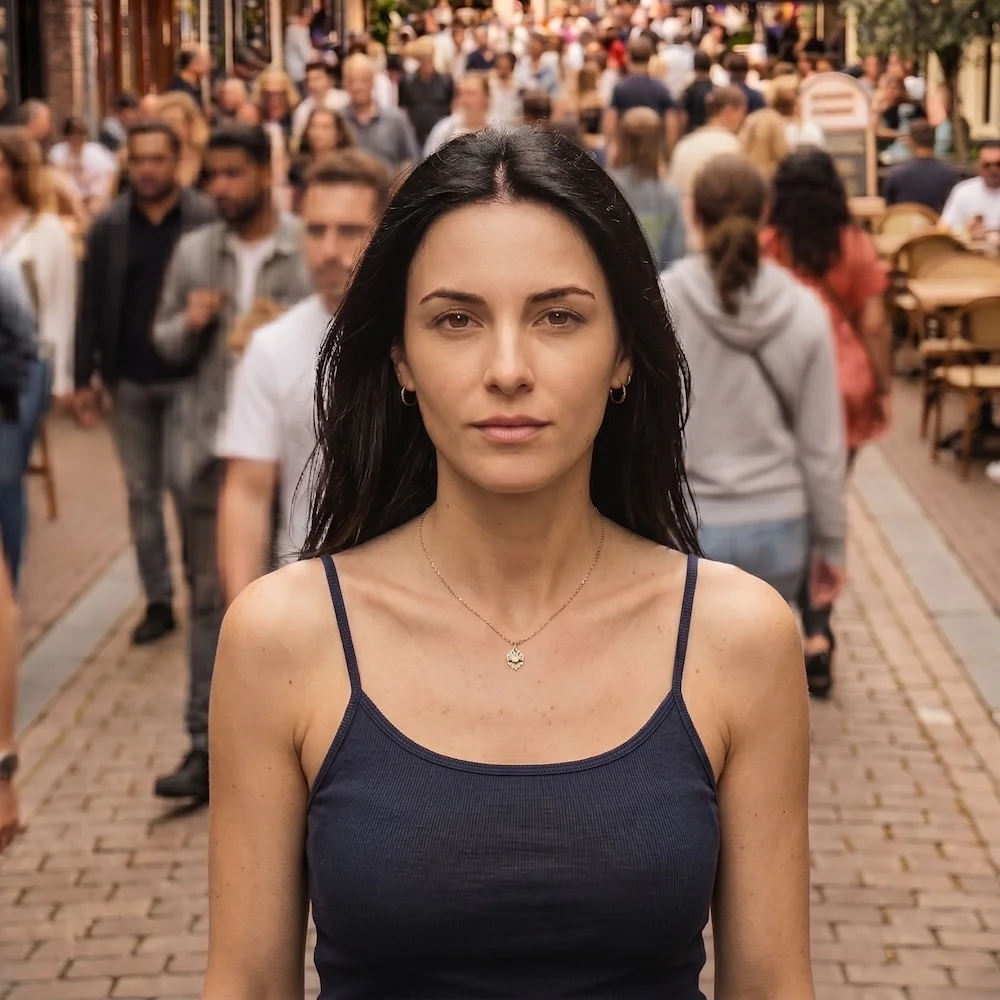

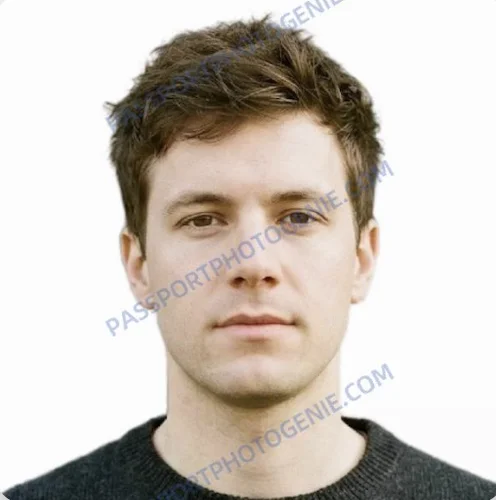
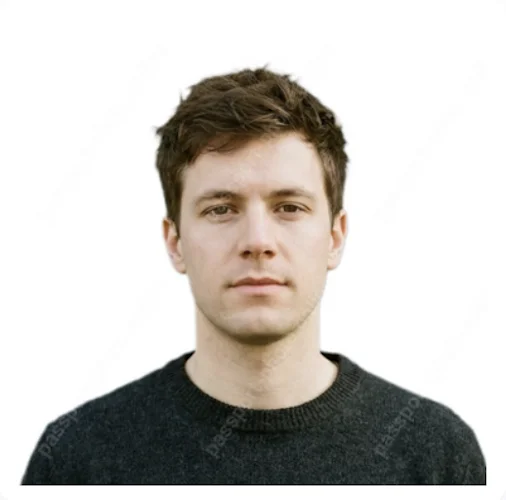
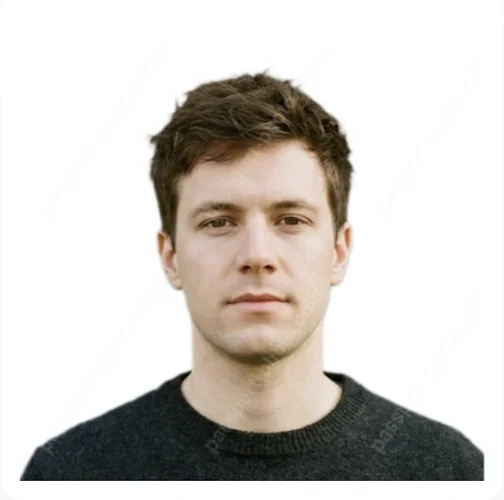
1. As test inputs, we used three unedited photos and selfies similar to what users typically upload to online passport photo makers. They varied in lighting, angles, backgrounds, and overall picture quality, and each image intentionally contained at least one flaw. Photo 1 was insufficient as an input due to a tilted pose, a tank-top undershirt, and a busy outdoor background. Photo 2 was biometrically correct but featured a sleeveless tank top and a crowded street scene that do not meet U.S. passport standards. Photo 3 was a near‑ideal portrait with a biometrically correct posture but a dark and uneven backdrop.
2. We tested all photos against the strict U.S. Department of State passport photo standard:
Size: 2×2 inches
Face height: 1.125–1.375 inches from the chin to the top of the head
White or off-white background, no shadows or glare
No digital alteration of facial features
3. Output quality was assessed against 10 key criteria:
Sharpness
Color accuracy
Head alignment — eye line and key biometric features
Background cleanliness
Size and framing
Facial feature integrity — no digital alterations
Crop
Response to non-compliant source photos
Processing speed
Pricing relative to output quality and compliance accuracy
4. Other metrics considered: interface, available download formats, print delivery, and additional services.
Who We Tested: How We Chose Passport Photo Makers
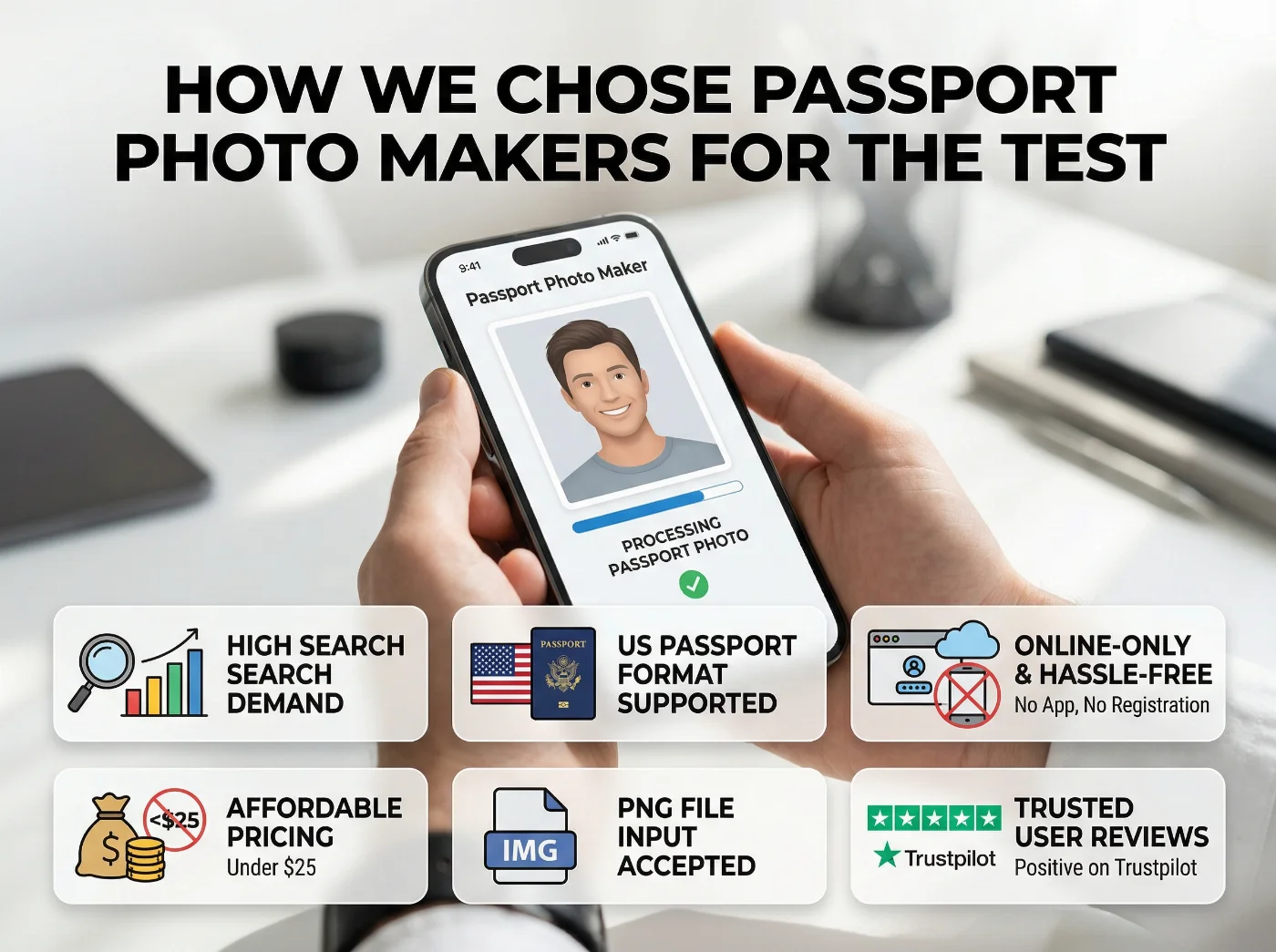
Our selection of online photo editing tools was based on the following factors:
• Significant search demand (>50K monthly searches)
• US passport format supported
• Online processing, no app download, no registration
• Digital photo price under $25
• Positive user reviews on Google
Independence note: This review was conducted without payment or preferential treatment from any of the services tested. All purchases were made at standard retail prices.
7 Tested Passport Photo Makers: Scores and Overall Test Results
Criterion | PhotoGov | Visafoto | PP Genie | PhotoAiD | ePassport | PP Online | IDPhoto4You |
|---|---|---|---|---|---|---|---|
Photos 2 & 3 — average score per criterion | |||||||
Sharpness | 10.0 | 10.0 | 9.5 | 10.0 | 8.5 | 8.5 | 7.5 |
Color accuracy | 10.0 | 9.0 | 9.5 | 9.0 | 8.5 | 6.5 | 7.5 |
Head alignment | 10.0 | 8.5 | 8.0 | 8.5 | 8.5 | 8.0 | 4.0 |
Background cleanliness | 10.0 | 10.0 | 10.0 | 10.0 | 10.0 | 10.0 | 0.0 |
Size and framing | 10.0 | 8.5 | 8.5 | 8.5 | 8.5 | 8.0 | 4.5 |
Facial feature integrity | 10.0 | 10.0 | 10.0 | 10.0 | 10.0 | 10.0 | 10.0 |
Crop | 9.5 | 8.0 | 7.0 | 7.0 | 7.0 | 7.0 | 3.5 |
Processing speed | 7.0 | 9.0 | 9.0 | 10.0 | 10.0 | 10.0 | 8.0 |
Pricing vs quality | 9.5 | 7.0 | 7.0 | 5.0 | 6.0 | 3.0 | 5.0 |
Photo 1 — non-compliant input | |||||||
Response to non-compliant input | 10.0 | 0.0 | 0.0 | 0.0 | 0.0 | 0.0 | 0.0 |
Total (out of 100) | 96.0 | 80.0 | 78.5 | 78.0 | 77.0 | 71.0 | 50.0 |
Score | 9.6 | 8.0 | 7.9 | 7.8 | 7.7 | 7.1 | 5.0 |
Criteria 1-7 and 9-10 averaged across Photos 2 and 3. Criterion 8 scored on Photo 1 only. Scores reflect truncation to one decimal place.
1. PhotoGov · photogov.net · 9.6/10
PhotoGov scored highest across all compliance, output quality, and value-for-money criteria. It was the only tested service to reject a non-compliant Photo 1 before processing and the only one to offer formal clothing replacement and professional lighting correction. PhotoGov produced the sharpest output on Photos 2 and 3 and delivered nine download formats at no extra charge. A free digital download is available outside the U.S., UK, and Canada.
1. Biometric and Compliance Filter
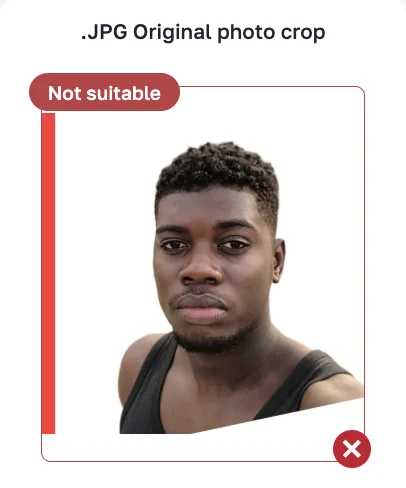
None of the other six tested services applied a biometric and compliance filter to the input image before processing. PhotoGov rejected Photo 1 due to "insufficient body area in frame for US passport requirements," marking the problem area in red, and declining to proceed to checkout. All other services accepted all input images and proceeded to payment.
2. Output Quality
Photo 1. For this non‑compliant input, PhotoGov displays a “Not suitable” warning with visual markers over the problem areas and offers five replacement variants: the subject’s face is preserved, while the body is rebuilt with a correctly framed, square‑shouldered torso; clothing is changed to formal styles (corporate suit, business casual, dark blue dress shirt, dark casual sweater, brown blazer), and professional studio‑style lighting is applied to each version.
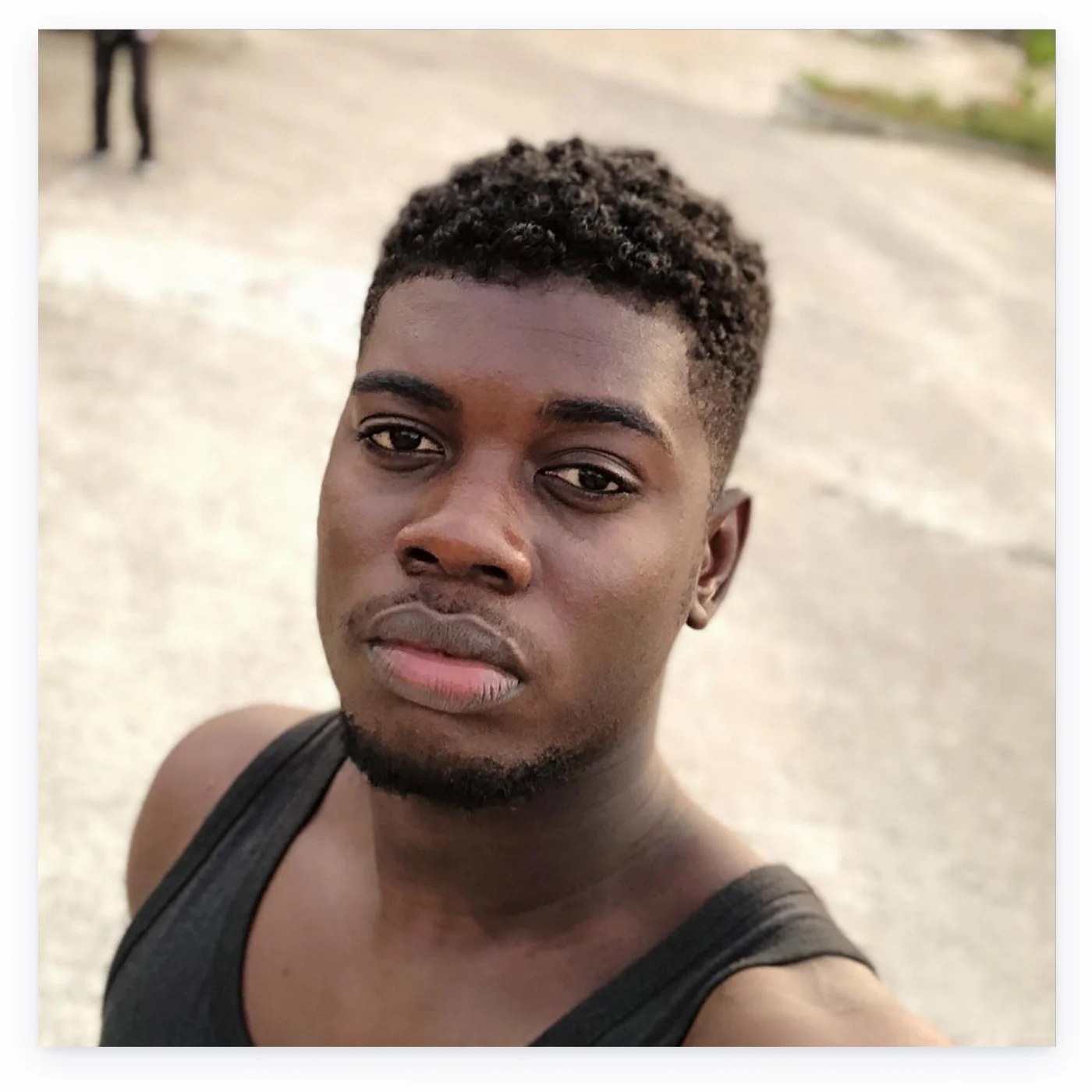
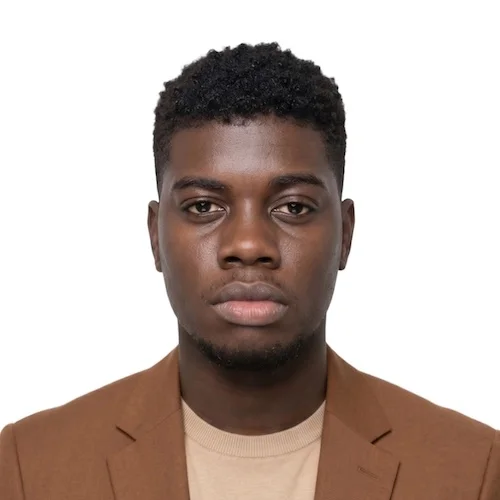
Photo 2 was accepted as biometrically compliant. The crowded pedestrian street was replaced with a clean white background. The tool not only replaces the background but also swaps the casual tank top for five formal clothing options, and adjusts the lighting, directly addressing common U.S. passport rejection reasons.
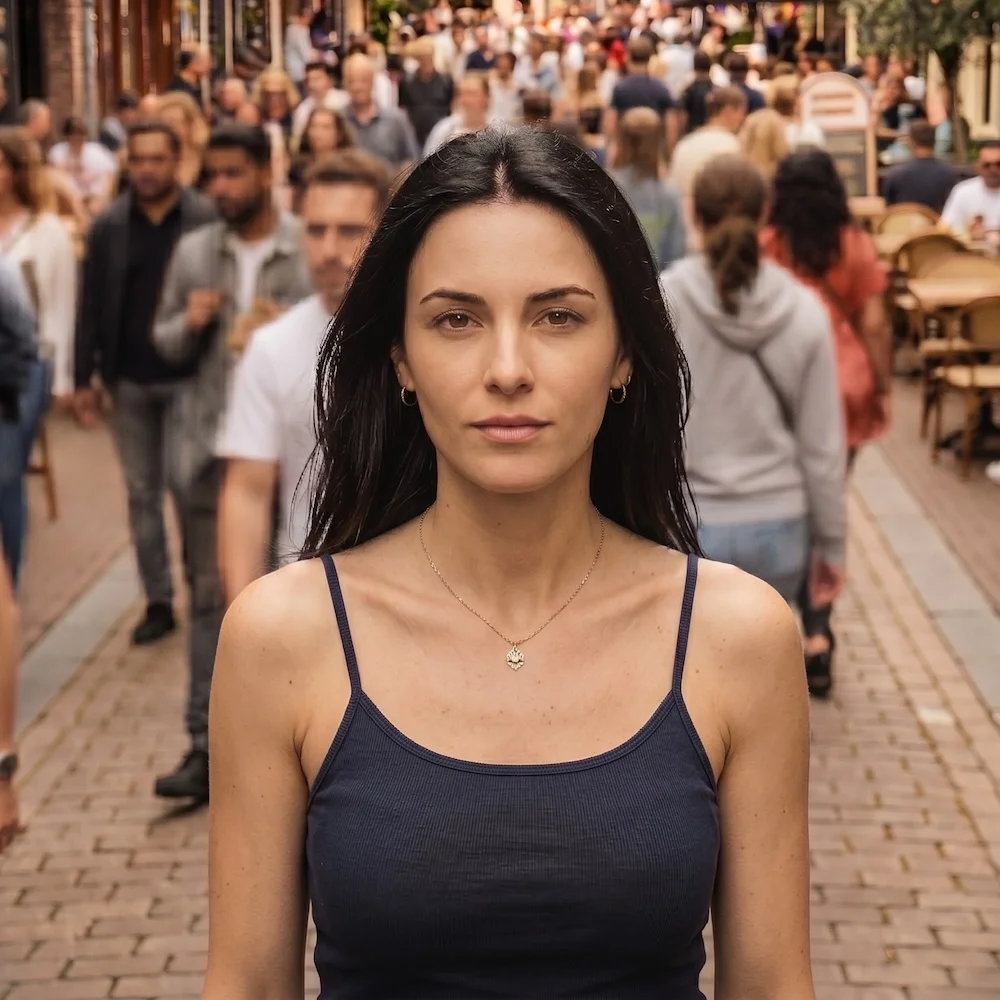
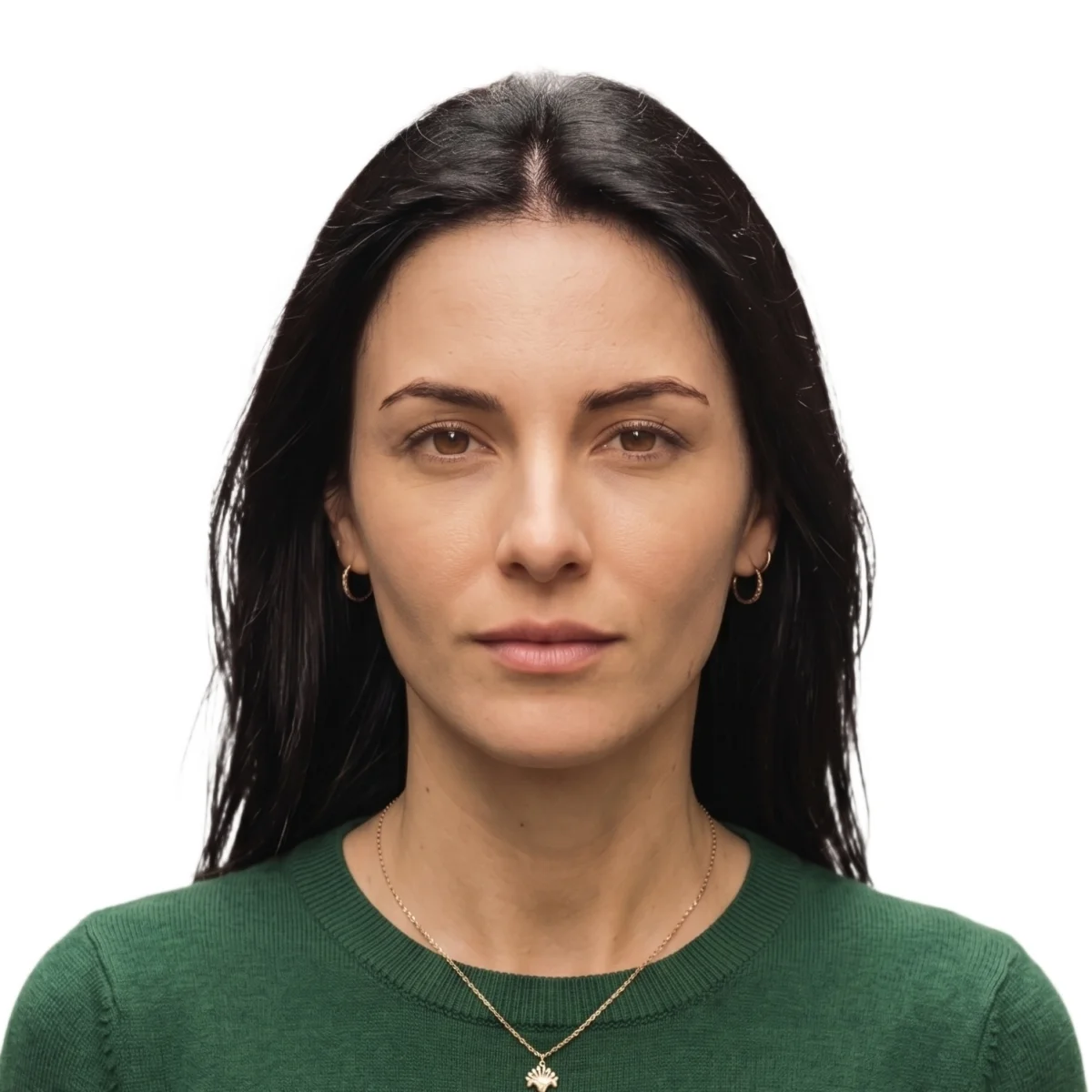
Photo 3 was accepted and processed. The output delivered a clean white background, correct head alignment, and accurate color rendering. 5 formal clothing options offered — each photo with the professional lighting correction.


3. Processing Speed
Processing takes 28–32 seconds on average — longer than the 15–20 second average of competing services. The download of 6 Premium photos takes about 3 minutes (includes casual-to-formal clothing change and professional lighting correction).
4. Downloadable Formats
The download page delivers four format variations:
A digital JPEG file for online submission (free outside the U.S., the U.K., and Canada)
A Premium option: the original photo crop with removed background, plus 5 photos with formal AI-added outfits — all available in PDF and JPEG in A4, A5, A6, and 4R formats
Extra clothing variations (9 photos) — all available in PDF and JPEG in A4, A5, A6, and 4R formats
A printable A4 photo sheet in PDF.
5. Valuable Feature: Formal Clothing and Professional Lighting Adjustment
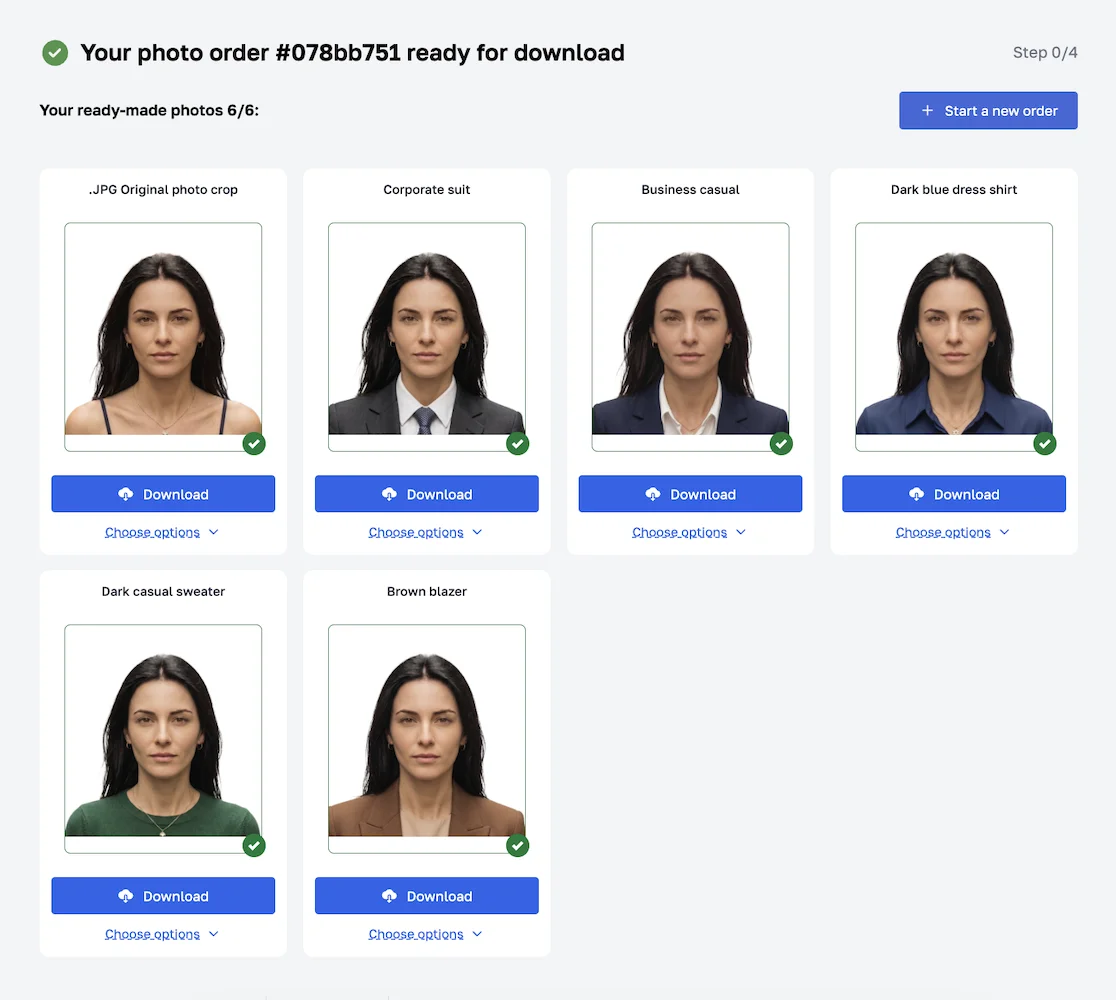
PhotoGov offers both casual-to-formal clothing replacement and professional lighting correction as a Premium feature. In this package, you get five extra photos in different formal attire — from business suits to shirts and a casual sweater. You can add an extra 9 styles for $6.90.
ID photos are often rejected by authorities due to the applicant's inappropriate clothing or poor lighting. After clothing and lighting adjustment, PhotoGov's output matches professional photo studio standards — regardless of how the original photo was taken.
6. Prints Delivery
PhotoGov doesn’t offer print delivery — a feature offered by three other services in the test.
7. Pricing
PhotoGov pricing: you get two free ID photos per day, depending on your location. In the US, you pay:
A digital photo download is free in all countries outside the US, Canada, and the UK.
Digital photo HD — $6.90
Human verification — $4.90
9 extra photos with more formal clothing options — $6.90
A printable PDF sheet costs $2.90 on top of a digital photo.
8. Interface
Modern, intuitive, easy to navigate.
9. Service Features
Coverage extends to 900+ document types across over 150 countries. No registration required. Proprietary GPU processing with encrypted infrastructure. The service works with select embassies on compliance standards.
Pros + Compliance check before processing — rejects non-compliant input images, no charge for rejected photos + Best output quality in the test + Four download formats options + Digital JPEG photo is free for most countries + Formal clothing replacement + professional lighting correction + Human Verification available + No registration required + Proprietary GPU processing with encrypted infrastructure + Files sent to email automatically + 900+ document types across over 150 countries | Cons − 30-second processing vs 15-20 sec for other services − No physical print delivery |
Verdict: The best service overall. Strict technical compliance with international biometric and government requirements. PhotoGov effectively recreates the look of a professional studio passport photo: it preserves the subject’s face, but rebuilds body framing, attire, and lighting to match official photo standards.
2. Visafoto · visafoto.com · 8.0/10
Sharp output on all three test photos with clean background removal. The main downside is that the final quality heavily depends on the source image, as the service accepts selfies that do not meet international biometric standards.
1. Biometric and Compliance Filter
Visafoto does not apply a compliance check to input images. All three test photos were accepted and processed without assessment.
2. Output Quality
Photo 1 was accepted without a compliance check and processed. VisaFoto did straighten the subject's posture, but did not adjust the shoulder alignment. The output remained non-compliant with US passport requirements and unsuitable for official submission.
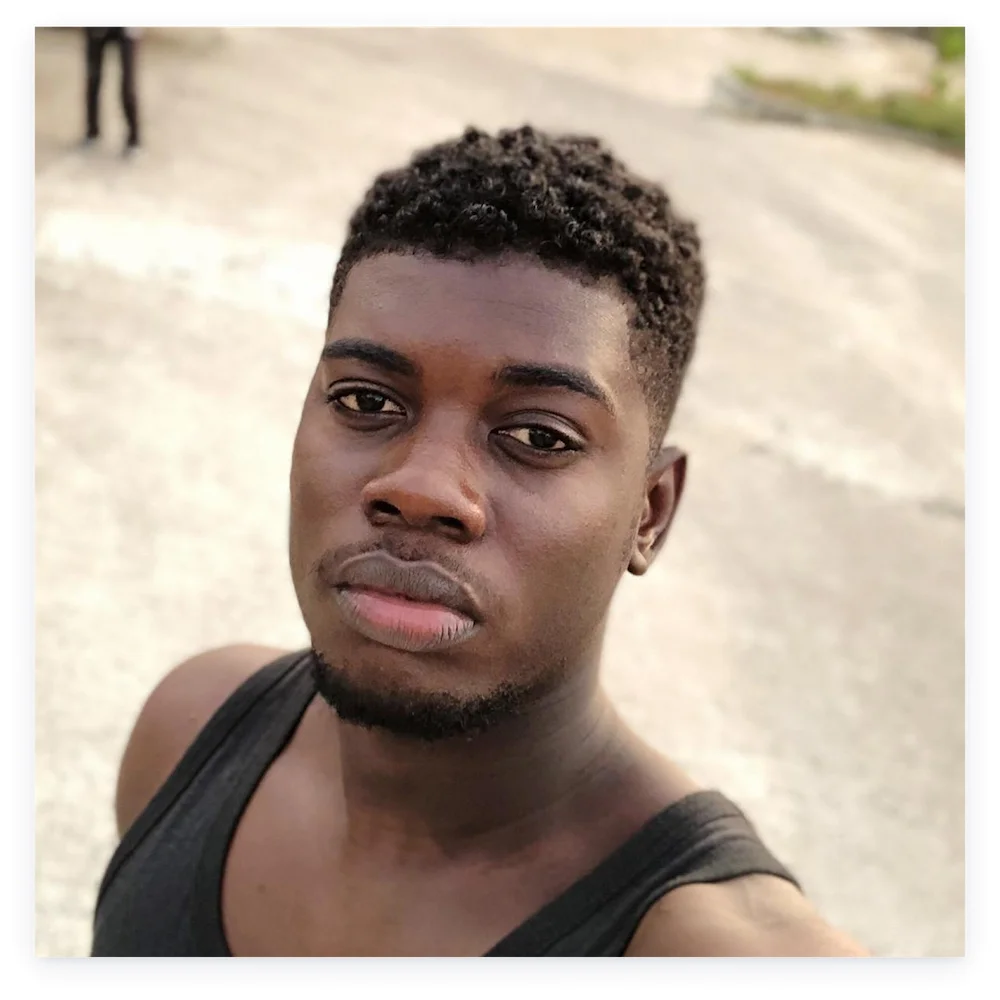
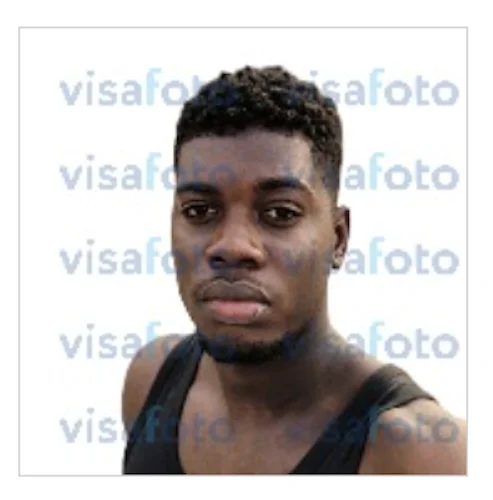
Photo 2 returned a sharp result with accurate color rendering. The crowded pedestrian street was fully replaced with a clean off-white background. Head and shoulders are squared in the frame. The crop is balanced and leaves enough space above the head and around the shoulders for a standard 2×2 inch print. However, the subject’s navy tank top was kept, so the final file may not be accepted for a US passport submission.
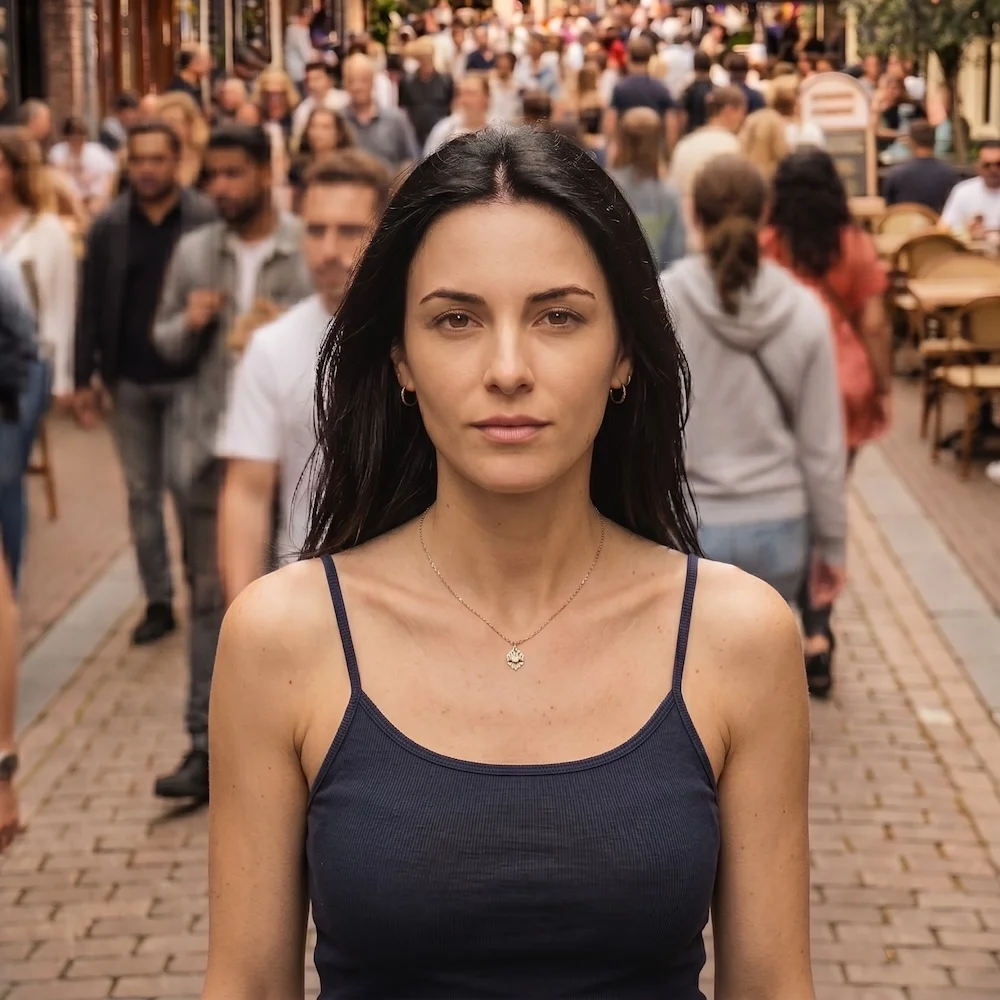
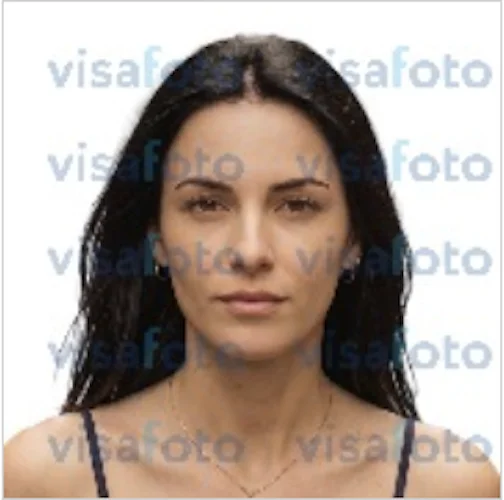
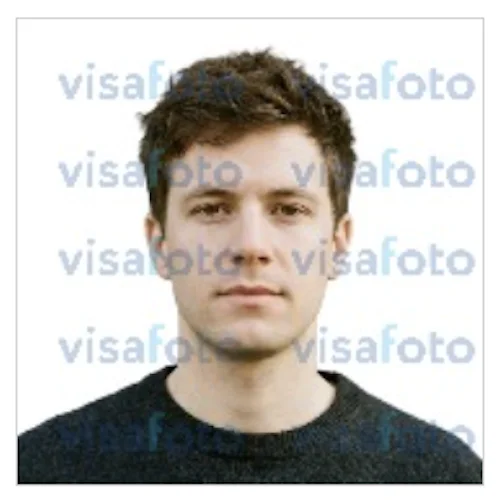
Photo 3 returned a sharp, well-aligned result with clean background removal. Colors are slightly brighter compared to the original, but remain natural and consistent across skin and clothing.

3. Processing Speed
Processing takes approximately 20 seconds, is smooth, and doesn't show any on-screen errors.
4. Downloadable Formats
Two formats available for an instant download: a digital JPEG for online submission and a printable photo sheet.
5. Prints Delivery
Not available.
6. Pricing
$5.20 per photo.
7. Interface
Functional, but visually dated compared to other services in the test.
Pros + Sharp output with accurate color rendering + Clean background removal + Affordable pricing | Cons − No compliance check: accepts non-compliant input images |
Verdict: The most affordable service with sharp outputs, accurate background removal, and correct color rendering in the “no compliance check” category. A printable photo sheet is included in the $5.20 price. But due to the lack of a built-in compliance filter, the result strongly depends on the quality and the framing of the input photo.
3. Passport Photo Genie · passportphotogenie.com · 7.9/10
Sharp output with natural colors across all three test photos. However, the output depends on the input photo quality: the service accepts selfies that are not compliant with international biometric standards. The upload interface is difficult to navigate.
1. Biometric and Compliance Filter
Passport Photo Genie does not apply a compliance check to input images. All three test photos were accepted and proceeded to payment without assessment.
2. Output Quality
Photo 1 was accepted without a compliance check and processed. The output retained the original head and torso tilt, making it non-compliant with US passport requirements and unsuitable for official submission.
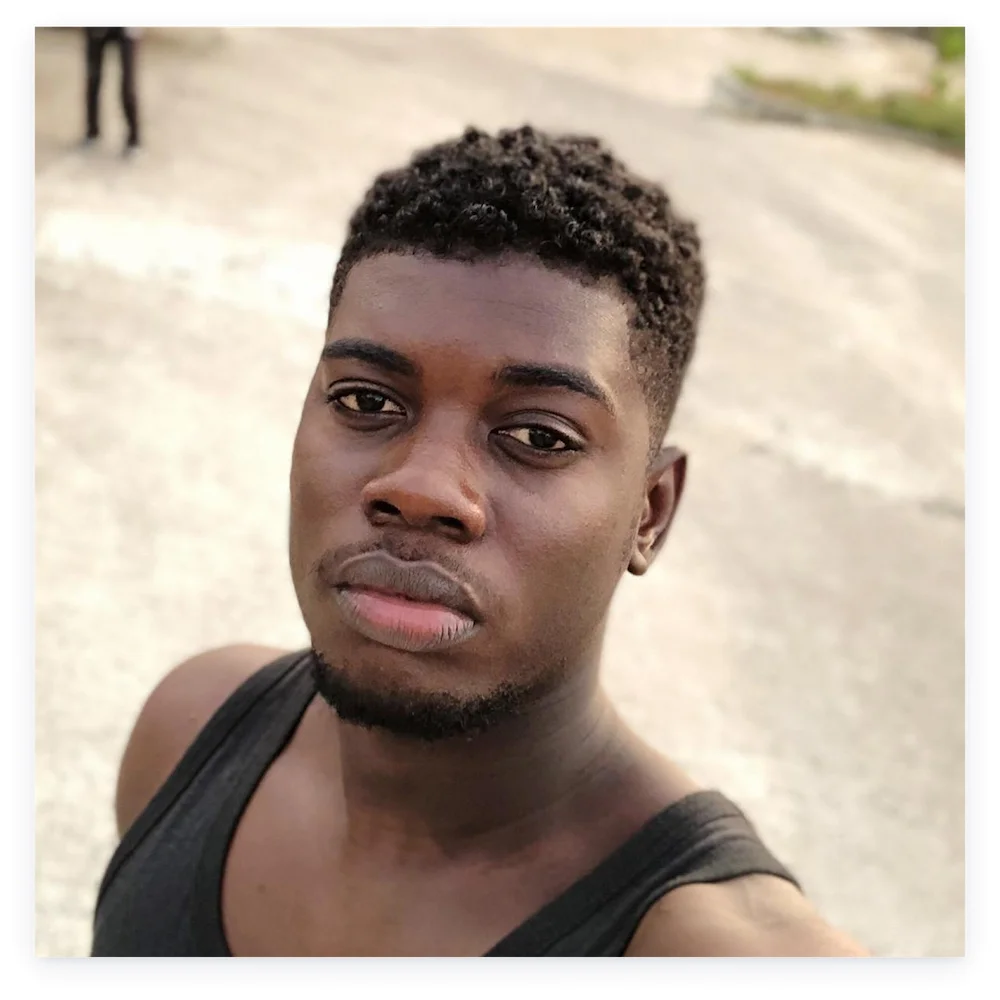
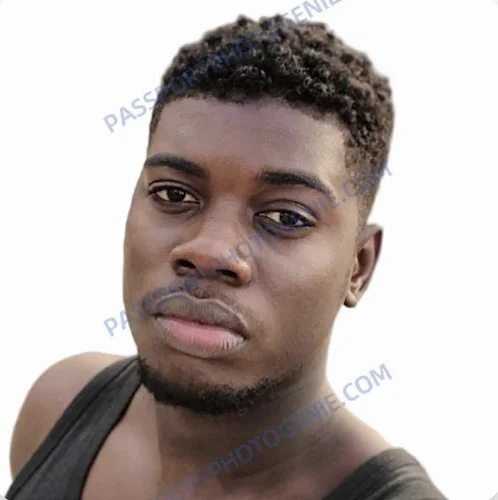
Photo 2’s crowded pedestrian street was removed cleanly, with only a very faint halo visible around the subject’s left shoulder on close inspection. Head and shoulders are squared in the frame; face height falls within spec. The crop is usable, though slightly tight, leaving less space around the shoulders. The subject’s navy tank top was kept, so the final file may not be accepted for a US passport submission.
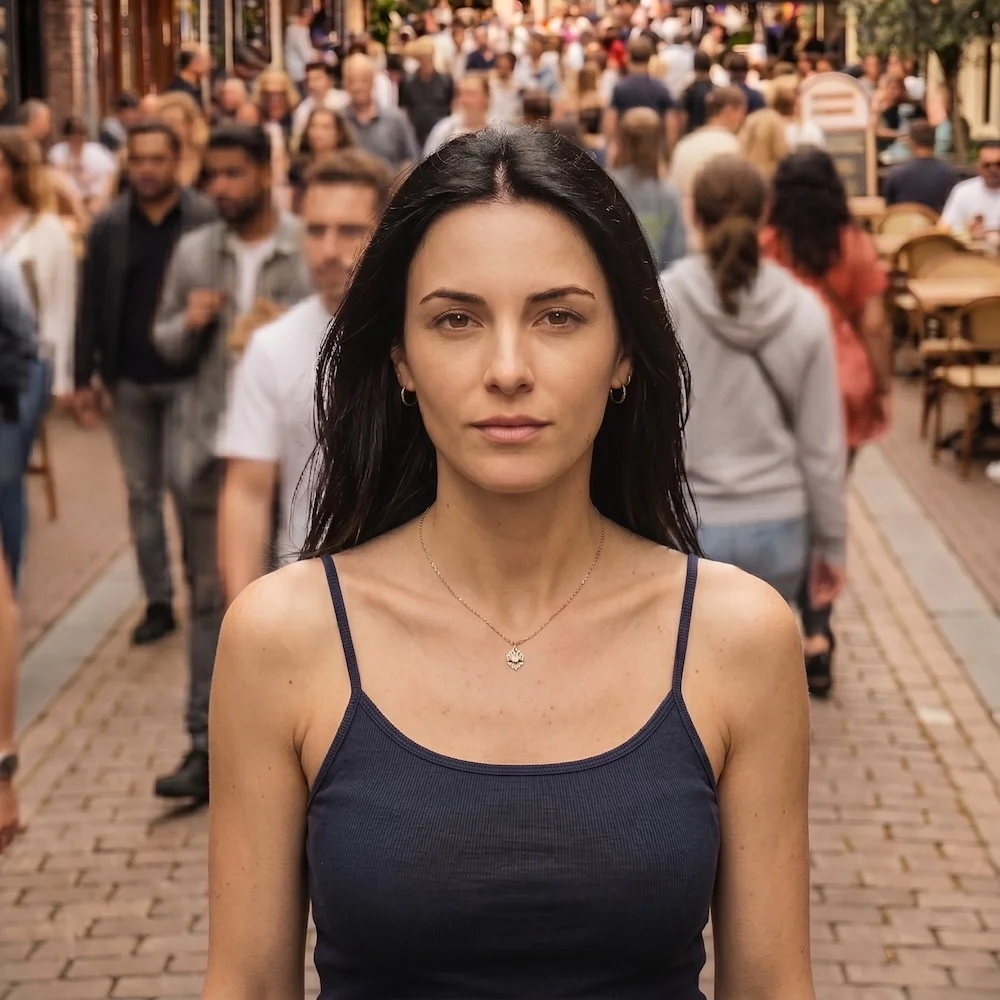
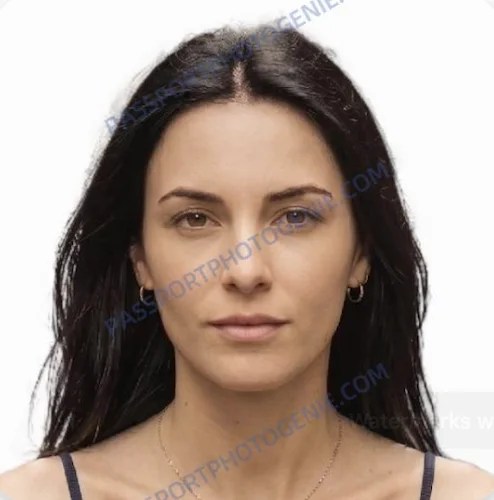
Photo 3 returned a technically compliant, biometrically aligned result, with a crop slightly tighter than the other services, and the color palette on the lighter side.

3. Processing Speed
Processing takes approximately 20 seconds.
4. Downloadable Formats
A downloadable digital JPEG for online submission.
5. Prints Delivery
No print delivery available.
6. Pricing
Affordable — $5.00 per photo.
7. Interface
The upload area is not visible on the first screen — users need to scroll to find it. Even after locating it, the interaction is not immediately clear. May be confusing for users.
Pros + Sharp output with natural colors + Clean background removal + Affordable pricing | Cons − No compliance check: accepts non-compliant input images − Confusing interface: the upload area isn’t visible on the first screen − No print delivery |
Verdict: Affordable service with a digital photo download and no printable option. No compliance check upon selfie upload — the result can be unpredictable.
4. PhotoAiD · photoaid.com · 7.8/10
The most polished interface in the test. USPS print delivery available. The result depends on the input photo quality: the service accepts selfies that are not compliant with international biometric standards. PhotoAiD runs on the same processing platform as ePassportPhoto and Passport Photo Online, returning visually identical output.
1. Biometric and Compliance Filter
PhotoAiD does not apply a compliance check to input images. All three test photos were accepted and proceeded to payment. The service displayed "Your Photo Looks Perfect!" before checkout, though the inputs didn’t meet the biometric and the US Department of State requirements. PhotoAiD runs on the same platform as Passport Photo Online and ePassportPhoto. All three apply the same compliance behavior, interface structure, and output limitations.
2. Output Quality
Photo 1 was accepted without a compliance check and processed. PhotoAiD centred the subject within the frame but did not straighten the shoulders or head. The output returned a black border artefact. The resulting image is non-compliant with the US Department of State requirements and cannot be submitted as a passport photo.
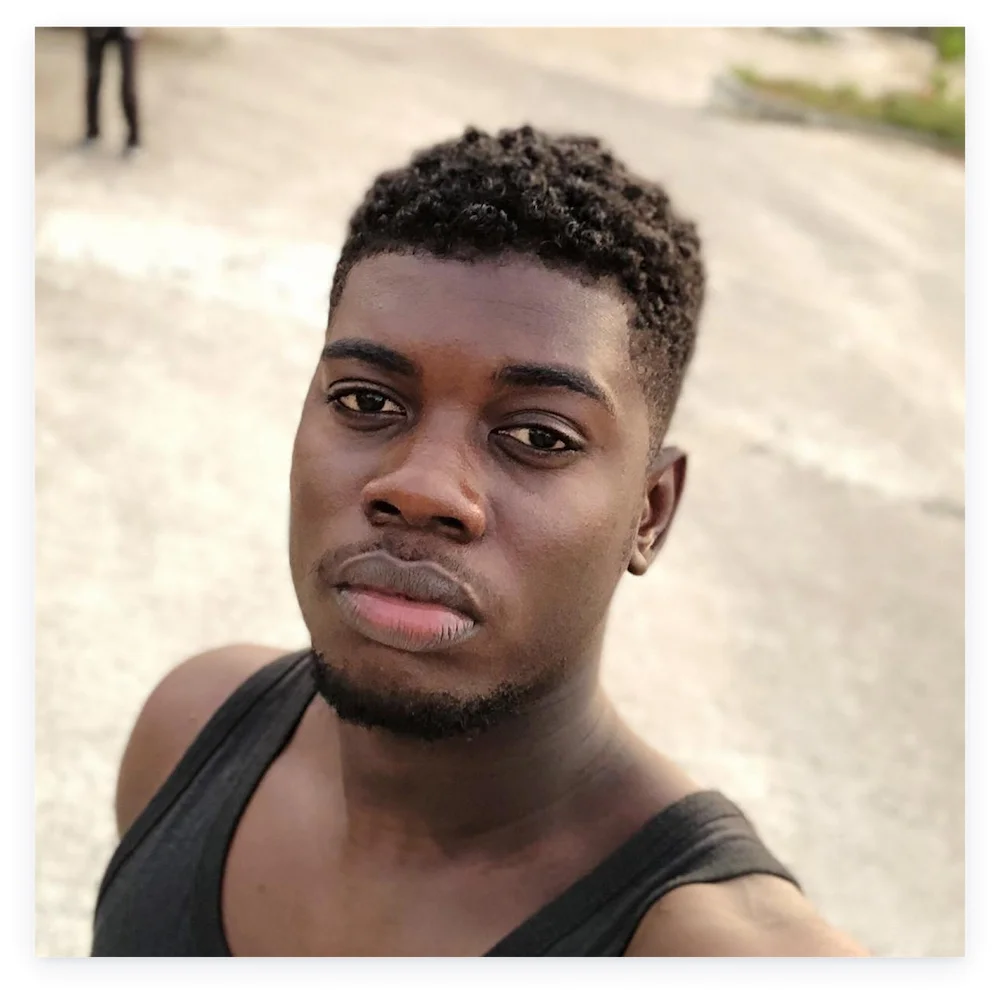
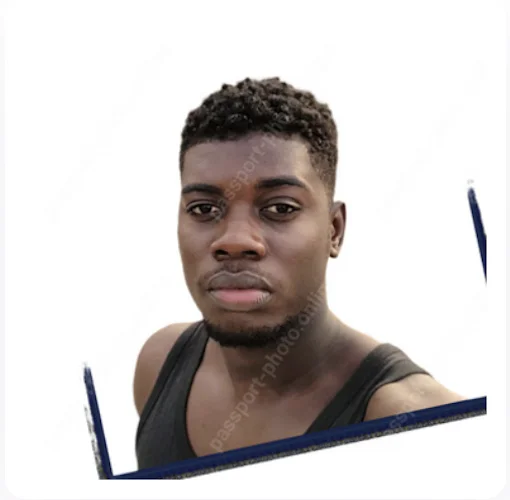
Photo 2 produced an acceptable, sharp result with a clean background removal. The head is properly centered. The crop leaves slightly more room below the shoulders than a typical studio‑style passport photo, but this remains within the U.S. framing guidelines. The colors have a slight greenish cast. The subject’s navy tank top was kept, so the final photo may still be at risk of rejection for a U.S. passport submission.
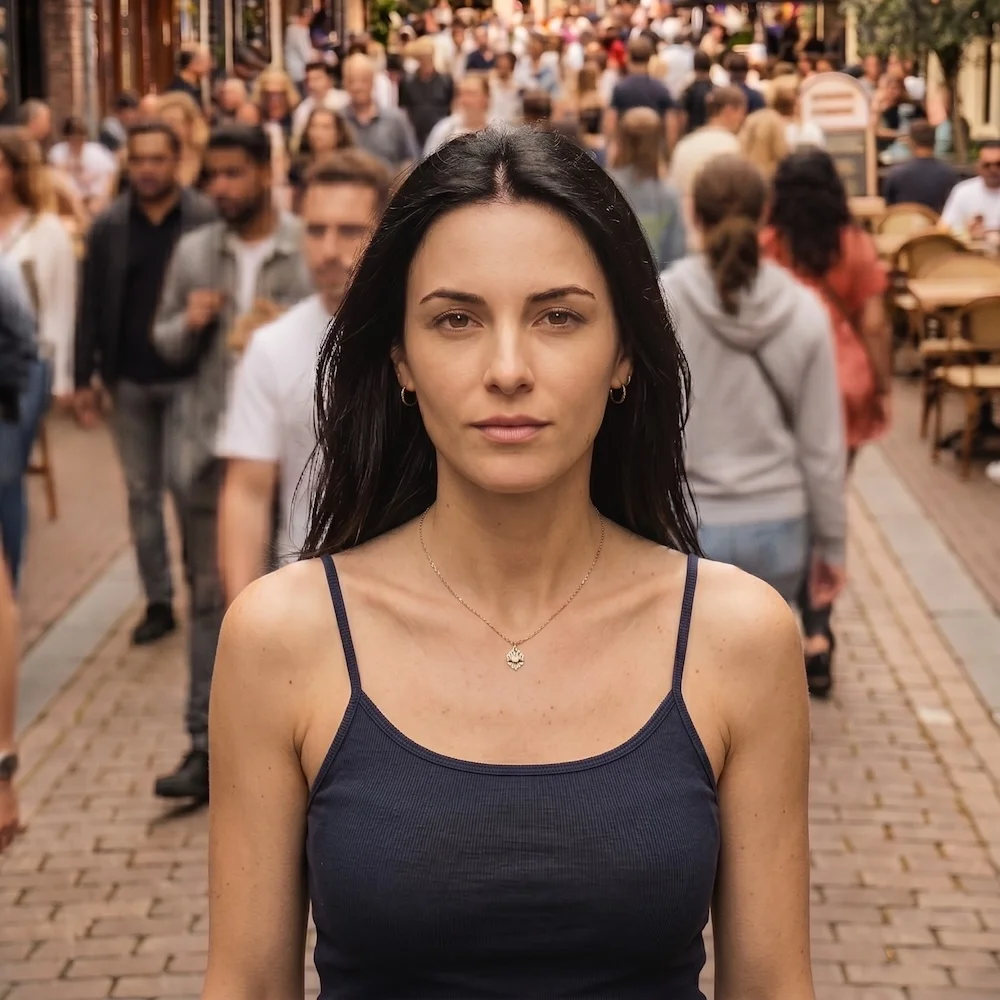
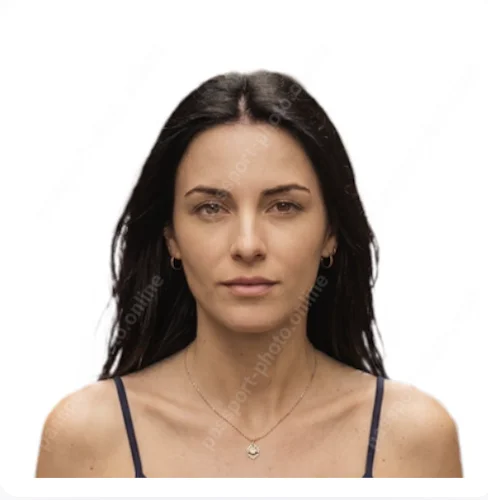
Photo 3 produced a compliant output — centered, sharp, with a clean background removal. However, the colors appear slightly over‑saturated and more vivid than a neutral studio passport photo, and the price of the final image is higher than that of the alternative services.

3. Processing Speed
Processing takes approximately 15 seconds — among the fastest in the test.
4. Downloadable Formats
Two formats available for an instant download: a digital JPEG for online submission and a printable photo sheet.
5. Prints Delivery
A USPS printout delivery is available in 2–3 business days.
6. Pricing
Mid-range: $13.95 for a digital download. $16.95 for a digital download and 2 USPS printouts. PhotoAiD charges $4 more than ePassportPhoto ($9.95) for output generated by the same shared backend.
7. Interface
The most polished interface of all tested services. Clean layout, straightforward upload flow, clear document selection.
Pros + Best interface of all tested services + USPS print delivery in 2–3 business days + Fast processing | Cons − No compliance check: accepts non-compliant input images − $4 premium over ePassportPhoto for the same processing platform and output quality |
Verdict: Without a compliance check, output quality depends entirely on source photo framing. The best option for users who need physical prints and are supplying a clean, well-framed source photo.
5. ePassportPhoto · epassportphoto.com · 7.7/10
USPS printout delivery available. The output depends on the input photo's quality: the service accepts selfies that do not comply with international biometric standards. Counter-intuitive interface: document selection requires scrolling to find.
1. Biometric and Compliance Filter
ePassportPhoto runs on the same platform as PhotoAiD and Passport Photo Online. All three test photos were accepted without a compliance check and proceeded to payment. The service displayed "Initial check passed" before checkout on all three photos.
2. Output Quality
Photo 1 was accepted without a compliance check and processed. The service centers the subject but does not correct the tilted pose, making the output non-compliant with US passport requirements and unsuitable for official submission.
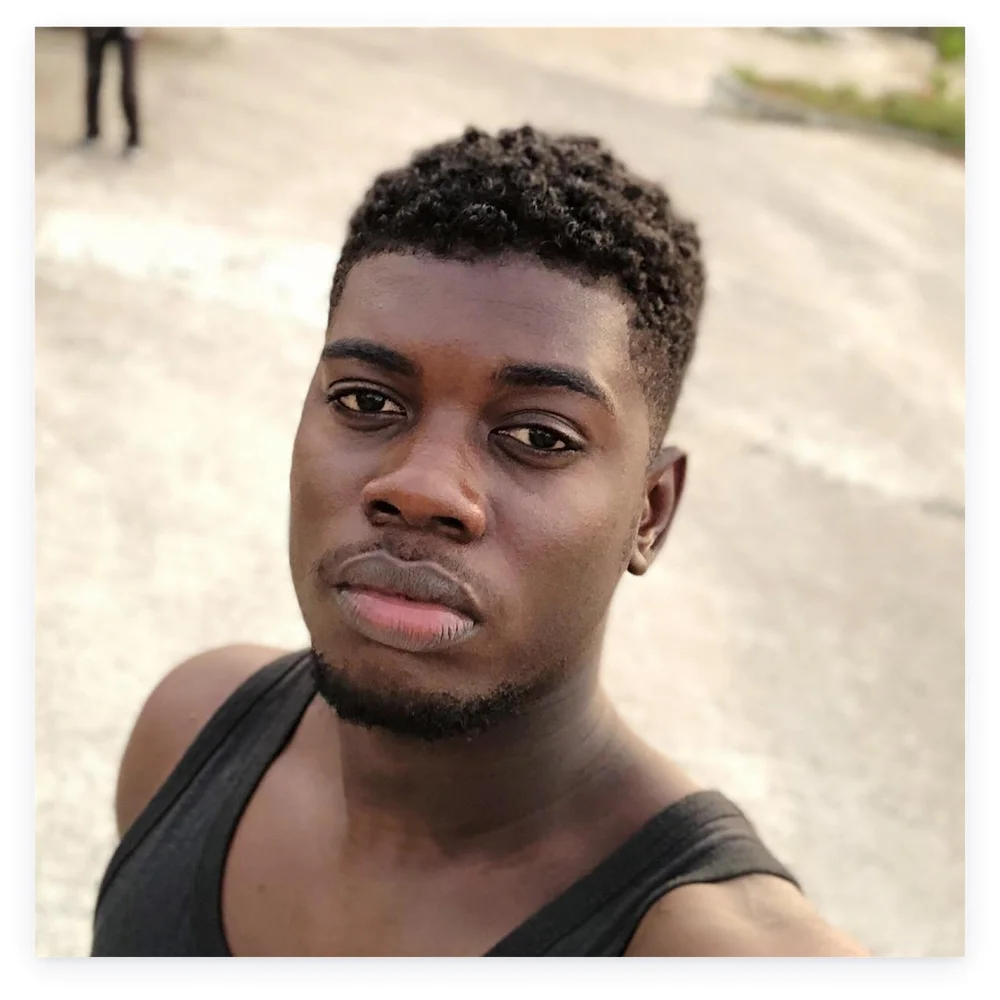
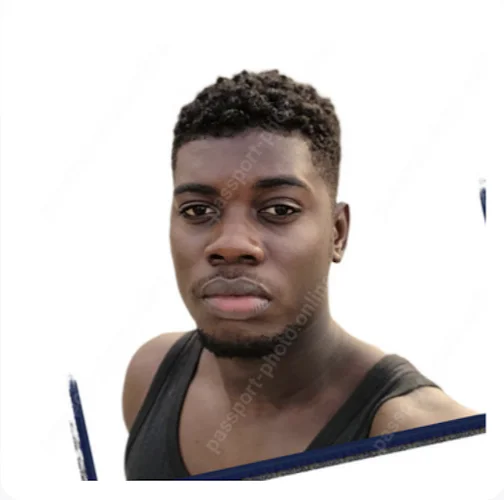
Photo 2 returned a sharp, well-defined result, with the crowded pedestrian street removed cleanly. Head and shoulders are squared in the frame. The colors have a slight greenish cast. The subject’s navy tank top was kept, so the final file may not be accepted for a US passport submission.
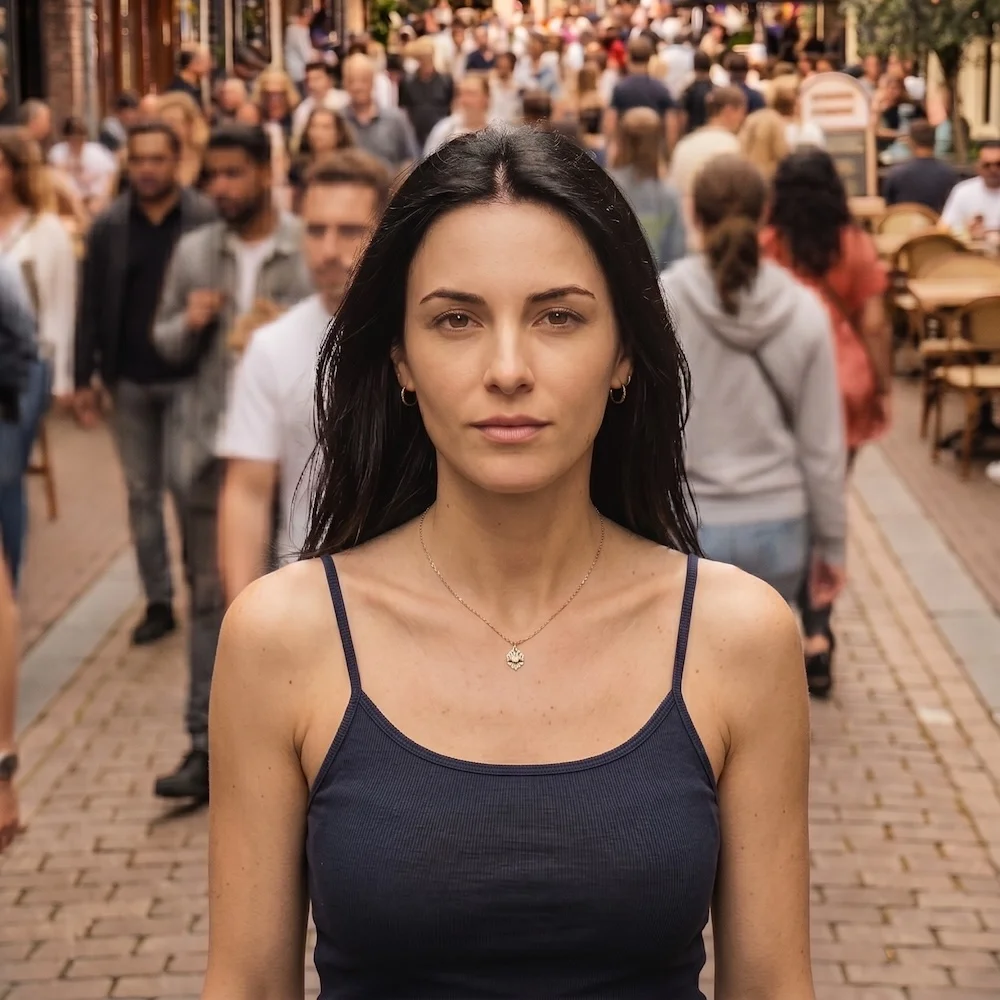
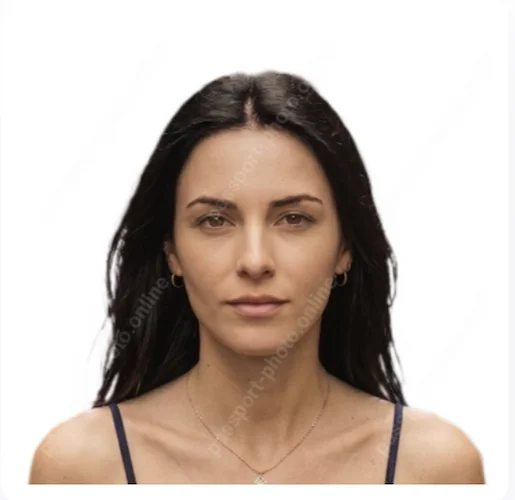
Photo 3 returned a sharp result with a correctly replaced background. The framing is acceptable, with the head sitting close to the lower bound of the recommended size range. But overall, face height measured at 1.29 in — within the compliant range of 1.125–1.375 in per U.S. Department of State specification. The colors appear slightly over‑saturated and more vivid than a neutral studio passport photo.

3. Processing Speed
Processing takes approximately 15 seconds.
4. Downloadable Formats
Two formats available for an instant download: a digital JPEG for online submission and a printable photo sheet.
5. Prints Delivery
USPS print delivery is available at $12.95 — the lowest price among the three services sharing the same processing platform.
6. Pricing
Mid-range: $9.95 for a digital download, and $12.95 for 2 printed photos with USPS printouts.
7. Interface
Document type selection is not accessible at the top of the page — users need to scroll past the main content area to find it — a friction point for a single-purpose tool.
Pros + Cheapest USPS print delivery | Cons − No compliance check: accepts non-compliant input images − Document selection requires scrolling to find |
Verdict: Without a compliance check, output quality depends entirely on the input photo framing. The same platform as PhotoAiD at a lower price if interface quality is not a priority. The better price choice for USPS delivery.
6. Passport Photo Online · passport-photo.online · 7.1/10
The most expensive service in the test. Affiliated printouts at CVS Pharmacy, Walgreens, and Walmart. Softest, least color-accurate output on Photo 2 of any paid service tested. The output depends on the input photo quality: the service accepts selfies that are not compliant with international biometric standards. The same processing platform as PhotoAiD and ePassportPhoto.
1. Biometric and Compliance Filter
All three test photos were accepted without a compliance check and proceeded to payment. The service displayed "Your Photo Looks Perfect!" before checkout — the same message shown regardless of output quality.
2. Output Quality
Photo 1 was accepted without a compliance check and processed. The subject has been centered, but the image still retained the original head and torso tilt, and also returned a black frame artefact after the photo was rotated. Overall, the result is non-compliant with US passport requirements and unsuitable for official submission.
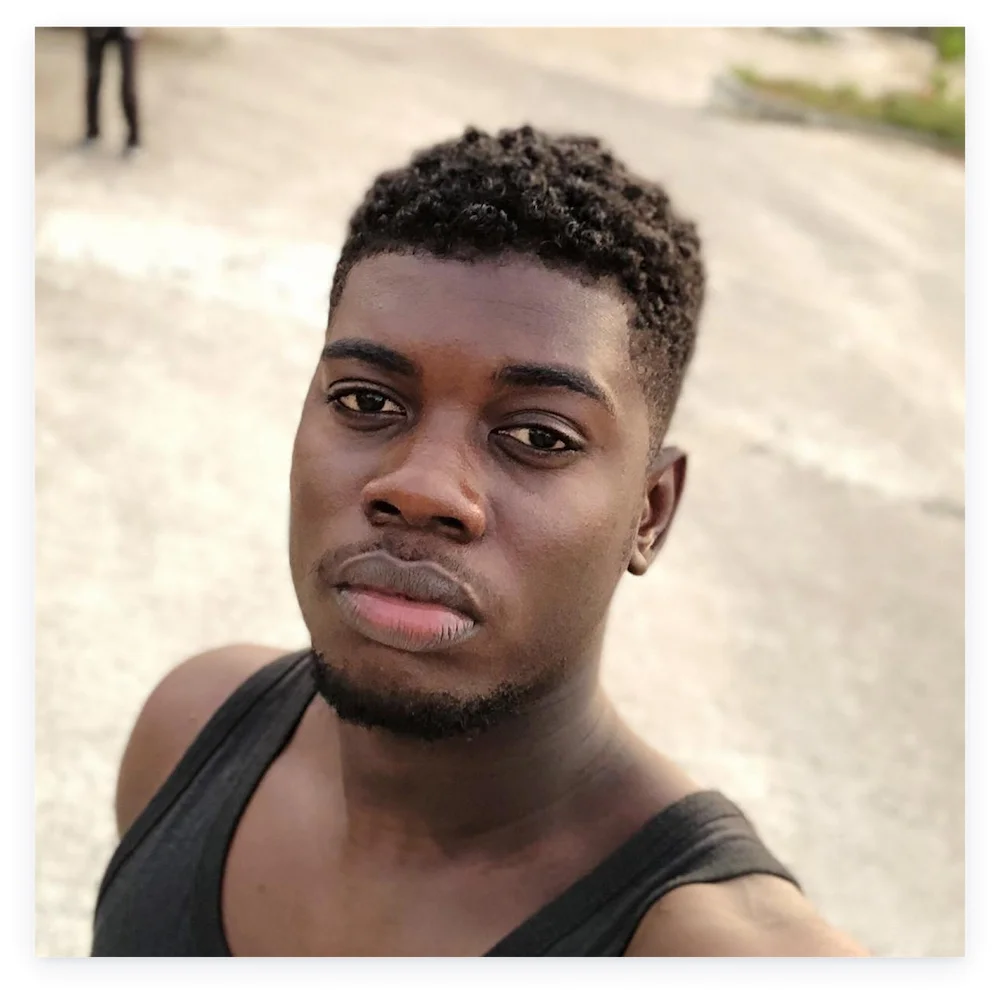
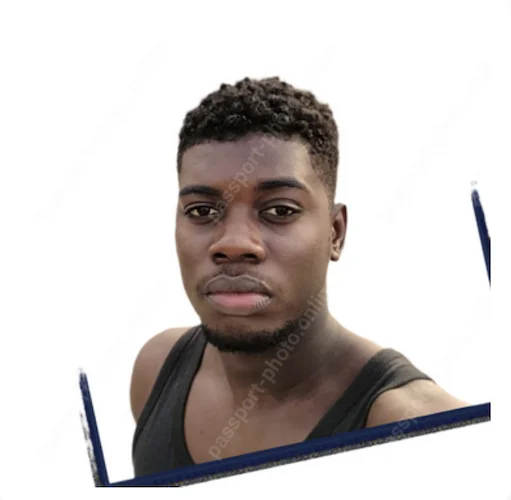
Photo 2 returned an acceptable result with clean background removal of the crowded pedestrian street. Head and shoulders are squared in the frame, though the eye-line sits approximately 4 px below the recommended vertical position. The colors have a slight greenish cast. The subject’s navy tank top was kept, so the final file may not be accepted for a US passport submission.
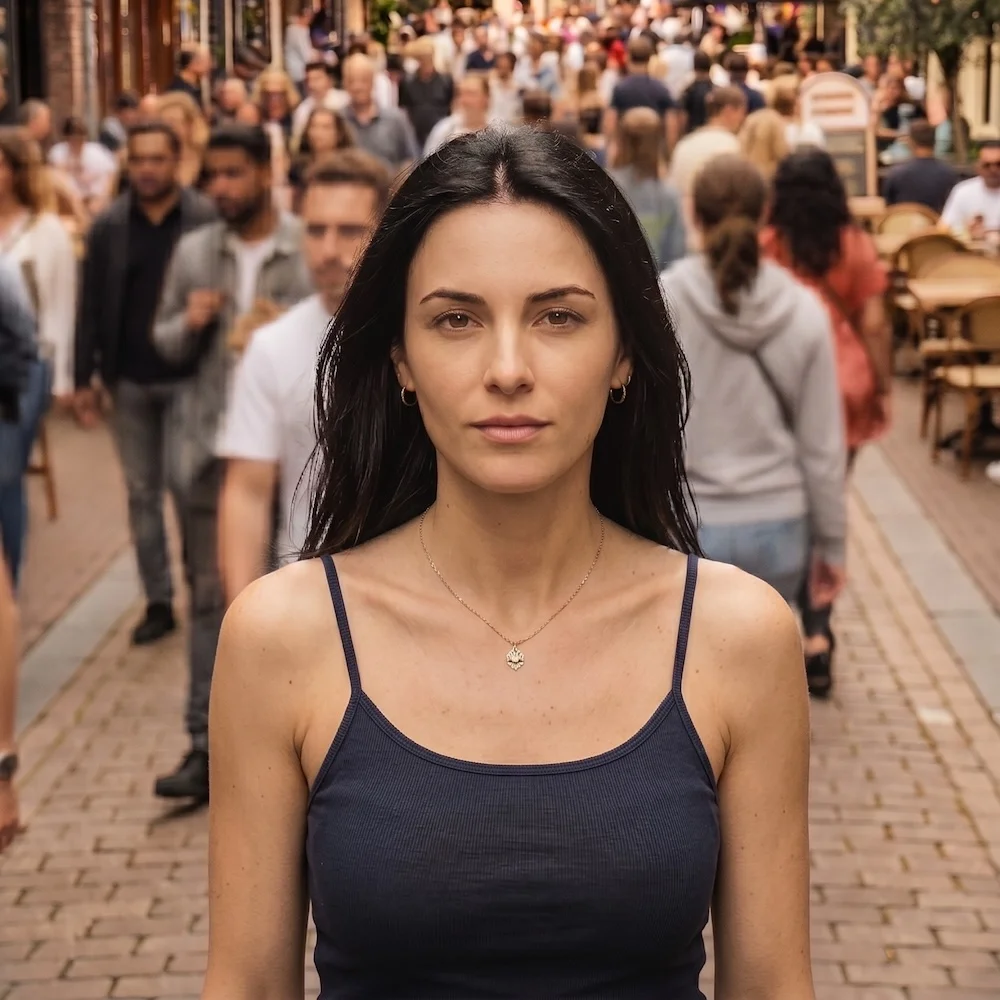
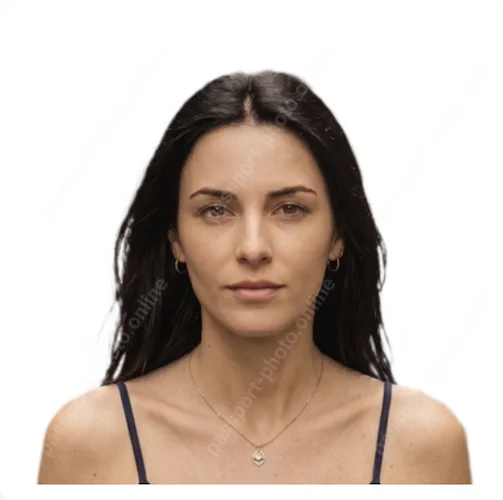
Photo 3 returned an acceptable result with clean background removal. Face height measured at 1.13 in — at the lower boundary of the compliant range 1.125–1.375 in per U.S. Department of State specification. The colors have a slight greenish cast.


3. Processing Speed
Processing takes approximately 15 seconds.
4. Downloadable Formats
Two formats available for an instant download: a digital JPEG for online submission and a printable photo sheet.
5. Prints Delivery
USPS print delivery is available at $25.95 — the highest price for USPS delivery in the test.
6. Pricing
The highest in the test: $22.95 for a digital download, and $25.95 for 2 printouts with USPS delivery.
Pros + USPS print delivery | Cons − No compliance check: accepts non-compliant input images − Head and shoulder alignment not corrected − $22.95 — highest digital download price in the test − Softest, least color-accurate output on Photo 2 of any paid service tested |
Verdict: The most expensive service in the test group. Accepts and proceeds to payment for non-compliant outputs. The final file quality depends entirely on the input photo quality and framing.
7. IDPhoto4You · idphoto4you.com · 5.0/10
Free manual tool with no automatic background removal. Accepts JPG only — PNG not supported. The output depends on the input photo's quality: the service accepts selfies that do not comply with international biometric standards. The test results contained critical flaws across all three photos.
1. Biometric and Compliance Filter
IDPhoto4You does not apply a compliance check. All three input images were accepted without assessment.
2. Accepted Formats
The service accepts JPG files only — a popular smartphone PNG format is not supported.
3. Output Quality
Photo 1 was accepted without a compliance check and processed. The manual tool didn't allow a sufficient range to adjust the head size to the required proportions. The output retained the original head and torso tilt. The background hasn't been removed. The final photo returned a black frame artefact. Overall, the result is non-compliant with US passport requirements and unsuitable for official submission.
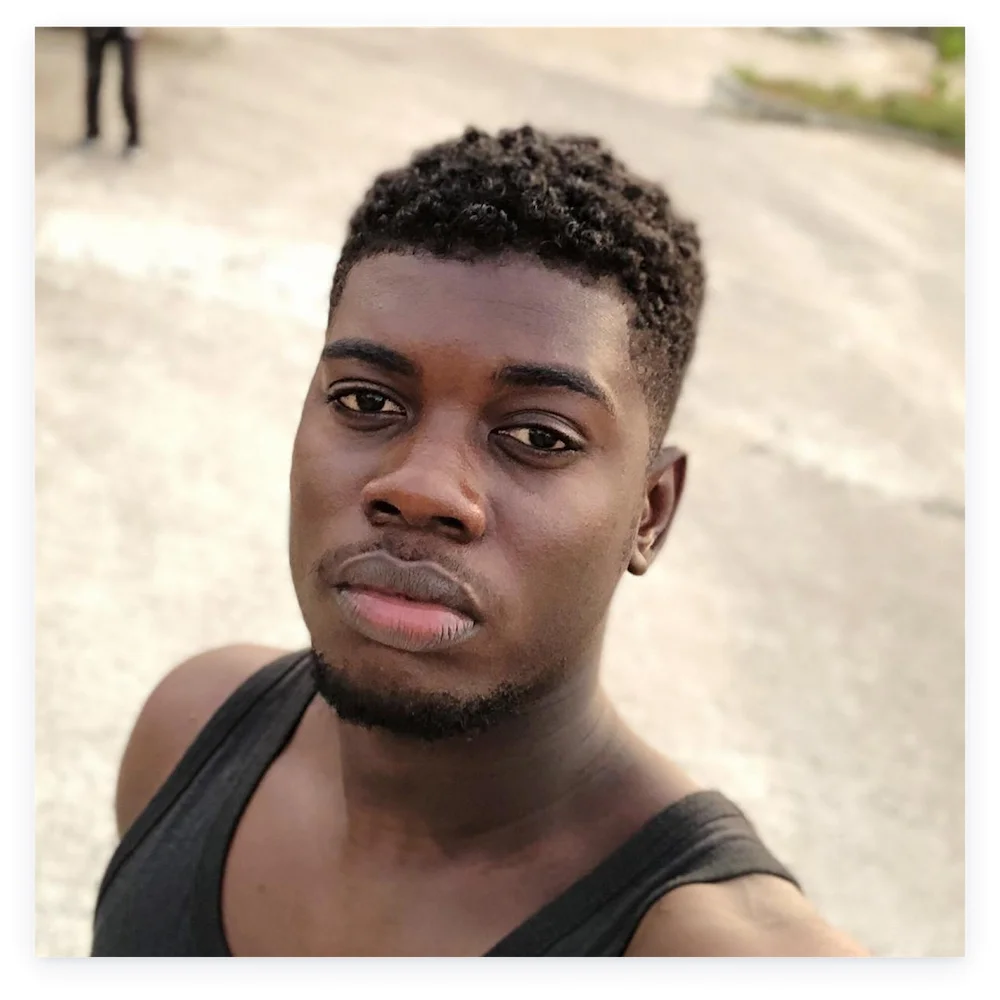
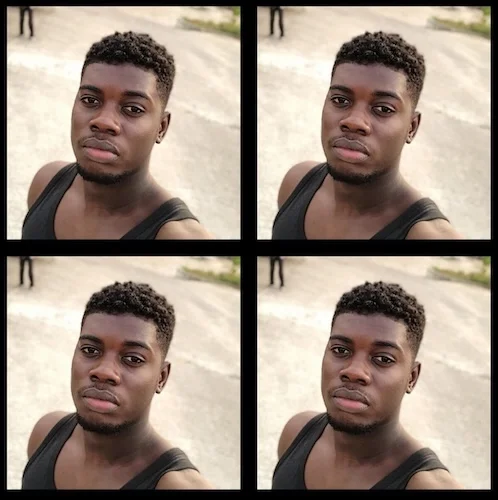
Photo 2 was processed without background removal: passport offices do not accept photos with a recognizable outdoor scene in the background.
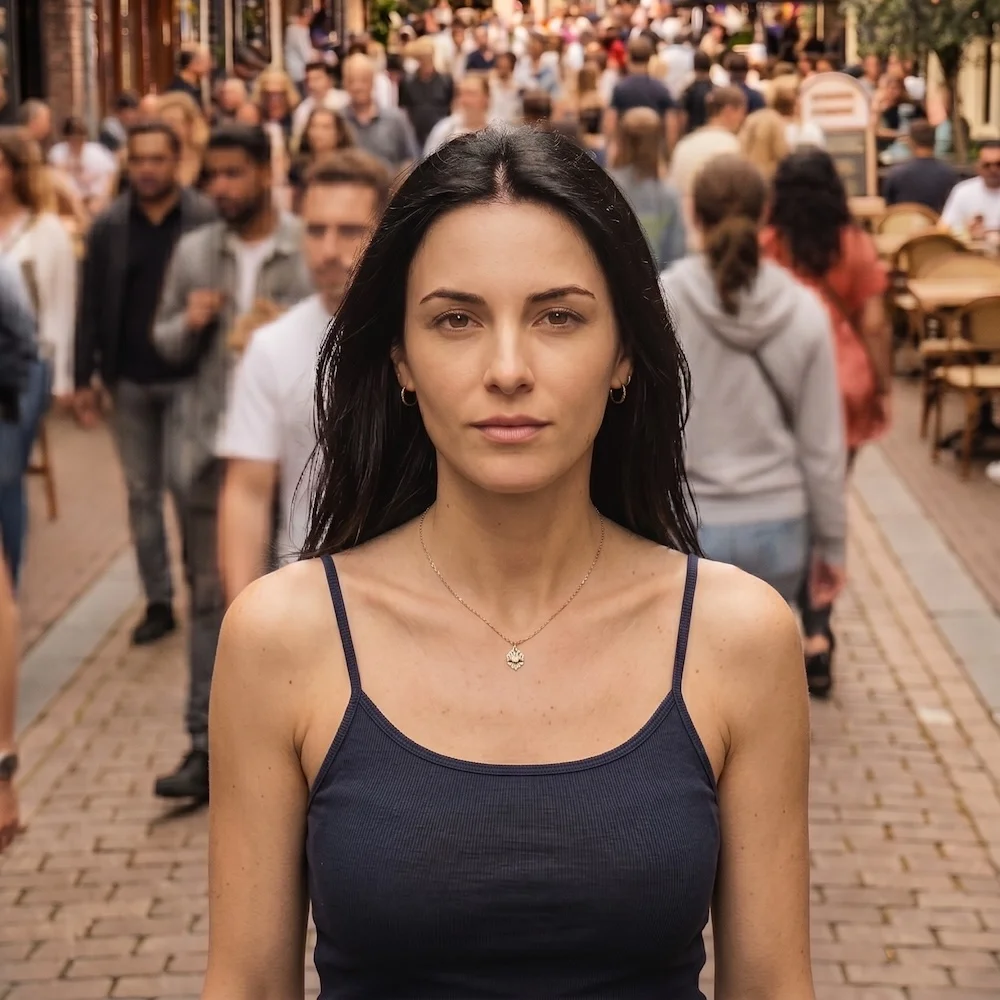
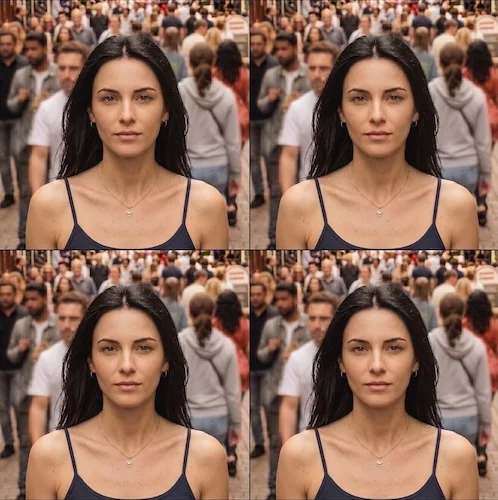
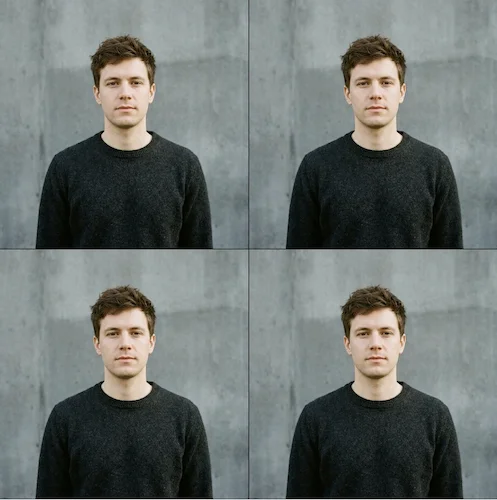
Photo 3 was processed without background removal — the original grey background remained in the output, making the result non-compliant with US passport requirements.

4. Background Removal
No automatic background detection or replacement — the background from the original photo remains in the output.
5. Manual Adjustments
IDPhoto4You is a manual cropping tool. It provides a frame and basic sliders for brightness and contrast. Users crop the image with the arrow keys and adjust brightness and contrast by eye. However, whether the required range is accessible depends on the size of the input.
6. Processing Speed
An automatic 18-second countdown applies once the download becomes available.
7. Prints Delivery
Not available.
8. Pricing
Free
9. Interface
The initial photo upload and the manual cropping interface require multiple steps; the interface seems outdated and busy. Users must delete the processed photos from the service themselves via a link.
10. Ads
The interface carries ads that take up a significant portion of the screen or visible area.
Pros + Free | Cons − No compliance check: accepts non-compliant input images − Fully manual — no automated processing − JPG input only, PNG not supported − Ads reduce usable screen area − No background removal |
Verdict: The service may only be useful for cropping already compliant studio photos with a correct background. Otherwise, the output may return incompliant artifacts, backgrounds, and mismatched color profiles. Suitable for free cropping of professional passport photos.
Watch Out! A Major Issue We’ve Encountered
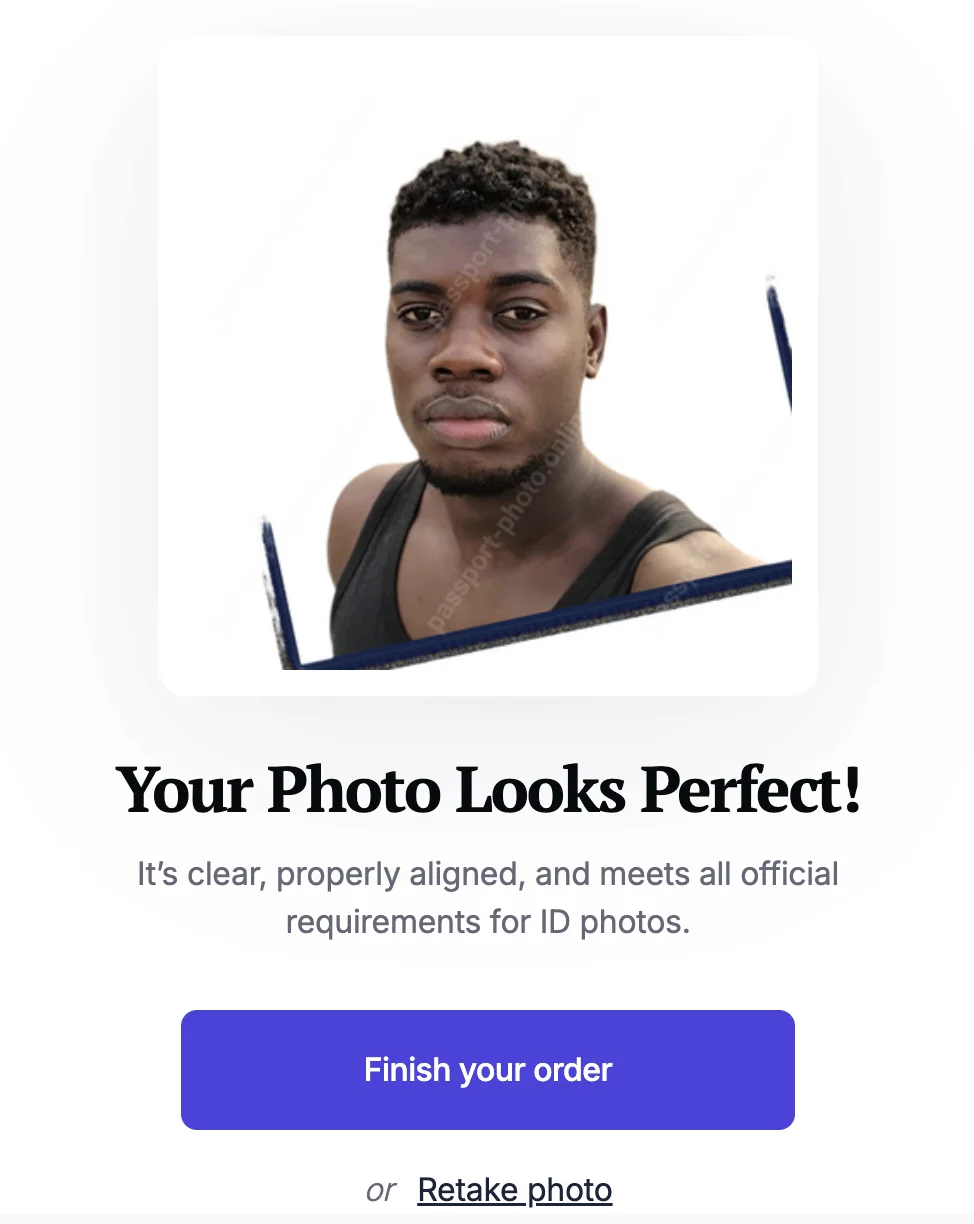
All our input test photos contained deliberate flaws. Yet 6 out of 7 services in the test group accepted non‑compliant outputs that may compromise the whole application process. To guide the user to the most acceptable output, a passport photo maker has to flag the issue and offer a clear fix — or refuse to process the image at all.
Our 2026 testing results revealed a gap between reassuring messages like “Your photo looks perfect!” and borderline images actually being processed and charged for. Based on these findings, we encourage users to treat their input images seriously and refer to the official requirements before proceeding to payment.
A good input starts with the shot itself: our guide covers making a passport photo on iPhone step by step.
Practical Summary: Which Passport Photo Maker Suits You Best
Service | Price Digital photo | Price Printable photo | Speed | Compliance filter before processing | Supports PNG upload | Download formats | Print delivery | Formal clothing |
PhotoGov | $6.90 in the US; two free ID photos per day, depending on your location | $9.80 | ~30 sec | Yes | Yes | 9 | No | Yes |
Visafoto | $5.20 | $5.20 | ~20 sec | No | Yes | 2 | No | No |
PassportPhoto Genie | $5.00 | N/A | ~20 sec | No | Yes | 1 | No | No |
PhotoAiD | $13.95 | $16.95 | ~15 sec | No | Yes | 2 | USPS | No |
ePassportPhoto | $9.95 | $12.95 | ~15 sec | No | Yes | 2 | USPS | No |
PassportPhoto Online | $22.95 | $25.95 | ~15 sec | No | Yes | 2 | USPS | No |
IDPhoto4You | Free | N/A | Manual | No | No | 1 | No | No |
Guaranteed compliance, sharp output, and formal clothing → PhotoGov
Sharp photo with a printable sheet included at $5.20, potential compliance risk → Visafoto
Low price, digital only, potential compliance risk → Passport Photo Genie
USPS prints, potential compliance risk → ePassportPhoto
The highest cost, potential compliance risk → Passport Photo Online
USPS prints, nice interface, potential compliance risk → PhotoAiD
Manual crop, non-ID photos, potential compliance risk → idphoto4you
Tested April 2026. Prices in USD. U.S. passport photo specifications per the U.S. Department of State. This review was conducted independently; no payment or preferential treatment was received from any of the services tested.
Was this helpful?
55 found this helpful
Top expert
Based on official government sources
Helpful votes: 55
Was this helpful?
55 found this helpful
Service provided by Y VISION TECHNOLOGIES LLP · Stoney Works 8 Stoney Lane, London, England, SE19 3BD · Terms · Refund policy · Contact
We value your Privacy
We use cookies to enhance your browsing experience, serve personalized ads or content. By clicking “Accept All”, you consent to our use of cookies.