Digital vs Printed Passport Photos: Rules, Formats & Rejection Traps
Table of contents:
- What is a Digital Passport-Size Photo
- What is a Printed Passport-Size Photo
- What Digital and Printed Passport Photos Have in Common
- Side‑By‑Side Comparison: Digital vs Printed Passport Photos
- How Digital and Printed Photos are Reviewed
- How Printed Passport Photos Are Reviewed
- When You Need a Printed Passport Photo
- When You Can Submit a Digital Passport Photo
- U.S. Applications in 2026: Digital vs Printed Photos
- Technical Comparison: Dimensions, Color, Compression
- Pros and Cons of Digital Passport Photos
- Pros and Cons of Printed Passport Photos
- Common Rejection Reasons: Digital vs Printed
- What to Do if Your Digital Passport Photo is Rejected
- What to Do If Your Printed Passport Photo is Rejected
- Choosing the Right Format for Your Application
- Frequently Asked Questions
- Official Government Sources
- Related guides
Digital and printed passport photos are the two formats used for passports, visas, and other biometric identity documents in 2026. Depending on the country, document type, and how you submit your application, you may need either a digital image or a printed photo — and each format has its own strict, non‑interchangeable technical rules. PhotoGov is one tool that prepares either format from the same portrait, in the specifications of the chosen document.
Preparing the correct file before you apply is essential to avoid delays or rejections. This guide explains the key international requirements for both digital and printed passport photos so you can create a correctly formatted image that is accepted on the first try.
What is a Digital Passport-Size Photo
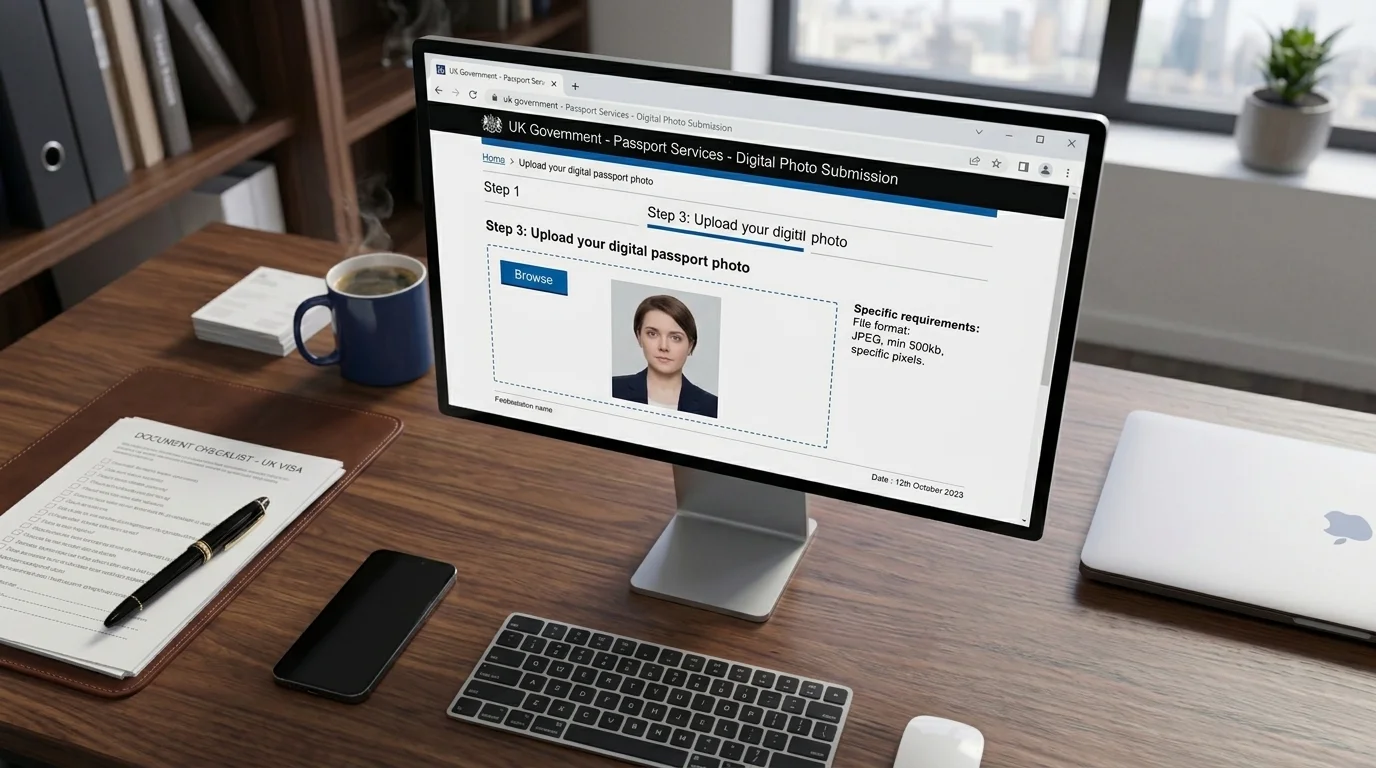
A digital passport photo is a biometric image saved as a file and submitted online for passport or ID renewals, visa applications, DV lottery, and other e‑services. The digital image is evaluated by automated checks against fixed technical and biometric rules before the application can proceed.
In practice, this makes a digital passport photo a machine‑readable object: every important value — size, resolution, head height, background — is expressed as numbers that software can check without a human reviewer.
Digital passport photos are defined by:
File format: usually JPEG; some portals accept PNG or HEIC/HEIF if explicitly stated
Pixel dimensions and aspect ratio: a fixed range per system, between 600 × 600 and 1200 × 1200 pixels for the U.S. applications, or a vertical rectangle (for example, 600 × 750 pixels or larger) in the UK and the EU applications
File size: minimum and maximum values defined by each authority — for example, 240 KB maximum for visas and DV Lottery applications in the U.S.
Color profile: typically sRGB — the standard color space used by most smartphones, consumer cameras, screens, and online application portals
Metadata (key information on the image): intact EXIF, especially orientation and color profile fields.
A digital passport photo must be recent, in sharp focus, with soft, even lighting and no strong shadows, taken against a plain light background and showing a neutral expression at the correct head size. The image must be natural, with no filters, skin‑smoothing, or AI editing.
What is a Printed Passport-Size Photo
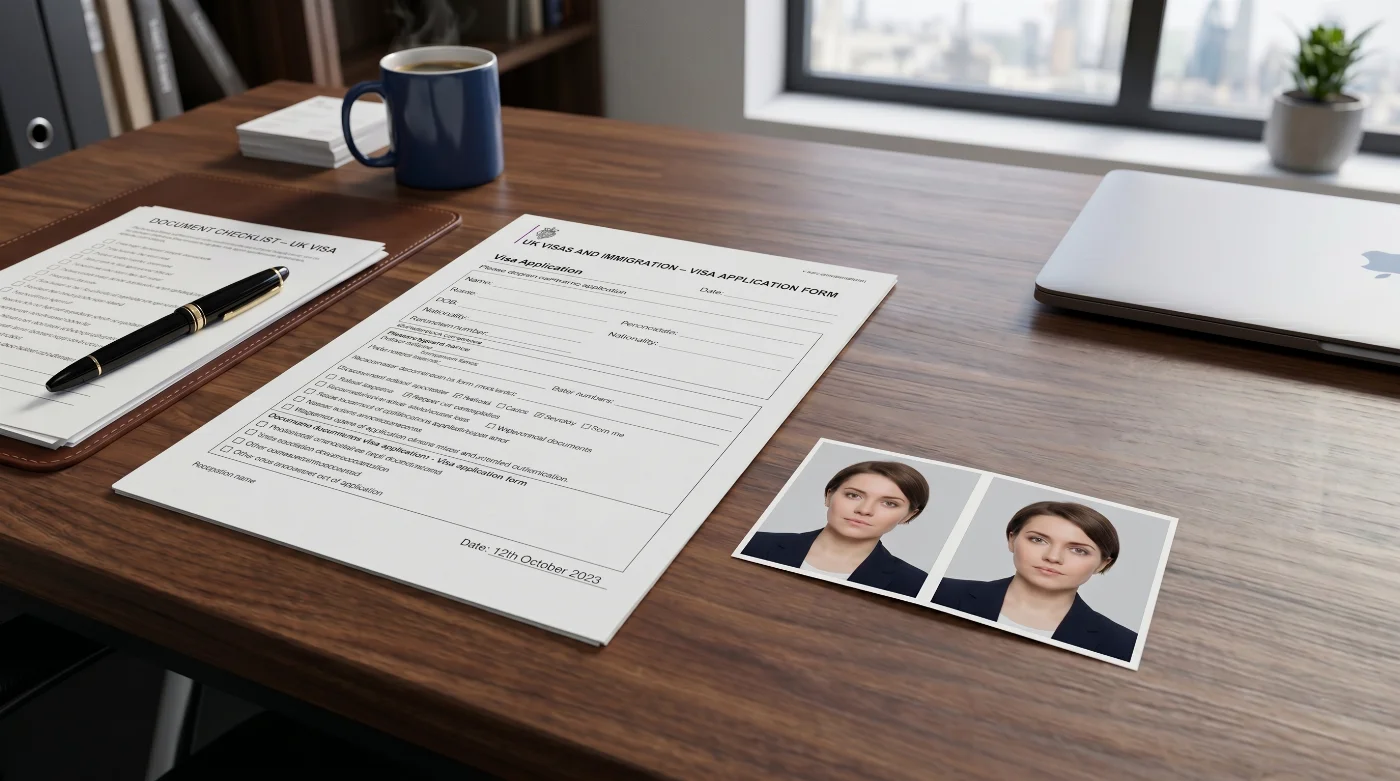
A printed passport photo is a physical photograph produced on photo‑quality paper in a fixed physical size. Common examples include 2 × 2 inches (51 × 51 mm) for U.S. passports and visas, 35 × 45 mm for most UK and Schengen passports and visas, 50 × 70 mm for Canadian passports, and 35–40 × 45–50 mm for Australian passports.
Printed photos are defined by:
Physical dimensions in inches or millimetres
Photo paper type (not office paper) and acceptable finish — matte, glossy, or semi‑gloss, depending on the country
Effective print resolution at the final size — typically, 300–600 DPI
Head height in millimetres or percentage relative to the frame
Condition of the print: no scratches, creases, fingerprints, ink banding, or trimming defects.
Printed photos remain mandatory wherever the application is handled in-person or by mail using paper: first passports, child applications, consular submissions, and in countries that do not accept digital passport uploads.
What Digital and Printed Passport Photos Have in Common
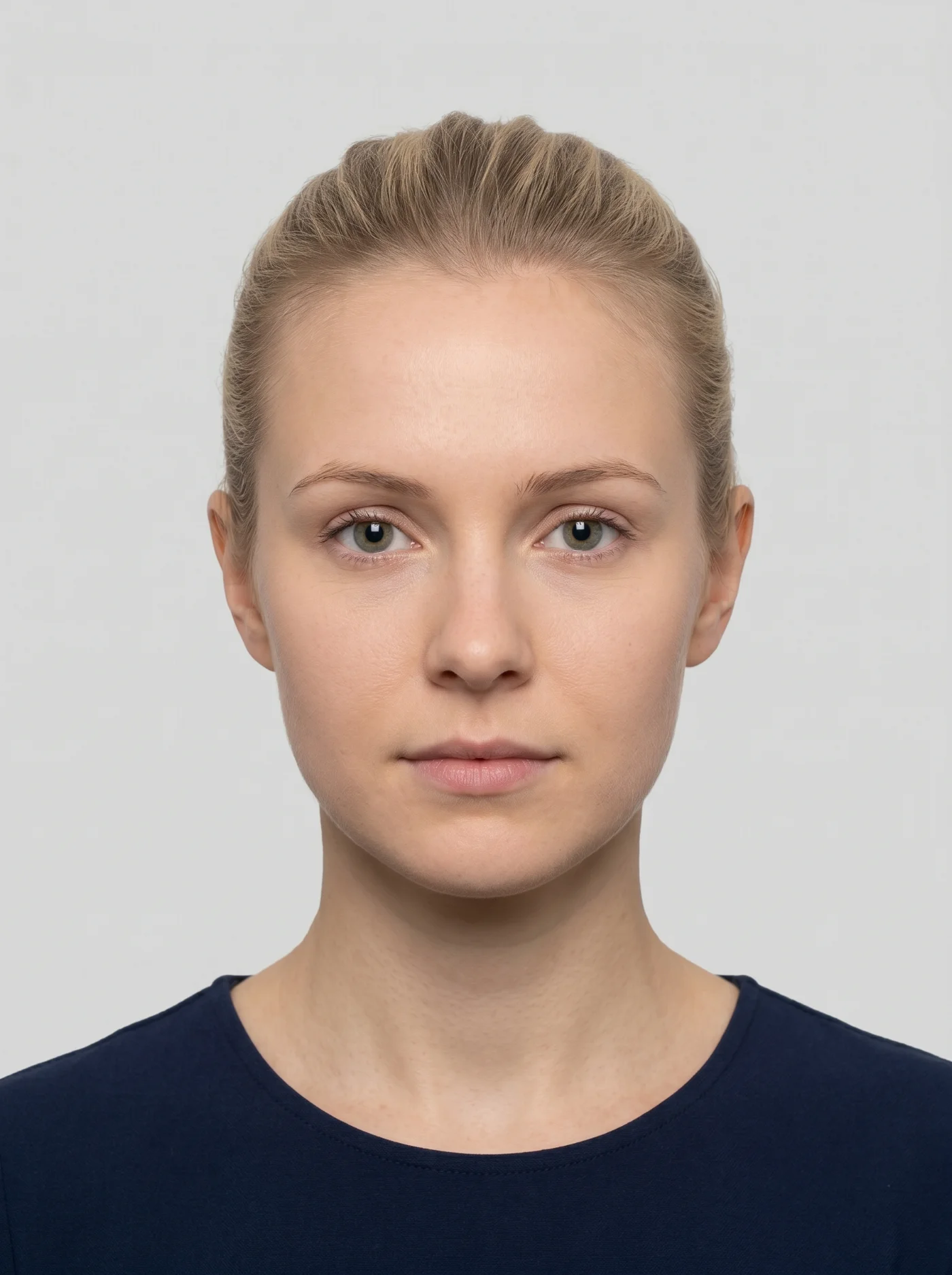
Whether the photograph is delivered as a file or a print, the picture itself has to meet the same strict biometric rules that apply in every issuing country:
The expression is neutral — no smile, mouth closed, eyes open, looking directly into the camera
The head and shoulders are square in the frame; the upper part of the shoulders is visible
The head must be framed to a specific size in the photo, and the exact range is defined in each country’s official rules
The lighting is even across the face and the background, with no shadows on the face or behind the head; no glare on skin or glasses (if allowed)
The background is plain and light‑colored, with no patterns, textures, objects, or people in the shot
The photo is recent — taken within the last six months in most countries, within three months for Singapore passports, within the last month for the UK passports
The image is unedited: no filters, no beauty modes, no retouching, no AI‑generated changes of any kind.
This biometric framework is based on two international standards. ICAO Doc 9303, issued by the International Civil Aviation Organization, governs photo properties for machine‑readable travel documents. ISO/IEC 19794-5, issued by the International Organization for Standardization, specifies how the facial image must be captured and formatted in those documents.
National authorities then translate these frameworks into their own technical specifications — pixel dimensions and metadata for digital submissions, physical dimensions and print quality for the printouts.
Side‑By‑Side Comparison: Digital vs Printed Passport Photos
Requirement / Scenario | Digital passport photo | Printed passport photo |
Form | Image file (typically JPEG; PNG, or HEIC/HEIF where allowed) | Physical photograph on photo‑quality paper |
Key parameters | Pixel dimensions, aspect ratio, file size, color profile, EXIF metadata | Physical size, paper type, finish, head height in millimetres, print condition |
Submission | Uploaded through an online portal (passport renewal, visa application, DV lottery, e‑services) | Submitted in person or by mail with a paper application |
Verification | Automated checks at upload (file‑level and biometric) | Visual review by staff at a passport office, visa centre, or consulate |
Typical rejection causes | Wrong pixel size, aspect ratio, file size, color profile, or EXIF; excessive compression; AI edits; background gradients; biometric inconsistencies | Wrong physical size; incorrect head size or eye height; poor exposure; non‑uniform background; print defects; trimming errors; physical damage; biometric inconsistencies |
Fixing a rejected photo | Export a corrected file and upload again; usually no delay if corrected quickly | Produce new prints and resubmit; can add weeks to processing time |
How Digital and Printed Photos are Reviewed
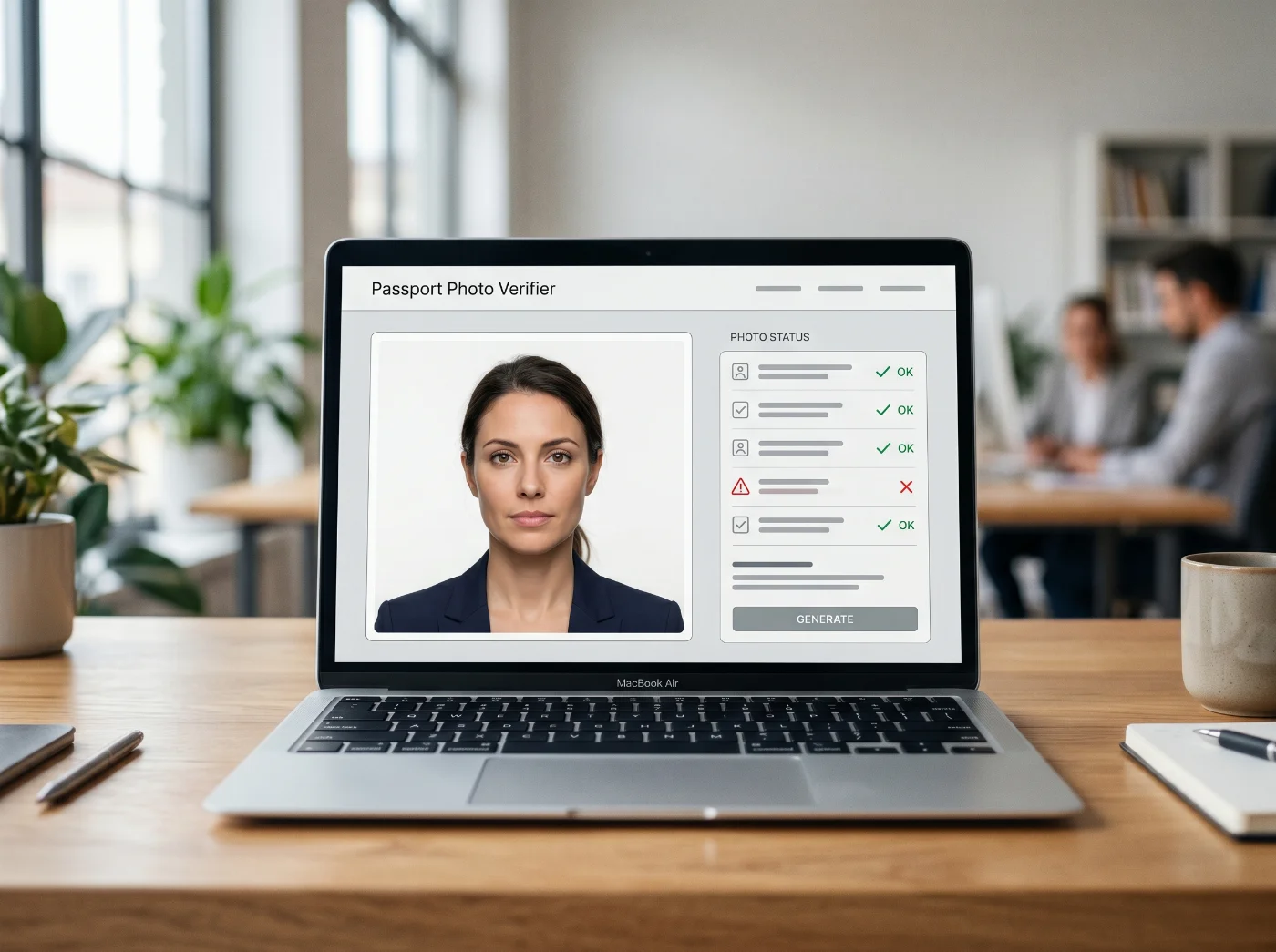
Digital photos are checked automatically at the upload step by the consular or passport application portal. It verifies that the file format is allowed, the pixel dimensions and aspect ratio are within the permitted range, the file size is within limits, and the color profile matches the expected standard. The four U.S. upload channels are walked through one by one in the guide to uploading a digital passport photo.
The portal then reads EXIF metadata for orientation and color tags and runs biometric checks — face detection, head size and position, and background uniformity. Any failure triggers an immediate error message and stops the process until you upload a compliant file.
How Printed Passport Photos Are Reviewed
Printed photos are reviewed manually. Staff at the passport or visa office compare the physical photo with the official size and layout guidelines, checking the overall photo size, head height, and eye level. They also review focus and exposure, confirm that the background is plain and evenly lit, and inspect the paper for scratches, creases, dust marks, gloss streaks, and cutting defects. If the print does not comply, the application is placed on hold until a new photo is supplied.
When You Need a Printed Passport Photo
A printed passport photo is required whenever the application is processed on paper or involves an in‑person appointment. Typical cases:
In‑person applications submitted at a passport office or acceptance facility
Mail‑in passport applications
Child passport applications, which most authorities process face‑to‑face
Applications at consulates and embassies abroad
Emergency or expedited services that are delivered during an in‑person visit
Replacement applications for lost, stolen, or damaged passports.
In all of these scenarios, the photo must be supplied as physical prints in the required size. There is no option to substitute a digital file in channels that do not include a photo upload step.
When You Can Submit a Digital Passport Photo
A digital upload is accepted only in application channels that explicitly support it and only when the applicant meets the portal’s eligibility criteria. These channels are usually limited to specific renewal scenarios.
Typical eligibility patterns:
The application is a renewal of an existing document, not a first‑time passport
The existing passport is valid, undamaged, and within the renewal window
There are no recent changes to key identity data, such as name
The applicant is applying from inside the issuing country
The case does not require special handling that must be done in person.
Eligibility is determined by the online system before the photo upload step appears. If the system does not offer photo upload or marks the applicant as ineligible for online processing, a printed photo must be submitted through the relevant paper process.
U.S. Applications in 2026: Digital vs Printed Photos
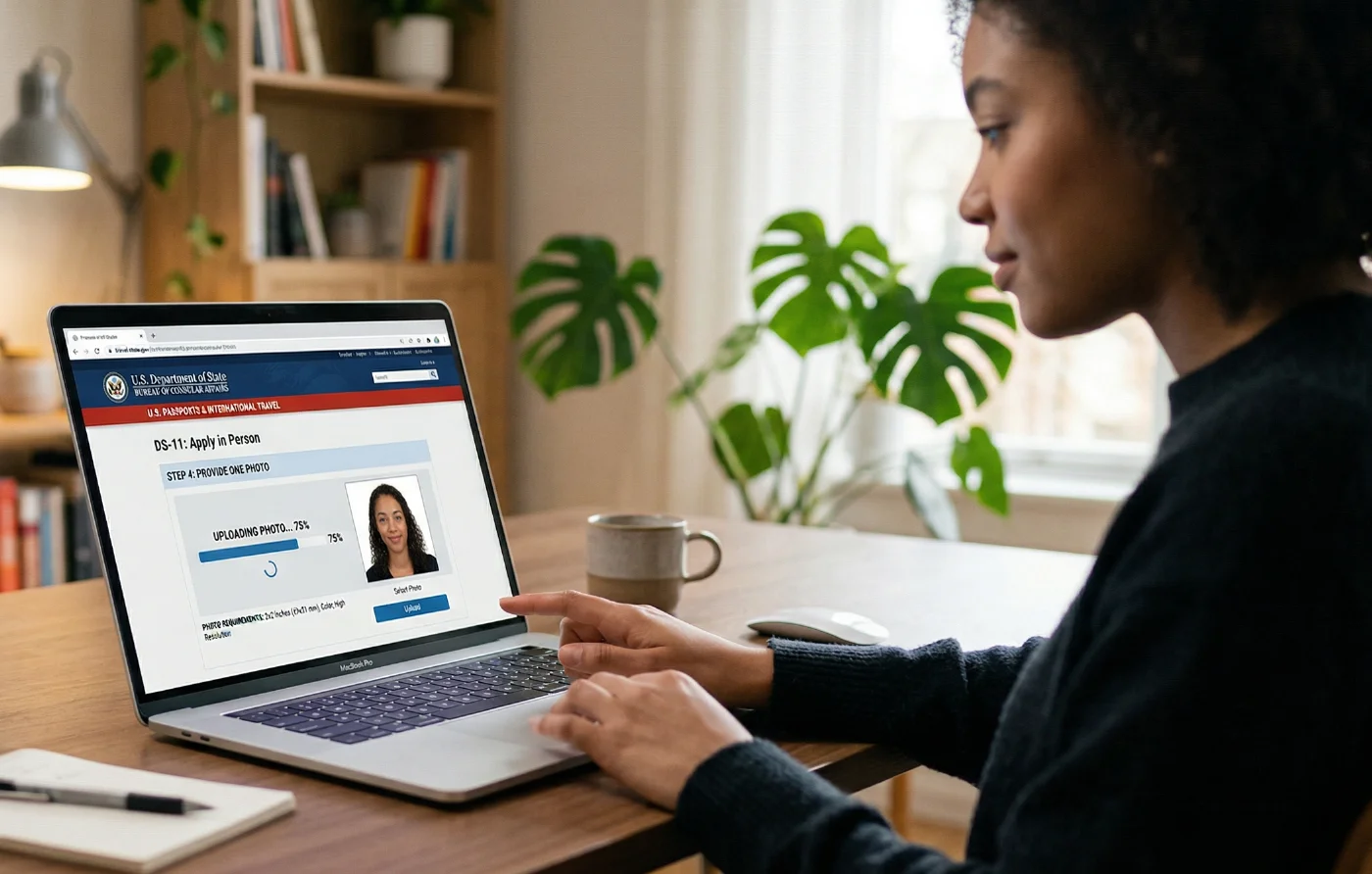
When Printed Passport Photos are Required in the U.S.
In the United States, printed 2 × 2-inch photos remain the default for most passport applications in 2026. A printed photo is required when you:
Apply in person using form DS‑11
Renew by mail using form DS‑82
Apply for a passport for a minor under 16 (including renewals)
Apply for a passport at a U.S. embassy or consulate abroad
Apply for a first U.S. passport or replace a lost or stolen passport
Use most emergency or expedited services handled at agencies and centres.
In these processes, you must attach a single 2 × 2-inch color photo printed on photo‑quality paper with your application. There is no photo upload step and no way to replace the print with a digital file.
When Digital Passport Photos are Used in the U.S.
Digital photos are used in several independent online channels:
Online passport renewal: eligible adult applicants renewing inside the U.S. can complete an online renewal and upload a square digital photo. The file must be a color JPG, PNG, HEIC, or HEIF file in sRGB, 600 × 600 to 1200 × 1200 pixels, and a file size between 54 KB and 10 MB. The photo must follow all biometric requirements
Non‑immigrant visa applications: applicants submitting forms DS‑160 upload a digital photo at the start of the process. The file must be a square JPEG in sRGB, 600x600 to 1,200x1,200 pixels, 240 KB max, and follow all biometric requirements
Diversity Visa (DV) Lottery: each entrant uploads a digital photo for every person listed on the entry. The image must be a square JPEG in sRGB, 600x600 to 1,200x1,200 pixels, 240 KB max, and follow all biometric requirements. Once the entry is submitted, the photo cannot be replaced; a non‑compliant photo can invalidate the entry.
These digital channels are separate from the DS‑11 and DS‑82 paper workflows and do not alter the requirement for 2 × 2‑inch printed photos in those applications.
Technical Comparison: Dimensions, Color, Compression
Dimensions: Pixels vs Physical Size
Digital passport photos are defined in pixels. U.S. systems for online passport renewal, non‑immigrant visas, and DV lottery use a square image between 600 × 600 and 1200 × 1200 pixels, with different file‑size limits depending on the form. UK and many EU online portals use portrait‑style rectangles such as 600 × 750 pixels or larger, with their own upper bounds.
Printed passport photos are defined in physical units:
2 × 2 inches (51 × 51 mm) for U.S. passports and many U.S. visas.
35 × 45 mm for UK and most Schengen/EU passports and visas.
50 × 70 mm for Canadian passports.
35–40 × 45–50 mm for Australian passports.
For printed photos, the effective print resolution at the final size must be high enough (around 300–600 DPI) to keep facial details clear.
Color and Metadata
Digital files must use a compatible color space and stable metadata. Online systems generally require sRGB color, 24‑bit depth, and intact EXIF data so the software can read the orientation and color profile correctly. Files exported in wider gamuts such as Adobe RGB or Display P3, or with stripped metadata, often cause immediate rejection despite looking correct on screen.
Printed photos do not expose metadata. Color and contrast are evaluated visually. Minor color casts are often tolerated if skin tones remain natural and the background stays within the examples used by the authority.
Quality and Compression
Digital passport photos are sensitive to compression and heavy editing. Strong JPEG compression, aggressive noise reduction or sharpening, filter use, and any AI‑based edits can introduce artefacts that automated checks detect at the pixel level. Even small deviations can trigger rejection, especially in visa and DV systems with strict limits.
Printed photos hide some of these fine‑grained artefacts, but they introduce their own risks: visible printing lines, grain, uneven inking, and poor tonal range. Physical issues such as dust, fingerprints, creases, and misaligned cutting are common reasons for rejection of printed photos.
Pros and Cons of Digital Passport Photos
Advantages of Digital Passport Photos
Immediate technical feedback at upload: file‑level errors are caught before the application is submitted.
No dependence on print quality, cutting accuracy, or mail handling.
The same original capture can be exported in different versions for different digital systems, as long as each export matches that system’s limits.
A natural fit for fully online processes where the entire application is digital from start to finish.
Disadvantages of Digital Passport Photos
A narrow technical envelope: pixel dimensions, aspect ratio, file size, color profile, and metadata all have to match the portal rules exactly.
Different online channels, even inside one country, use different pixels and file‑size ranges, so one file cannot safely be reused everywhere.
Eligibility constraints: only applicants admitted into the online channel can use digital photos; others must use printed photos.
No human discretion at upload: if any parameter falls outside the limits, the file is rejected even if it looks fine.
Pros and Cons of Printed Passport Photos
Advantages of Printed Passport Photos
Accepted in all in‑person and mail‑in channels, regardless of the applicant’s eligibility for online services.
Independent of file format and metadata, only the visible print matters.
Standard sizes (such as 2 × 2 inches and 35 × 45 mm) are widely used, and most labs can produce compliant prints.
Visual review can tolerate small, non‑critical color or exposure variations better than a rigid digital check.
Disadvantages of Printed Passport Photos
Exposure to physical risks: paper defects, poor printing, trimming errors, and transport damage.
Quality varies across providers; cheap or poorly maintained printers often produce borderline results.
No instant feedback: problems are discovered only during processing, often delaying issuance.
Any correction requires new prints and resubmission or another visit.
Common Rejection Reasons: Digital vs Printed
Why Digital Passport Photos Are Rejected
Digital passport photos are usually rejected for technical reasons that are invisible at a glance. Common triggers include:
EXIF orientation indicating that the image is rotated.
A color profile other than sRGB.
Pixel dimensions outside the permitted range or an incorrect aspect ratio.
File size below the minimum or above the maximum allowed.
Missing or corrupted EXIF metadata (often after scanning, messaging, or multiple re‑saves).
Visible compression artefacts, filter artefacts, or AI‑modified facial features or backgrounds.
The page with passport photo examples explained shows a compliant frame beside the errors described here.
Why Printed Passport Photos are Rejected
Printed passport photos are usually rejected because of physical and visual issues. The most frequent causes are:
Incorrect physical size (not exactly the required dimensions).
Head that is too large, too small, or positioned outside the allowed band.
Shadows on the face or background, or an uneven or colored background.
Low print quality: poor focus, low resolution, banding, bad contrast.
Scratches, creases, folds, dust marks, or other paper defects.
Crooked cuts or trimming that comes too close to the head.
What to Do if Your Digital Passport Photo is Rejected
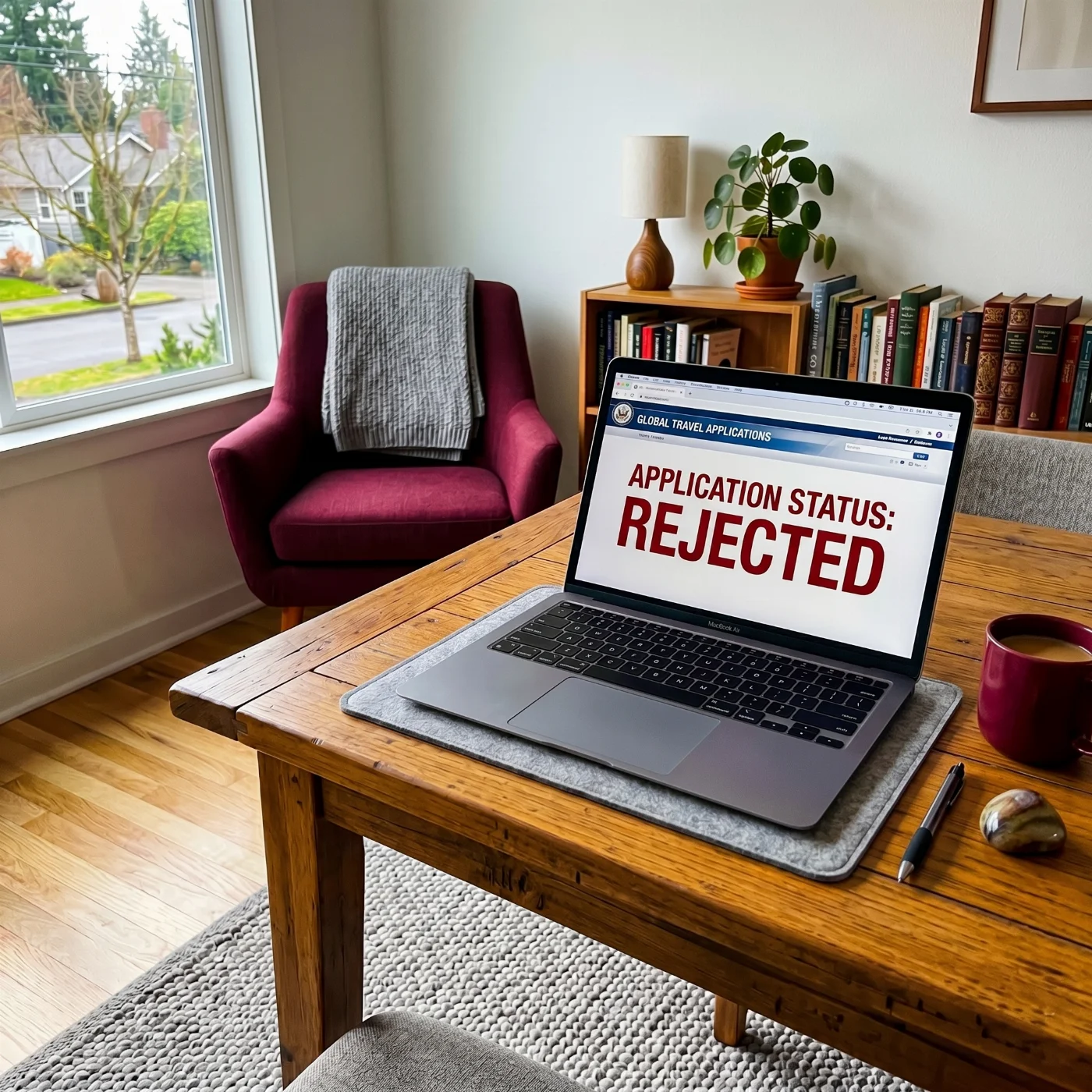
Digital photos are rejected at the upload stage; the application does not move forward until a compliant file is accepted. To fix a digital rejection:
Identify the parameter mentioned in the error (format, dimensions, file size, color profile, orientation, or biometric issue).
Re‑export the image in sRGB if the color profile is wrong.
Rotate and save the image so it is physically upright if the orientation is wrong.
Adjust JPEG quality or resize the image so the file size falls inside the permitted range.
Recrop to the required pixel size and aspect ratio if dimensions are incorrect.
Retake the photo if the problem is biometric (head size, background, glare, expression) instead of trying to fix it with filters.
Upload the corrected file and verify that the portal accepts it before submitting the application.
Each rejection message is matched to a specific correction in our passport photo fix checklist for 2026.
What to Do If Your Printed Passport Photo is Rejected
Printed rejections are usually communicated by letter or email once the application is opened. To recover from a printed rejection:
Read the notice carefully and determine whether the issue is size, head position, background, exposure, print quality, paper, or damage.
Check the authority’s latest photo guide to confirm the correct specification.
Have a new photo taken and printed by a reputable provider who can follow those requirements.
Where required, ensure that any signatures or annotations on the back of the print follow the country’s rules.
Resubmit the application or supply the new photo as instructed.
Allow extra time, as the application will re‑enter the processing queue.
Choosing the Right Format for Your Application
The choice between a digital and a printed passport photo is dictated by the application channel. If you apply online through a portal that shows a photo upload step and confirms your eligibility, you must use a digital photo that meets that portal’s technical rules. Further cases from the United States, the United Kingdom, and Canada are collected on our page with digital passport photo questions answered.
If you apply in person, by mail, or at a consulate, you must use printed photos in the correct size on suitable photo paper.
Preparing the right format for the right channel and matching the required technical rules is the most reliable way to avoid rejection and delays.
Frequently Asked Questions
What is the Difference Between a Digital and a Printed U.S. Passport Photo?
A digital U.S. passport photo is a JPEG file uploaded through an online passport renewal system and checked automatically against file‑level and image‑level criteria before the application proceeds. A printed U.S. passport photo is a 2 × 2-inch physical photograph submitted with paper forms and reviewed visually by staff during processing.
Do I Need a Printed or Digital Passport Photo for a U.S. Application in 2026?
It depends on what document you’re applying to. Most U.S. passport applications in 2026 require a printed 2 × 2 inch photo, including DS‑11, DS‑82 mail‑in renewals, child applications, consular applications, and most expedited services. A digital JPEG upload is used only in the online renewal process for eligible adult applicants; if you are not eligible for online renewal, you must submit a printed photo.
Can I Upload a Digital Photo for a DS‑82 Mail‑In Renewal?
No. DS‑82 is a mail‑in renewal process that uses a printed application package with a 2 × 2-inch photo attached. There is no photo upload step in the DS‑82 paper workflow, and a digital file cannot be substituted for the printed photo.
Can I Use a Digital Photo for a Child’s Passport?
No. All passport applications for minors under 16 are handled in person and require a printed 2 × 2-inch photo. Digital upload is not offered for any minor passport applications.
What Digital File Must I Submit for My Digital Passport Photo Renewal?
For online passport renewals, the US Department of State requires a color digital photo saved as a JPEG, PNG, HEIC, or HEIF file, sized between 54 KB and 10 MB. The photo must be taken within the past six months and show an applicant looking directly into the camera with a neutral facial expression.
What Pixel Size is Required for a Digital Passport Photo in the US?
For online renewal, the passport photo must have a square aspect ratio — 600 × 600 to 1,200 x 1,200 pixels. Files outside the allowed pixel range or with a non‑square aspect ratio do not pass the upload step.
What Size is Required for a Printed US Passport Photo?
For DS‑11, DS‑82, and other paper‑based processes, the photo must measure exactly 2 × 2 inches (51 × 51 mm).
Does DPI Matter for a Digital Passport Photo?
No. DPI does not matter for digital upload. The online system evaluates pixel dimensions and aspect ratio, not DPI. DPI becomes relevant only when a digital image is printed, where adequate resolution of at least 300 DPI is needed to render a clear 2 × 2 inch photo.
Can I Scan a Printed Passport Photo and Upload It as a Digital File?
No. Scanned prints do not preserve the original camera EXIF metadata and often introduce color shifts and compression artefacts that can cause automated validation to fail. A digital passport photo for U.S. online passport renewal must start as a digital photo taken with a phone or camera, not a scan, and be uploaded as a JPEG, PNG, HEIC, or HEIF file.
Can I Take a Digital Passport Photo at Home?
Yes, if the image is taken, saved, and processed correctly. The photo must be:
Saved as a JPEG (or PNG, HEIC, or HEIF for the US online passport renewals)
With a plain white or off‑white background for US submissions
Sized 2 x 2 inches for in-person and 600 x 600 to 1,200 x 1,200 pixels for digital submissions
Correctly framed: the applicant’s face and body square in the camera, with the head size 50-69% of the frame
Evenly lit and naturally presenting skin tones and background color
Saved in the sRGB color profile
With intact EXIF metadata.
Can I Print a Passport Photo at Home?
Yes, but only if you have a fully professional printing setup at home. The photo must be printed on photo‑quality paper, cut to exactly 2 × 2 inches, and produced at a high resolution sufficient to show facial detail clearly. If you have any doubts, we recommend printing your passport photo at a professional photo service or a commercial studio.
What Happens If My Digital Passport Photo Is Rejected at Upload?
If a digital photo fails the upload checks, the portal shows an error and requests a different file. In most cases, you can correct the issue by exporting a new file that meets the pixel size, color, and metadata requirements and then uploading it again.
What Happens if My Printed Passport Photo is Rejected?
If a printed photo does not meet the requirements, the application can be delayed while a compliant replacement is provided. For mail‑in processes, this can add significant time, because the package must be reviewed, returned or held, and then resubmitted with a new photo.
Can I Submit Both a Digital and a Printed Photo?
No. Each application channel accepts only one format. Paper‑based processes require printed photos; online renewal requires a digital JPEG. Submitting both formats is not part of any current U.S. passport application workflow.
Official Government Sources
U.S. Digital Passport Photo Rules — U.S. Department of State
U.S. Digital Visa Photo Rules — U.S. Department of State
U.S. State Department Photo Tool — travel.state.gov
USCIS Photo Tool — U.S. Citizenship and Immigration Services
UK Digital Passport Photo Rules — His Majesty's Passport Office (GOV.UK)
Canada Digital Passport Photo Rules — Immigration, Refugees and Citizenship Canada
Biometric Regulations for International ID Documents — ICAO Document 9303
Related guides
Was this helpful?
73 found this helpful
Top expert
Based on official government sources
Helpful votes: 73
Was this helpful?
73 found this helpful
Service provided by Y VISION TECHNOLOGIES LLP · Stoney Works 8 Stoney Lane, London, England, SE19 3BD · Terms · Refund policy · Contact
We value your Privacy
We use cookies to enhance your browsing experience, serve personalized ads or content. By clicking “Accept All”, you consent to our use of cookies.