Biometric Photo: How to Make It to Get Accepted On the First Try
Table of contents:
Biometric photos are machine-readable images used for identification by the international authorities. What sets them apart from regular snapshots is a set of strict technical parameters — size, proportions, background, color range, eye line, frame, facial expression — designed to capture an individual’s unique facial features and present them in a standardized form to officials. Our 1x1 photo page shows how these parameters apply to the square ID format.
Follow our expert recommendations to minimize the risk of rejection, and use our passport photo maker to turn an ordinary portrait into a compliant biometric image. A job application calls for a different portrait, and our separate page covers a professional photo for resume or CV.
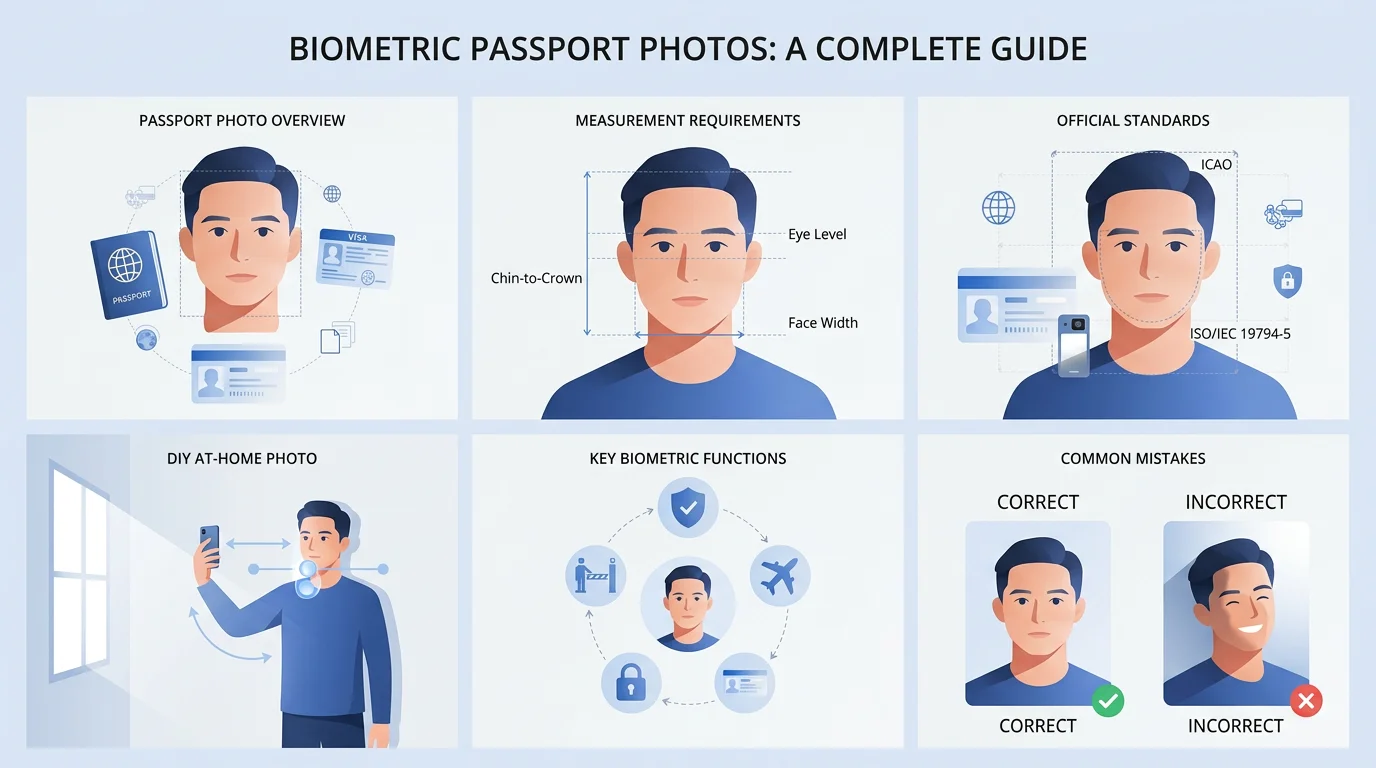
Introduction to Biometric Photos
Whenever you’re preparing to travel or updating an ID, we recommend paying close attention to the technical properties of your ID photograph. If it doesn’t adhere to the international biometric standards, it won’t be approved as a part of an application.
Who Sets the Standards for Biometric Identification?
The international requirements for biometric photos in identity documents are set by the ICAO Doc 9303, issued by the International Civil Aviation Organization (ICAO), and ISO/IEC 19794‑5, issued by the International Organization for Standardization (ISO) and the International Electrotechnical Commission (IEC). The exact specifications are defined directly by the issuing authority of a particular country, for a particular document type. To check them, use our convenient Document Finder.
How to Understand that the Document is Biometric?
It contains a biometric symbol — a small gold camera logo on the front cover
A biometric symbol indicates that the passport contains an RFID chip with the holder's biometric data
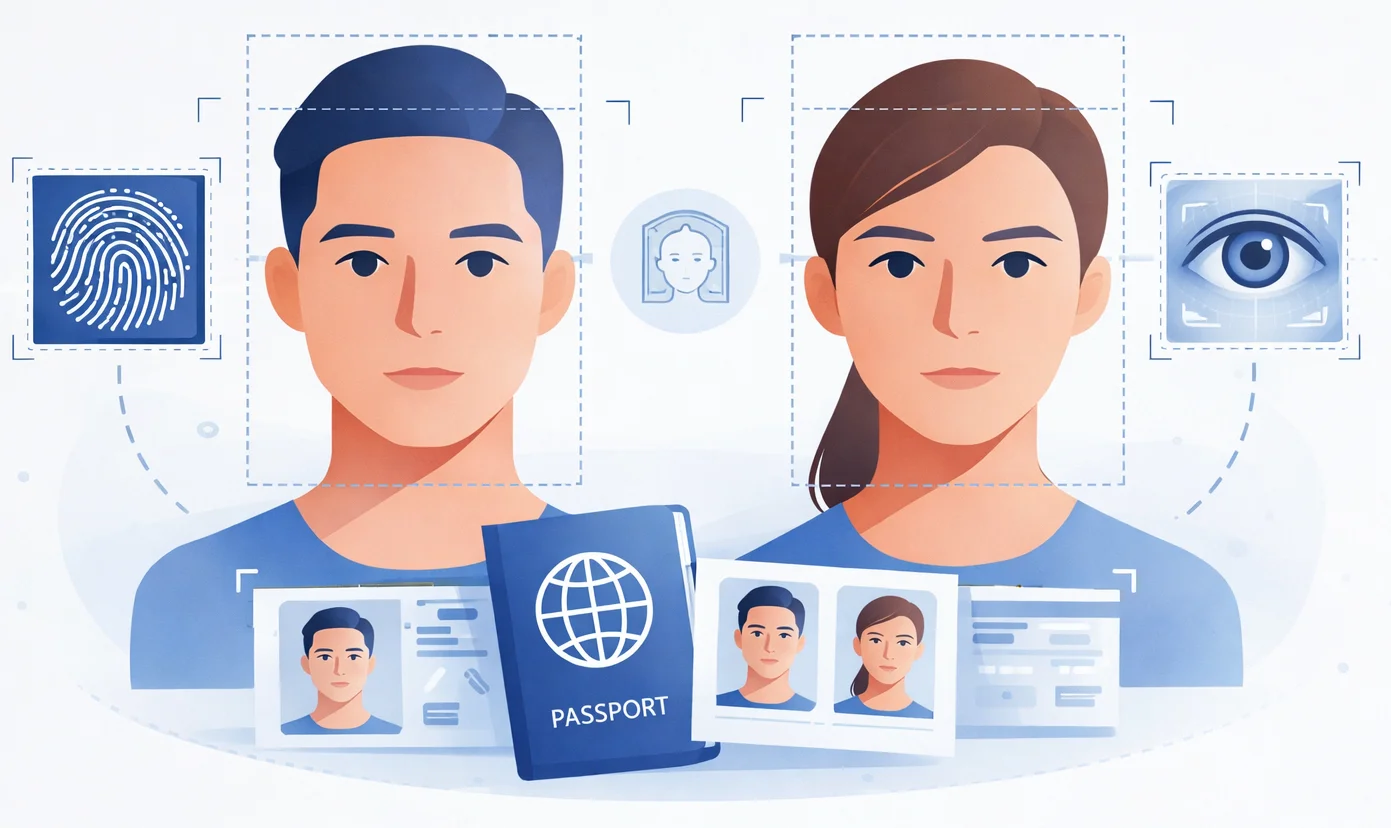
Biometric information, such as facial proportions, fingerprints, and iris scans, is stored in the passport chip embedded in electronic passports (also known as e-passports or digital passports)
Electronic passports offer enhanced security features and digital data storage compared to traditional, or non-biometric passports (that don’t contain electronic chips).
5 Key Functions of Biometric Photos
Identification by (border) authorities and facial recognition systems
Confirmation of the traveler’s identity at border crossings
Proof that only one rightful holder uses the document
Enhanced security and efficiency of international travel
Identity theft prevention.
Checklist: Essential Features of Biometric ID Photos

Biometric standard | What does it mean for the photo |
Recency | The biometric photo must represent the holder’s current appearance and be usually taken within the past 6 months (some authorities require the photo to be taken within the past 3 months) |
Head position | The face looks straight at the camera, with no noticeable turn to the left or right. |
Upright pose | The head is held straight, without tilting to the side or forward/backward. |
Neutral facial expression | Calm expression with the mouth closed; no broad smiling, frowning, or exaggerated faces. |
Open, clearly visible eyes | Eyes are fully open and clearly visible. |
Unobstructed facial features | Eyes, eyebrows, nose, mouth, and facial outline are fully visible and not covered, so the photo accurately represents the person's true appearance. |
Plain, uniform background | Even, usually white or off-white background without patterns or strong contrasts. |
Even, neutral lighting | Light is distributed evenly; no deep shadows, no glare, and no overexposed areas. |
Sufficient face size | The head occupies most of the image; the face is neither too small nor cut off at the edges. |
Minimum eye‑to‑eye distance | The distance between the eyes in the image must reach a defined minimum in pixels. |
Image size | Both the physical and the digital size are defined by the issuing authority. To meet biometric standards, the picture must be measured in a particular number of pixels in width and height. Less common formats are prepared on their own pages, among them the square 4x4 cm photo used on certain forms. |
File format | The file must be stored in standard formats such as JPEG, JPEG2000, or PNG. |
Color | The image must be in color (with a few exceptions — countries that accept black and white ID photos), stored in a standard true‑color range. |
Resolution | Only an image of high resolution (at least 300 DPI) can be used as a biometric photo |
Compression restrictions | Compression must not introduce strong artifacts that would hide or distort facial details. |
Digital alterations | Digital alterations, such as retouching or applying filters, are not permitted in biometric photos, as they can alter facial features. The image must accurately represent the applicant's current appearance. |
What is Facial Recognition Technology?
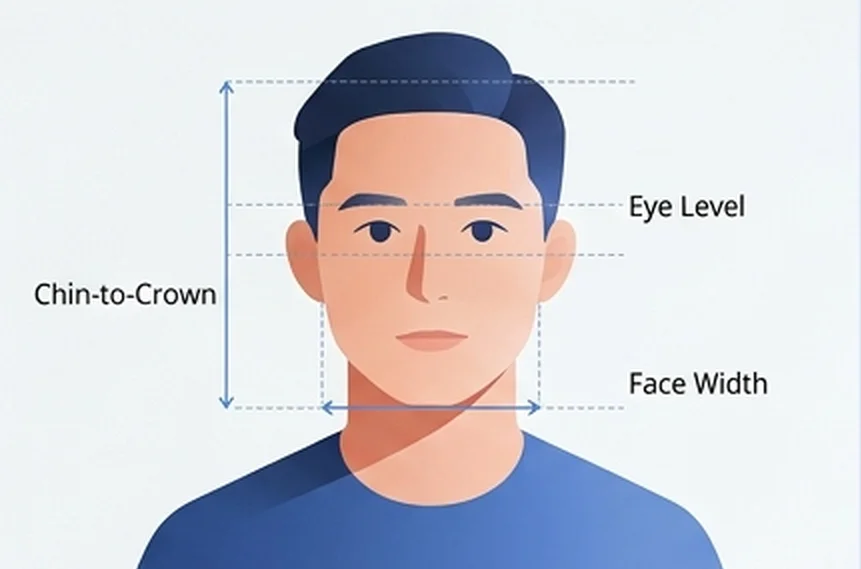
Facial recognition technology is at the heart of modern biometric systems, transforming the way individuals are identified and verified. This technology uses advanced algorithms to analyze the unique structure of a person’s face, focusing on features such as the eyes, nose, and mouth. Biometric photos are the primary input for facial recognition software. It compares the ID image against the technical parameters of the photograph in the database for identity confirmation.
Every time you cross a border and feel the officer’s X‑ray stare, that moment is a required step: a human inspection that complements automatic biometric checks.
Where to Get a Biometric Passport Photo?
Getting your biometric photo right is easier than you think. Here are your main options, available in most countries:
Retail Chains and Pharmacies
Walk into any major pharmacy or retail store. Boots and high-street pharmacies across the UK offer instant service. In the US, CVS and Walgreens do passport photos on the spot. Shoppers Drug Mart and London Drugs serve Canada, while Australia Post and pharmacy chains like Priceline handle biometric photos Down Under. Most locations charge $12–$20 and print immediately.
Photo Booths
Found at train stations, shopping malls, and post offices throughout, these automated booths are calibrated to ICAO standards and are very affordable. But the quality of the output can be poor, so always check the result before submitting your application.
Professional Studios
For complex cases — strict religious dress codes, medical devices, or unusual specifications — visit a specialized photography studio. They understand biometric lighting and framing better than automated systems.
Quick tip: Check your passport office's website first. Some countries require photos taken within the last 3–6 months or at specific authorized locations.
Online Services
An online passport photo maker
produces an official biometric photo, automatically matching your original selfie to strict biometric requirements for your document type. All you need to do is upload a sufficient selfie.
Using Biometric Photo Standards in Practice
 Now, when you know the biometric photo standards, the point is not to memorize every rule, but to correctly apply them so that your ID photo is accepted on the first try.
Follow the step-by-step instructions below to get a biometric ID photo online.
Check the Official Requirements for Your Document
Check the passport, visa, or ID photo page of the authority you are applying to and treat it as your main checklist (size, background, file format, digital vs printed, etc.). For example, the U.S. Department of State’s Travel.State.Gov website explains all standards in detail, providing a comprehensive list of acceptable and unacceptable photo examples.
How to Take a Biometric Photo at Home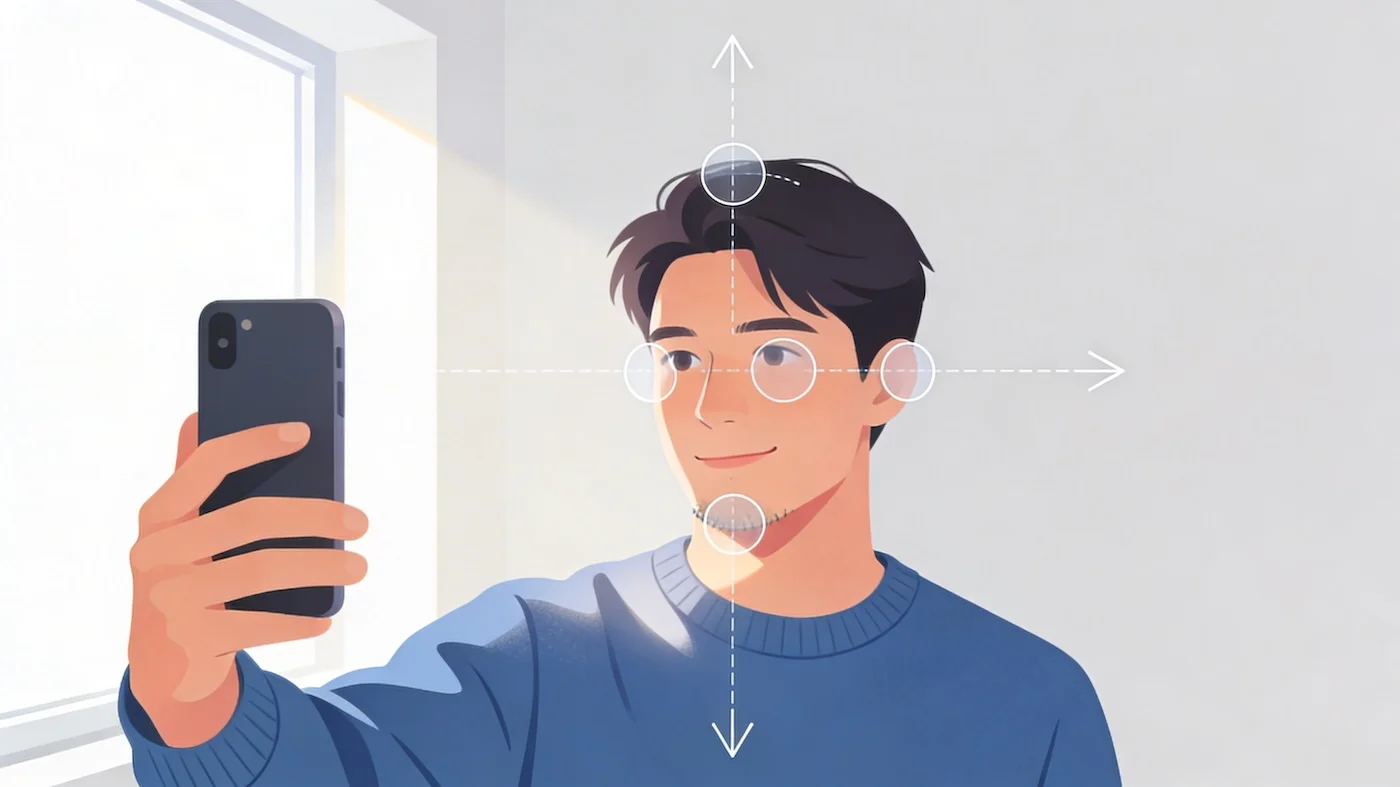
Taking a biometric photo at home is straightforward if you follow a few key guidelines. Most countries accept home-taken photos as long as they meet official standards.
Set up your shot: a smartphone or digital camera with at least 5MP resolution, a plain white or light gray wall for your background, and proper lighting. Natural daylight from a window works best. If you're shooting indoors, position two lamps at 45-degree angles on either side of your face to eliminate shadows. Avoid overhead lighting, which creates shadows under your eyes, and direct flash, which causes glare and red-eye. You'll also need a tripod or stable surface to hold the camera at eye level.
Take a photo by standing 3-5 feet (1–1.5 meters) away from the wall to avoid background shadows, and position the camera 5-6.5 feet (1.5–2 meters) from you. The frame should capture your head and upper shoulders, with your face filling 70–80% of the image height. Your head should measure between 1 and 1⅜ inches (25-35 mm) from the bottom of your chin to the top of your head. Look straight into the lens with a neutral expression: keep your mouth closed, eyes open, and don't smile.
Convert Selfie to a Biometric Photo with Passport Photo Maker
Upload your selfie to a trusted online tool like PhotoGov. Our passport photo maker is built to automatically apply biometric and country‑specific ID photo standards to your original portrait. After you’ve uploaded your selfie, the tool processes it to meet 100% of official biometric requirements.
You don’t need to calculate pixels, eye distance, or compression settings yourself. The tool automatically crops and scales the image — your face has the right size, your eyes are in the correct area, and the file is saved in an accepted format and quality for your document type.
Common Mistakes to Avoid in Biometric Photos

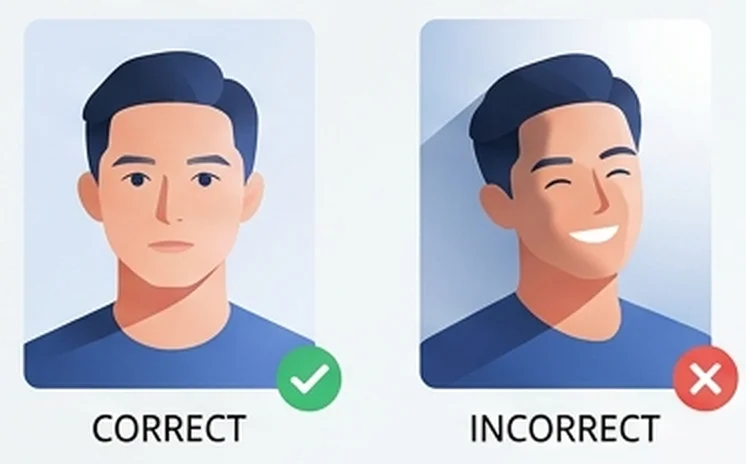
Here are the most frequent mistakes that may lead to a biometric photo rejection:
Incorrect lighting. Harsh shadows or glare can obscure facial features and may make the photo unusable for facial recognition.
Incorrect background. Patterns, textures, or visible objects can interfere with facial recognition software and result in an application rejection.
Facial obstructions. Allowing hair, glasses, or clothing to cover the face can prevent accurate identification. The entire face must be clearly visible in a biometric photo.
Wrong facial expression. Smiling, frowning, or having an open mouth can affect the biometric data and lead to rejection.
Poor image quality. Wrong size, low resolution, pixelation, over- or underexposure make a photograph unsuitable for official documents.
Wrong format and composition. Framing, sizing, head size, and proportions must adhere to the standards; otherwise, the photo can be rejected.
Digital alterations. Retouching, heavy color edits, or beauty filters are likely to be detected during checks and can cause your photo to be rejected.
To avoid these common mistakes, consider using a professional photographer or a reputable online service that specializes in biometric passport photos.
Frequently Asked Questions
What is a Biometric Photo?
A biometric photo is a machine-readable digital image designed to identify you through your unique facial features. It captures specific measurements — eye distance, nose width, jawline shape — in a standardized format used by facial recognition software to verify your identity.
Unlike regular snapshots, biometric photos must meet strict international standards (ICAO Doc 9303) for size, lighting, background, and composition. Authorities use these images to confirm you are the rightful holder of passports, ID cards, and visas by comparing the photo against your live image at borders and checkpoints.
What are the Technical Specifications for Biometric Images?
For your biometric photo to be accepted for official documents, it must meet strict technical specifications set by the International Civil Aviation Organization. Here’s what you need to know:
The photo must be high resolution. For example, a 2x2 US passport photo must be submitted in a minimum resolution of 600 x 600 pixels.
File size should not exceed 10MB, and the accepted formats are typically JPEG or PNG, as required by most authorities.
The image must be in color, accurately reflecting natural skin tones and free from red-eye effects or color distortions.
The document holder’s face must be fully visible, centered in the frame, and occupy the specified portion of the photo area, as outlined by an authority’s requirements.
The background should be plain and light-colored, with no patterns, objects, or shadows that could interfere with identification.
The photo must be recent, representing the holder’s current appearance, free from any reflections, red-eye, or digital distortions.
The image should not be digitally altered or retouched, as this can compromise the integrity of the biometric data.
What are the Biometric Features in a Photo?
Biometric features include physical characteristics — facial structure, fingerprints, and iris patterns, which are used for secure identification in biometric passports.
The photo must accurately represent the person applying for the document. It cannot be digitally altered as it may lead to misrepresentation.
What is A Biometric Photo for Visa?
A biometric photo for a visa is a standardized image required as part of your visa application to verify your identity through facial recognition. It captures your unique facial features — eye distance, nose shape, jawline contours — in a machine-readable format that embassy officials use to confirm you are the applicant.
Each country sets its own visa photo specifications. Common formats include 2×2 inches for US visas, 35×45 mm for Schengen visas, and 45×35 mm for UK visas — with variations in head size, background color, and recency requirements. The photo is cross-referenced against your live image at visa application centers and border crossings.
Visa photos follow ICAO standards but often have stricter requirements than passport photos, with precise rules about glasses, head coverings, and digital quality specific to the issuing country.
What Size is A Biometric Photo?
There is no single standard size. Biometric photo dimensions are set by the issuing authority for each document type and country. The 30x40 photo is another widely used national size, and we prepare that format with its own tool.
Most common sizes:
2 × 2 inches (51×51 mm) — US passport, US visa, India passport
35 × 45 mm — Schengen visas, most EU passports, Russia
45×35 mm — UK passport
50 × 70 mm — Canada passport
33 × 48 mm — China passport
Digital dimensions:
US passport photos: minimum 600 × 600 pixels, maximum 1200 × 1200 pixels
General standard: 300 DPI minimum for printing
Head measurement:
Depending on the document type, the face typically fills 50-80% of the frame height — US passport standards require the head to measure 1-1⅜ inches within a 2-inch tall photo (roughly 50-69% of the height), while Schengen and UK standards specify approximately 70-80% coverage.
Always check your specific country and document requirements before taking or printing your photo. For the size used across Europe, our 35x45 passport photo page prepares the file to the same biometric proportions.
What To Wear For A Biometric Photo?
Here is a brief biometric photo clothing guide:
Wear everyday clothing in solid, neutral colors. Avoid white or very light colors that blend into the background, and skip busy patterns, stripes, or logos that distract from your face. Dark or medium-toned shirts in navy, gray, black, or earth tones work best against white or off-white backgrounds.
Do not wear uniforms, military attire, or clothing that resembles official costumes. Most countries prohibit head coverings unless worn daily for religious purposes — in that case, your face must still be fully visible from chin to forehead.
Remove glasses. Most countries (including the US) only accept photos without glasses.
Keep jewelry minimal. Small earrings are usually acceptable, but large hoops or dangling pieces that cast shadows or touch your face should be removed. Avoid reflective accessories near the face.
Is the Data of My Digital Image Safe?
The shift to digital images in biometric passports and other official documents has brought data protection to the forefront of identity security. Biometric data, including facial recognition information, is among the most sensitive types of personal information and requires stringent safeguards.
To protect this data, biometric passports are equipped with advanced security features such as encryption and digital signatures, which help prevent tampering and unauthorized access. The International Civil Aviation Organization (ICAO) has established strict guidelines for the secure storage and transmission of biometric data, ensuring that digital images are handled with the highest level of care.
Where Can I Take Biometric Photo Near Me?
You can take a biometric photo at retail pharmacies, photo booths, post offices, or professional studios — most locations are within a few miles of residential areas.
Retail and pharmacy chains offer walk-in service. Look for CVS, Walgreens, or Walmart in the US; Boots in the UK; Shoppers Drug Mart in Canada; or Priceline and TerryWhite Chemmart in Australia. Most have dedicated passport photo counters and print immediately for $12-$20.
Post offices increasingly offer in-house photo services. Check your national postal service — USPS locations in the US, Australia Post, Japan Post, and many European postal services provide biometric-compliant photos alongside passport application processing.
Professional photography studios handle complex cases or strict requirements. Search "passport photo studio" plus your city name to find specialized providers who understand specific country requirements.
Can't find a location nearby? Online services like PhotoGov let you upload a selfie and receive verified digital files or printed copies by mail — no travel required.
What is a Biometric Photo vs Passport Photo?
A biometric photo is a standardized ID picture created specifically for use with facial recognition systems, with strict rules for head size, positioning, lighting, background, and resolution so that software can reliably read your facial features.
A passport photo is any photo submitted with a passport application, and in older or less strict systems, it might only need to show your face clearly without meeting all biometric criteria.
In other words, all biometric photos can be used as passport photos, but not every passport photo automatically meets biometric standards. Today, most countries require biometric‑compliant photos for modern passports, so in practice, “passport photo” usually means a biometric photo that follows detailed technical rules set by the issuing authority.
Related guides
Was this helpful?
96 found this helpful
Top expert
Based on official government sources
Helpful votes: 96
Was this helpful?
96 found this helpful
Service provided by Y VISION TECHNOLOGIES LLP · Stoney Works 8 Stoney Lane, London, England, SE19 3BD · Terms · Refund policy · Contact
We value your Privacy
We use cookies to enhance your browsing experience, serve personalized ads or content. By clicking “Accept All”, you consent to our use of cookies.