Saudi Arabia eVisa Photo Requirements: the Complete 2026 Checklist
Table of contents:
- 10 Essential Saudi Arabia eVisa Photo Requirements
- Saudi eVisa Photos: Special Cases
- Step-by-Step: How to Upload Your Photo on visa.visitsaudi.com
- Where to Take a Saudi eVisa Photo (and What It Costs)
- How to Take a Saudi eVisa Photo at Home
- Visual Do's and Don'ts
- Saudi eVisa Photo Requirements for Children
- Why Saudi eVisa Photos Get Rejected — the Most Common Reasons
- What to Do If Your Saudi eVisa Photo is Rejected
- The eVisa Requirements are Clear: What's Next?
- Frequently Asked Questions
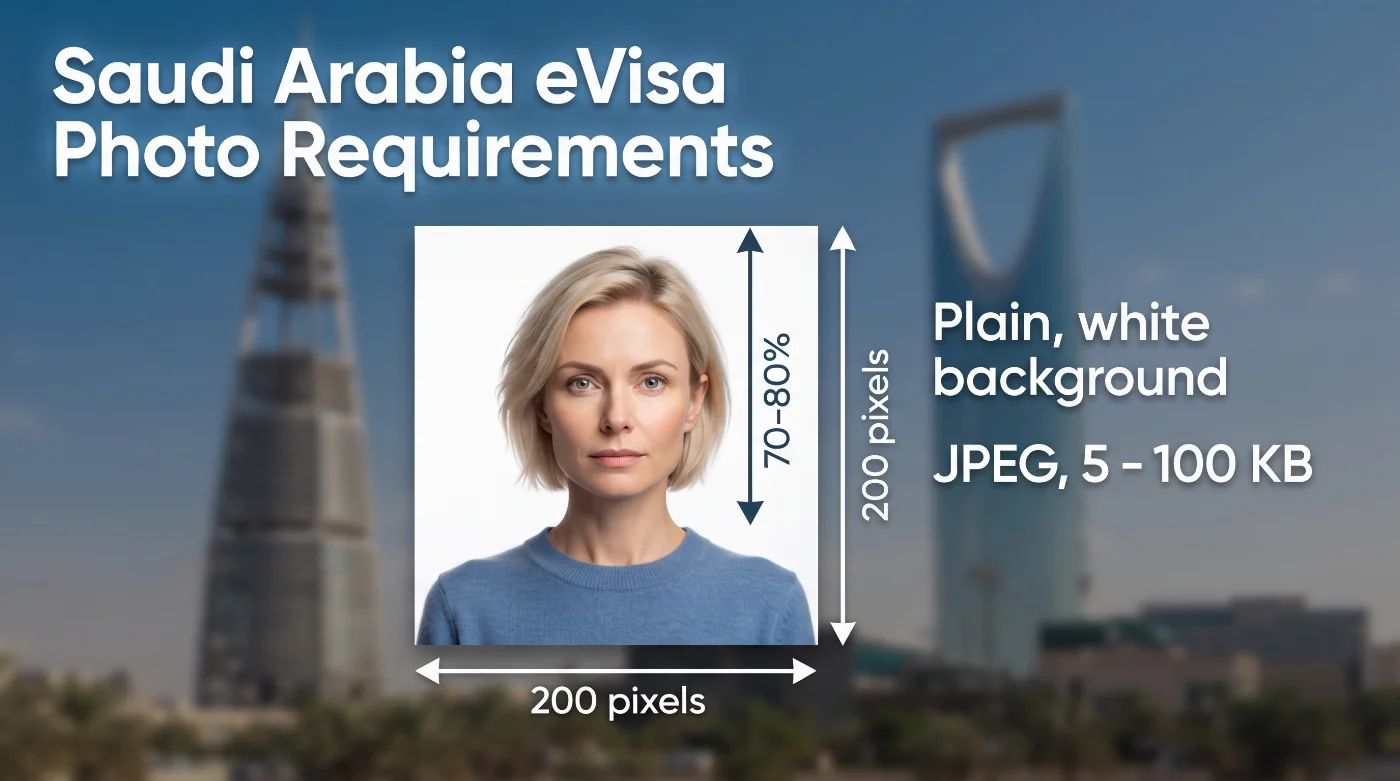
Planning a trip and wondering what the Saudi Arabia eVisa photo requirements are in 2026? You must submit one digital photo with a white background at 200 × 200 pixels, file size 5–100 KB, and face taking up 70–80% of the photo (1.4" × 1.6" from chin to crown). The photo must be taken within the past 6 months and submitted online via an eVisa portal. You can produce a Saudi e visa photo 200x200 px from an ordinary selfie with our online maker.
This guide covers all current eVisa photo specifications directly from the official Tourism Website of Saudi Arabia, provides eVisa photo samples, and offers practical tips to help you create an accurate image and avoid application delays or rejections. Residents applying for an Iqama or national ID need a Saudi Arabia ID card photo in the 4 x 6 cm format instead.
10 Essential Saudi Arabia eVisa Photo Requirements
Saudi Arabia Ministry of Tourism sets the official eVisa specifications, based on the international biometric standards of the International Civil Aviation Organisation (ICAO) Document 9303. The photo you submit with your eVisa application must follow all 10 specs listed below to avoid delays or rejections.
Parameter | Requirement |
|---|---|
1. Number of photos | One identical digital photograph per applicant. |
2. Recency | Must be no more than six months old to reflect an applicant’s up-to-date likeness. |
3. Size | 200 × 200 pixels, square (1:1). |
4. Head size | 1.4 × 1.6 in from chin to crown, or 70-80% of the shot. |
5. File size | 5 to 100 KB. |
6. Framing | Close-up of the face and top of the shoulders, square in the shot. |
7. Background | White, plain, with no pattern and no shadows. |
8. Facial expression | Only a neutral facial expression is allowed. |
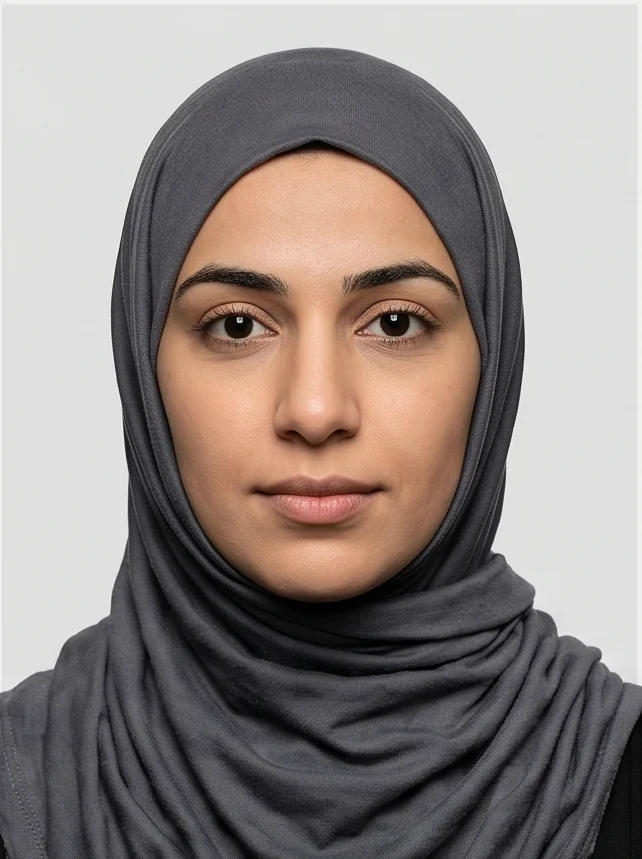
9. Head covering | Not permitted, except for religious or medical reasons. When worn, the face must remain visible from the lower chin to the forehead, with no shadow cast on the face. |
10. Eyewear | Preferably removed. If you must wear glasses for medical reasons, make sure that the lenses have zero glare, no tinting, and both eyes fully visible. |
Saudi eVisa Photos: Special Cases
Head Coverings
Headwear is generally not permitted, except for religious head coverings such as hijabs, keffiyehs, and turbans, which are explicitly allowed under official guidance. In these cases, the face must remain fully visible from the chin to the forehead, and the fabric must not cast any shadow across the face.
Medical Head Coverings
Medical head coverings fall under the same exception category as religious ones, subject to the identical visibility standard: full chin-to-forehead exposure with no shadowing from the covering.
Voluminous or Textured Hair
For applicants with voluminous or textured hair, the specification requires that the head and hairstyle be shown in full — the photo should not be cropped tightly just to accommodate hair volume. The face-size requirement takes precedence over fitting the entire hairstyle into a tighter frame.
Eyewear
Remove glasses entirely for the photo. If they must be worn for medical reasons, the frame must not cross the eyes, and there should be no glare or tinting on the lenses.
Step-by-Step: How to Upload Your Photo on visa.visitsaudi.com
Step 1. Prepare your photo file at exactly 200 × 200 pixels, between 5 and 100 KB, on a plain white background.
Step 2. Create or log in to your account on the eVisa portal and start a new application. Note that the system sends a verification code to your email both at registration and at every subsequent login — you won't be able to access your account without entering it.
Step 3. Enter your passport and personal details, then proceed to the photo upload step.
Step 4. Upload your photo file. The system automatically checks file size and dimensions; a file outside the 5–100 KB range or not sized 200 × 200 px will be rejected before you can continue.
Step 5. Review the preview the portal displays — confirm the face is centered and fills roughly 70–80% of the frame before submitting.
Step 6. Complete payment. The portal adds the applicable visa, digital-service, and insurance-related charges. The insurance premium depends on the selected provider, so check the final amount displayed at checkout. Most applications are approved quickly; check your account or email for confirmation and your linked eVisa.
How to Apply for a Saudi Arabia Tourist eVisa
The entire application process takes place online through the official portal, visa.visitsaudi.com. You'll need a passport valid for at least six months beyond your planned stay, a digital passport-style photo meeting the specifications above, and a valid payment method for the visa fee.
The official processing estimate ranges from one minute to three business days. The approved eVisa is sent as an email attachment. Carry a copy of it when arriving in Saudi Arabia.
Where to Take a Saudi eVisa Photo (and What It Costs)
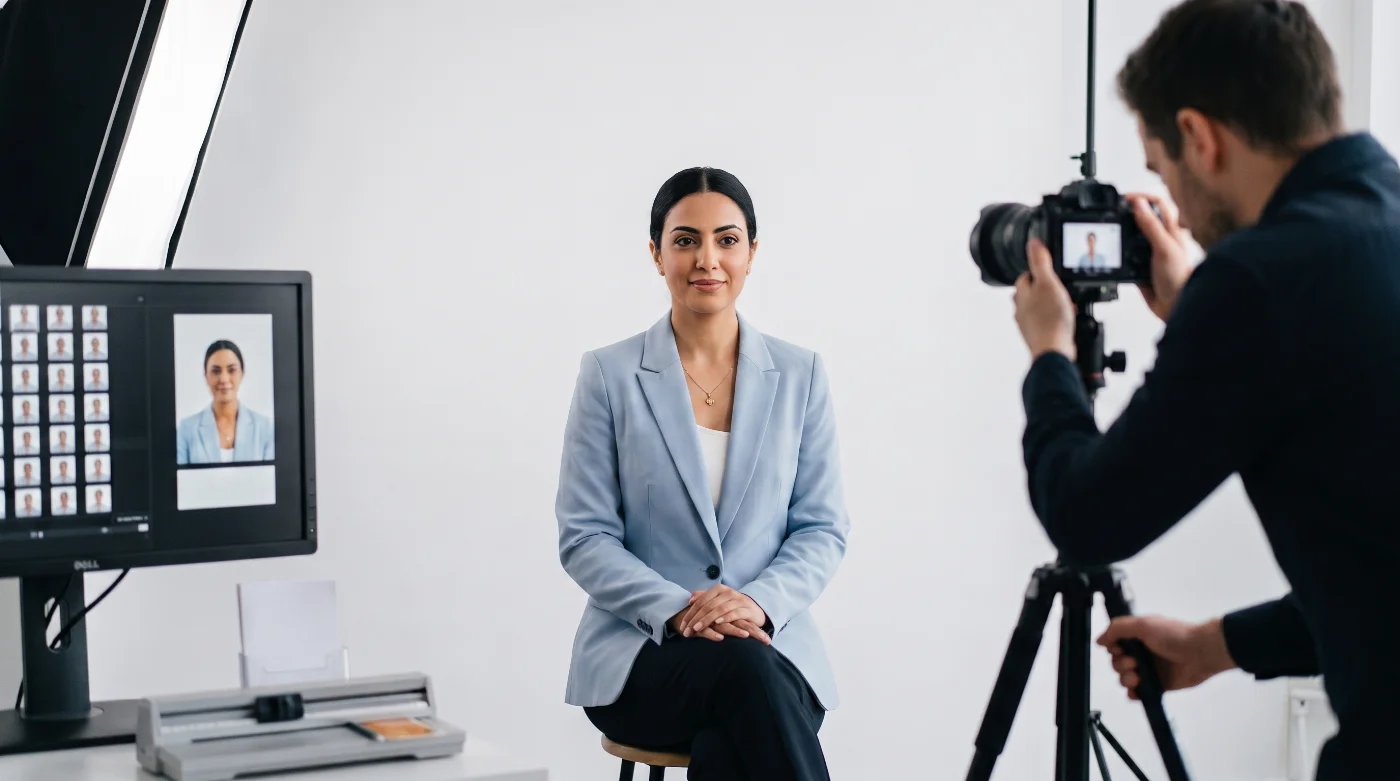
Choose whichever location is most convenient for you, or simply take the photo at home and process it with a reliable online photo-making tool.
Pharmacy photo counters (e.g., CVS, Walgreens) — Widely available and generally familiar with visa-photo formats, but staff often default to producing a standard printed passport photo unless you specifically request a digital file sized to the Saudi eVisa's 200×200-pixel spec.
Professional photo studio — Offers in-person assistance and can deliver a digital file on request. This is typically the most expensive option, and some studios require an appointment in advance.
Online visa photo tool — Purpose-built tools like PhotoGov automatically crop, resize, and compress your photo to the exact 200×200-pixel dimensions and 5–100 KB file size the portal requires, removing the guesswork of manual editing. PhotoGov gives two free ID photos per day, depending on your location; in the US, a digital photo costs $6.90.
Option | Time | Typical cost (USD) | Notes |
Pharmacy (CVS, Walgreens) | 10–15 minutes | CVS $17.99 + $3 for digital copy; Walgreens $16.99 | Confirm they can provide a digital file, not just a print |
Professional photo studio | 15–30 minutes | $19–$34 for a digital file | Best for in-person guidance; specify eVisa spec upfront |
PhotoGov online eVisa photo maker | Under a minute | Two free ID photos per day, depending on your location; $6.90 in the US | Auto-formats to exact 200×200 px / 5–100 KB spec |
How to Take a Saudi eVisa Photo at Home
Setting. Stand far enough in front of the wall to prevent shadows, and position the camera approximately 1.5–2 meters away at eye level. The natural light coming from the front is preferable to overhead lighting or flash, both of which tend to produce the shadows the specification explicitly prohibits.
Position. Face the camera directly with your head square — not turned or tilted — ensuring both ears and cheeks remain visible, in line with the official wording.
Camera. Use a smartphone's rear camera rather than the front-facing selfie camera, since it typically offers better resolution and less distortion. A tripod, or having a second person take the shot, produces a straighter, better-centered result than a handheld photo.
After the shot. Crop the image to a perfect square (1:1 ratio) and resize it to exactly 200 × 200 pixels, then confirm the file size falls between 5 and 100 KB before uploading. Most basic photo editors and free online tools can handle both steps.
Visual Do's and Don'ts
Do | Don't |
Plain white background, no shadows | Off-white, patterned, or shadowed background |
Head square to the camera | Head turned, tilted, or in profile |
Face filling 70–80% of the frame | Face too small or too tightly cropped |
Religious/medical headwear with full face visible | Caps, hats, or sunglasses worn without religious/medical reason |
Exactly 200 × 200 px, 5–100 KB | Photo sized for a printed passport photo |
Recent photo (within 6 months) | Reused photo from an old application |
Both ears and cheeks visible | Side profile or heavily angled shot |
Full head and hairstyle shown if hair is voluminous | Tightly cropped photo that cuts off hair to fit the frame |
Saudi eVisa Photo Requirements for Children
The photo requirements for children are the same as for adults, with no exceptions for age. Each child must have an individual photo — 200 × 200 pixels, plain white background, 5–100 KB file size — with no other person in the frame.
No parent's hands, arms, or body may appear in the shot, even partially, and no toys, pacifiers, or props of any kind are allowed.
For infants and toddlers who can't sit or stand independently, laying the child flat on a plain white sheet or blanket and photographing from directly above works well, as long as the background around the face and shoulders stays plain white with no folds or shadows.
Why Saudi eVisa Photos Get Rejected — the Most Common Reasons
Wrong file dimensions
The photo must be exactly 200 × 200 pixels. Photos formatted for a printed passport photo, for example, 2×2 inches or 35×45 mm, do not meet this digital spec and will be rejected.
File size outside the 5–100 KB range
A high-resolution photo taken straight from a smartphone is almost always too large and needs compressing first. Overcompressing can also cause problems, pushing the file below 5 KB and triggering rejection at the opposite end of the range.
Off-white or shadowed background
Any tint, gradient, or visible shadow behind the applicant violates the "no pattern, no shadows" rule and is one of the most common reasons for rejection.
Head tilted, not square in the shot
The specification requires the head to be square to the camera, with both ears and cheeks visible. A side-angled or tilted photo does not meet this standard.
Face too small or too large in frame
The face must take 70–80% of the frame. This requirement is most often missed by photographing from too far away or by cropping too tightly.
Non-religious head covering
Hats, caps, or sunglasses worn without a religious or medical reason are rejected under the general rule that headwear is not permitted.
Shadow cast by religious headwear
Even when a religious head covering itself is allowed, a shadow falling across the face from the fabric can still cause the photo to be rejected.
Outdated photo.A photo older than six months, or one that no longer reflects the applicant's current appearance, does not meet the recency requirement.
What to Do If Your Saudi eVisa Photo is Rejected
Once you've identified which of the issues above caused the rejection, the fix follows the same basic pattern: correct that specific cause, then retake and re-upload the photo.
If the problem was dimensions or file size, resize the image to exactly 200 × 200 pixels and adjust compression until it falls within 5–100 KB — don't simply crop or shrink the existing file, since heavy compression often degrades image quality and can trigger a second rejection. If the problem was the background, lighting, or head position, retake the photo entirely against a plain white wall with even, front-facing light, keeping the head square to the camera and both ears visible; a poor original is rarely worth salvaging through editing. If the issue was headwear-related — either a non-permitted item or a shadow from religious head covering — adjust the lighting angle or remove the non-permitted item and take a new photo rather than trying to edit shadows out.
Once the corrected photo is ready, upload it through your existing application on the official eVisa portal; there is no separate fee for fixing a photo before final submission. If your eVisa has already been issued and you need a new one for a future trip, you'll need to submit a completely new application, since photos are not carried over between separate applications.
The eVisa Requirements are Clear: What's Next?
Your Saudi Arabia eVisa photo is ready. Before you submit your application, here's what to check next.
Review the rest of your application. The photo is only one requirement — make sure your passport is valid for at least six months from your intended date of entry, your application form is complete, and any supporting documents are ready to upload.
Check if other Saudi Arabia documents need a photo too. If you're also applying for a standard embassy visa or a work permit, PhotoGov can generate a compliant photo for each in under a minute: Saudi Arabia visa 2×2 in (51×51 mm), Saudi Arabia work permit 4×6 cm.
Applying for another country as well? Photo specs vary by destination. PhotoGov also covers the US visa photo, Canadian visa photo, Schengen visa photo, and Indian visa photo — each automatically adjusted to the exact requirements.
Frequently Asked Questions
What is the Saudi Arabia Tourist eVisa Photo Size?
The Saudi Arabia tourist eVisa photo must be exactly 200 × 200 pixels, with a file size between 5 and 100 KB. This is a digital-only specification, so a printed passport-style format such as 2×2 inches or 35×45 mm does not meet the requirement. If the file is too large, it must be compressed; if it is too small, it must be re-saved at a slightly higher quality before upload.
What Background is Required for a Saudi Arabia eVisa Photo?
The background must be plain white, with no pattern, no visible texture, and no shadows behind the applicant. Even a slight tint or a soft gradient can cause the photo to be rejected, so lighting matters as much as the backdrop itself. For the cleanest result, use even front-facing light and avoid flash or overhead lighting.
How Recent Must a Saudi Arabia eVisa Photo Be?
The photo must have been taken within the last six months and should reflect the applicant’s current appearance. Older images are a common reason for rejection, especially if the haircut, facial hair, or general appearance has changed. A recent photo also reduces the risk of the upload being flagged as outdated during review.
What Head Size is Required for a Saudi Arabia eVisa?
The face should occupy 70–80% of the image, measured from the chin to the crown. In practice, this means the photo should be a close-up of the face and upper shoulders, not a full bust shot and not an overly tight crop. If the face is too small, the image looks distant; if it is too large, the head may be cut off, or the framing may fail the specification.
What Facial Expression is Required for a Saudi Arabia eVisa Photo?
The expression must be neutral, with the face looking directly at the camera. Smiling broadly, opening the mouth, or making an exaggerated expression can lead to rejection because the photo must show a natural, standard passport-style likeness. The safest approach is a relaxed face with a closed mouth and open eyes.
Can I Wear Glasses in a Saudi Arabia eVisa Photo?
Glasses are best removed unless they are medically necessary. The official rules focus on clear visibility of the face, and glasses can create glare, reflections, or partial eye obstruction, which may lead to rejection. If glasses must remain on, the lenses should be completely clear with both eyes fully visible, and the frame should not cover the eyes.
Can I Wear a Hijab or Other Religious Head Covering in a Saudi Arabia eVisa Photo?
Yes. Religious head coverings are allowed as an explicit exception to the general no-headwear rule. The face still has to remain fully visible from chin to forehead, and the fabric must not cast any shadow across the face. The same principle applies to medical head coverings.
Can I Wear Non-Religious Headwear in a Saudi Arabia eVisa Photo?
No. Hats, caps, fashion headwear, and sunglasses are not permitted unless the covering is worn for religious or medical reasons. Even then, the face must stay fully visible, and the covering must not interfere with the lighting or framing. If there is any doubt, the safest choice is to remove it.
Is the Saudi Arabia eVisa Photo Digital or Printed?
The tourist eVisa uses a digital upload only. The image is submitted through the online application system, and no printed photo is required for the standard tourist route. That means the file must meet both the visual requirements and the technical file-size and pixel-dimension rules before submission.
Can I Use a Printed Passport-Style Photo for a Saudi Arabia eVisa?
No. Printed passport formats such as 2×2 inches or 35×45 mm are not the same as the eVisa’s digital requirement. The portal is designed for uploading a digital file, so an image prepared for a print workflow will need to be properly resized and reformatted first. You can use PhotoGov to create an eVisa-ready photo in under a minute.
What Happens if a Saudi Arabia eVisa Photo File is Outside the 5–100 KB Range?
The upload will fail, and the file will need to be corrected before it can be submitted. A smartphone image straight from the camera is often too large, while an overcompressed image can fall below the minimum size. The safest fix is to adjust the file properly before re-uploading, rather than trying to force an incorrect file through the portal.
What Rules Apply to Infant Saudi Arabia eVisa Photos?
Infants must still be photographed alone, with no other people, hands, toys, or props visible in the frame. The image should show the child clearly against a plain white background, with the face centered and lighting kept even. If the child cannot sit upright, a flat white surface can be used as long as the final image remains clean and compliant.
Do I Need a New Saudi eVisa Photo for Every Trip?
No. A Saudi tourist eVisa is normally valid for one year and permits multiple entries, unless otherwise stated on the issued visa. You do not need to submit a new application or photo for each trip while the eVisa and the passport used for the application remain valid. Always check the validity and entry conditions shown on your issued eVisa.
How Should a Rejected Saudi Arabia eVisa Photo Be Fixed?
Identify the exact issue that caused the rejection, then correct it and upload a new file through the same application. If the problem is technical, such as size or dimensions, resize and re-save the image; if the problem is visual, such as lighting, framing, or headwear, retake the photo. The best results usually come from starting with a fresh image rather than trying to rescue a flawed one.
Official Sources:
Saudi Arabia eVisa photo Requirements: The Official Tourism Website of Saudi Arabia
Apply for an eVisa: The Official Saudi eVisa Portal
Tourist Visa Requirements: Saudi Arabia Ministry of Foreign Affairs
ICAO Biometric Photo Standards: International Civil Aviation Organization Document 9303
Was this helpful?
68 found this helpful
Top expert
Based on official government sources
Helpful votes: 68
Was this helpful?
68 found this helpful
Service provided by Y VISION TECHNOLOGIES LLP · Stoney Works 8 Stoney Lane, London, England, SE19 3BD · Terms · Refund policy · Contact
We value your Privacy
We use cookies to enhance your browsing experience, serve personalized ads or content. By clicking “Accept All”, you consent to our use of cookies.