Why My Digital Passport Photo Was Rejected
Uploading a digital passport photo sounds simple, but there are a number of ways your photo can be dismissed when you submit it online. The denial is often not because of the photo but due to problems with the file format, resolution, cropping or metadata.
Knowing the reason your photo was rejected is the best way for you to get the problem corrected and have your digital passport photo accepted for submission.
Typical Causes of Digital Passport Photo Rejection
There are a few typical problems your digital passport photo may encounter that could result in a rejection. These issues are usually technical and detected by the automated system that verifies requirements. Below are the top three reasons for rejection:
Incorrect Resolution or DPI
DPI being insufficient or poor is one of the top reasons for rejection. Digital passport photo systems have a certain DPI (dots per inch) level needed for the photo to be clear and accurate. Even though your photo appears crisp on your screen, you risk being rejected if your DPI is too low.
The standard DPI swatch for digital passport systems is 300 DPI. If your picture has a too low resolution or DPI, it is rejected automatically.
PhotoGov complies not only with the 300 DPI requirement but also can process higher DPI images, by converting them on the fly to the required standards, thus ensuring seamless processing and validation.
Missing or Inaccurate Metadata
Photos may also be rejected if some required metadata is missing. Metadata is like the information about the image, including its DPI, color profile and camera that was used to take the image. There can be a rejection for invalid or missing metadata too, as the system uses this data to evaluate the quality of the photo.
With PhotoGov, metadata (including DPI) is added and corrected automatically so your photo meets all the technical requirements.
Unsupported File Format
Another frequent problem is file format is not supported. Many online platforms only accept JPEGs, and other formats, such as HEIC, are not as widely supported when it comes to digital passport photos.
If you submit a photo in the wrong format, it will be rejected. PhotoGov does automatically convert your photo to JPEG, the de facto standard for digital passport submissions, so there is no need to worry about compatibility of file formats.
Cropping and Framing Issues
Even if your photo is good, it can be rejected for problems with cropping and framing. Digital systems verify correct positioning and head size to comply with biometric requirements. If the photo is over-cropped around the face or has excess background, it will fail the auto-checks.
PhotoGov makes sure your photo is properly cropped with your face centered and visible, with the background removed or standardized. This avoids the risk of refusal because of bad cropping.
AI/System Validation Failures
Often the tiniest deviation or mistake can result in a denial due to AI or system validation errors. And for security, automated systems run biometric checks to confirm that the photo matches certain criteria, including face proportions, visibility of eyes and face, etc.
They’re built to detect even the smallest imperfections, which could be undetectable to the human eye. However, PhotoGov compensates for these above-mentioned factors and makes sure that your photo complies with the biometric regulations without you having to apply any manual corrections.
How to Avoid Digital Passport Photo Rejection
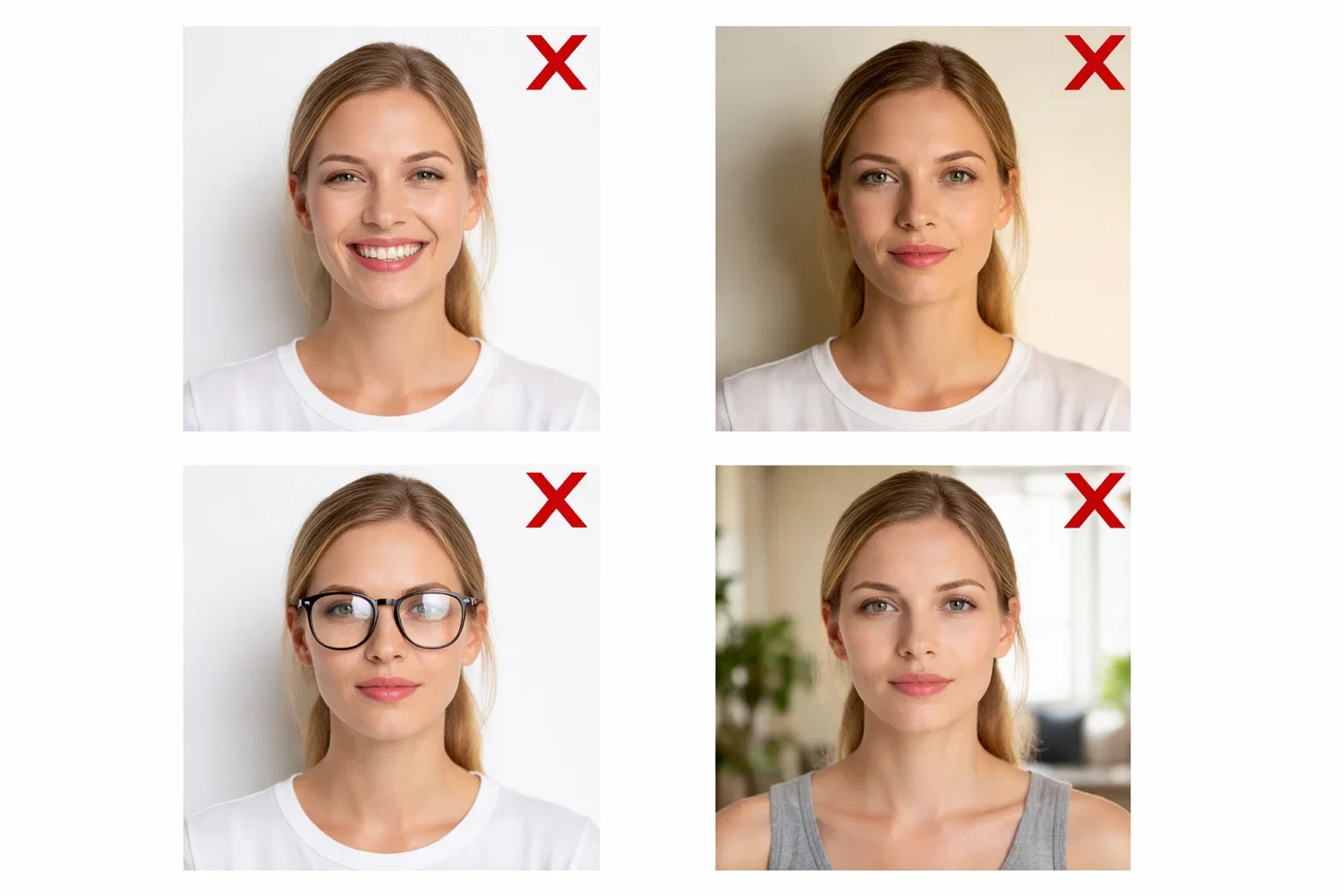
Awareness of the typical reasons for refusal is the first step to help you avoid problems with your digital passport photo. Here are a few ways to skip the most common blunders:
Prepare Your Photo Correctly
To ensure your photo meets the necessary standards, follow the basic guidelines:
- Take the photo with even lighting and no filters.
- Ensure the background is plain and light-colored.
- Position yourself so that your face is centered and fully visible.
- Avoid cropping the photo too tightly around your face.
Use a Digital Photo Solution
With a digital passport photo service such as PhotoGov, the process is easy and you can be confident that your photo meets all the requirements. The platform takes care of everything automatically, from the conversion of the file format to the adjustment of the resolution, that way your photo will be ready to upload without having to make any manual changes.
Next Steps if Your Photo is Rejected
If your photo is declined, you can take several actions to correct the problems:
Check the Technical Specifications Again
Check the technical specifications for digital passport photos to confirm that your photo complies with the requirements. Be certain the resolution, DPI, file type and cropping are right.
Use PhotoGov for Fast, Automatic Fixes
If you’re uncertain your photo is up to snuff, PhotoGov can help. Our platform automatically transforms your photo to fit all the required digital formats, so you don’t need to worry about anything. Just upload your photo and we’ll do the rest.
The rejection of a digital passport photo can be frustrating, but knowing the common reasons for rejection and having the right tools will allow you to avoid many problems. By complying with the digital standards and using PhotoGov to make automated corrections to your photo, you can be confident that your photo will meet the technical specifications and that it will be accepted.
Authored by:
Nathaniel K. RowdenApproved by Association of Visa center
We value your Privacy
We use cookies to enhance your browsing experience, serve personalized ads or content. By clicking “Accept All”, you consent to our use of cookies.