Examples of digital passport photos
Compliant Digital Passport Photo Example
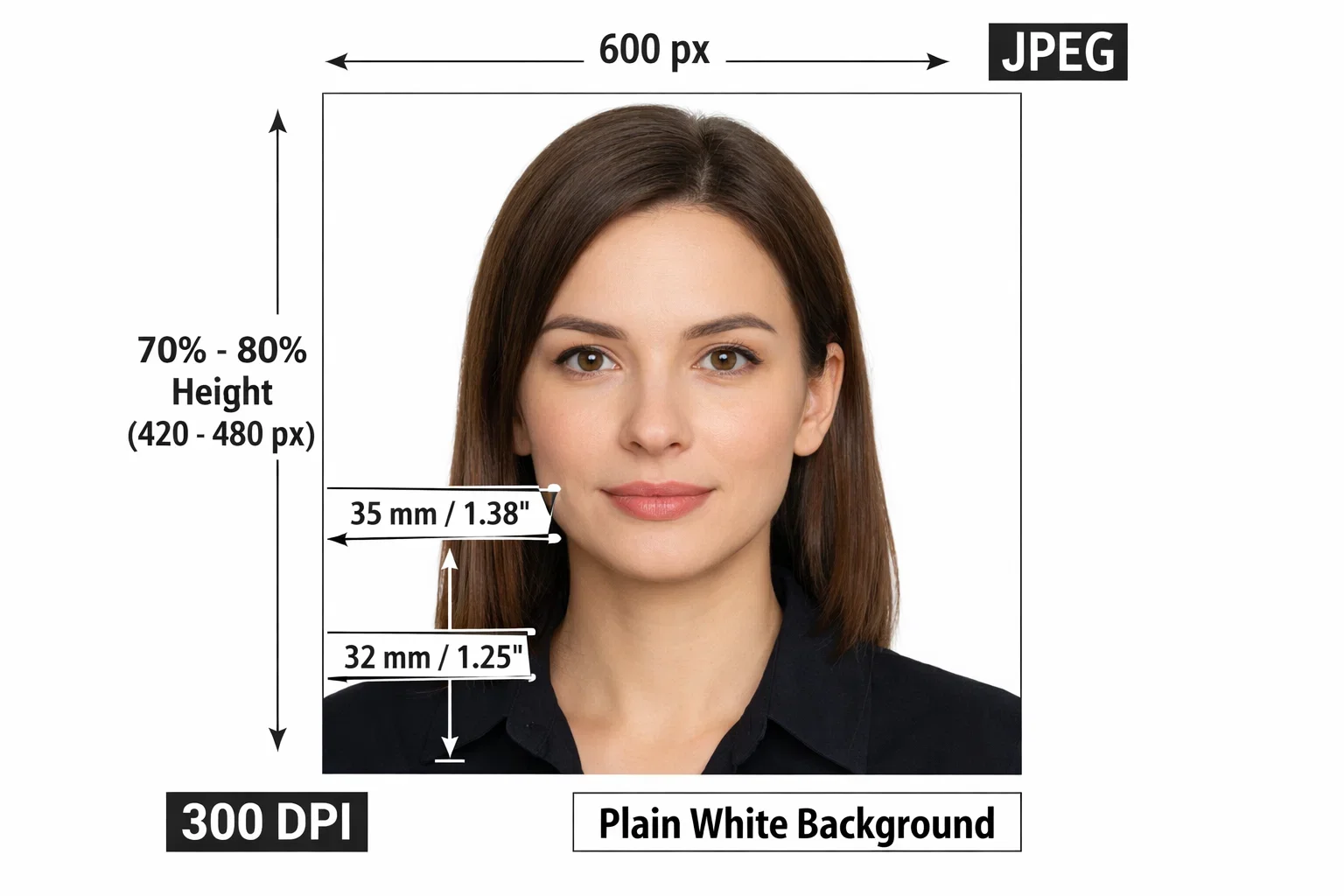
This is the perfect digital passport photo example as it fulfills all the technical requirements to be submitted online. Here's why:
- Correct dimensions: The photo is the right size, 2x2 inches or 600x600 pixels, and meets all the other standard digital photo specifications.
- File Format: Photograph is in JPEG, which is the best file format for passport applications.
- 300 DPI: The photo is clear and sharp at 300 DPI and can be used for Biometric Recognition.
- Good Lighting: The image is well lit, and there are no harsh shadows on the person's face, or behind the person, and the facial features are clear.
- Plain White Background: The background is neat, white and plain as it should be with passport photos there are no objects or patterns that can divert away from the subject.
- Neutral expression: The face of the subject is fully visible, he/she is facing the camera, has neutral expression and eyes wide open and it is necessary for biometric validation.
- Correct framing: There is sufficient room (at least 0.75 inch) around the face region in the photo, and the head and the shoulders should be fully visible for the system to properly crop the photo.
Common Issues in Digital Passport Photos
And here are the top errors we've seen among those making their own digital passport photos.
Incorrect Dimensions
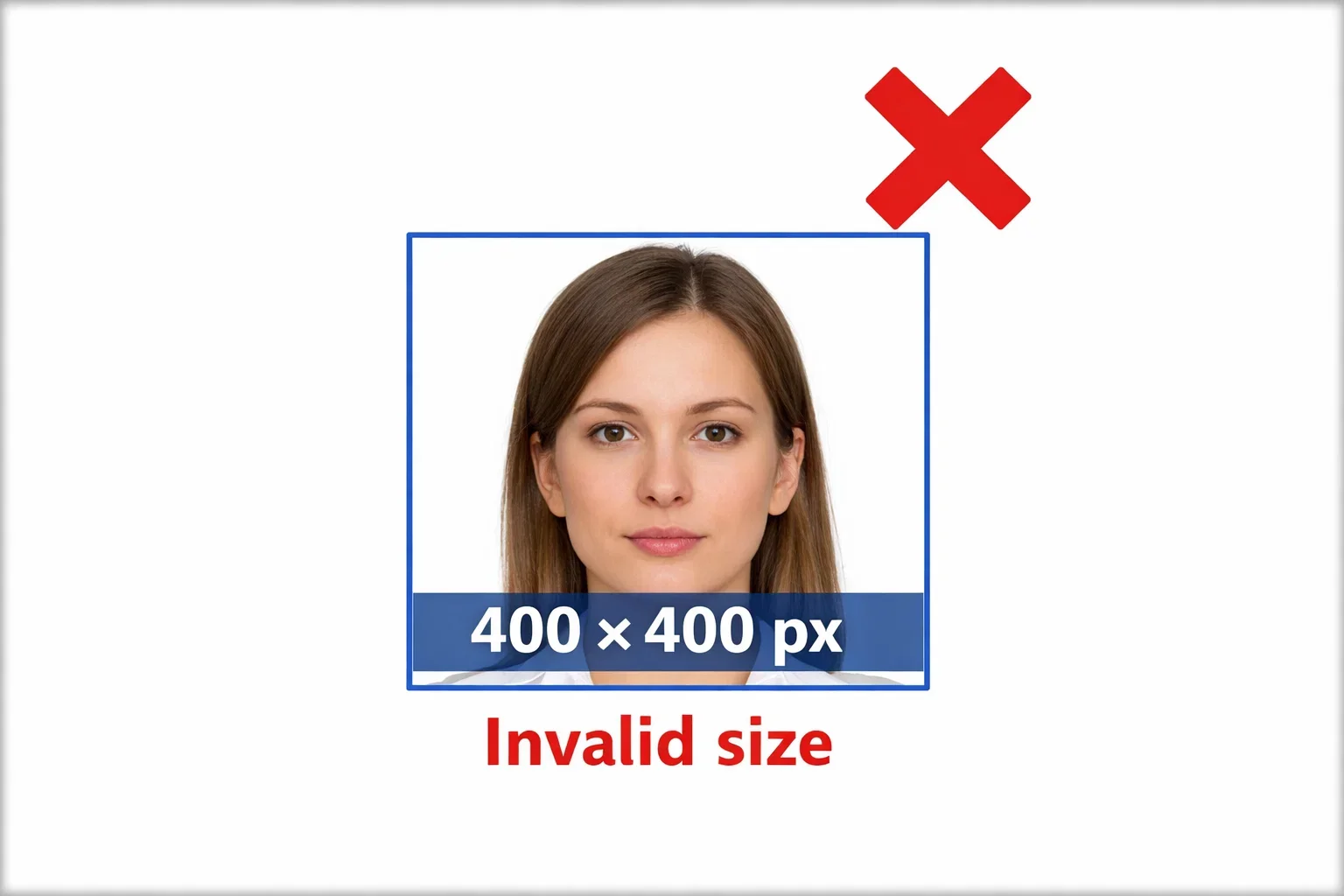
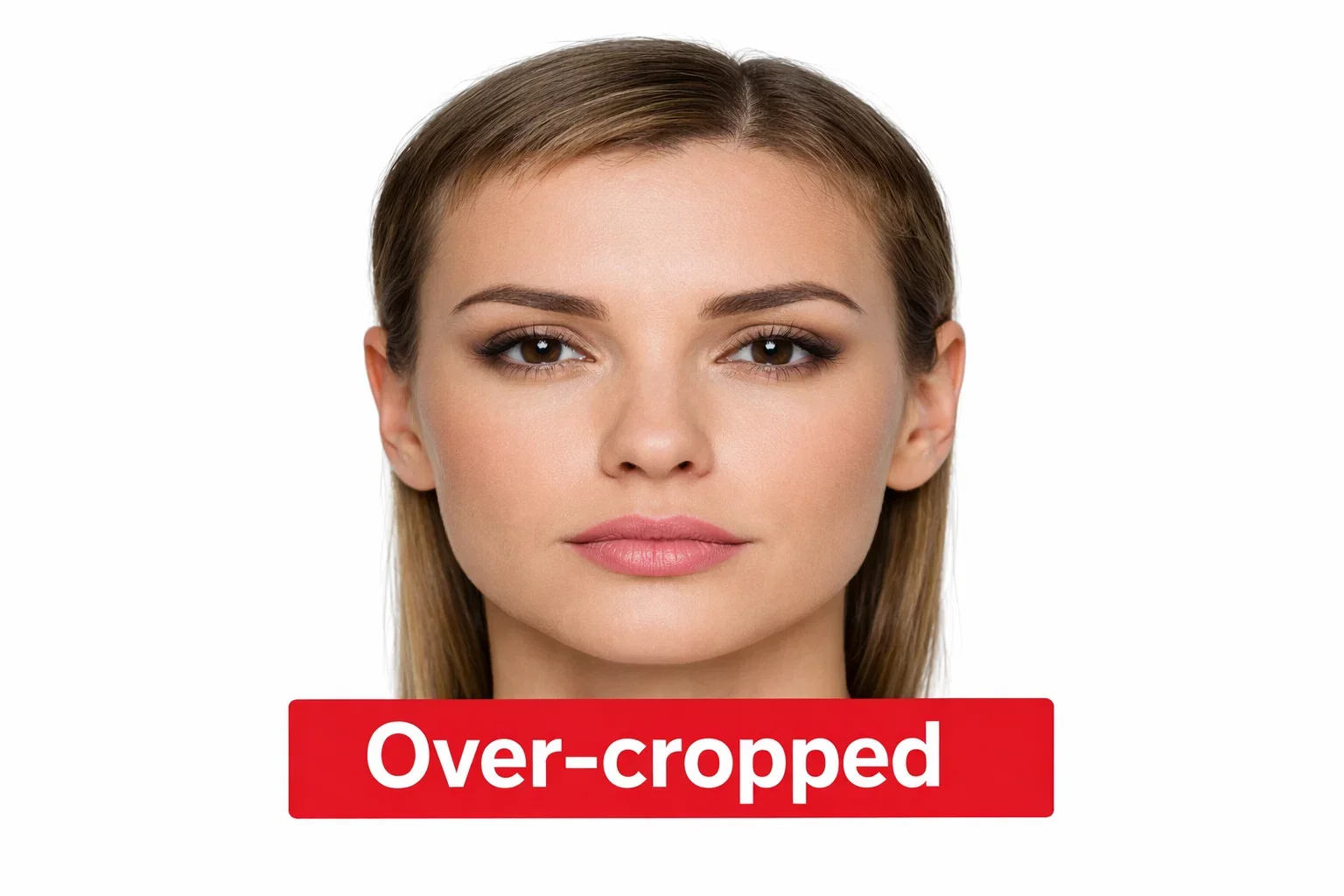
Why you should not do it: Photos should be size within the pixel dimensions required (600x600 to 1200x1200 px) and be proportional.
Clothing, Glasses, Accessories, and Headwear
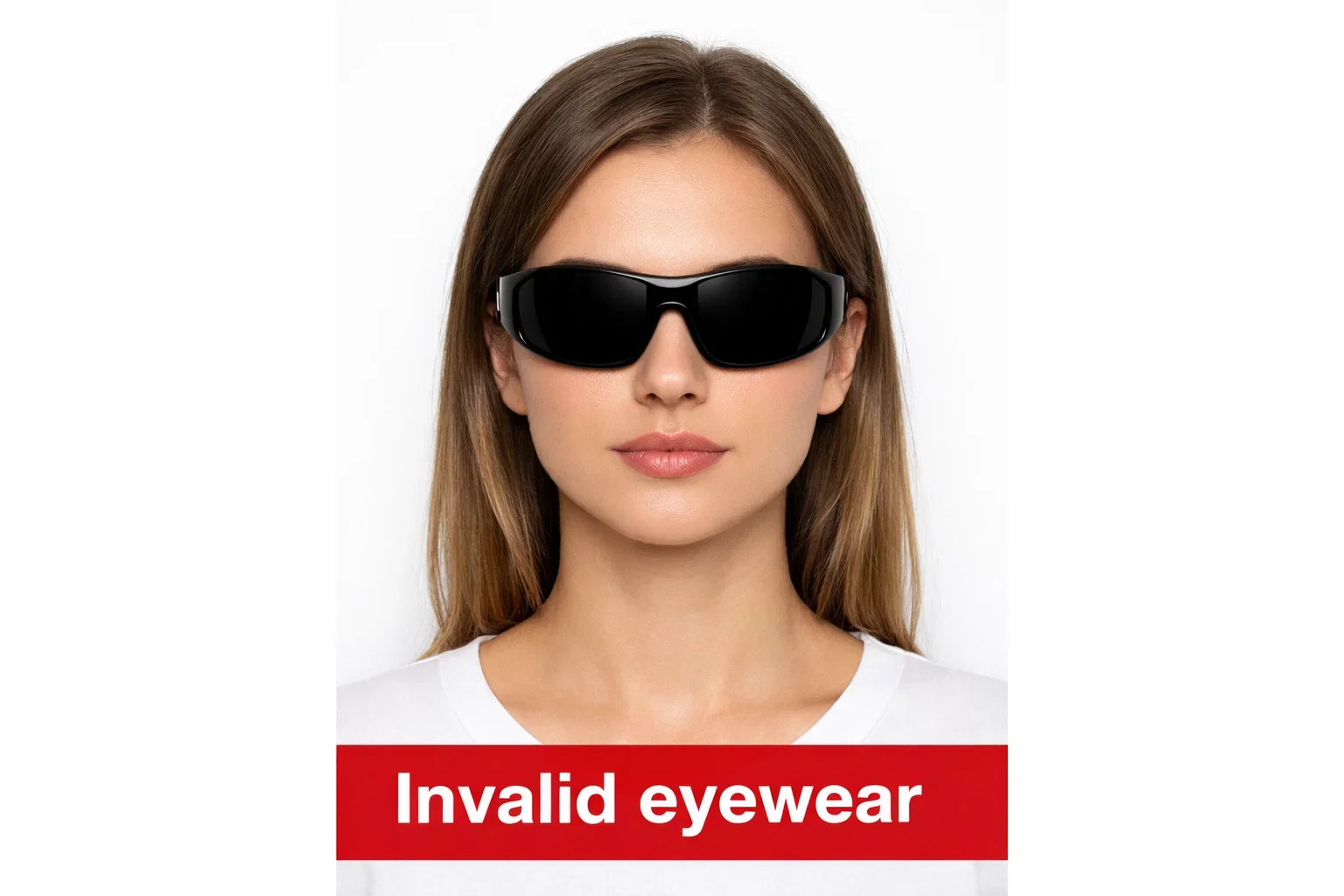
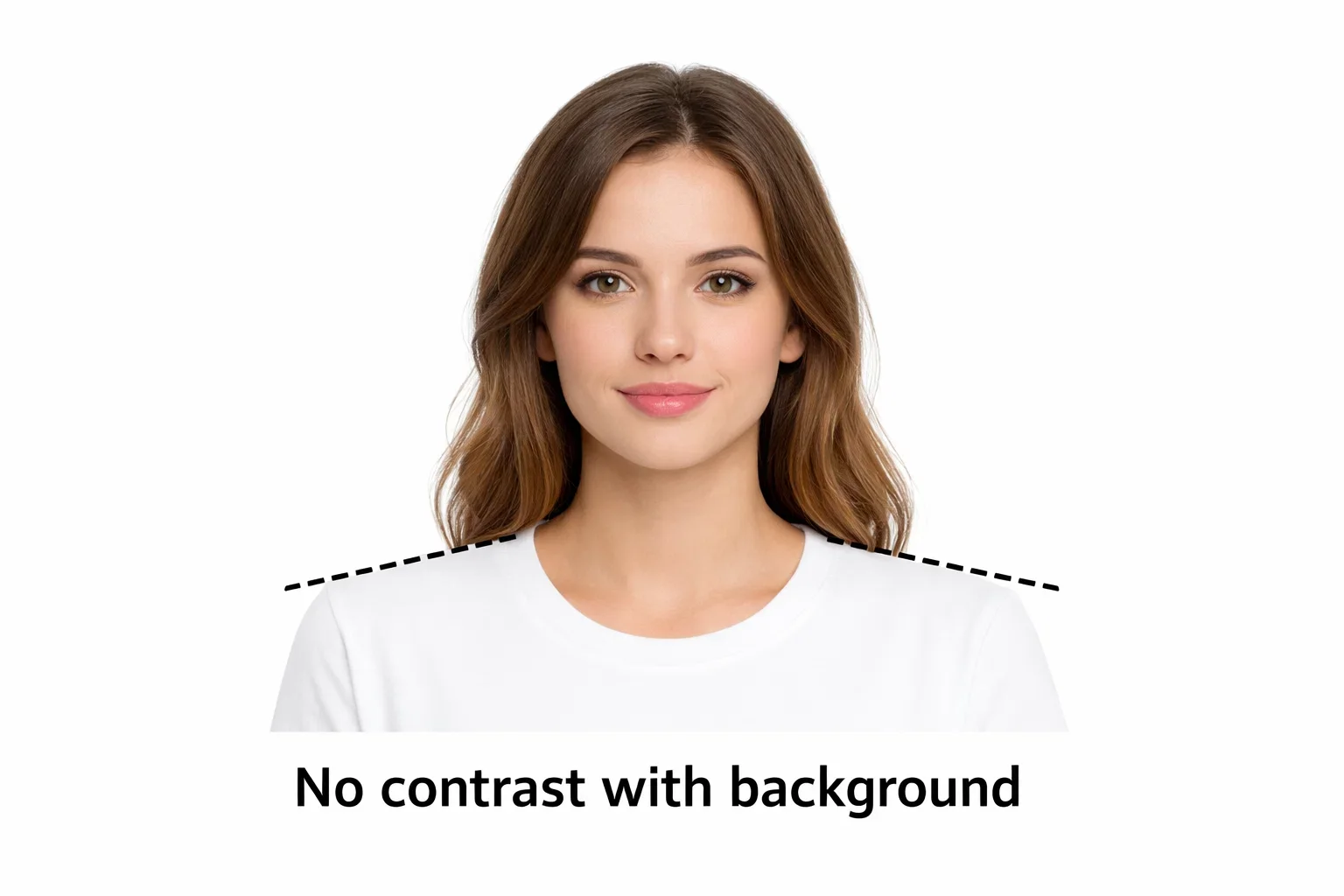
Why it is wrong with this:
- Glasses: Take off if you can; no reflections.
- Headwear: Non-religious headwear is not permitted, your face must be fully visible. Religious head coverings are permitted.
- Clothing: Should contrast with the background, not be white or too bright.
Background Issues
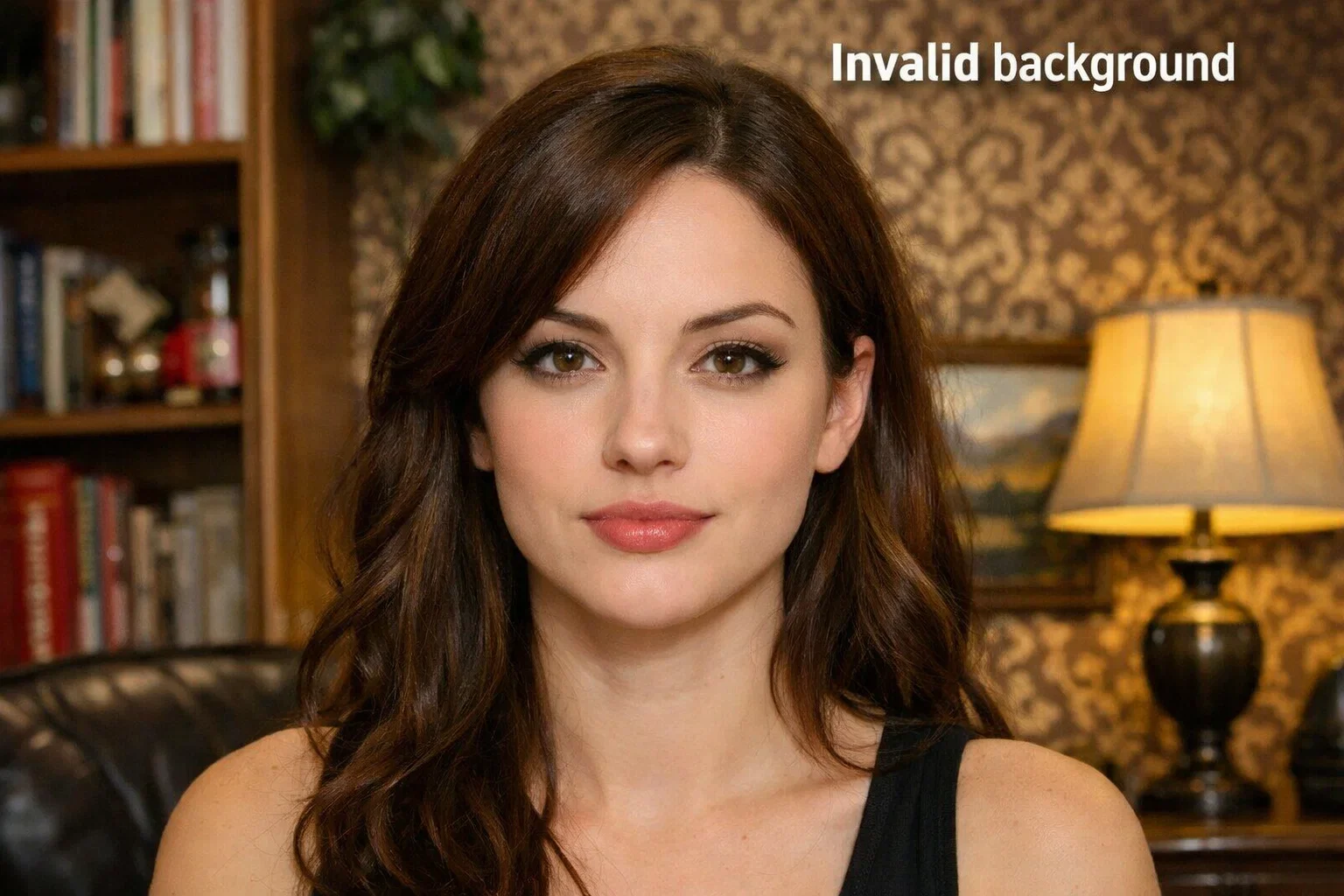
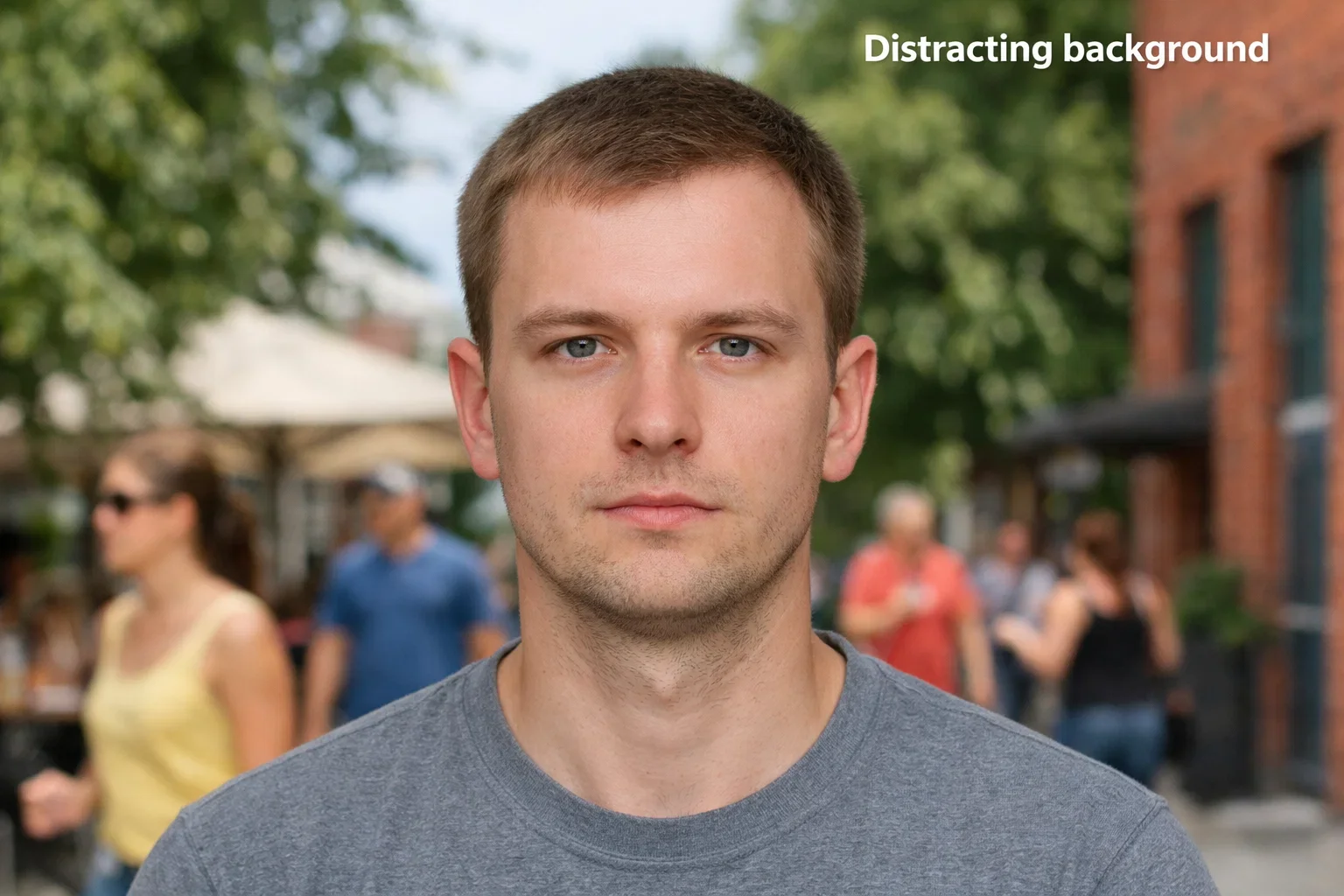
Why it’s wrong:
- The background should be solid white and free of any distractions that could be seen through the glass or by the camera lens.
- Subject or environment shadows can cause the photo to be unsuccessful.
Lighting and Shadows
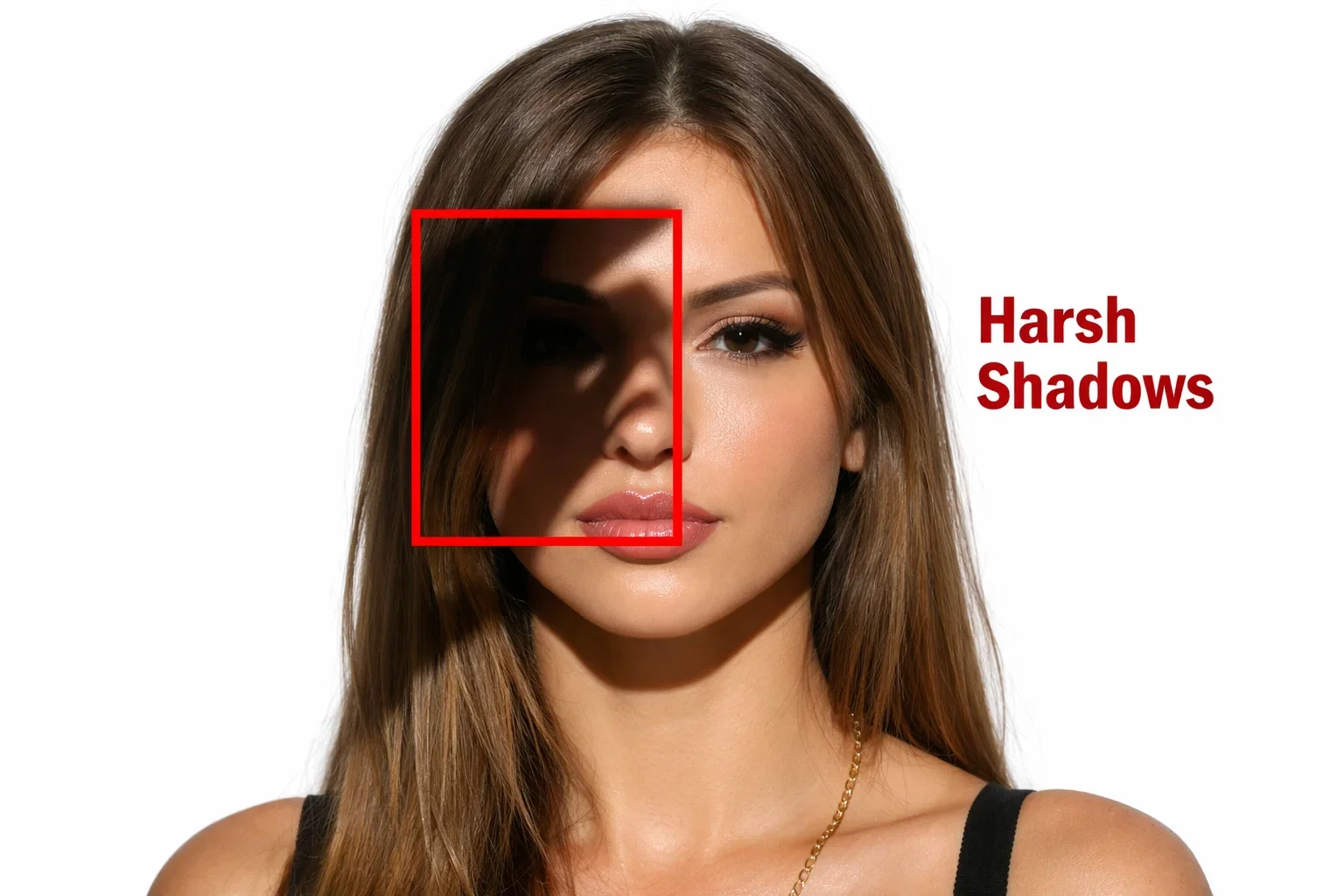
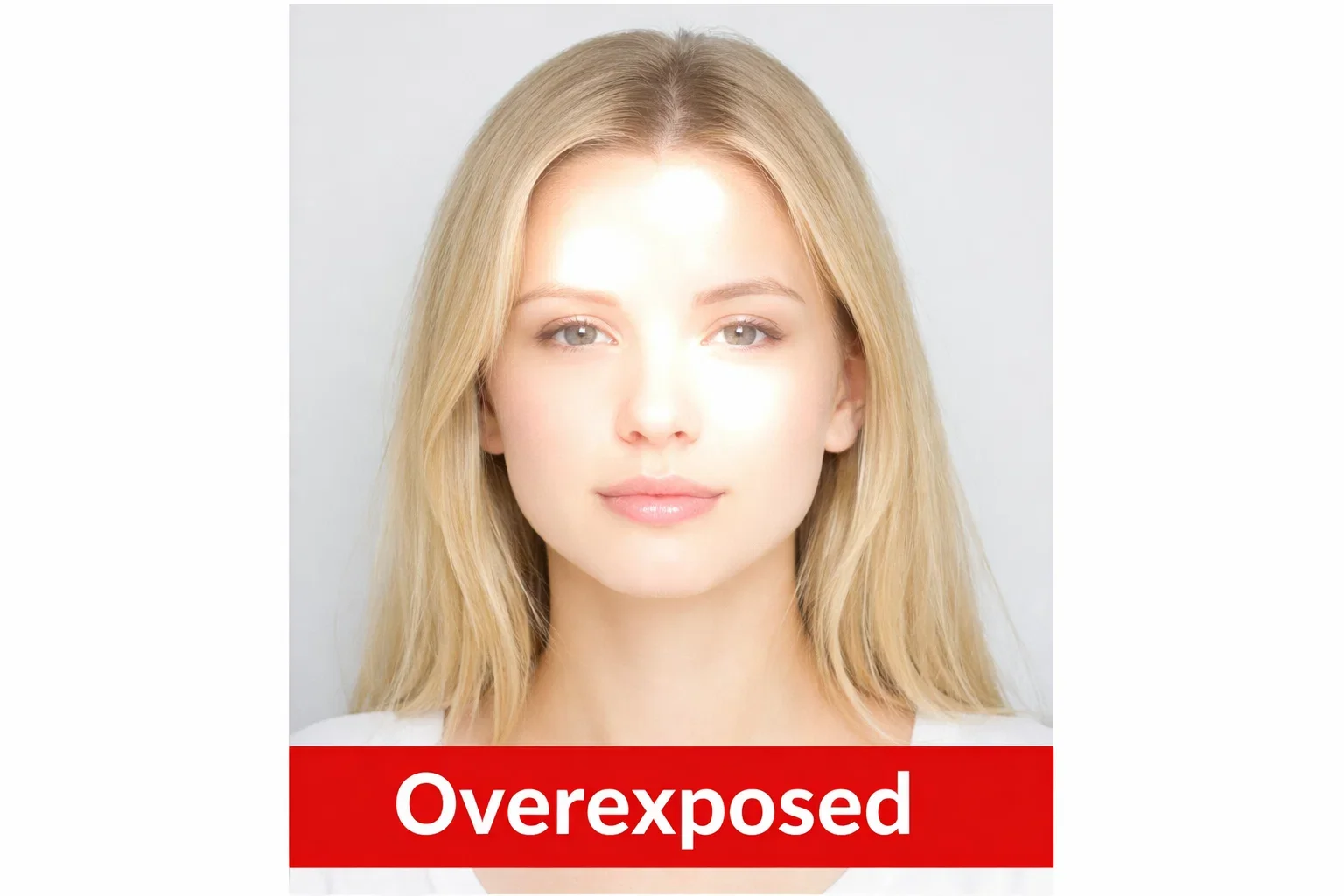
Reasons why is it wrong:
- Good lighting is essential. Use natural light rather than overhead or from the side as that will cast shadows under your eyes and on your face.
- There should be no filters or effects on the photo.
Biometric Alignment and Cropping
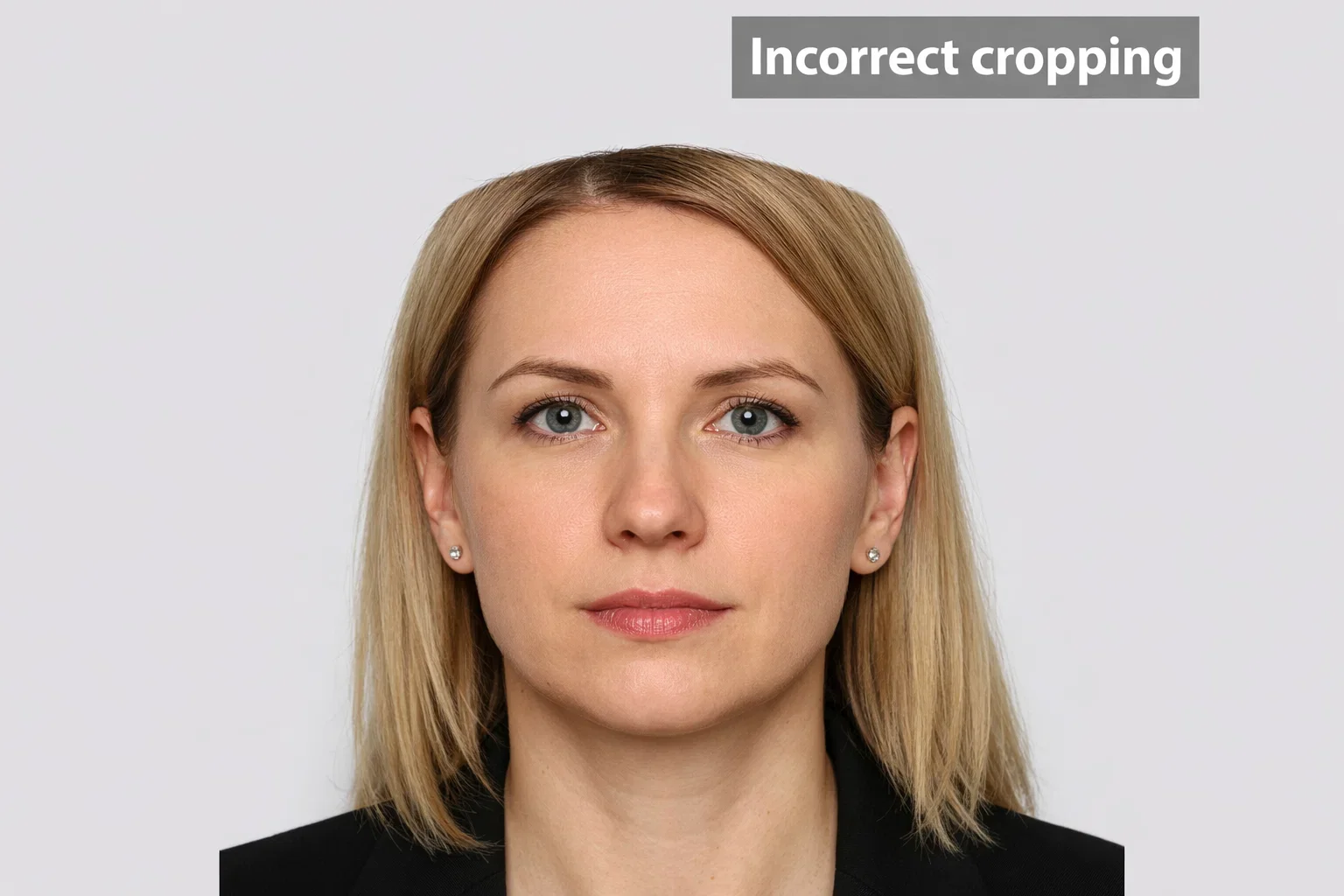
Why it’s wrong:
- The face needs to be centered and well-lit with eyes open and the head straight and looking directly into the camera.
How to Not to Make These Mistakes
As per the above digital passport photo requirements, with the help of PhotoGov, your photo will meet all the submission requirements. Good lighting, proper framing, and background accessories attention, will not be rejected.
Take Your Ideal Digital Passport Photo
Not sure if your digital passport photo is compliant? PhotoGov will make sure that your photo complies with all the technical requirements for submission via the Internet and will try to make automatic corrections to the format of the photo, its cropping, the resolution and the background.
Authored by:
Nathaniel K. RowdenApproved by Association of Visa center
We value your Privacy
We use cookies to enhance your browsing experience, serve personalized ads or content. By clicking “Accept All”, you consent to our use of cookies.