Create Your Digital Passport Photo Online — Just Upload a Selfie
How to get a digital passport photo without visiting a studio? Use the PhotoGov passport photo maker — simply upload your recent selfie, and the tool will automatically convert it into a correct digital passport photo by adjusting the size, crop, and background. Application-ready in under 30 seconds. Works on iPhone, Android, and in any browser — no editing skills or registration needed. Take your photo against a plain, light wall in even lighting — PhotoGov replaces it with the plain white background the U.S. Department of State requires.
Two free ID photos per day, depending on your location · Paid photos from $6.90 · No app · No studio · 30 seconds
We value your Privacy
We use cookies to enhance your browsing experience, serve personalized ads or content. By clicking “Accept All”, you consent to our use of cookies.
PhotoGov is an independent service. We are not affiliated with any government, embassy, or consulate. All information on this website is based on official government requirements and verified primary sources. Final acceptance is determined solely by the issuing authority.
Get Your Digital Passport Photo Now
Take a selfie, upload it to PhotoGov, and our digital passport photo tool will prepare a file, ready for submission at the U.S. Department of State’s website. Simply follow the step‑by‑step instructions below.
Get photo for: Digital Passport Photo
Instructions:
How to take a good photo?


1/7 Image format
Photo must be in color. Taken within the last 6 months.
How to take a good photo?
1/7 Image format
Photo must be in color. Taken within the last 6 months.
ID & Passport Photo Tool. Your personal data is processed in accordance with security and privacy standards.
If you need assistance, don't hesitate to contact our Support team, which is always there to help.
How Our Digital Passport Photo Maker Works
Our digital passport photo maker automatically converts your selfie's size, head proportions, framing, and background into a JPEG of 600 × 600 pixels, under 10 MB. Add human verification for an extra level of confidence: our compliance expert reviews your photo against official photo requirements and provides detailed feedback, including recommendations for corrections if necessary.
Photo Upload
Take a selfie and upload it to PhotoGov
Service Selection
Add Human Verification or bundle other services
Processing
Wait while automatic resizing and cropping are applied
Download
Get a submission-ready digital passport photo
The Home Setup Step by Step
The guide on how to make a passport photo covers the shot itself, the file parameters, and the output format required for each portal.
Sending the File to the Portal
A separate page explains how to upload a passport photo in the four US scenarios: online renewal, DS-160, DS-260, and the DV Lottery.
Written by Olia Potiagaeva, Managing Editor Reviewed by the PhotoGov Editorial Team★ 4.8 / 5.0 GoogleChecked against U.S. Department of State requirements
Checked against 8 official parameters
Every file is validated before you download it.
→ Compliance checkRequirements re-checked every 8 weeks
Against the U.S. Department of State specification, so the template never falls behind a rule change. Last checked: 12.10.2026.
→ Official Government SourcesOn THIS PAGE:
- Get Your Digital Passport Photo Now
- How Our Digital Passport Photo Maker Works
- What Is a Digital Passport Photo?
- Your Final Digital Passport Photo from PhotoGov
- Digital Passport Photos that Pass the Checks
- Digital Passport Photos that Don’t Pass the Checks
- Why Use PhotoGov for a Digital Passport Photo
- What PhotoGov Users Say
- PhotoGov and the Official Digital Passport Photo Standards
- Frequently Asked Questions
- Official Government Sources
- Other Pages — U.S. ID Photos
Shooting on an iPhone
For iPhone users, the iPhone passport photo sample guide walks through the camera setup and the framing a home shot needs.
What Is a Digital Passport Photo?
A digital passport photo is a photo file that you upload to an online application instead of handing in a print. For a U.S. passport renewed online, the Department of State requires a color photo taken in the last 6 months, saved as a JPG, JPEG, PNG, HEIC, or HEIF file of 54 KB to 10 MB.
The Digital Passport Photo editor crops your image to the selected format and positions the head within the frame. It sizes the picture you upload without changing your facial features, and the built-in photo checker tests the file against the selected format. Before you submit the photo, check the photo instructions for the application you are completing.
The official biometric photo format required for a digital submission — US passport renewal.
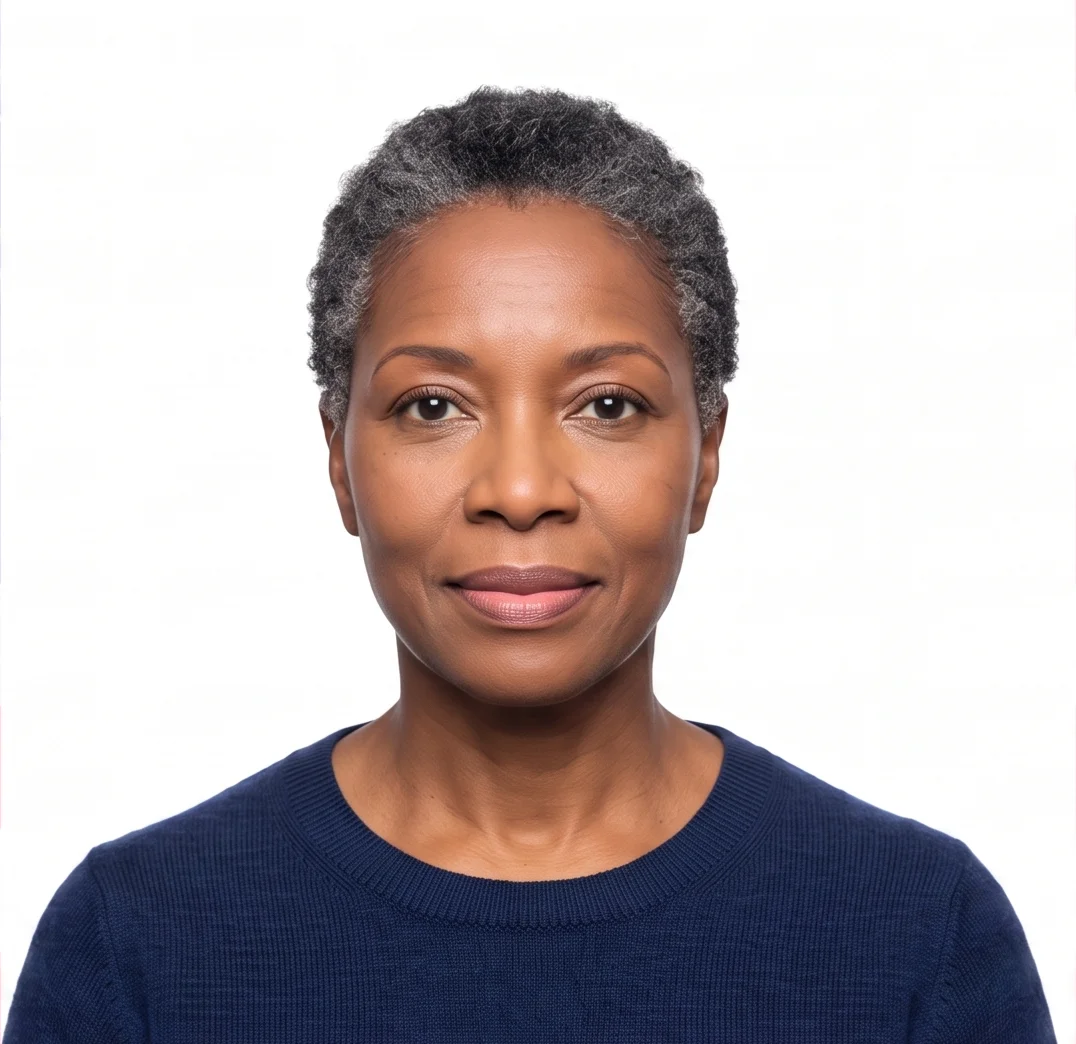
Automatically prepared by PhotoGov as a digital, application-ready JPEG, aligned with U.S. Department of State standards.
Suitable for a digital upload to the online passport renewal system.
Your Final Digital Passport Photo from PhotoGov
PhotoGov automatically applies the U.S. Department of State standards for size, crop, and framing to your original photo. The final image requires no adjustments on your part — but always double-check it before submission. Final acceptance is determined solely by the U.S. Department of State. Below are the key technical parameters of your final US passport photo from PhotoGov.
For a full overview of official standards, please see our Digital Passport Photo Requirements Guide.
Parameter | Your Final Photo |
Photo size | 600 × 600 pixels |
Head size | 50 – 69% of the frame |
Background | White, plain |
File format | JPEG |
Resolution | High-resolution digital file |
Head positioning | Automatically centered |
Color | Full color |
Face visibility | Fully visible, natural and unretouched |
Submission | Ready for online renewal upload |
Your photo is processed in a private session in a secure environment. Facial features are never altered — our digital passport photo maker only adjusts the size, crop, framing, and background of your original image. The optional formal-attire pack uses AI to change clothing and is not suitable for passport or visa applications. If you want extra reassurance, optional Human Verification is available at checkout.
Choosing the File Format
Our JPEG vs HEIC comparison explains which format the State Department allows for visas and for online renewals, and when each one is the safer choice.
Digital Passport Photos that Pass the Checks
Digital Passport Photos that Don’t Pass the Checks
Where to Get a Digital Passport Photo
For an online U.S. passport renewal, you need a digital photo file stored on your device, not a paper print. The U.S. Department of State lists several sources for passport photos, including commercial photo services, designated acceptance facilities, and photos taken at home by a friend or family member. An online tool is another option: someone takes your photo against a plain background, and the tool crops and formats the file to official dimensions.
Where | Digital copy | Appointment | Price listed on the provider's site (September 2026) |
|---|---|---|---|
PhotoGov, online | Instant download after processing (brief wait with optional Human Verification) | Not required | $6.90 for Digital HD (6 photos) |
Walgreens | Free digital copy by email with the printed photos | Not required | $16.99 for two printed 2x2 photos |
CVS Pharmacy | Digital image available by email for an extra fee (select stores only); passport photos cannot be ordered online | Not required | $17.99 for two 2x2 prints, $3.99 for the digital image |
USPS Post Office | Digital photo for online renewal (offered at many locations) | Required (limited walk-ins at select locations) | $15.00 Post Office photo fee |
FedEx Office | Printed or digital (some locations provide digital files on USB instead of email) | Not required | $15.95 |
AAA branch | Printed or digital, depending on the local club | Recommended at some clubs, not required | Set by each club |
Prices are subject to change and may vary by location.
A store or post office visit makes sense if you need printed photos or are applying in person for the first time: many post offices serve as acceptance facilities for first-time passport applications and take photos on-site.
Walgreens, CVS, FedEx Office, and AAA clubs take passport photos, but do not process passport applications. If you only need printed 2x2 photos, you can create them at home with the US passport photo tool, which provides a printable photo sheet ready for printing.
For an online renewal, you don't need to leave home: have a friend or family member take your picture against a plain white or off-white wall (as recommended by the U.S. Department of State), and PhotoGov crops it to size, positions the head, and checks it against official rules.
The U.S. Department of State rules for the digital file:
- Save the file on the device you will renew from; a photo taken on a phone may already be saved in an accepted format (JPG, JPEG, PNG, HEIC, or HEIF, 54 KB to 10 MB).
- Do not take a photo of a printed picture or scan a paper photo to create the digital file.
- Do not alter your appearance with filters, retouching, or AI; you can crop or reposition the photo within the application.
- You must submit the renewal yourself; no third-party service can submit it for you.
Online Renewal Uploads
The online renewal system runs its own checks, and our guide explains, step by step, how to upload photo for passport renewal.
If the Photo Is Rejected
Our checklist for a passport photo rejected at upload lists every rejection reason and the correction that each one needs.
Why Use PhotoGov for a Digital Passport Photo
Convenience
Receive a digital passport photo, suitable for an online passport renewal upload
Requirements Check
Designed to meet the current U.S. Department of State standards for digital passport photos
Availability
No retakes in studios — create your digital passport photo from your phone in any browser, no visit required
Extra Assurance
Optional Human Verification by an in-house compliance specialist
Secure Processing
Your image is processed in a private session and never shared with third parties
If your photo is rejected due to technical issues on PhotoGov's side, we provide a free retake or a full refund.
What PhotoGov Users Say
“This is an awesome tool for anyone who knows next to nothing about photo editing to get themselves up and running with making their photos turn out in acceptable formats across multiple government agencies and countries in seconds. The better part of it is that, it is free!”
“Reasonable pricing photo is very professional it totally clears up any background shadows,it’s way simpler than me guessing.Ive used it twice but I do have my own software to print 2x2 photos so its easier for me that way.”
“I'm very pleased with the services. While other companies charge $20 for this simple thing that takes no more than 10 s, they do it for free. Big UPS”
Two Formats, Different Rules
The page on digital vs printed passport photos sets out where each format is required and why the two sets of rules are not interchangeable.
PhotoGov and the Official Digital Passport Photo Standards
PhotoGov builds its digital passport photo maker around the official specifications published by the U.S. Department of State, together with the biometric framework defined in ICAO Doc 9303. Our team tracks these standards continuously, and whenever a requirement changes, the engineering team updates the processing engine so every template stays current.
A digital passport photo generated through our tool is saved as a JPEG, with the head centered in the frame, within the 54 KB-10 MB size range required by the U.S. Department of State for online passport renewals, and placed on a plain white background. Only the size, crop, and background are adjusted — your facial features remain untouched. The finished digital file, ready for online upload, is delivered in under a minute.
If you'd like extra confidence before submitting, our Human Verification service lets a senior compliance specialist manually check your digital photo against the current Department of State template. This is especially useful for online passport renewal, urgent applications, photos of infants or young children, or any case where a rejected file would create real problems.
Need a digital photo for another U.S. document? Explore our other tools: US Visa Photo Tool, DV Lottery Photo Tool, US Green Card Photo Tool.
The U.S. Department of State prohibits digital alterations of ID photographs. Our platform sizes, crops, and frames your photo and places it on a white background; it does not change your facial features. Final acceptance is determined solely by the U.S. Department of State.
Examples and Common Photo Mistakes
Our passport photo examples illustrate common problems with framing, lighting, clothing, and backgrounds.
Frequently Asked Questions
To create a digital passport photo, take a clear, well-lit photo of yourself — or upload one you already have — through the PhotoGov passport photo maker. Select your country, and the tool automatically applies the correct crop, head positioning, background, and file format required for a digital passport photo in that country. Within seconds, you receive a digital passport photo ready to download and upload directly to the relevant application portal.
A download link for your passport photo is also emailed to you after payment: the button in the email takes you back to PhotoGov, where you can save the digital file. You can also stay on the site and download it as soon as it is ready, without waiting for the email.
In most countries, yes — PhotoGov lets you generate and download a compliant digital passport photo at no cost. In the United States, United Kingdom, and Canada, PhotoGov charges a small, transparent fee to cover local compliance checks and support; current pricing for these countries is listed on our Pricing page. Additional services and file formats are available as paid add-ons at checkout.
Getting a passport photo online is straightforward — you have three main options: a service like PhotoGov, a local photo studio or pharmacy that offers digital files, or an authority-approved photo provider where your application specifically requires one. PhotoGov is the fastest browser-based route — no appointment, no travel, no waiting in line. Upload a photo, let the tool process it against the correct requirements, and download a ready-to-submit file in under a minute.
Yes, in any case where your application accepts a digital upload rather than a physical print. Searching for passport photos near me usually leads to a pharmacy or studio visit, an appointment, and a per-print fee — useful if you specifically need a physical photo or an authority-issued photo code, but unnecessary overhead for a digital submission. Whether you searched for passport photos near me or passport pictures near me, an online passport photo maker like PhotoGov removes that step entirely: you take the photo yourself, and the tool handles the sizing, cropping, and compliance check a studio would otherwise do manually.
Yes, and for most applicants it's the simplest option. Take your photo against a plain, light wall in even lighting — PhotoGov replaces it with the plain white background the U.S. Department of State requires. What it can't fix is the source image itself: a blurry photo, an obscured face, sunglasses, or a very low-resolution image will still need to be retaken before processing.
Yes. PhotoGov runs entirely in your phone's browser, so you can take a new selfie or upload an existing photo from your camera roll on either iOS or Android. There's no separate app to install and no account required — the tool works the same way on a phone, tablet, or desktop computer.
Once PhotoGov has processed your photo, download the finished file to a location you can easily find, such as your device's Files or Downloads folder. Then open the official application portal for your document, locate its photo-upload field, select the saved file, and wait for the portal to run its own validation check. If the portal flags an issue with the file's technical properties, our step-by-step Digital photo upload guide covers the most common causes and fixes.
For creating a new digital photo, yes — starting from a phone camera image is simpler and produces better results than scanning a print, since scans often pick up paper texture, glare, or color shifts. If a printed passport photo is all you have, scan it in full color at a reasonably high resolution and upload the scan; PhotoGov will still crop and format it correctly. Whenever possible, though, a fresh photo taken directly on your phone gives the processing engine more detail to work with.
A digital passport photo is a JPEG file sized specifically for an online upload field — it has no physical dimensions until it's printed. A printable passport photo, by contrast, is laid out at an exact physical size (for example, 2×2 inches or 35×45 mm) on a print sheet, ready to be cut and submitted in person or by mail. PhotoGov's digital passport photo maker is built for the online-upload use case; if your application specifically requires a physical print, check your document's pricing page for the printable option before you submit.
An electronic passport photo, sometimes called a digital copy, is a file attached to an online application instead of being submitted as a print in person or by mail. PhotoGov produces the digital image for immediate download after processing, so you do not have to wait for prints or delivery.
Automatic processing — cropping, resizing, and background adjustment — typically takes about 30 seconds once you've uploaded a suitable photo and selected your country. If you add Human Verification, expect a short additional wait while a compliance specialist manually reviews the result against the current official template before releasing your final file.
For an instant passport photo, automatic processing begins as soon as you select your country and document, upload your photo, and click Start processing. You can also add Human Verification, our recommended expert review of the result.
PhotoGov's tool adjusts only the technical properties required for compliance: crop, canvas size, head placement, background color, pixel dimensions, and file format. It never changes your facial features, skin, or expression, and it never generates or synthesizes a new likeness — the person in the final photo is exactly who uploaded it. This matters because most issuing authorities, including the U.S. Department of State, explicitly prohibit digitally altered or retouched ID photos, and PhotoGov's process is built to stay within that boundary.
PhotoGov prepares your photo file — it doesn't fill out your passport application, submit it on your behalf, book appointments, issue travel documents, or guarantee approval. Final acceptance always rests with the government agency or consulate reviewing your application; our role is limited to delivering a technically compliant photo file for you to submit yourself.
Digital passport photo requirements aren't universal — each country sets its own standard. Pixel dimensions, aspect ratio, head-size percentage, background color, and file format can all differ meaningfully from one country's passport photo standard to another's. Selecting your country tells PhotoGov exactly which profile to apply, so the file you download matches the standard your application will actually be checked against.
Only if both applications require the identical technical and biometric profile and the photo is still recent enough to meet each authority's currency requirement (most require a photo taken within the last six months) — for example, two passport renewals processed under the same country's standard. If you're applying in two different countries, each with its own passport photo standard, reprocess your source photo separately under each country's profile rather than reusing one output file; even small differences in crop or head proportion can cause a rejection.
Yes, in two ways. Every photo automatically goes through PhotoGov's compliance check as part of standard processing, verifying crop, size, background, and other technical requirements against your selected country's standard. For extra confidence, add Human Verification at checkout, and a compliance specialist will personally review your finished photo against the current official template before you download it.
Start by reading the portal's exact rejection message — it usually points to a specific technical property, like file size, background color, or head positioning. If the issue relates to something PhotoGov's profile is meant to handle, contact our Support with the error message and your country; if the rejection traces back to a processing error on our side, we'll provide a free retake or a full refund. If the rejection instead concerns your application's eligibility or a rule unrelated to the photo itself, follow the instructions provided by the issuing authority.
Yes. PhotoGov processes each photo in a private session and does not share your image with third parties as part of the photo-making workflow. For full details on how long files are retained and how your data is handled, see our current Privacy Policy.
No. PhotoGov is an independent online service — a passport photo maker, not a government agency. We are not affiliated with any national passport office, embassy, consulate, or issuing authority, including the U.S. Department of State, and we cannot guarantee how any government will rule on your application.
If you want to see sample passport photos before you submit, two resources are useful here. Your country's passport-issuing authority typically publishes its own approved examples — for US applicants, that's the Department of State's Digital Passport Photo Page, which you can use to compare your finished photo against official samples. PhotoGov's own Digital passport photo examples article goes further, walking through specific acceptable and rejected photos so you can spot common mistakes before you submit.
No. PhotoGov's passport photo maker is built for an easy, hassle-free process — you don’t need to crop the image, calculate pixel dimensions, or remove a background by hand. All the technical work — sizing, positioning, and background correction — is automated. Your only real tasks are choosing the correct country and supplying one clear, well-lit source photo.
Yes. Open photogov.net in the phone browser, upload a picture and download the finished file. No app is required; the PhotoGov app for iOS and Android does the same job if you prefer it.
No. PhotoGov applies the selected format automatically: the tool sets the frame and the head position for you. Before you submit the photo, check the photo instructions for the application you are completing.
Digital Photo Questions by Country
Our FAQ page goes beyond what is a digital passport photo and into the practical US, UK, and Canadian rules.
Official Government Sources
Checked against the U.S. Department of State photo requirements: https://travel.state.gov/content/travel/en/passports/how-apply/photos.html · Last checked: 12.10.2026
U.S. Digital Passport Photo Guidance: U.S. Department of State
U.S. Online Passport Photo Renewal: U.S. Department of State
International Biometric Framework: ICAO Doc 9303
Other Pages — U.S. ID Photos
United States
30 doc.
- Baby Passport Photo
- CIBTvisas visa photo (any country)
- CVS photo
- Digital Passport Photo
- Travisa visa photo (any country)
- US Citizenship (naturalization) 2x2 inch (51x51 mm)
- US Electronic Diversity Visa Lottery (600x600 px, 2x2 inches, white bg)
- US Employment Authorization 2x2 inch (51x51 mm)
- US Green Card (Permanent Resident) 2x2
- US NFA ATF form 2x2 inch
- US NY Gun License 1.5x1.5 inch
- US NY MTA Metrocard for Seniors
- US Passport 2x2 inch (51x51 mm)
- US Veteran ID Card 2x2 inch
- US Visa 2x2 inch (600x600 px, 51x51mm)
- US passport card 2x2 inch
- USA CCHI ID badge 3x3 inch
- USA FOID 1.25x1.5 inch
- USA Form I-130 2x2 inch
- USA Nursing License 2x2 inch
- USA PADI certification card 45x57 mm (1.75x2.25 inch)
- USA Re-entry Permit 2x2 inch
- USA SAT 2x2 inch
- USA advance parole 2x2 inch
- USA bar examination 300x300 pixels
- USA crew visa 2x2 inch
- USA welding certificate 2x2 inch
- Visa Headquarters visa photo (any country)
- VisaCentral visa photo (any country)
- VisaHQ visa photo (any country)
Related pages
Service provided by Y VISION TECHNOLOGIES LLP · Stoney Works 8 Stoney Lane, London, England, SE19 3BD · Terms · Refund policy · Contact
We value your Privacy
We use cookies to enhance your browsing experience, serve personalized ads or content. By clicking “Accept All”, you consent to our use of cookies.